How to Check SIMs on Your CNIC, and Block Any You Did Not Buy
Text your CNIC to 668 for a network by network count. How to block a SIM you never bought, and why no site can show you a stranger's details.
Every SIM in Pakistan is registered against somebody's CNIC. The question worth asking is whether all the ones registered against yours were actually bought by you.
Update, 10 October 2026: If your SIM suddenly stops working, it may be a SIM swap. Act in the first 30 minutes. See what to do.
Checking takes about thirty seconds and costs nothing. We think everyone should do it once a year, for the same reason people check a bank statement.
The check itself
There are two official routes and they return the same thing.
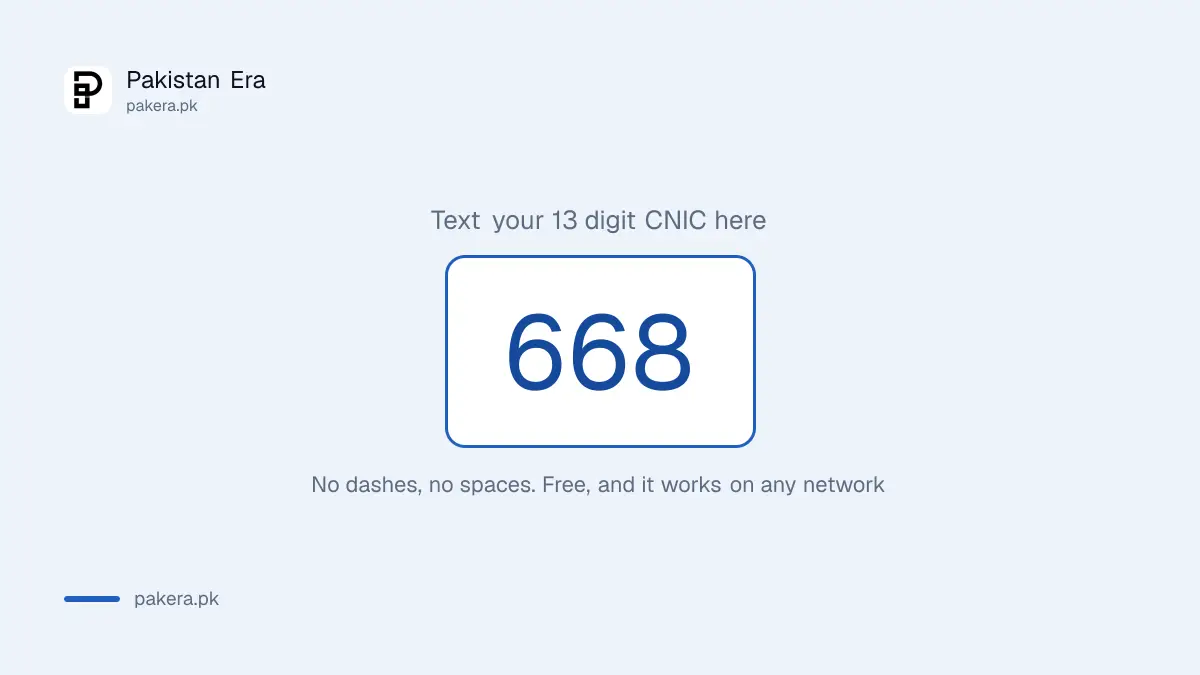
By SMS. Text your 13 digit CNIC number, with no dashes and no spaces, to 668. It is free and it works from any network. A reply arrives in under a minute.
On the web. Go to cnic.sims.pk, the SIM Information System, and enter your CNIC there.
One thing to be clear about before you check: the reply gives you a count per network, not a list of numbers. You will learn that you have, say, three SIMs on Jazz and one on Zong. You will not be told what those numbers are. That surprises people, and it changes what you do next.
Reading the result honestly
Count the SIMs you actually use, network by network, before you look at the reply. Otherwise you will rationalise whatever it says.
Most people find one or two more than expected, and most of the time there is a dull explanation: a SIM bought years ago for a phone that broke, a data SIM for a device you stopped using, a number issued during a job you have left. Old and forgotten is not the same as fraudulent.
What matters is the gap you cannot explain. If you have never had a Telenor connection and the reply says you hold two, that is worth acting on today.
Why an extra SIM in your name is a real problem
This is the part the other guides skip, and it is the reason to bother.
A SIM registered to you is legally yours. If somebody uses it for fraud, harassment, or anything worse, the investigation starts at the CNIC it is registered against, which is yours. Explaining that you never bought it is a conversation you have after the knock on the door, not instead of it.
There is a financial edge too. Numbers are used as password reset routes for banks and wallets. A SIM in your name that you do not hold is a route somebody else controls, and that is the same exposure that makes a lost SIM urgent, which we cover in the duplicate SIM guide.
And there is a mundane one: the SIM limit is per CNIC, so unauthorised connections consume an allowance you might want later.
Blocking a SIM you did not buy
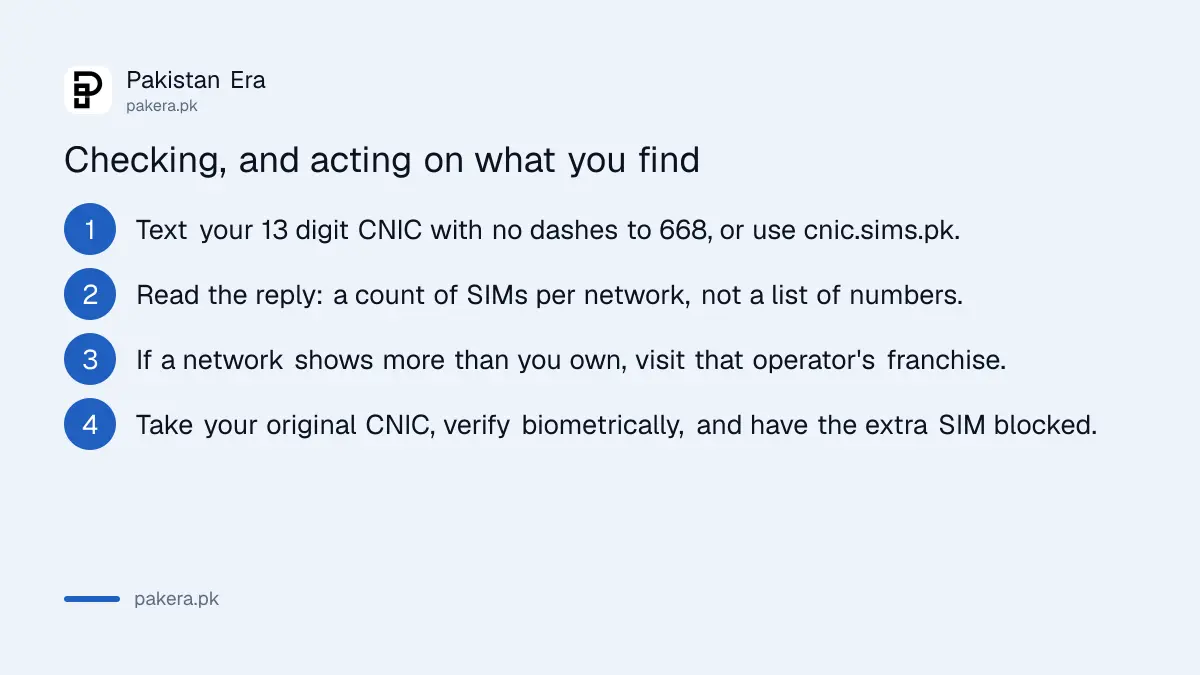
Because 668 gives you a count rather than numbers, the next step happens at the operator, not on your phone.
- Work out which network holds the extra connection from the count you were given.
- Go to that operator's franchise with your original CNIC. Not a retailer, a franchise.
- Verify biometrically. They will match your fingerprints against the registration record before discussing anything.
- Ask for a list of numbers registered to you on that network, then have the ones you do not recognise blocked.
If your fingerprints will not read, which is common for manual workers and older applicants, that is no longer a dead end: NADRA issues a facial recognition verification certificate for Rs 20, and we cover it in the facial and iris verification guide.
If the operator will not help, PTA takes complaints directly, and our guide to reporting an unknown SIM covers that route.
How many SIMs one CNIC is allowed
The honest answer is that the reported limit is not consistent, so here are both readings.
| Reading | Limit |
|---|---|
| Commonly quoted | 5 SIMs across all networks |
| Voice plus data split | 5 voice SIMs plus 3 data only, so 8 in total |
We have not found a single current PTA page stating one figure plainly, which is why both appear here rather than the one that reads better. If the exact ceiling matters to your situation, the operator will tell you at the franchise when you verify.
The registration rules themselves have tightened over the last two years, and the current SIM rules cover what is required to buy one now.
You cannot look up somebody else, and the sites offering it are the danger
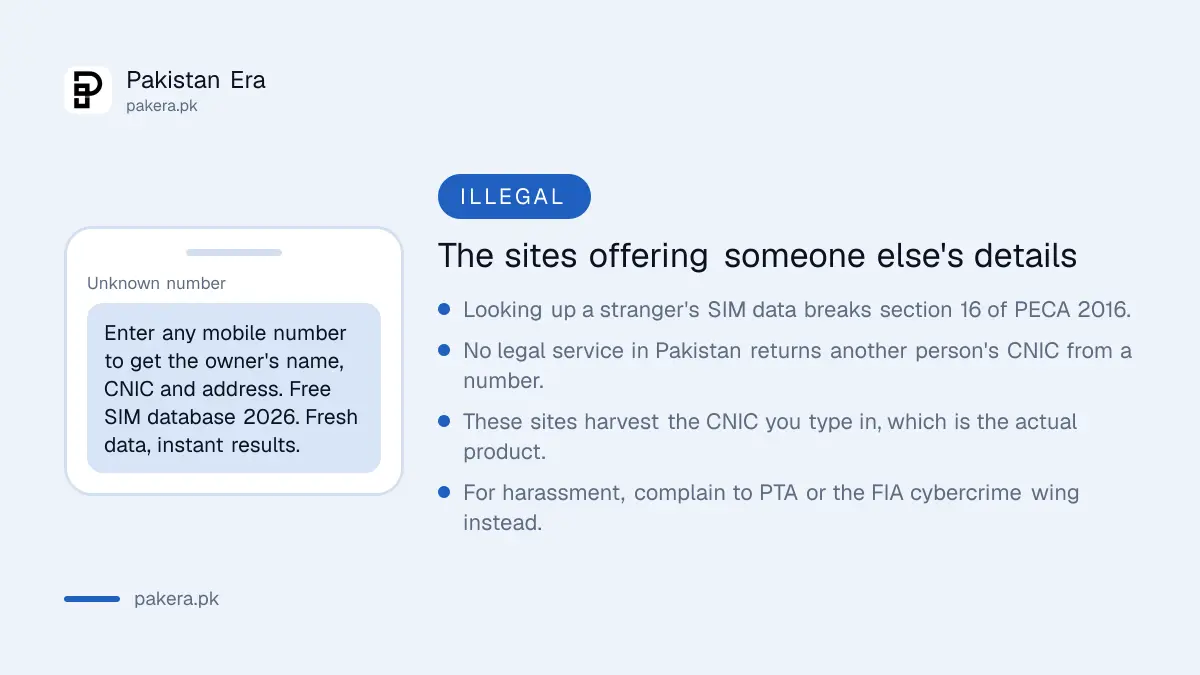
Search for this subject and most of what comes back offers to tell you who owns any number. Enter a mobile number, get a name, a CNIC and an address.
Three things about those sites.
They are illegal to use. Accessing another person's data this way falls under section 16 of the Prevention of Electronic Crimes Act 2016. The offence is not only committed by whoever runs the site.
No lawful service returns that. 668 and cnic.sims.pk work on your own CNIC because you are asking about yourself. There is no legitimate route to a stranger's identity from their number, so a site claiming to provide one is either lying or is trading stolen data.
You are the product. The CNIC you type into a free lookup tool is the thing being collected. People arrive worried about their identity being misused and hand their identity to the site while they worry.
Looking up CNIC details, including "with picture"
A lot of people arrive here searching for CNIC information rather than SIM information, often specifically for CNIC details with a photograph. It is worth answering directly, because the answer is not the one those searches expect.
Your own CNIC details. You can check the status of your own card and application through NADRA, which we cover in tracking a NADRA application. If the card itself needs correcting, that is a NADRA process rather than an online lookup.
Somebody else's CNIC details. There is no lawful public service that returns a stranger's CNIC record, and certainly not with their photograph. That is identity data held by the state, and access to it is restricted for obvious reasons.
So a website offering to show you a CNIC with a picture from a name or a number is doing one of two things. It is either showing you nothing real, or it is serving a copy of leaked NADRA data, which is a criminal matter and not a service.
The reason this matters practically is that these sites are the single most efficient way to hand over your own identity. You arrive worried about somebody misusing your CNIC and type your CNIC into their form.
What to do if a number is actually harassing you
This is the real need behind most searches for owner details, and there is a proper route for it.
PTA accepts complaints about a specific number, and the FIA's cybercrime wing handles harassment, blackmail and fraud at complaint.fia.gov.pk. Both can obtain subscriber details lawfully, which you cannot. Keep the messages, note the times, and report rather than investigate.
If the contact is a scam attempt rather than personal harassment, our guides on reporting a fake call or SMS and the scams currently running in Pakistan cover what to expect.
Worth doing once a year
Put it with something you already do annually. It costs nothing, it takes half a minute, and the failure mode it protects against is somebody committing an offence on a number that the state believes is yours.
While you are in that frame of mind, checking your filer status takes about as long and has a deadline attached this year.
Other checks worth doing on the same phone
While you have the handset in your hand, three related things take a minute each.
If you are not sure of the number on a SIM you rarely use, you do not need a dial code. Your phone stores it, and we set out where to find it along with why the codes published online contradict each other.
If you have never changed the login on your home router, that is worth doing today. The WiFi key and the router's own administrator password are two different things, and most people only ever change one.
And if your bill has crept up, package prices have moved a long way in a year. We compared them across the networks in what a mobile package costs now.
Questions readers are asking
How do I check how many SIMs are on my CNIC?
Text your 13 digit CNIC, with no dashes, to 668 from any network. It is free. You can also use cnic.sims.pk, the SIM Information System, which returns the same information.
Does 668 tell me the actual numbers?
No. It returns a count per network, not a list of numbers. To get the numbers you have to visit that operator's franchise with your CNIC and verify biometrically.
How many SIMs can one CNIC have?
Reported as 5 across all networks, and separately as 5 voice plus 3 data only for a total of 8. We could not find one current PTA page stating a single figure, so treat both as in circulation and confirm at the franchise.
How do I block a SIM registered on my CNIC that I did not buy?
Visit the franchise of the network holding it, with your original CNIC, complete biometric verification, ask for the list of numbers registered to you, and have the unrecognised ones blocked.
Can I check who owns a mobile number in Pakistan?
No, not lawfully. Looking up another person's SIM data falls under section 16 of PECA 2016. Sites offering it are trading unlawfully obtained data and collecting the CNIC you enter.
Can I see CNIC details with a picture online?
No. There is no lawful service that returns a stranger's CNIC record or photograph. A site offering it is either showing you nothing real or serving leaked NADRA data, and entering your own CNIC into it hands over the thing you were trying to protect.
How do I check my own CNIC information?
Through NADRA. For an application in progress, text your tracking ID to 8400. Corrections to the card itself are a NADRA process rather than an online lookup.
What should I do about a number that keeps harassing me?
Report it rather than investigate it. PTA handles complaints about specific numbers and the FIA cybercrime wing handles harassment and fraud. Both can lawfully obtain subscriber details, and neither needs you to have identified the person first.
About the author

Tax, Bills and Technology Writer
Ali Akhtar is a young and curious voice here at Pakistan Era. He is currently pursuing his A-Levels and has a growing interest in Pakistan’s changing industrial landscape and educational trends. Ali likes to write in a way that helps him explain and explore the world around him. His writing reflects the perspective of the new generation navigating the evolving trends of Pakistan where technology, youth innovation, and shifting opportunities are reshaping the country’s future.