How to Share Balance on Ufone: The Code, the Limits and the Rs 4.78 Charge
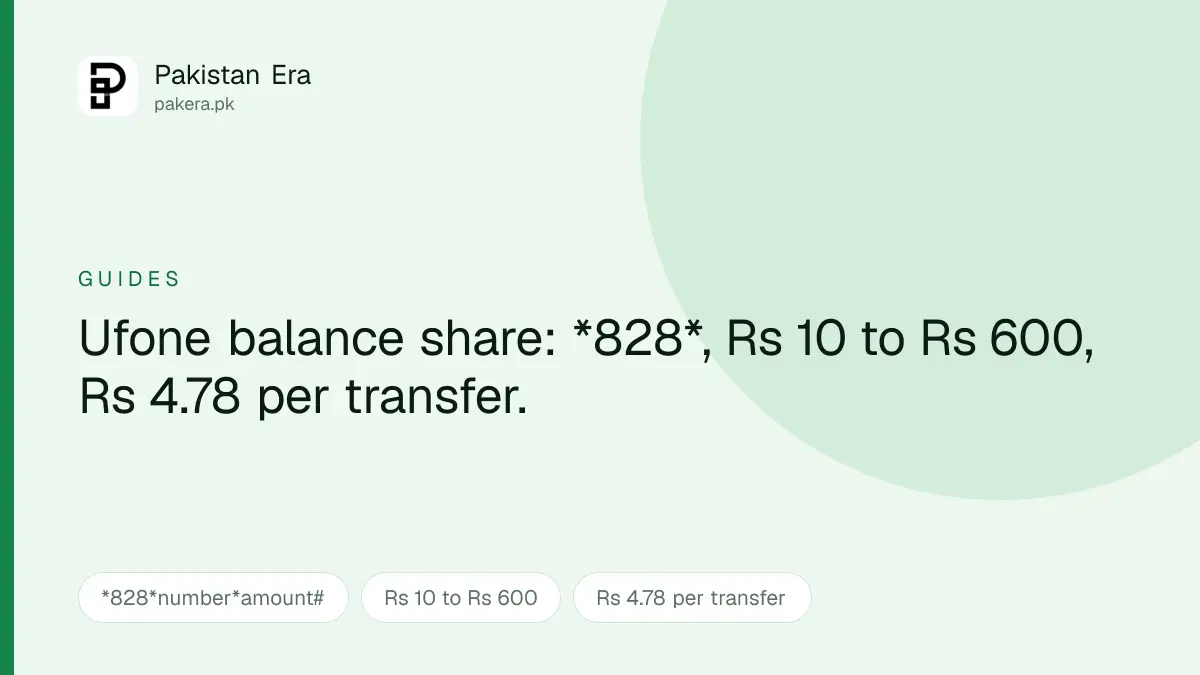
We checked Ufone's own UShare page. The code is *828*number*amount#, transfers run Rs 10 to Rs 600, and each one costs Rs 4.78 with tax.
Somebody runs out of balance at exactly the wrong moment, and you have plenty. Ufone's UShare service moves credit from your prepaid number to theirs in about fifteen seconds, and it does not require registration, an app, or a trip to a retailer.
We had two versions of this guide on the site and they disagreed with each other about whether it costs anything, so we went to Ufone's own page and settled it. It costs Rs 4.78 a transfer.
The code, and the faster way to use it
There are two ways in, and one is considerably quicker.
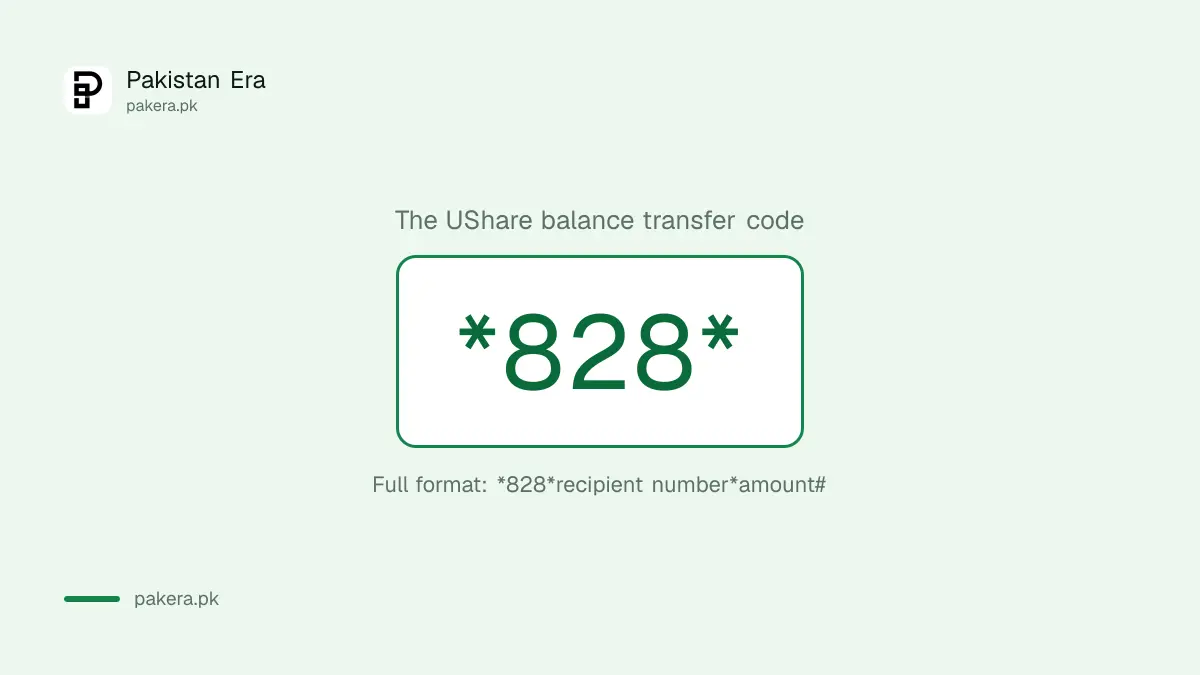
The direct way. Dial the whole thing in one go:
*828*recipient number*amount#
So sending Rs 50 to 0333 1234567 is *828*03331234567*50#. Confirm when prompted, usually by replying 1, and it is done.
The menu way. Dial *828# on its own and Ufone walks you through it: recipient number first, then amount, then confirmation. Slower, but useful if you are reading the number off a piece of paper and would rather not mistype it into a single long string.
Both end in the same place. The direct code is what we would use, because a mistyped digit in the menu is just as wrong as a mistyped digit in the code, and the code takes one step instead of three.
What it costs, and why you will see other numbers
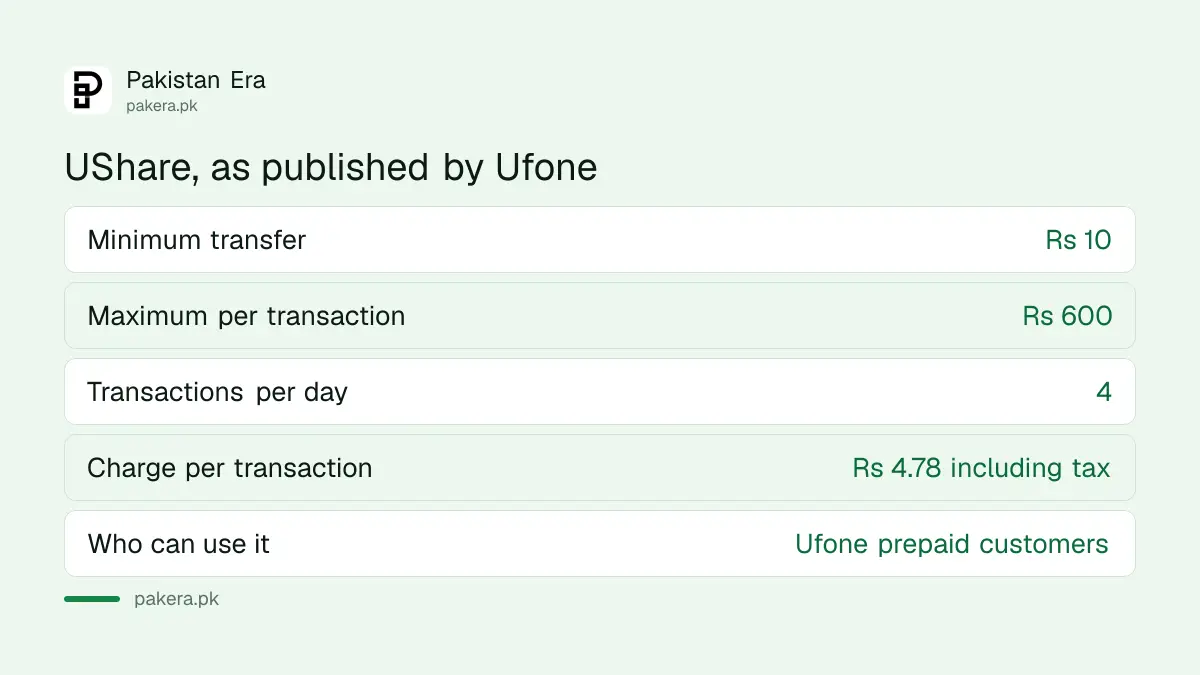
Ufone's own UShare page states it plainly: transfers run from Rs 10 to Rs 600 for Rs 4.78 per transaction, inclusive of tax.
We are being specific about the source because the figures floating around elsewhere do not agree. Search for this and you will find Rs 2.99 plus tax, Rs 3.99 plus tax and Rs 4.77 quoted on different sites, all presented confidently. Some of those are old rates that were correct when they were published and were never updated. Ufone's page is the one we would trust, and it is the one we used.
| What | Ufone's published figure |
|---|---|
| Minimum transfer | Rs 10 |
| Maximum per transaction | Rs 600 |
| Transactions per day | 4 |
| Charge per transaction | Rs 4.78, tax included |
| Eligibility | Ufone prepaid, any package |
One thing that trips people up: the charge comes out of your balance, on top of the amount you send. To move Rs 600 you need Rs 604.78 sitting there. If the transfer fails for no obvious reason, that is the first thing to check.
The daily cap is four transfers, not a rupee figure
You will see the daily limit quoted as Rs 2,400, including in an older version of this guide. That is not wrong, but it is a derived number rather than a rule.
Ufone's actual limit is four transactions in one day. Four transfers at the Rs 600 maximum comes to Rs 2,400, which is where the figure comes from. The distinction matters because the cap is on the count, not the total: four transfers of Rs 10 each also uses up your day, and a fifth will be refused even though you have sent Rs 40.
So if you are sending to several people, send larger amounts to fewer of them rather than trickling it out. You are also paying Rs 4.78 each time, so four small transfers cost Rs 19.12 in fees, which on Rs 40 of credit is absurd.
When it fails, it is usually one of five things
- Not enough balance to cover the charge. You need the amount plus Rs 4.78.
- The recipient is not prepaid. UShare moves credit between prepaid Ufone numbers. A postpaid number is not a valid destination.
- You have used your four transactions. The counter resets the next day, not 24 hours later.
- The amount is outside Rs 10 to Rs 600. Sending Rs 5 or Rs 700 in one go will not work.
- The number was typed wrong. Include the full number with its leading zero, no country code, no spaces.
If none of those explains it, the problem is probably the SIM rather than the service, and our guide to fixing a Ufone SIM that is not working covers the usual causes.
When sharing balance is the wrong tool
Balance sharing is for small emergencies. At Rs 4.78 a go with a Rs 600 ceiling, it is an expensive way to move meaningful money and a slow way to solve a recurring problem.
If the person keeps running out because they are burning through data, a package is cheaper than repeated top ups, and our guide to Ufone monthly internet packages covers the options. If you are actually sending money rather than airtime, a wallet transfer is the right tool and costs less proportionally, which our piece on digital payments in Pakistan gets into.
And if what you need is your own balance rather than somebody else's, the free MBs offers are worth knowing about before you spend anything.
Questions readers are asking
What is the Ufone balance share code?
Dial *828*recipient number*amount#, for example *828*03331234567*50#. Dialling *828# on its own opens a menu that asks for the same details step by step.
How much does Ufone charge to share balance?
Rs 4.78 per transaction, inclusive of tax, according to Ufone's own UShare page. Other sites quote Rs 2.99, Rs 3.99 or Rs 4.77, which appear to be older rates.
What is the maximum I can send at once?
Rs 600 in a single transaction, with a minimum of Rs 10. Larger amounts need to be split across separate transfers.
How many times a day can I share balance on Ufone?
Four transactions per day. That is a limit on the number of transfers, not on the total rupees, so four transfers of Rs 10 uses the same allowance as four of Rs 600.
Can I share balance with a postpaid Ufone number?
No. UShare works between Ufone prepaid numbers. Both the sender and the recipient need to be prepaid.
Is Ufone balance sharing free?
No. An earlier version of this guide said it was, and that was wrong. Every successful transfer costs Rs 4.78 including tax, taken from the sender's balance on top of the amount sent.
About the author

Public Services and Education Journalist
Fajr Riaz is a journalist and content writer at Pakistan Era, based in Lahore. She covers the questions people meet in everyday life in Pakistan: how a public service works, what a change in the rules means, and where to find a reliable answer.