Ufone Complaint Number and Online Form in Pakistan: Register on 333 or WhatsApp, Then Track Status
Register a Ufone complaint on 333, WhatsApp 033-11-333-100 or six online forms, then track it on the history page. Checks to run first and how to go to PTA.
To register a Ufone complaint, dial 333 from your Ufone number, message 033-11-333-100 on WhatsApp, or use the online "Register Your Complaint" form on ufone.com. The form needs your mobile number, the CNIC the SIM is registered on, and a one time code sent by SMS. You can then track it on Ufone's complaint history page.
We went through every Ufone complaint form on 4 November 2026. There are six: signals, internet, calls, billing, payment and bill delivery. Three of them are for postpaid customers only. Below is which form to use, what each asks for, the checks Ufone wants first, and how to take it to PTA if Ufone does not fix it.
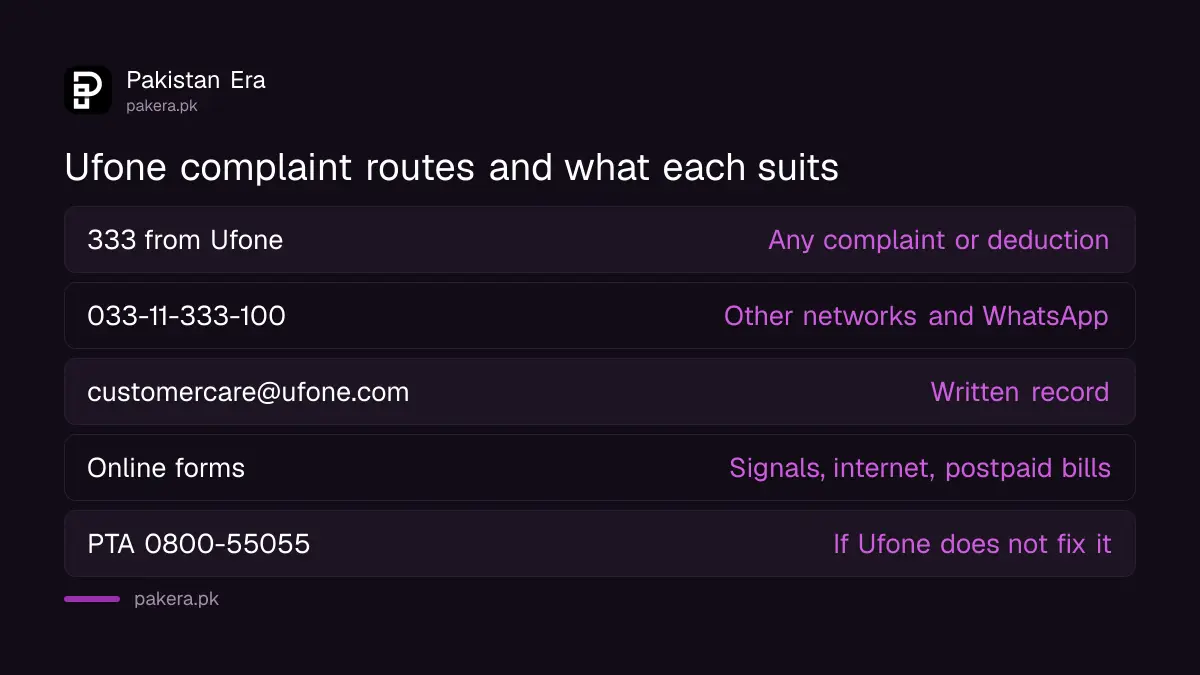
Four ways to register a Ufone complaint
Ufone lists four contact routes on its support page. The phone line and WhatsApp work for any problem. The online forms are better for signal and internet faults, because they record your exact location and phone details.
| Route | Number or address | Best for |
|---|---|---|
| Helpline from a Ufone number | 333 | Any complaint, deductions, packages |
| UAN and WhatsApp | 033-11-333-100 | Calling from another network, WhatsApp self service |
| customercare@ufone.com | Written record with screenshots | |
| Online complaint forms | ufone.com self care | Signals, internet, calls, postpaid bills |
For balance cut without reason, start with 333. That is a prepaid problem, and the online billing form is postpaid only. Our Ufone helpline guide lists the roaming and international numbers too.
Six online forms, and three are postpaid only
Every form asks for the mobile number and the CNIC of the person the SIM is registered to. Ufone then sends a one time password (OTP) to that number. So you must have the SIM with you when you file.
| Form | Who can use it | What it asks for |
|---|---|---|
| Signals complaint | All customers | City, area, full address, indoor or outdoor, handset, network mode |
| Internet complaint | All customers | Address, time of day, how often it happens, other contact number |
| Network (call) complaint | All customers | Called number, its city and operator, error or recording heard |
| Billing complaint | Postpaid only | Starting balance, ending balance, reason for the drop |
| Payment complaint | Postpaid only | Payment date, amount, reference ID |
| Bill delivery complaint | Postpaid only | Postal address, invoice month, problem faced |
The internet form asks when the problem happens. It offers three time slabs: midnight to 6 am, off peak from 6 am to 5 pm, and peak from 5 pm to midnight. Pick the right one. A fault that only shows at peak time points to a busy tower, not a broken one.
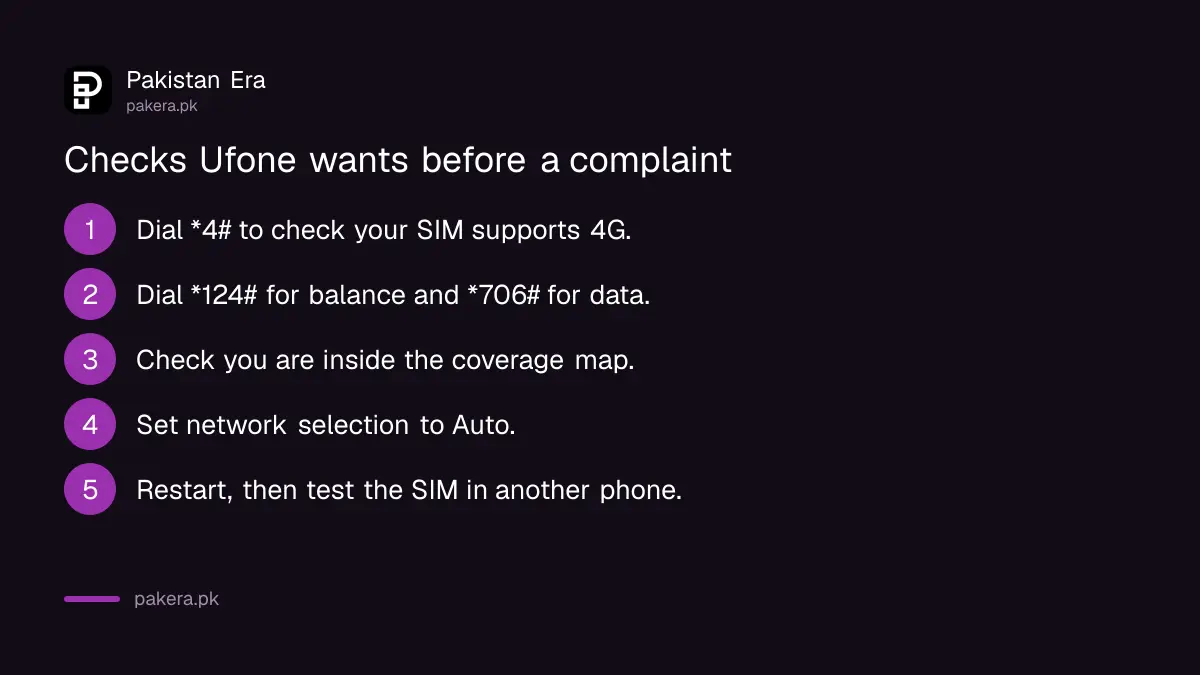
Ufone asks you to run eight checks before a signal complaint
Ufone's complaint page lists checks to do first. Most weak signal and slow internet problems are one of these. Doing them also makes your complaint stronger, because you can say you already tried them.
- Dial *4# to check your SIM supports 4G, if you are in a 4G area.
- Dial *124# to check your balance and that your account has not expired.
- Dial *706# to check you have data left in your bundle.
- Check Ufone's coverage map to confirm you are inside the coverage area.
- Move out of a basement or a closed inner room.
- Set network selection to "Auto" in your phone settings.
- Restart the phone and look at the signal again.
- Put the SIM in another phone to see if the fault follows the SIM.
If the SIM is old and *4# says it is not 4G, you need a new SIM, not a complaint. Our 4G SIM check guide explains the reply.
How to file the online complaint, step by step
The online form takes about five minutes. Have your CNIC number, your phone model and your full address ready before you open it.
- Open "Register Your Complaint" under Support on ufone.com.
- Enter your Ufone mobile number and the CNIC it is registered on.
- Enter the OTP Ufone sends to your number.
- Choose Signals Complaint or Internet Complaint, then the category.
- Fill in the date the problem started, city, region, area and full address.
- Add your handset model and what the phone shows: Edge, H, H+ or LTE.
- Describe the problem in up to 300 characters and submit.
Keep the remarks short and exact. "No internet indoors since 28 October, LTE shows, pages do not load, peak hours" helps an engineer more than "internet is very bad".
Track your Ufone complaint on the history page
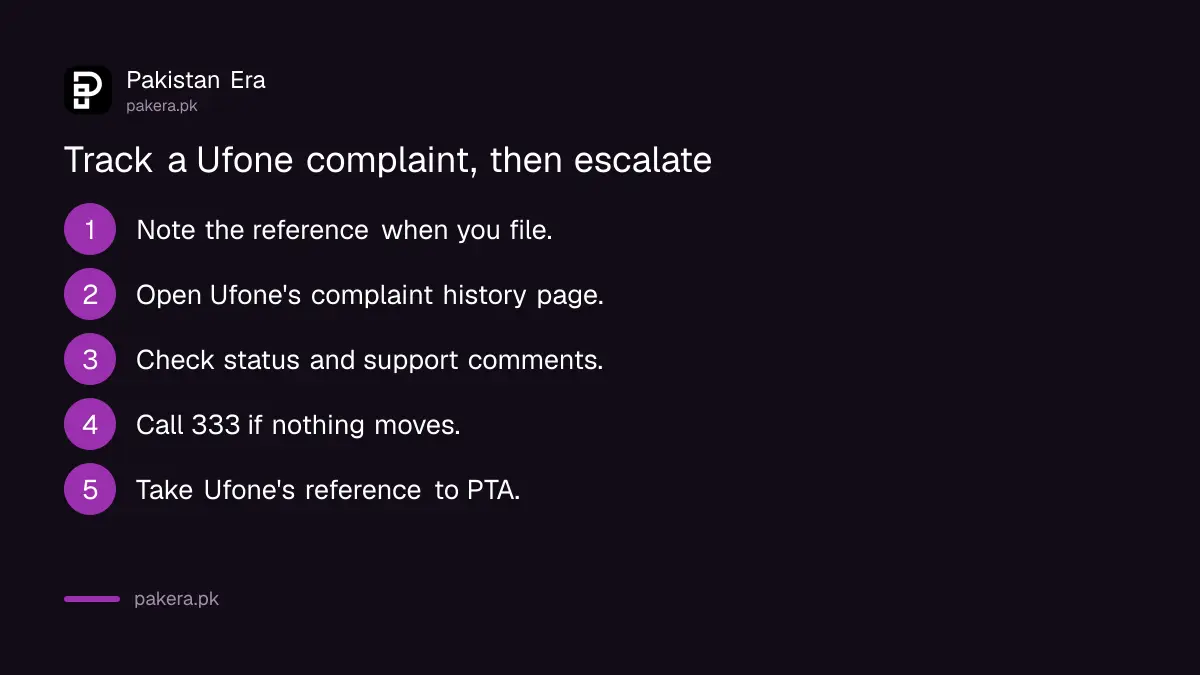
Ufone's complaint history page shows each complaint you filed, its submitted date, its status and any support comments. The forms also show a "Complaints History" list for that number after you verify with the OTP.
If the status does not move, call 333 and quote the complaint. If Ufone closes it without fixing the fault, take it to PTA. PTA's helpline is 0800-55055. PTA expects you to complain to the operator first, so keep Ufone's reference. Our guide to complaining to PTA about your mobile network covers the portal. PTA told the National Assembly on 3 November 2026 that it had issued five show-cause notices to operators over poor service in three months.
Common questions
What is the Ufone complaint number?
Dial 333 from a Ufone number. From any other phone, call 033-11-333-100, which is also Ufone's WhatsApp number. You can email customercare@ufone.com too.
How do I check my Ufone complaint status?
Open the complaint history page in Ufone's self care section and verify your number. It shows the submitted date, status and support comments.
Can a prepaid user file a Ufone billing complaint online?
No. Ufone's billing, payment and bill delivery forms are for postpaid users only. Prepaid users should call 333 about balance deductions.
Why does Ufone ask for my CNIC on the complaint form?
The form wants the CNIC the number is registered on, and then sends an OTP to the SIM. That stops other people filing complaints on your number.
What if Ufone does not fix my complaint?
Escalate to PTA with Ufone's complaint reference. PTA's toll free helpline is 0800-55055, and it has an online complaint portal.
How we verified this
What we checked, where we read it, and what we could not confirm.
Last checked on 4 November 2026. The helpline, WhatsApp number and email are from ufone.com/support. The pre-complaint checks, the signals and internet form fields and the time slabs are from Ufone's Register Your Complaint page. The call, billing, payment and bill delivery fields come from the matching forms in Ufone's self care complaints section, and the tracking columns from its complaint history page. PTA's helpline is from pta.gov.pk. We did not submit a complaint, so we cannot say how long Ufone takes to reply.
About the author

Technology Journalist & Multimedia Producer
Ahmad Ali is a technology journalist and multimedia producer at Pakistan Era, joining the team in October 2026. He covers consumer technology and digital life for Pakistani readers, combining research with hands-on product testing.