How to Keep WhatsApp on Your Pakistani Number While Using a Foreign SIM Abroad
Keep WhatsApp on your Pakistani number with a foreign SIM: add a verified email, turn on two-step verification, keep the SIM active and fix verification abroad.
You can keep WhatsApp on your Pakistani number while a foreign SIM is in your phone. WhatsApp says it keeps working with your home number on a local SIM. The risk is re-verification: that needs the Pakistani SIM in the phone, or an email address you added and verified in WhatsApp beforehand. So add your email and turn on two-step verification before you fly, and keep the Pakistani SIM alive.
Most overseas Pakistanis run their family groups, business chats and school groups on a +92 number. Swapping the SIM at the airport does not log you out. WhatsApp says removing, replacing or swapping your SIM card or eSIM does not sign you out on its own. The trouble starts later, when you change phones, reinstall the app, or WhatsApp asks you to verify again.
WhatsApp keeps working on your Pakistani number with a foreign SIM
WhatsApp's help centre says that if you use a local SIM while travelling, you can still use WhatsApp with your home number. It runs on any internet connection, so Wi-Fi or the foreign SIM's data is enough while the app stays installed and logged in.
What it cannot do on a foreign SIM is verify the Pakistani number again. WhatsApp says that to re-verify, you must have the matching SIM in your device, with calls or SMS working. It also says an active SIM or eSIM with your registered number is required to keep access to the account over time.
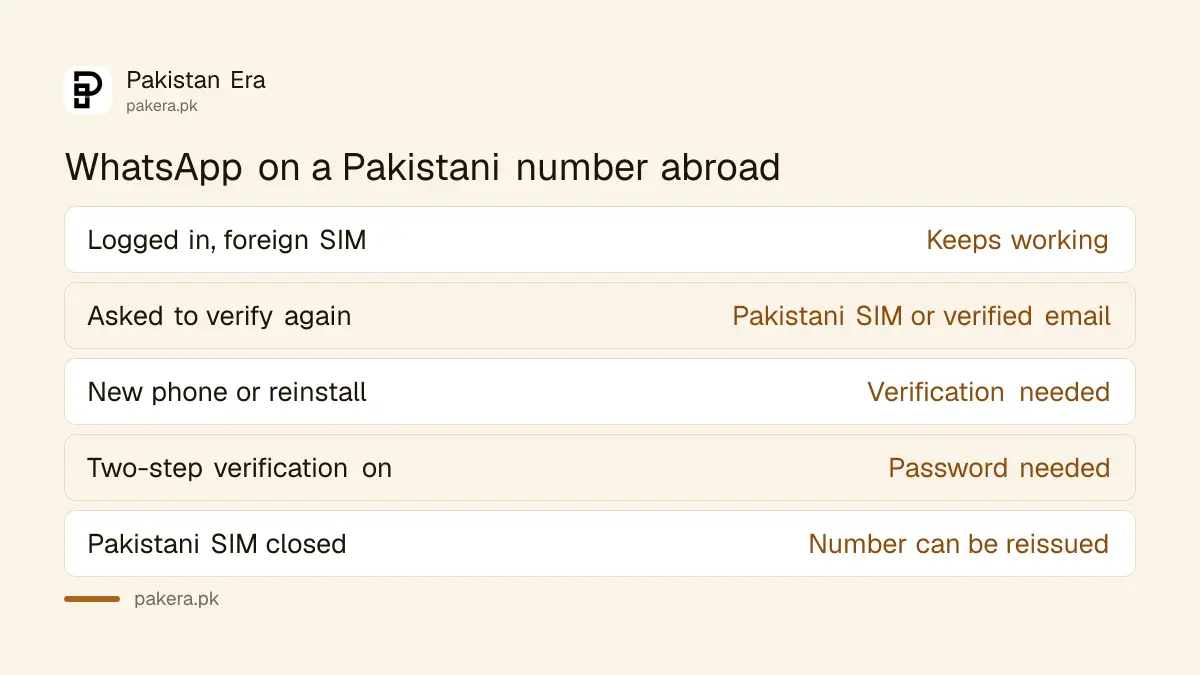
| Situation | Does WhatsApp keep working? | What you need |
|---|---|---|
| Foreign SIM in, app already logged in | Yes | Internet by Wi-Fi or foreign data |
| WhatsApp asks you to verify again | Only with a code | Pakistani SIM in the phone, or a verified email |
| New phone or app reinstalled | Only after verification | Pakistani SIM, or a verified email on an existing account |
| Two-step verification is on | Yes, with your password | The password, or email to reset it |
| Pakistani SIM closed and reissued | At risk | Keep the SIM active; see the 180 day rule |
Add your email to WhatsApp before you travel
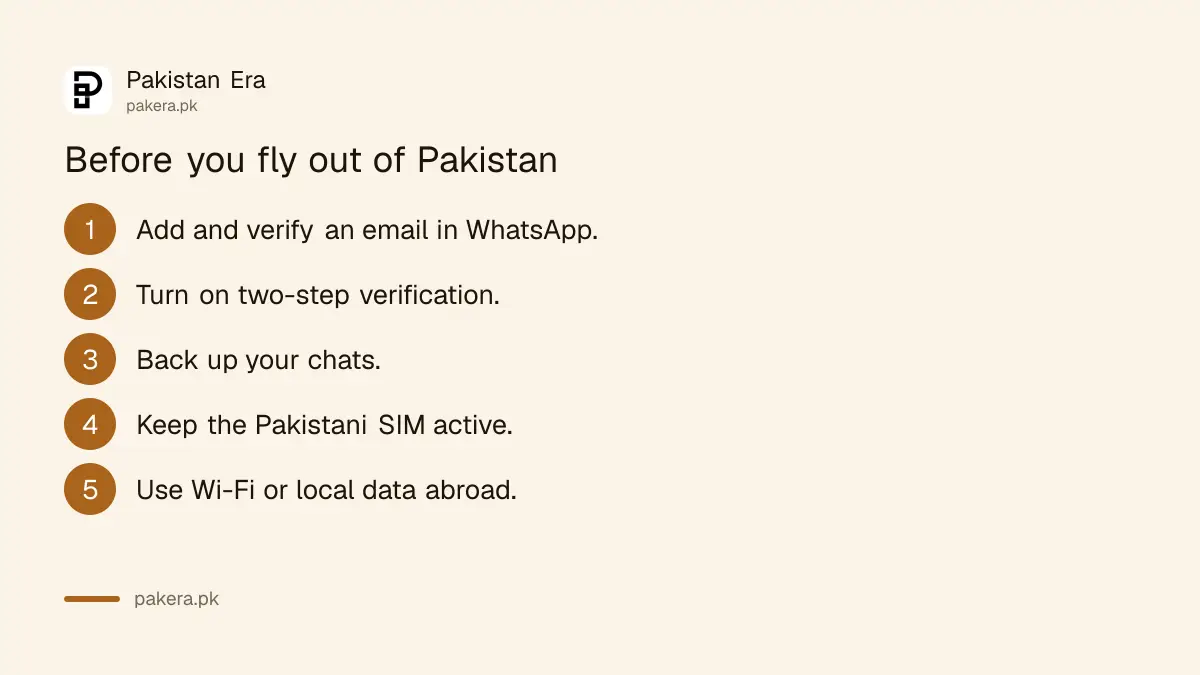
A verified email is your backup when the Pakistani SIM is not in the phone. WhatsApp says an existing account can get a verification code by email if you added and verified the address earlier, and that an active SIM is not needed for email verification.
On Android, WhatsApp's steps are:
- Tap the three dot menu, then Settings.
- Tap Account, then Email address, then Add email.
- Type your email address and tap Next or Verify.
- Enter the six digit code WhatsApp sends to that email.
- Tap Verify.
Two limits apply. Email verification is not available for a first time registration, so it only helps an account that already exists. And you need access to that email, so use one you can open from abroad.
Turn on two-step verification with a password
Two-step verification adds a password that WhatsApp asks for when the number is registered on a phone. It stops someone who gets hold of your SMS code from taking the account. WhatsApp is moving from a six digit PIN to a password.
On Android, go to Settings, Account, Two-step verification, and switch on Turn on two-step verification. Create a strong password and confirm it. Add an email you can open, or tap Skip, then tap Trust this device or Skip.
WhatsApp says a verified email can help you reset a forgotten two-step PIN, but email is an account verification method, not a password reset method. Store the password somewhere safe.
Keep the Pakistani SIM alive so nobody else gets the number
If your Pakistani SIM is closed for non-use and later given to a new customer, that person can register WhatsApp on your old number. Keeping the SIM active is the real protection, and an incoming message alone does not count.
Under PTA's 2025 amendment, a SIM with 180 days of no activity can be suspended after notice, then held for another 180 days before reissue. A call, an outgoing SMS or a data session counts as activity. The PTA rule on unused SIMs explains it.
WhatsApp also says that when a new SIM is issued for a number used before, and the earlier owner had set up two-step verification with an email, the new owner must wait seven days before they can reset it. That delay is one more reason to set a password now. If the SIM stops connecting abroad, fixes for Pakistani SIM roaming cover the phone settings.
Fixes when WhatsApp asks to verify your Pakistani number abroad
Do not guess the code. WhatsApp warns that wrong guesses can lock you out for a period. Choose email if it is offered, or put the Pakistani SIM back in the phone with roaming on, and wait for the timer before asking for another SMS or call.
| Problem | What to do |
|---|---|
| Code needed, Pakistani SIM at home | Choose the email option if you verified an email earlier |
| Pakistani SIM in phone, no SMS | Switch on roaming, or choose a phone call instead of SMS |
| Registration fails on roaming data | Connect to Wi-Fi; WhatsApp says roaming data or a poor connection can stop it |
| Forgot the two-step password | Reset it with the help of the email you added |
| Code never requested but arrived | Someone is trying your number; do not share the code |
When a code arrives that you did not ask for, a WhatsApp code you did not request explains what it means. For other sign in errors, WhatsApp registration failed fixes lists the causes.
Save data while you use WhatsApp abroad
WhatsApp uses mobile data like any app, so roaming data on the Pakistani SIM can cost a lot. Use Wi-Fi or the foreign SIM's data, and switch off data roaming on the Pakistani line.
WhatsApp suggests connecting to Wi-Fi whenever you can, and turning off automatic media download on mobile data and while roaming. You can see how much data WhatsApp used under Settings, Storage and data, Network usage.
Common questions
Will WhatsApp stop working if I put a foreign SIM in my phone?
No. WhatsApp says swapping your SIM does not sign you out, and you can keep using your home number on a local SIM while travelling.
Can I verify my Pakistani WhatsApp number without the SIM?
Yes, for an existing account, if you added and verified an email in WhatsApp earlier. WhatsApp says an active SIM is not needed for email verification.
Can I add my foreign number to the same WhatsApp account?
No. WhatsApp says an account can be verified with only one registered phone number, and a second number cannot be added to it.
What happens to my WhatsApp if my Pakistani SIM is closed?
If the number is later reissued, the new owner can register it. Keep the SIM active with a call, an outgoing SMS or data at least every few months.
Why does WhatsApp verification fail on roaming?
WhatsApp says registration may fail on roaming data or a poor connection. Connect to Wi-Fi, then request the SMS or call again after the timer ends.
How we verified this
What we checked and where we read it.
Last checked 22 November 2026. Rules and steps come from WhatsApp's help centre: About data roaming charges, About email verification codes and resetting two-step verification, How to manage two-step verification settings, plus its articles on verifying your number and on using multiple numbers. The 180 day SIM rule comes from PTA's Telecom Consumers Protection (Amendment) Regulations, 2025. Menu names can differ slightly on iPhone.
About the author

Global Affairs & Political Economy Writer
Muhammad Hatim is a book lover who started writing because he enjoys it. At Pakistan Era he writes about international relations, geopolitics and the global economy, with a particular interest in South Asia and the forces behind current events.