LESCO New Connection Apply Online: ENC Steps, 5 Uploads, Rs 1,220 per kW Deposit and the 30-Day Timeline in Lahore
Apply for a LESCO new connection online on enc.com.pk. The 8 steps, 5 files to upload, Rs 1,220 per kW home deposit and NEPRA's 30-day limit, checked today.
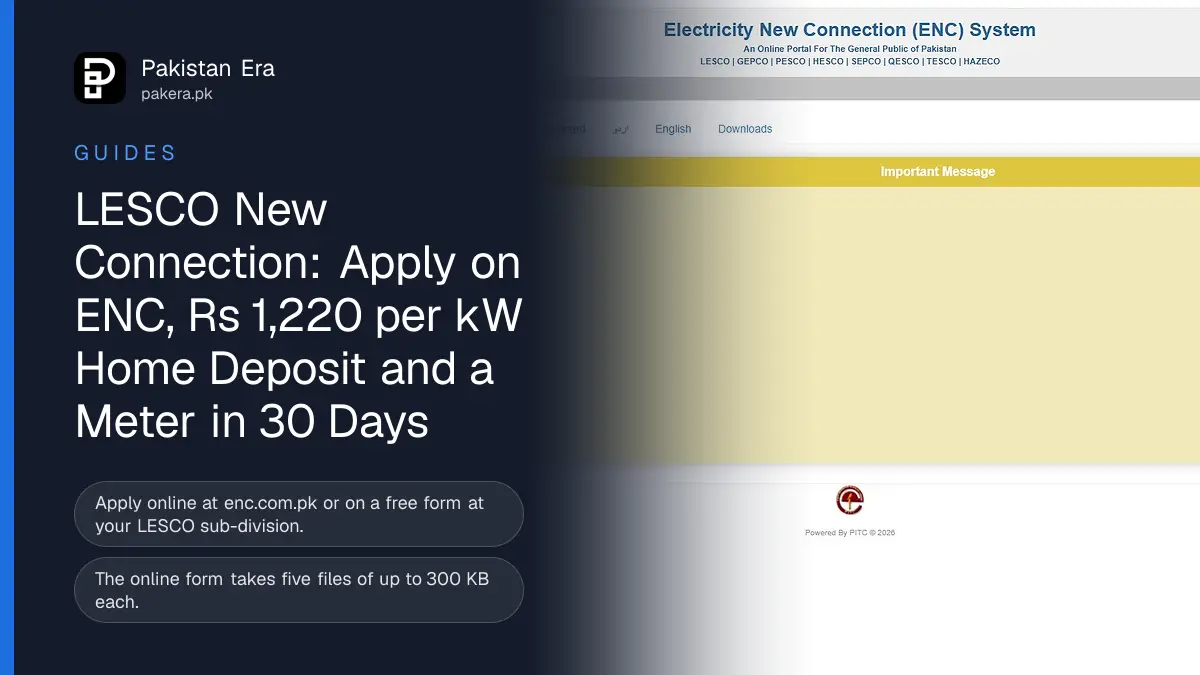
Apply for a LESCO new connection online at enc.com.pk, the Electricity New Connection (ENC) portal that LESCO links from its home page, or on a free form at your LESCO sub-division. For a home load up to 15 kW, NEPRA's manual gives LESCO 30 days to connect you after you pay the demand notice, and the security deposit in Lahore is Rs 1,220 per kW.
LESCO, the Lahore Electric Supply Company, supplies Lahore, Kasur, Okara, Sheikhupura and Nankana Sahib. We read LESCO's home page, its FAQs, the ENC portal and NEPRA's updated Consumer Service Manual of 26 November 2025 on 11 November 2026. This guide puts the route, the papers, the money and the timeline in one place.
Two ways to apply for a LESCO connection
LESCO takes new connection applications online through the ENC portal or on paper at your sub-division office. Both routes give you a tracking ID, lead to the same site survey and end with the same demand notice, so choose whichever is easier for you.
| Route | Where | What you get |
|---|---|---|
| Online | enc.com.pk, linked as "Electricity New Connection" on lesco.gov.pk | A tracking ID, then the demand notice to print and pay online |
| Paper form | Your LESCO sub-division office | A receipt with a serial number or case ID |
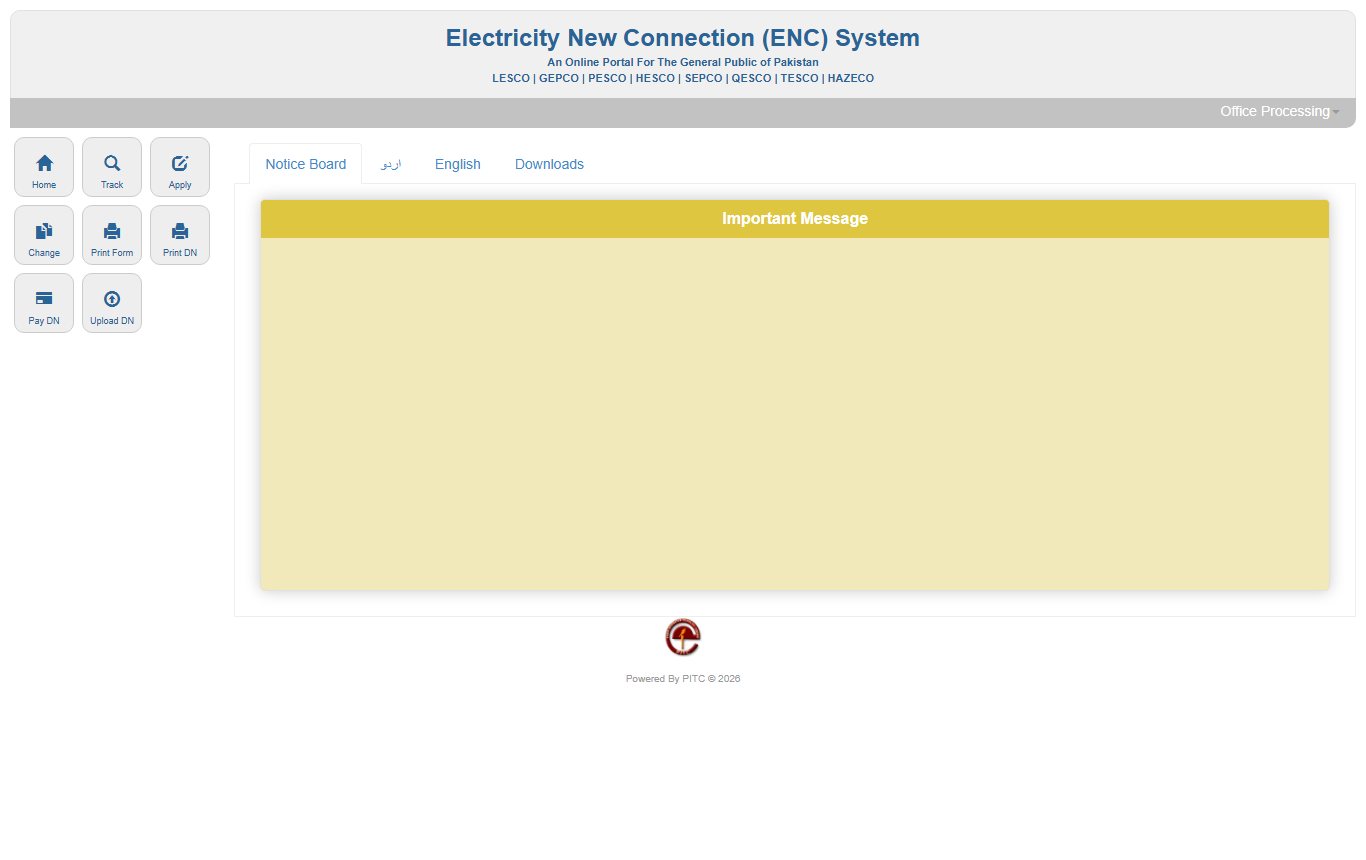
The ENC portal header names the companies it serves: LESCO, GEPCO, PESCO, HESCO, SEPCO, QESCO, TESCO and HAZECO. Its menu has eight buttons: Home, Track, Apply, Change, Print Form, Print DN, Pay DN and Upload DN. "DN" means demand notice, the bill for your connection cost and deposit.
Steps to apply on the ENC portal
The online form has eight parts and asks for five scanned files of up to 300 KB each. You fill it, print it and keep the tracking ID. LESCO staff then check your papers and the site before the demand notice is issued.
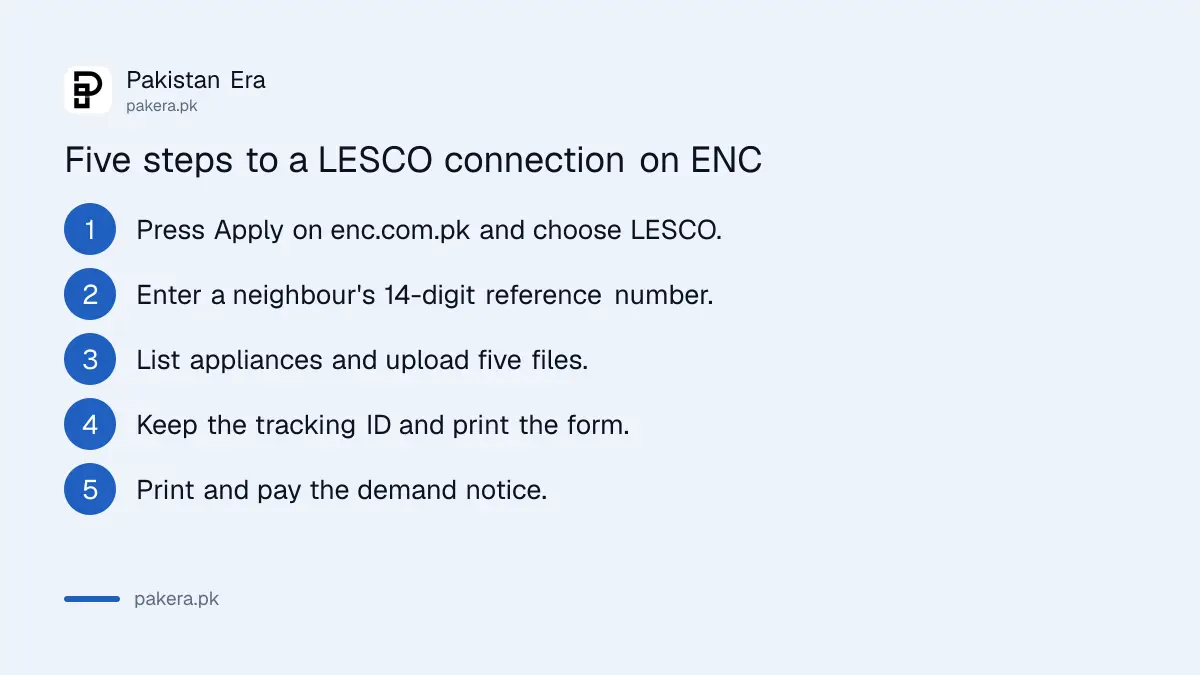
- Open enc.com.pk and press Apply.
- Enter a neighbour's 14-digit reference number from their bill. If a connection already exists at your premises, enter that one instead.
- Choose LESCO, your sub-division and the category. "Load (up to 15kW)" covers almost every home.
- Fill in your name, CNIC, two mobile numbers and the premises address in English, and say whether you are the owner or a tenant.
- List your appliances (bulbs, fans, ACs, heaters, motors) with their watts. The form adds up your load.
- Upload five files: property document, your attested CNIC, a witness's attested CNIC, the neighbour's bill and the wiring contractor's test report. Each file must be a JPG or PDF of 300 KB or less.
- Submit, note the tracking ID and use Print Form to keep a copy.
- When the demand notice is ready, use Print DN, then pay it at a bank or through Pay DN.
We read every field of the online form on 11 November 2026 but did not submit it, because that would create a real case at LESCO. The detailed tracking steps are in our guide to checking a new connection status on ENC.
Documents LESCO needs with the form
NEPRA's manual sets the same core papers for every company: ownership proof, an affidavit on Rs 50 stamp paper, a CNIC copy for you and a witness, and the owner's NOC if you rent. Companies need three extra papers.
- Ownership proof of the premises, such as the registry, fard or allotment letter.
- Affidavit on Rs 50 non-judicial stamp paper saying no connection existed there before and you will pay any old dues found later. ENC's Downloads tab has a specimen.
- Attested CNIC copies of you and one witness.
- Tenants: the landlord's NOC, ownership proof, CNIC copy and a stamp paper saying the landlord will pay the tenant's default. ENC has a NOC specimen.
- Companies: certificate of incorporation, a board resolution naming the signatory, and the directors' list with CNIC copies.
LESCO's FAQ adds that a change of name "is applied in the same manner as prescribed for a new connection". The full NEPRA rules on papers are in our page on new connection documents and the demand notice.
LESCO security deposit and connection charges
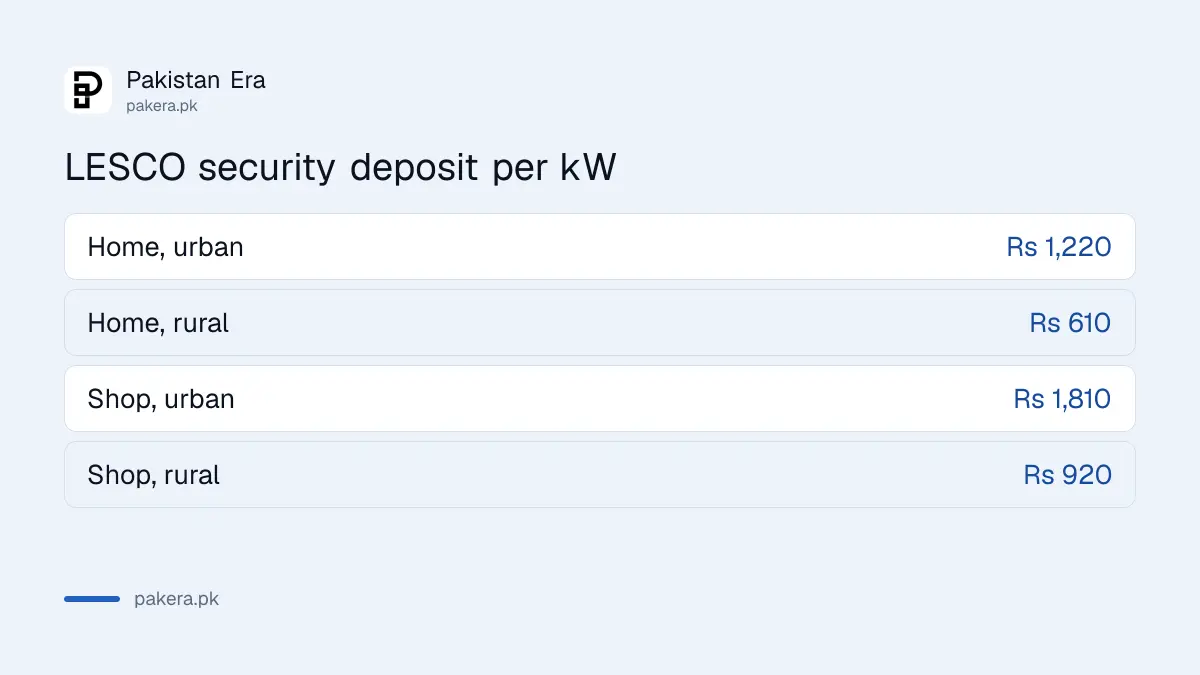
The security deposit is charged per kW of the load you apply for. NEPRA's manual sets Rs 1,220 per kW for homes and Rs 1,810 per kW for shops in urban areas such as Lahore. Rural rates are about half.
| Tariff | Urban, per kW | Rural, per kW |
|---|---|---|
| Home, A-1 | Rs 1,220 | Rs 610 |
| Shop or office, A-2 | Rs 1,810 | Rs 920 |
By our own arithmetic, a 5 kW home in Lahore pays Rs 6,100 in deposit, and a 3 kW shop pays Rs 5,430. The connection cost is separate. The manual sets it as the actual cost of material plus 12% store handling, plus 8% of that for installation. LESCO did not publish a flat fee for a single-phase meter on its site when we checked, so read the exact figure on your demand notice.
You get 30 days to pay the demand notice. If you need more time, ask in writing at least three days before it expires, and LESCO may allow 30 more days. No escalation charge applies to homes up to 20 kW or shops up to 15 kW. The deposit comes back when you close the connection; see our guide to getting an electricity deposit refunded.
How long LESCO takes to connect you
NEPRA's manual gives 30 days for loads up to 15 kW and 44 days for loads above 15 kW up to 70 kW. The clock runs in stages, and the last stage starts only after you pay the demand notice in full.
| Stage, load up to 15 kW | Days |
|---|---|
| Registration, wiring test report, site survey | 4 |
| Cost estimate and demand notice | 6 |
| Work order and material issue | 11 |
| Meter installation | 9 |
| Total | 30 |
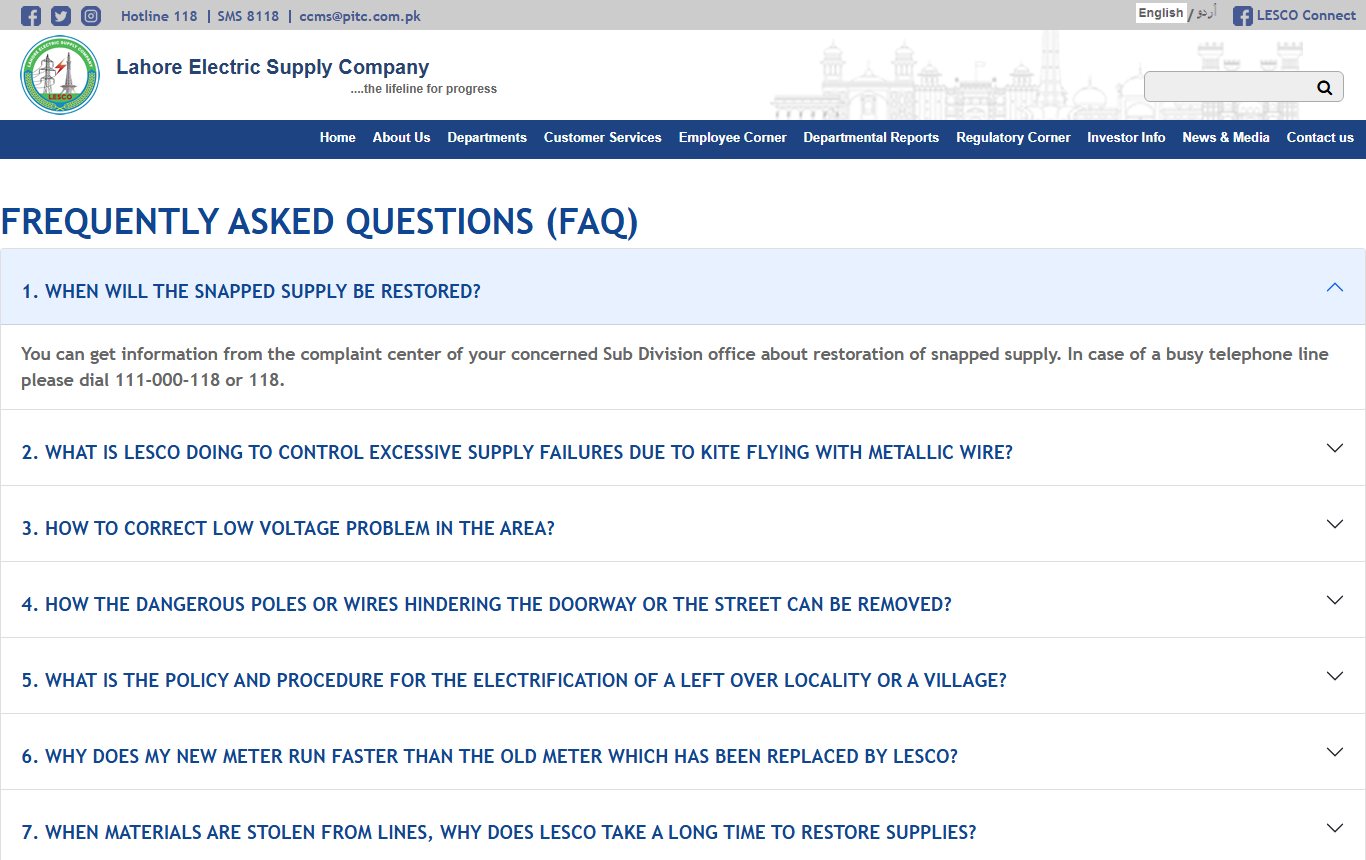
If LESCO misses a stage, the manual says the company must give you the reasons for each day of delay in writing, with a copy to NEPRA. LESCO's FAQ says loads up to 70 kW are sanctioned at the division by the Deputy Manager, 71 to 500 kW at the circle by the Manager, and above 500 kW by the Chief Executive.
Where to complain if LESCO delays
Start with your sub-division, then call LESCO's 118 helpline or send an SMS to 8118. LESCO's site also lists 0320-0520888 and 042-111000118 for its complaint cell. If the delay continues past the NEPRA timeline, file with NEPRA.
Keep your tracking ID, the demand notice and the paid bank receipt together. Those three papers prove the dates. Office numbers by area are on our LESCO complaint number page, and once the meter is in, you can find your first bill through LESCO bill check online.
Common questions
How do I apply for a LESCO new connection online?
Go to enc.com.pk, press Apply, choose LESCO and fill the form. Keep the tracking ID it shows.
How much is the LESCO security deposit for a house?
NEPRA's manual sets Rs 1,220 per kW in urban areas and Rs 610 per kW in rural areas.
How many days does LESCO take for a new meter?
Up to 30 days for loads up to 15 kW, and 44 days for loads up to 70 kW, under NEPRA's manual.
Can a tenant apply for a LESCO connection?
Yes, with the owner's NOC, ownership proof, the owner's CNIC copy and the owner's stamp paper undertaking.
Is the LESCO application form free?
Yes. NEPRA's manual says the application form is free at every sub-division and on the company's website.
How long do I have to pay the demand notice?
30 days, with 30 more on a written request made at least three days before it expires.
What we checked and sources
We read LESCO's home page and FAQs, the ENC portal and its downloads, and NEPRA's updated Consumer Service Manual of 26 November 2025, as posted on GEPCO's site, all on 11 November 2026. The worked examples are our own arithmetic. We did not submit an application or pay a demand notice. Last checked 11 November 2026.
About the author

Tax, Bills and Technology Writer
Ali Akhtar is a young and curious voice here at Pakistan Era. He is currently pursuing his A-Levels and has a growing interest in Pakistan’s changing industrial landscape and educational trends. Ali likes to write in a way that helps him explain and explore the world around him. His writing reflects the perspective of the new generation navigating the evolving trends of Pakistan where technology, youth innovation, and shifting opportunities are reshaping the country’s future.