How to Move From Android to iPhone in Pakistan, With Your WhatsApp Chats
Switching to an iPhone in Pakistan? Use Apple's free Move to iOS app to bring contacts, photos and WhatsApp chats. Do it before setup ends. Steps and fixes.
To move from an Android phone to an iPhone in Pakistan, install Apple's free Move to iOS app on the Android phone, then choose "From Android" while setting up the new iPhone. It moves contacts, photos, messages, call history and WhatsApp chats. The iPhone must be new or freshly reset.
That last line catches people. Set up the iPhone first, and the WhatsApp transfer is no longer possible without wiping it.
We read Apple's and WhatsApp's own help pages on 9 October 2026. Here is what you need before you start, the steps in order, what moves and what does not, and what to do when the transfer stalls.
What you need before moving from Android to iPhone
You need both phones charged and plugged in, Wi-Fi on the Android phone, the Move to iOS app, and enough free space on the iPhone for everything you are moving. For WhatsApp, use the same number, Android 5 or later, and iOS 15.5 or later.
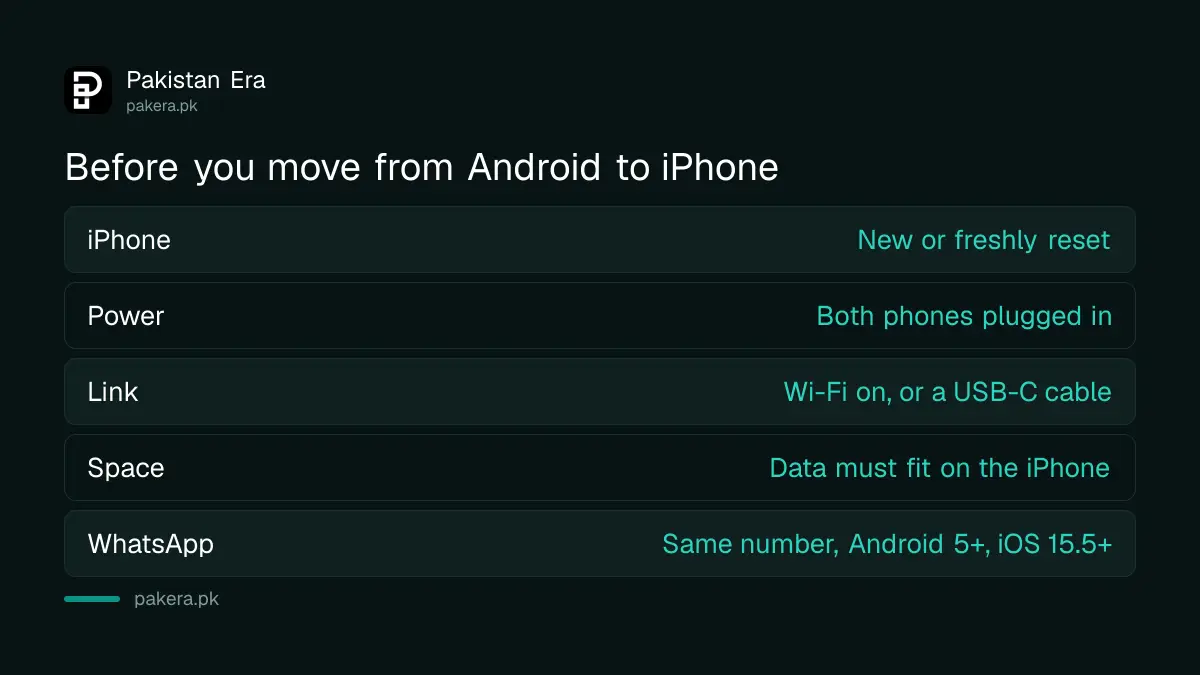
| Check | What Apple and WhatsApp say |
|---|---|
| iPhone state | New, or erased and back on the setup screen |
| Power | Both phones plugged in for the whole transfer |
| Connection | Wi-Fi on the Android phone, or a USB-C cable between the two for a faster transfer |
| Space | Everything you move, including a microSD card's content, must fit on the iPhone |
| WhatsApp versions | Android 5 or later, iOS 15.5 or later, latest WhatsApp on both |
| WhatsApp number | The same number on the new phone as the old one |
Check the iPhone's storage before you pay, not after. A 128GB iPhone cannot take 150GB of photos. The current models and their official prices are listed in the iPhone 18 price in Pakistan, and the storage size you pick there decides how much comes across.
One Pakistan point. If your iPhone was bought abroad, its SIM will only keep working on a Pakistani network once it is registered with PTA, as set out in the iPhone 18 Pro PTA tax. The data transfer itself does not depend on PTA, but your number will.
How to use Move to iOS, step by step
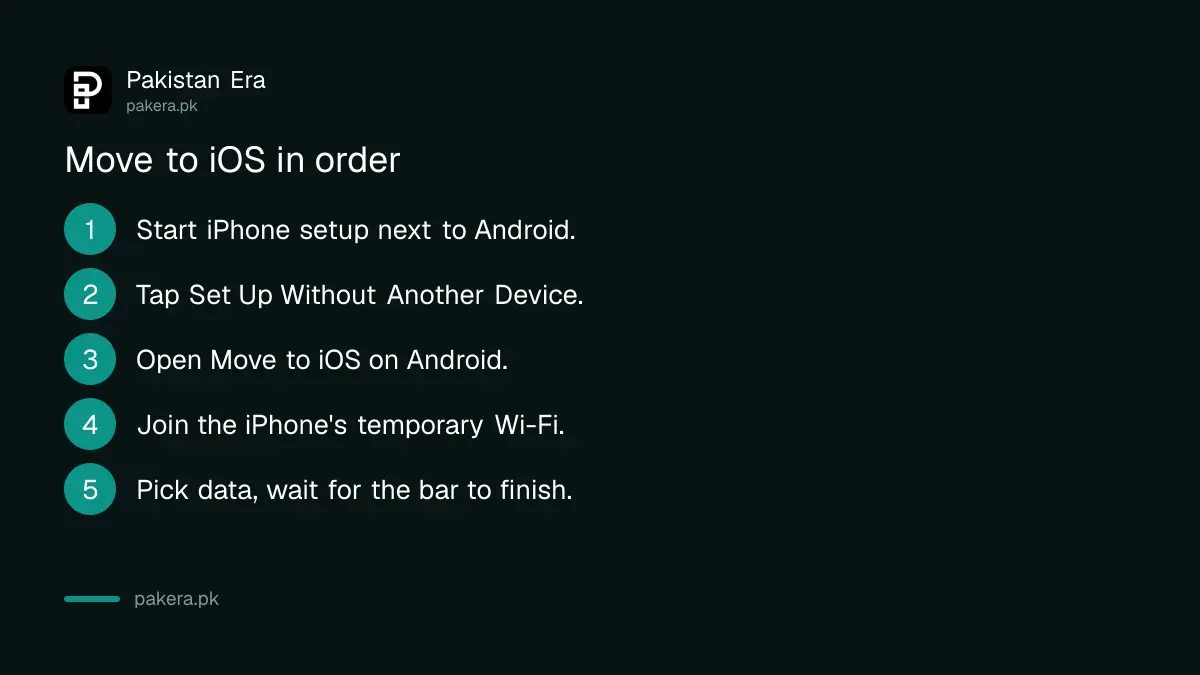
Start the new iPhone, follow the setup screens, and on Quick Start tap Set Up Without Another Apple Device. Open Move to iOS on the Android phone, connect to the iPhone's temporary Wi-Fi, choose what to send, and wait until the iPhone's loading bar finishes.
- Turn on the new iPhone and place it next to the Android phone. Plug both into power.
- Follow the iPhone setup. On the Quick Start screen, tap Set Up Without Another Apple Device.
- On the Android phone, open Move to iOS. If you do not have it, tap the QR code button on the iPhone and scan it with the Android camera to open Google Play.
- In Move to iOS, tap Continue, agree to the terms, and allow location and notifications if asked.
- When the iPhone creates a temporary Wi-Fi network, tap Connect on the Android phone and wait for the Transfer Data screen.
- Pick what to move, such as contacts, messages, photos, call history and WhatsApp, and tap Continue.
- Leave both phones alone until the loading bar on the iPhone finishes, even if Android says it is done.
- Tap Done on the Android phone, then Continue on the iPhone and finish setup.
Apple says the whole transfer can take a while, depending on how much you move. Start in the evening, not ten minutes before you leave home.
Newer Android phones may not need the app at all. Apple says that with a compatible Android 17 or later, you can tap From Android, then Transfer without App, and scan a QR code. Your phone maker decides whether your model supports this.
How to move WhatsApp chats from Android to iPhone
WhatsApp moves inside the same Move to iOS process. Select WhatsApp on the Transfer Data screen, tap Start on the Android phone so WhatsApp prepares the export, then finish the transfer. Install WhatsApp on the iPhone, log in with the same number, and tap Start.
- On the Transfer Data screen in Move to iOS, select WhatsApp.
- Tap Start on the Android phone and wait while WhatsApp prepares your data. You are signed out on Android once it is ready.
- Tap Next to go back to Move to iOS, then Continue to finish the transfer.
- Install the latest WhatsApp from the App Store on the iPhone.
- Open WhatsApp, log in with the same phone number, tap Start, and let it finish.
WhatsApp moves your account info, profile photo, individual and group chats, communities, chat history, media and settings. It does not move your call history, your display name, or media received in Channels.
Two limits matter. WhatsApp Business chats cannot move from Android to iPhone this way, according to WhatsApp. And the moved chats are not in iCloud until you make an iCloud backup on the iPhone, which is worth doing on day one. How backups work on each side is explained in backing up and restoring WhatsApp chats.
What moves and what does not
Move to iOS carries contacts, messages, photos and videos, albums, files, some settings, bookmarks, mail accounts, WhatsApp, voice memos, call history and calendars. Music, books and PDFs must be moved by hand. Paid apps do not carry over automatically.
| Moves with Move to iOS | Does not move automatically |
|---|---|
| Contacts and calendars | Music, books and PDFs |
| SMS and message history, call history | WhatsApp call history and display name |
| Camera photos, videos and albums | WhatsApp Business chats |
| Files and folders, voice memos | Apps not on the App Store, and paid apps |
| Web bookmarks, mail accounts, display and accessibility settings | Media from WhatsApp Channels |
| WhatsApp messages and media | Anything that does not fit on the iPhone |
Some free apps on both stores are matched, and you download them from the App Store afterwards. Keep your SIM in hand for banking app OTPs.
Your Android phone keeps its data until you wipe it. Do not sell it with your chats still on it. Wiping it properly is covered in erasing a phone before selling it.
Fix a Move to iOS transfer that fails or stops
Most failures come from the Android phone leaving the app or switching networks. Keep Move to iOS on screen, turn off mobile data and Wi-Fi switching features, forget saved Wi-Fi networks, and try again. If the iPhone ran out of space, erase it and restart.
- A call came in or you opened another app: the transfer fails. Start again and leave the Android phone untouched.
- Android keeps jumping to another network: turn off features like Smart Network Switch, forget each saved Wi-Fi network, and turn off mobile data.
- Only part of the data arrived, or the iPhone looks full: erase the iPhone, cut down what you send, and start again.
- WhatsApp option missing: the iPhone has probably been set up already. WhatsApp's transfer works only on a new or reset iPhone.
Common questions
Is Move to iOS free?
Yes. Move to iOS is Apple's free app on Google Play. There is no charge for the transfer itself.
Can I move WhatsApp to an iPhone I have already set up?
No. WhatsApp says the iPhone must be factory new or reset. To do it later, you must erase the iPhone and set it up again.
How long does it take to move from Android to iPhone?
It depends on how much you move. Apple only says it can take a while, so plan for a long session if you have many photos and videos.
Will my WhatsApp call history move to iPhone?
No. WhatsApp says call history, your display name and media from Channels cannot be moved from Android to iPhone.
Can I move WhatsApp Business from Android to iPhone?
Not with this method. WhatsApp says moving chats from Android to iPhone is currently not possible on the WhatsApp Business app.
Do I need internet to use Move to iOS?
No internet package is needed for the transfer. The iPhone makes its own temporary Wi-Fi network, or you can use a USB-C cable.
How we verified this
What we checked, where we read it, and what we could not confirm.
We checked on 9 October 2026. The setup steps, requirements, list of what transfers, the Android 17 no-app option and the fixes are from Apple's support page, Move from Android to iPhone or iPad. The WhatsApp requirements, steps and limits are from WhatsApp's help page, How to move chats from an Android device to an iPhone. We did not run a transfer for this article, so screen names may differ slightly on your phones.
About the author

Technology Journalist & Multimedia Producer
Ahmad Ali is a technology journalist and multimedia producer at Pakistan Era, joining the team in October 2026. He covers consumer technology and digital life for Pakistani readers, combining research with hands-on product testing.