How to Back Up and Restore WhatsApp Chats on Android and iPhone
Back up WhatsApp chats to Google Drive on Android or iCloud on iPhone, restore them on a new phone, move between Android and iPhone, and encrypt the backup.
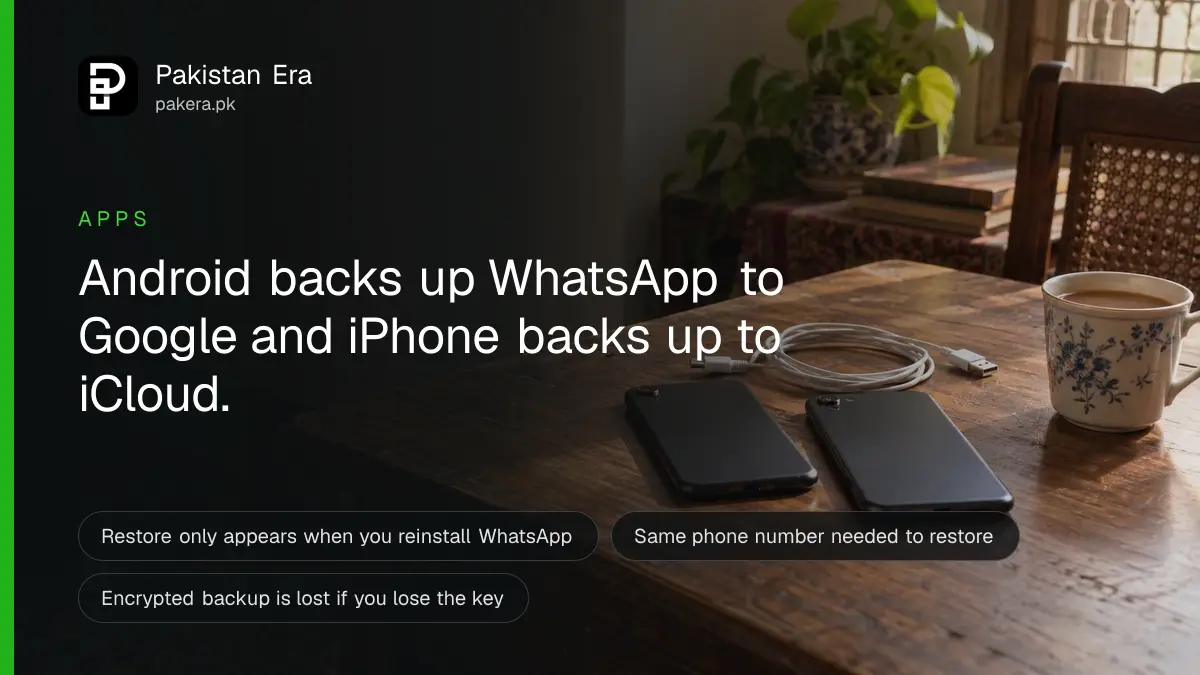
To back up WhatsApp on Android, open WhatsApp, tap the three dots, then Settings, Chats, Chat backup and Back up. On iPhone, go to Settings, Chats, Chat backup and Back up now. Android saves to your Google Account and iPhone saves to iCloud. To restore, you delete WhatsApp, install it again and tap Restore during setup.
Update, 20 October 2026: WhatsApp's Help Center now lists its own WhatsApp cloud storage as a second backup option on Android, with 2 GB free, alongside your Google Account. Our guide on switching your WhatsApp backup to WhatsApp cloud storage has the steps.
Most people in Pakistan only think about a WhatsApp chat backup after a phone is stolen, dropped or swapped. By then it is often too late. WhatsApp says in its Help Center that it cannot restore your chats for you, because your chat history is not stored on its servers.
We read WhatsApp's own Help Center pages on backup, restore and transfer on 30 September 2026. Menu names can shift a little with updates, so follow your screen if they differ.
Android and iPhone back up WhatsApp to different places
An Android phone backs up WhatsApp chats to your Google Account, and an iPhone backs up to iCloud. The two do not mix. You cannot restore an iCloud backup on Android or a Google backup on iPhone, so switching between them needs a direct transfer instead.
| Question | Android | iPhone |
|---|---|---|
| Where the backup is saved | Your Google Account | Your iCloud account |
| Menu to use | Settings, Chats, Chat backup | Settings, Chats, Chat backup |
| Space needed | Free space on the phone and in Google storage | iCloud and iPhone space at least 2.05 times the backup size |
| Number of backups kept | One. Each new backup replaces the old one | The last successful backup is what you restore |
| Restore on the other kind of phone | No. Use a direct transfer | No. Use a direct transfer |
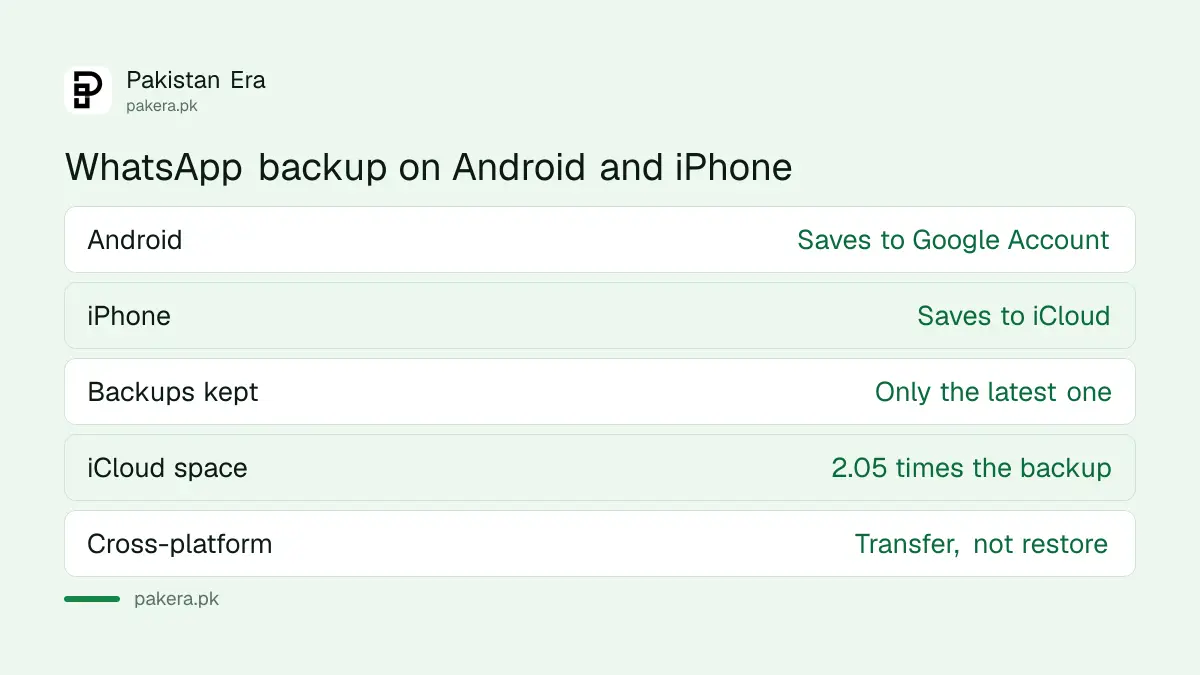
That 2.05 figure is WhatsApp's own. A 4 GB backup needs a little over 8 GB free on both iCloud and the iPhone.
How to back up WhatsApp chats on Android to Google Drive
On Android, WhatsApp saves the backup in your Google Account. You can set a daily, weekly or monthly schedule, or back up by hand at any time. You need a Google Account on the phone, Google Play services, free space and a steady internet connection.
- Open WhatsApp and tap the three dots in the top corner, then Settings.
- Tap Chats, then Chat backup.
- Tap Back up to your Google Account and choose a schedule other than Never.
- Pick the Google Account you want to use, or tap Add account and sign in.
- Decide whether to include videos, allow backup on mobile data and include your status archive, then tap Back up.
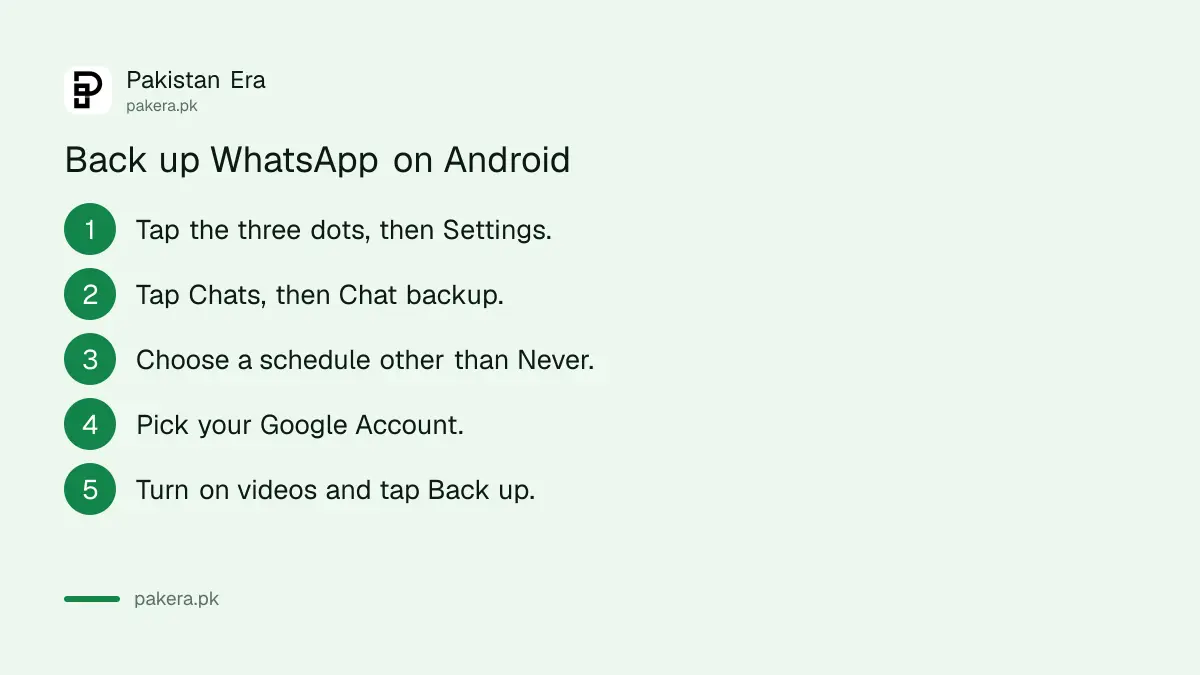
Videos are the big one. If Include videos is off, WhatsApp says videos will not come back when you restore. Turn it on if you care about them, and use Wi-Fi.
WhatsApp also warns that Google might delete a backup not updated for 5 months. If your Google storage is full, the Google One storage price in Pakistan is the cost of more space, or you can delete old files instead.
How to back up WhatsApp chats on iPhone to iCloud
On iPhone, WhatsApp backs up to iCloud. You can turn on Auto backup with a daily, weekly or monthly schedule, or tap Back up now whenever you like. Use the same phone number and iCloud account that you will restore with later.
- Open WhatsApp and tap Settings or your profile picture.
- Tap Chats, then Chat backup.
- Tap Back up now for an immediate backup.
- Tap Auto backup and choose how often it should run.
- Turn Include videos in chats and Include status archive on or off.
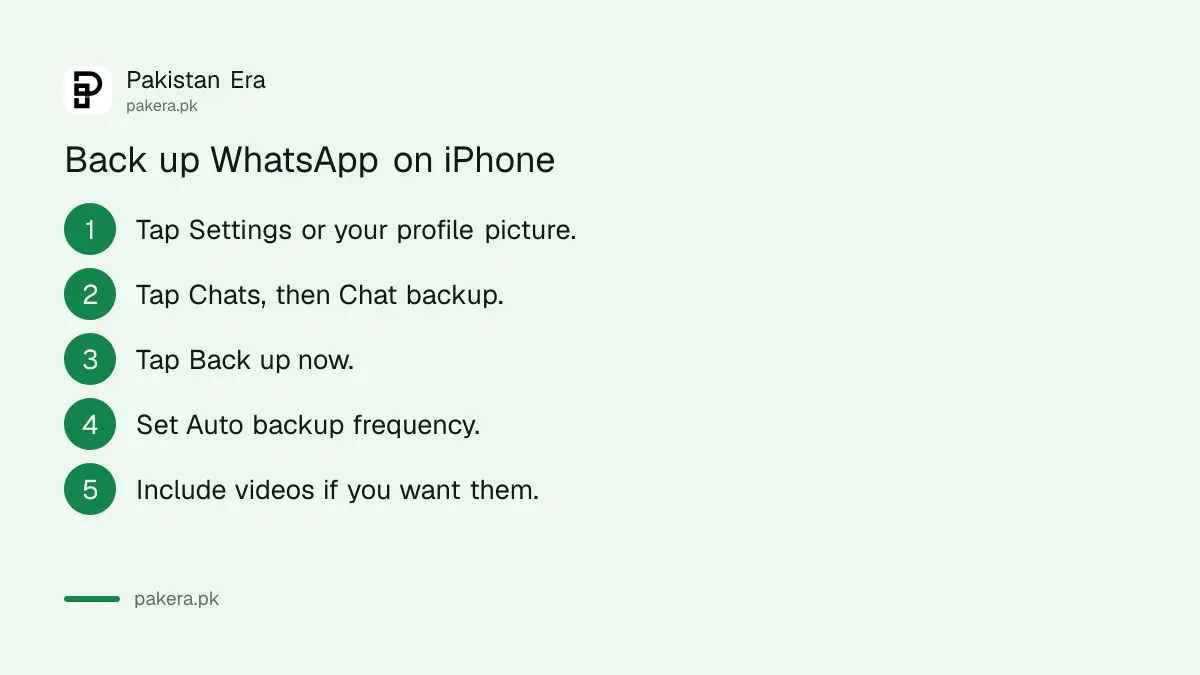
An iPhone also offers a second route: the phone's own iCloud backup, which can include WhatsApp. WhatsApp says you can use either or both, but both together need more iCloud space. If you turn on WhatsApp's encrypted backup, you cannot also use the iPhone backup for WhatsApp.
End-to-end encrypted backup locks the copy with your own key
A normal WhatsApp backup in Google or iCloud is not protected by WhatsApp's end-to-end encryption. Turn on end-to-end encrypted backup and only your passkey, 64-digit key or password can open it. Lose that and nobody, including WhatsApp, can recover the backup.
To turn it on, go to Settings, Chats, Chat backup, End-to-end encrypted backup, then Turn on. You then choose one of three locks:
- Passkey: you unlock with your fingerprint, face or screen lock. On Android it needs Android 9 or higher and a screen lock set up.
- 64-digit encryption key: WhatsApp creates a long string of characters. Write it on paper and keep it somewhere safe.
- Password: one you make yourself.
We think this is worth it for anyone who shares ID card copies or bank screenshots on WhatsApp. But be honest about your memory. If you lose the key and your account, WhatsApp says it cannot reset it or restore the backup.
How to restore WhatsApp chats on a new or reset phone
There is no Restore button inside WhatsApp settings. You restore only while setting WhatsApp up. Delete the app, install it again, verify the same phone number, and tap Restore when WhatsApp finds your Google or iCloud backup. Messages after the last backup are lost.
- Before anything else, on the old phone if you still have it, run one last manual backup.
- On the new phone, sign in to the same Google Account (Android) or Apple ID (iPhone).
- Install WhatsApp and verify the same phone number used for the backup.
- Tap Restore on Android, or Restore Chat History on iPhone, when prompted.
- Enter your passkey, key or password if the backup is encrypted, and wait for it to finish.
WhatsApp may ask you to prove it is you with a code by SMS or call. That is why the SIM must be active in the phone. If your old phone was stolen, get a replacement SIM first, then follow the steps above. If somebody else has taken over your number, recovering a hacked WhatsApp account comes first, because a restore cannot start until you are back in.
On Android, you can confirm a backup exists before you start. Open the Google One app, then Storage, then Other. On iPhone, the Chat backup screen shows the time and size of the last backup.
Moving WhatsApp to a new phone without a cloud backup
WhatsApp can copy chats straight from the old phone to the new one over Wi-Fi, with no cloud backup. This is the only way to go between Android and iPhone. The new phone must not be set up on WhatsApp yet, and both phones need the same number.
| Moving from | Method | What you need |
|---|---|---|
| Android to Android | Transfer chats, with a QR code | Android 6 or above on both phones, both on power, Wi-Fi turned on |
| Android to iPhone | Apple's Move to iOS app | iOS 15.5 or above, and an iPhone that is new or factory reset |
| iPhone to Android | Chats, Transfer chat history, Transfer to Android | Android 6 or above and a stable Wi-Fi connection |
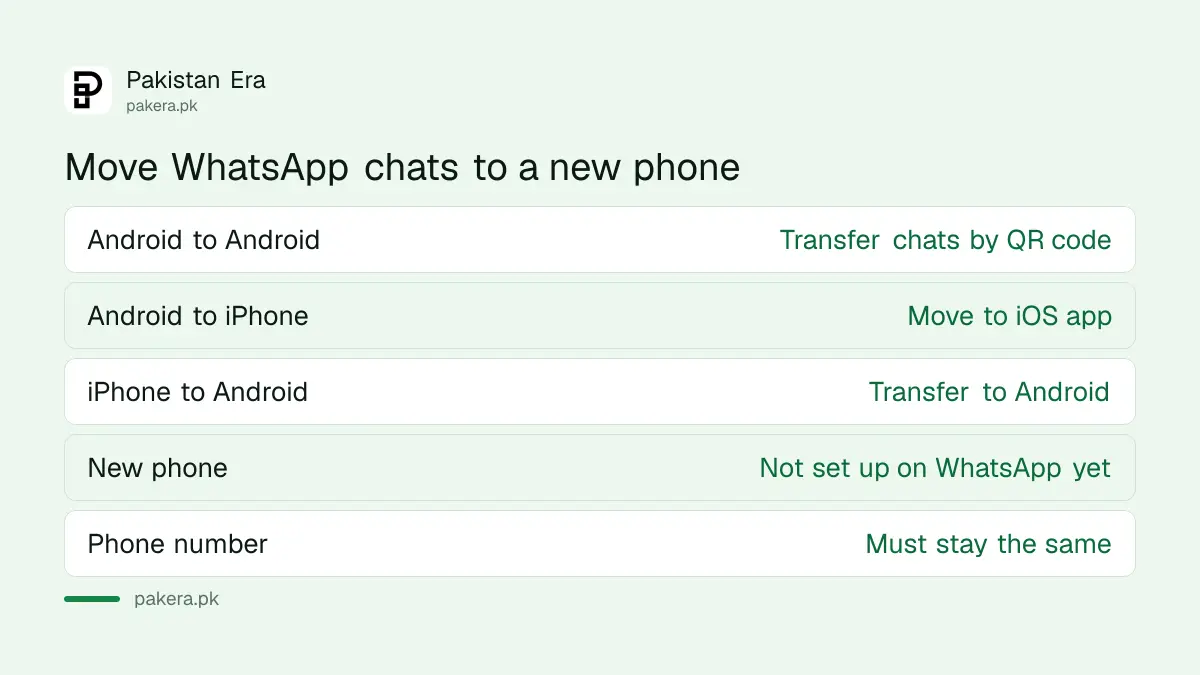
Some things do not move. WhatsApp says payment messages and media received through Channels cannot be transferred, and Android to iPhone does not carry your call history. Old phones are a separate trap too: check whether yours is in the list of Android phones WhatsApp is dropping before buying a used one.
Keep the old phone untouched until the chats show up on the new one.
Common questions
Can WhatsApp recover my deleted chats?
No. WhatsApp says it cannot restore chats for you because your chat history is not stored on its servers. The only copy is your own Google or iCloud backup, or your old phone.
Can I restore an older WhatsApp backup?
No. Google keeps one backup per phone number, and each new backup replaces the old one. There is no way to go back to an earlier copy.
Can I restore an iPhone WhatsApp backup on Android?
No. An iCloud backup restores only on an iPhone. To move from iPhone to Android, use Transfer chat history in WhatsApp with both phones side by side.
Can I back up WhatsApp from WhatsApp Web or my computer?
No. WhatsApp says backup and restore are not possible on linked devices such as WhatsApp Web, Mac or Windows. You must use your phone. WhatsApp on your PC only mirrors the phone.
Why did my videos not come back after restoring?
Include videos was probably off when the last backup ran. WhatsApp restores videos only if that setting was on before the backup was made.
Can I restore my chats on a new phone number?
No. The number used to back up and the number used to restore must be the same. Change your number inside WhatsApp on the old phone first, then back up or transfer.
How we verified this
What we checked, where we read it, and what we could not confirm.
Last checked on 30 September 2026. The Android and iPhone backup steps, the 2.05 times storage rule for iCloud, and the rule that only the last successful backup can be restored come from WhatsApp's Help Center page How to back up your chat history. The restore steps, the Google One check, the same-number rule and the videos rule come from How to restore your chat history. The 5 month deletion warning and the note that normal backups are not end-to-end encrypted come from About Google Account backups. The passkey, 64-digit key and password options come from About end-to-end encrypted backup. The transfer rules come from WhatsApp's three chat transfer pages. We read these pages but did not run a backup or restore ourselves for this article.
About the author

Public Services and Education Journalist
Fajr Riaz is a journalist and content writer at Pakistan Era, based in Lahore. She covers the questions people meet in everyday life in Pakistan: how a public service works, what a change in the rules means, and where to find a reliable answer.