Google One Price in Pakistan: 100 GB for PKR 550 When Storage Is Full
Google storage full? Google One costs PKR 250 for 30 GB and PKR 550 for 100 GB a month in Pakistan. What counts, how to free space and what if you stay over.
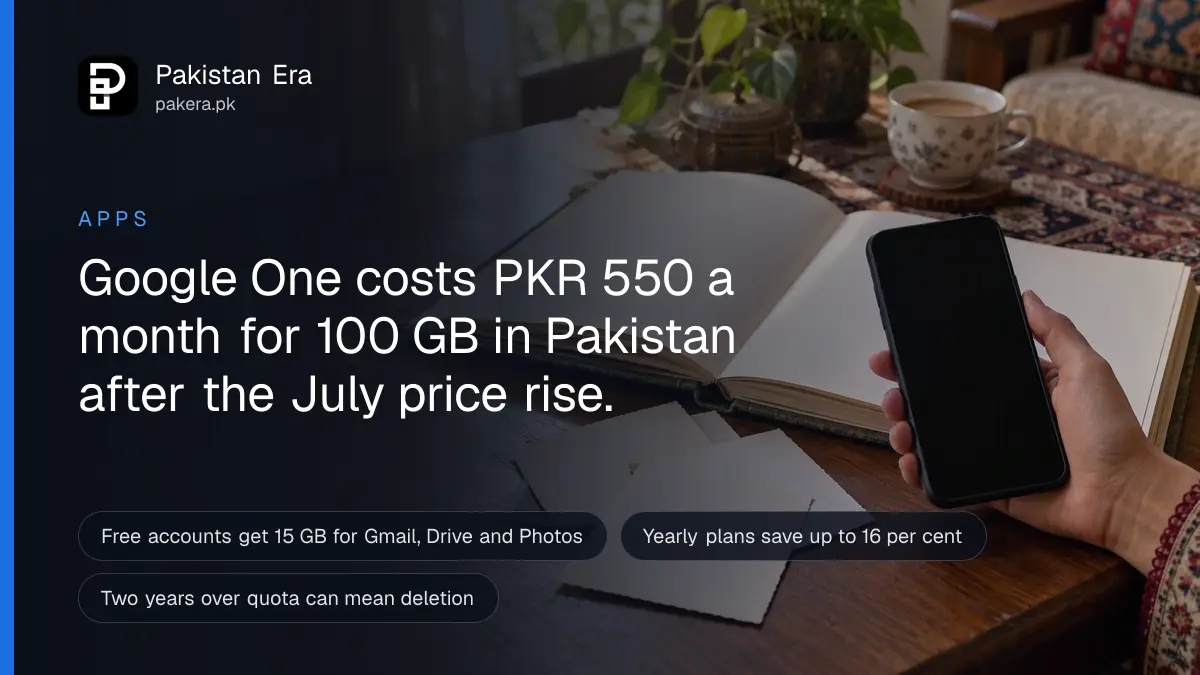
Google One costs PKR 250 a month for 30 GB, PKR 550 a month for 100 GB and PKR 5,600 a month for 5 TB in Pakistan. Paying yearly cuts that to PKR 2,500, PKR 5,500 and PKR 55,900. Before you pay, clear space for free at one.google.com/storage/management.
Those are the prices Google showed us on its Pakistan plans page on 28 September 2026. They are new. Google's help centre says Google One prices went up in Pakistan from 27 July 2026, and existing members renewing through Google Play paid the new price from 26 August.
The warning usually arrives the same way: a banner in Gmail saying your storage is full, and then emails stop coming in. Every Google account gets 15 GB free. Here is what fills it, how to empty it, and what Google One storage costs in Pakistan when emptying is not enough.
Google One storage prices in Pakistan
Google lists three paid plans for Pakistan: Lite with 30 GB, Basic with 100 GB, and Google AI Pro with 5 TB. Google says paying yearly saves up to 16 per cent against twelve monthly payments. Local taxes may be added on top.
| Plan | Storage | Monthly | Yearly | Share with family |
|---|---|---|---|---|
| Free | 15 GB | PKR 0 | PKR 0 | No |
| Lite | 30 GB | PKR 250 | PKR 2,500 (saves PKR 500) | Not listed |
| Basic | 100 GB | PKR 550 | PKR 5,500 (saves PKR 1,100) | Up to 5 others |
| Google AI Pro | 5 TB | PKR 5,600 | PKR 55,900 (saves PKR 11,300) | Up to 5 others |
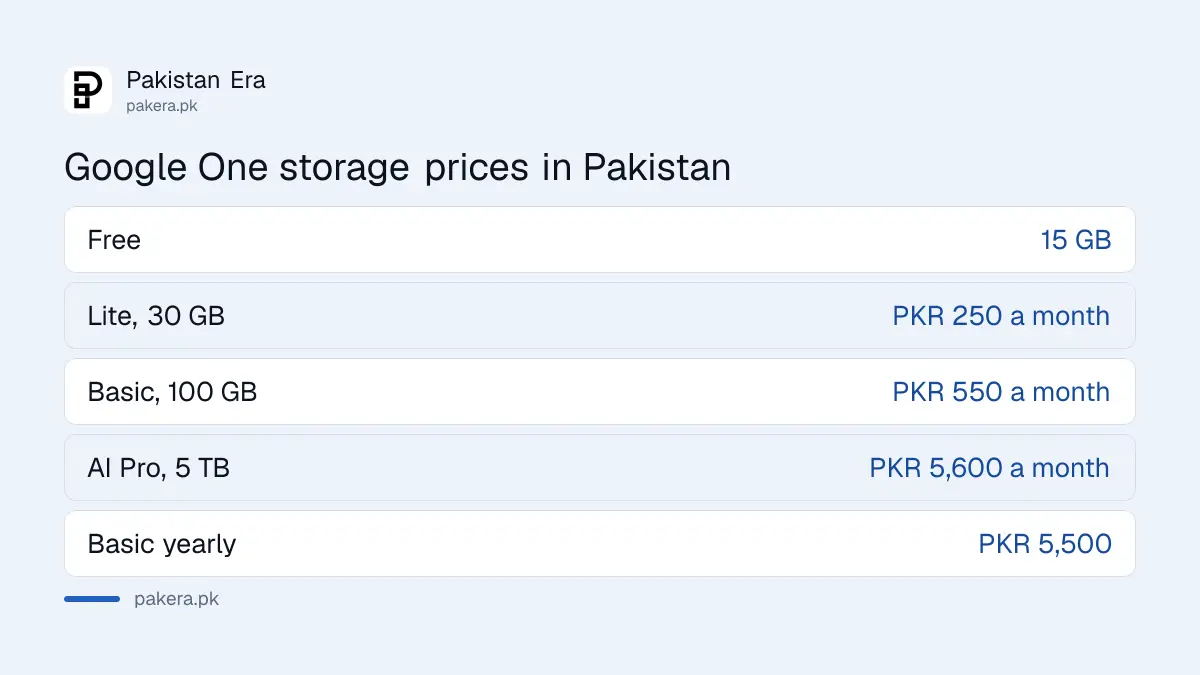
The storage in each plan is a total, and it includes your free 15 GB. So Lite takes you from 15 GB to 30 GB, not to 45 GB.
Basic is the plan most people should look at. For PKR 550 a month you get more than six times the free space, and you can share it with up to five people. Split across a family, that is cheap.
Google AI Pro is a different product that happens to include storage. The price is for Gemini access, its Pro model, Deep Research and Gemini inside Gmail and Docs. If you only need space, it is far too much. And if the AI is what tempts you, the free ChatGPT and Gemini plans cost nothing to try first. Students have a cheaper route too: a free year of Google AI Plus for Pakistani students, claimed through one.google.com/ai-student, comes with extra storage.
Google also says a subscription renews automatically until you cancel, and that you may be charged local taxes on top of the listed price.
What counts toward your free 15 GB
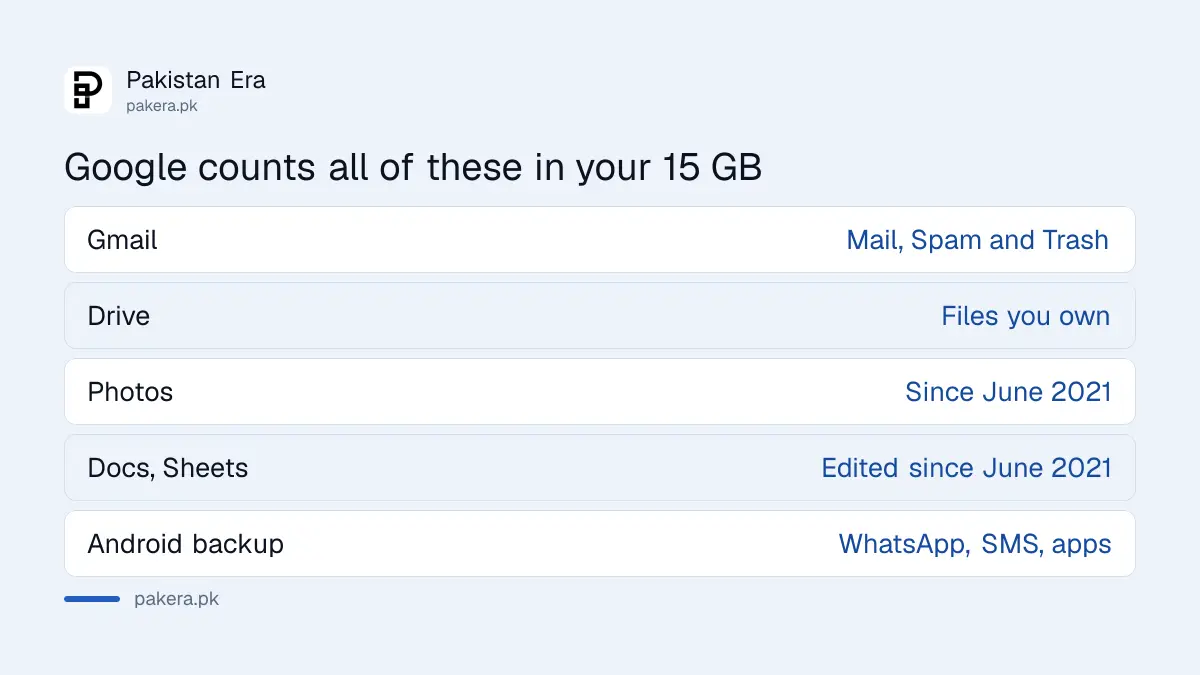
Your 15 GB is shared by Gmail, Google Drive and Google Photos, not given to each. Google's help page says Gmail attachments, Drive files, most photos backed up since June 2021, WhatsApp backups on Android and your phone's backup all come out of the same pool.
Google's list of what counts:
- Gmail: every message and attachment, including the Spam and Trash folders.
- Google Drive: PDFs, images, videos and other files you own. Files others share with you count against their storage, not yours.
- Google Docs, Sheets and Slides: anything created or edited after 1 June 2021.
- Google Photos: photos in Original quality, and Storage saver photos backed up after 1 June 2021. Older Storage saver photos are free.
- Android backup: SMS, call history, device settings, app data and WhatsApp backups.
- Google Meet: call recordings.
That last point about old photos catches people. Google says deleting Storage saver photos from before June 2021 frees no space at all, because they never counted. Delete newer videos instead.
WhatsApp is often the silent one. Google says videos usually take up the most space in a backup, so a family group full of them adds up fast. Google's own advice is to open WhatsApp, go to Settings, Chats, Chat backup, and turn off "Include videos".
How to free up Google storage without paying
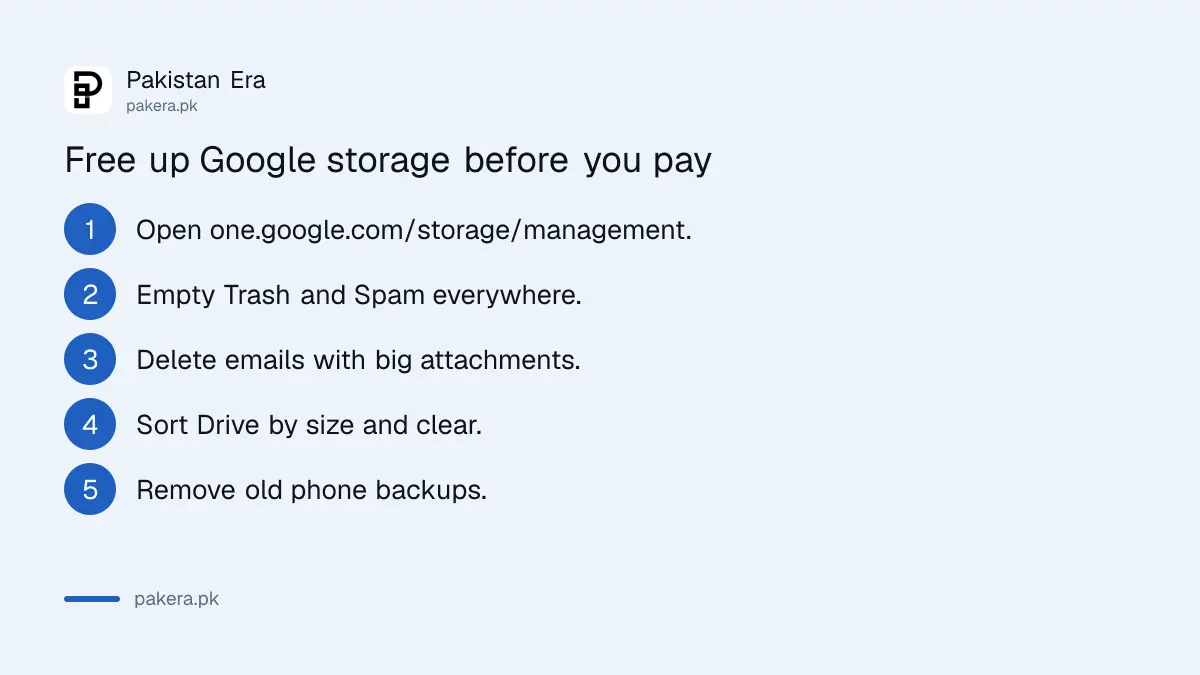
Google's own storage manager at one.google.com/storage/management shows what is using your space and suggests what to delete. Start with Gmail Trash and Spam, then large attachments, then Drive's biggest files. Space can take up to 72 hours to show as freed.
- Open one.google.com/storage/management while signed in to the full account.
- Empty Trash and Spam in Gmail, and the Trash in Drive and Photos. Google calls this the quickest fix.
- In Gmail, search
has:attachment larger:10Mto find emails with large attachments, and delete the ones you do not need. - In Drive, click Storage on the left. Files list from largest to smallest.
- Check Backups in the storage manager and delete old phone backups you no longer use.
Be careful in Drive and Gmail. Google says items you delete there through the storage manager's cleanup cannot be recovered, while Photos keeps deleted items in its trash for 30 days.
Google says a big cleanup can take 48 to 72 hours to show in your storage total. If the number has not moved after an hour, that is normal. Wait before you buy.
How to buy Google One and pay from Pakistan
Buy from one.google.com on a computer, or from the Google One app on Android, where the subscription runs through Google Play, as Google's price notice describes. That means you need a payment method Google accepts in Pakistan, which in practice is a Visa or Mastercard card.
- Sign in at one.google.com with the account that is full.
- Click Upgrade on the left.
- Choose Lite, Basic or Google AI Pro, and monthly or yearly.
- Check the price and the payment date, then click Next.
- Click Subscribe and confirm the card payment.
The card is the part that trips people up. Google's Pakistan payment list names Visa, Mastercard and JCB cards, and a virtual card is not accepted. So paying on Google Play with JazzCash or Easypaisa works only through the wallet's own debit card.
If the space does not appear, Google says to wait up to 24 hours, then sign out and back in. If money left your card but no plan shows, you may have bought it on a different Google account. Cancel that one the way you would cancel a Google Play subscription, then buy again on the right account.
What happens if you stay over the storage limit
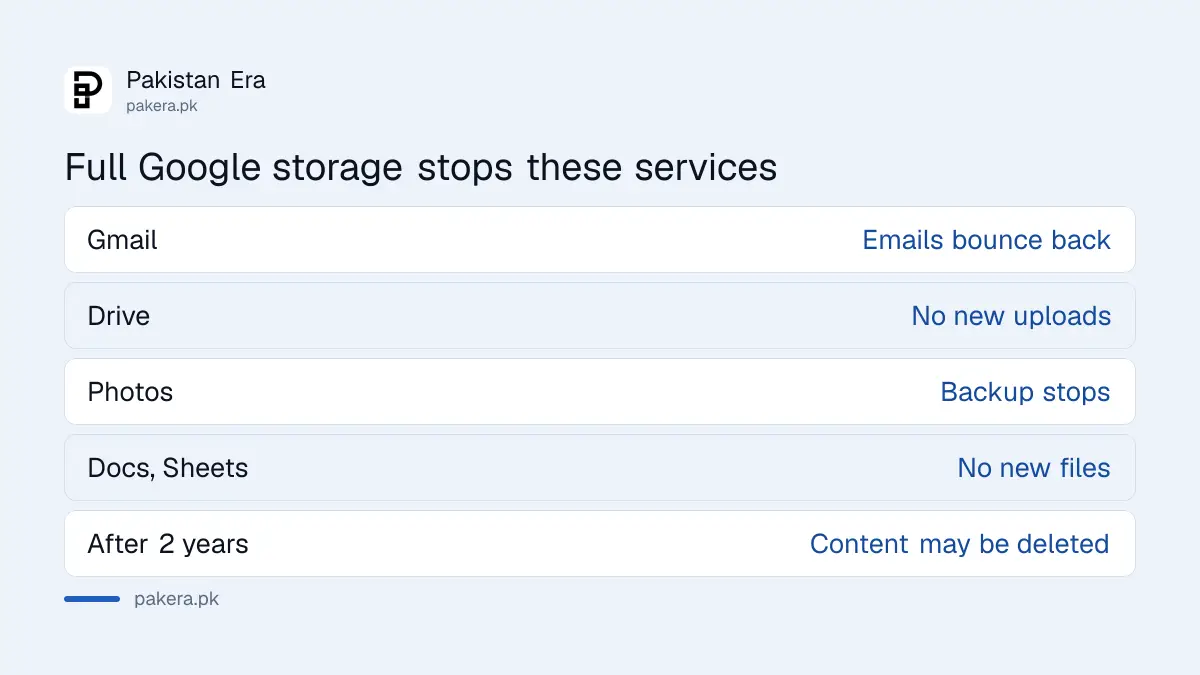
Over the limit, Gmail can stop sending and receiving email, and Drive and Photos stop taking new uploads. Google's policy says that if you stay over quota for 2 years, it may delete your content, after at least 3 months' notice by email.
| Service | What stops when you are over quota |
|---|---|
| Gmail | Sending and receiving can stop. Emails sent to you bounce back to the sender |
| Google Drive | No new uploads |
| Google Photos | No new photo or video backup |
| Docs, Sheets, Slides | No new files, and nobody can edit or copy your affected files |
| After 2 years over quota | All content may be deleted, with at least 3 months' notice |
You can still sign in to the account the whole time. Google says Keep, Sites, Blogger and YouTube are outside this policy.
The bounce is the real risk. A bank, a university or a job offer that emails you gets a failure notice and may never try again. If Gmail is your main address, do not let the account sit full for long.
Cancelling a paid plan while you are over 15 GB has the same effect. Google warns that Drive, Gmail and Photos may be interrupted when the paid space ends.
Common questions
How much is Google One in Pakistan?
PKR 250 a month for 30 GB, PKR 550 a month for 100 GB and PKR 5,600 a month for 5 TB with Google AI Pro, as shown on Google's Pakistan plans page on 28 September 2026. Yearly plans cost PKR 2,500, PKR 5,500 and PKR 55,900.
Did Google One prices go up in Pakistan?
Yes. Google's help centre says prices in Pakistan went up from 27 July 2026. Existing members on Google Play paid the new price at renewals from 26 August 2026.
Why is my Google storage full when I hardly use Drive?
Because Gmail, Photos and your Android backup share the same 15 GB. Old attachments, Spam and Trash, phone videos and WhatsApp backups are the usual causes.
Can I pay for Google One with JazzCash or Easypaisa?
Only through a wallet's own Visa or Mastercard debit card, if it works for online payments. Google's Pakistan payment list names cards, not wallets.
Will Google delete my photos if storage is full?
Not straight away. Google says content may be deleted only after 2 years over quota, with at least 3 months' notice. New backups stop at once.
Does deleting old photos free up space?
Only if they count. Storage saver photos backed up before 1 June 2021 never counted, so deleting them frees nothing.
How we verified this
What we checked, where we read it, and what we could not confirm.
Last checked on 28 September 2026. Plan names, storage sizes and PKR prices were read on Google's Google One plans page for Pakistan, loaded with hl=en-PK and gl=PK. What counts toward storage, the 48 to 72 hour update time and the over-quota and 2 year deletion policy were read on Google's How your Google storage works help page. The cleanup steps, Gmail search terms, bounced email and WhatsApp advice come from Google's "Manage your storage in Drive, Gmail and Photos" help page. The 27 July 2026 Pakistan price rise and renewal dates come from Google's "Google One price update: July 2026" page, and auto-renewal, local taxes and the upgrade steps from "Buy more Google storage". We did not buy a plan. Prices are shown before any local tax, and your checkout may differ.
About the author

Public Services and Education Journalist
Fajr Riaz is a journalist and content writer at Pakistan Era, based in Lahore. She covers the questions people meet in everyday life in Pakistan: how a public service works, what a change in the rules means, and where to find a reliable answer.