Cancel a Google Play Subscription and Get a Refund in Pakistan
Cancel a Google Play subscription in four taps, get a refund within 48 hours, report unknown charges and stop kids buying. Steps from Google's own help pages.
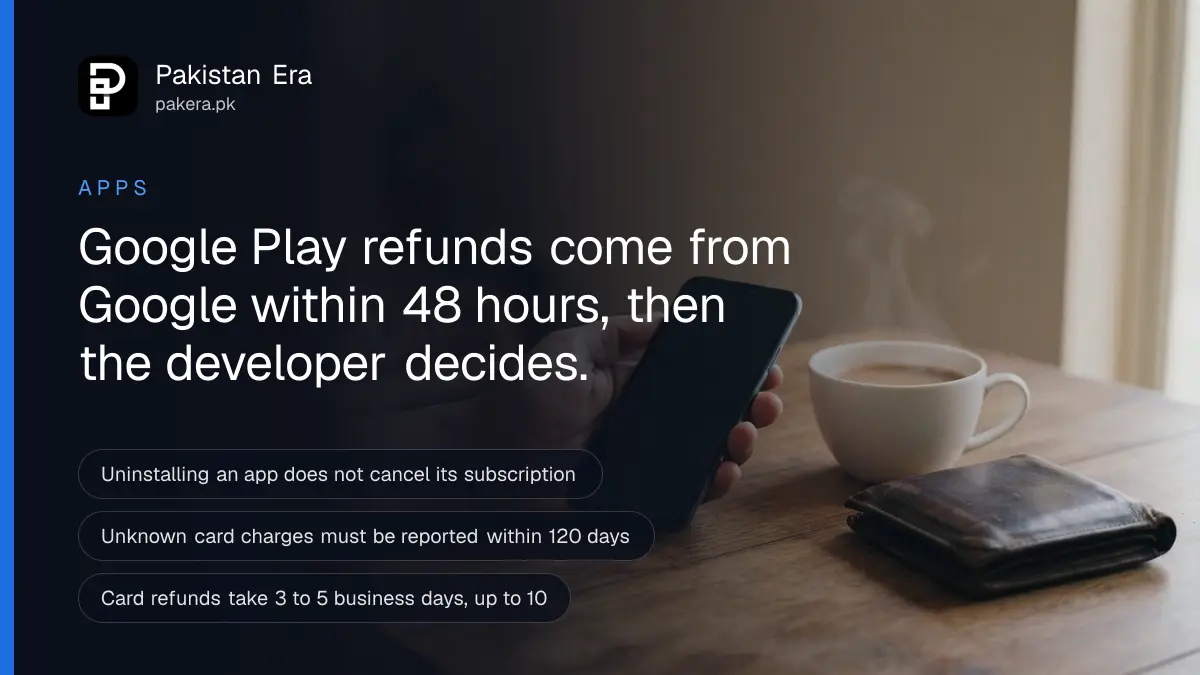
To cancel a Google Play subscription in Pakistan, open the Play Store, tap your profile picture, then Payments & subscriptions, then Subscriptions, pick the subscription and tap Cancel subscription. For a refund, ask Google within 48 hours of the purchase. After 48 hours, the app's developer decides.
Deleting the app does not stop the charge. Google says so plainly on its cancel a subscription help page. We read Google Play's own help pages on 28 September 2026 for every step below. How you pay is a separate question: the ways to pay on Google Play in Pakistan, from cards to Jazz billing, are not repeated here.
Cancel a Google Play subscription in four taps
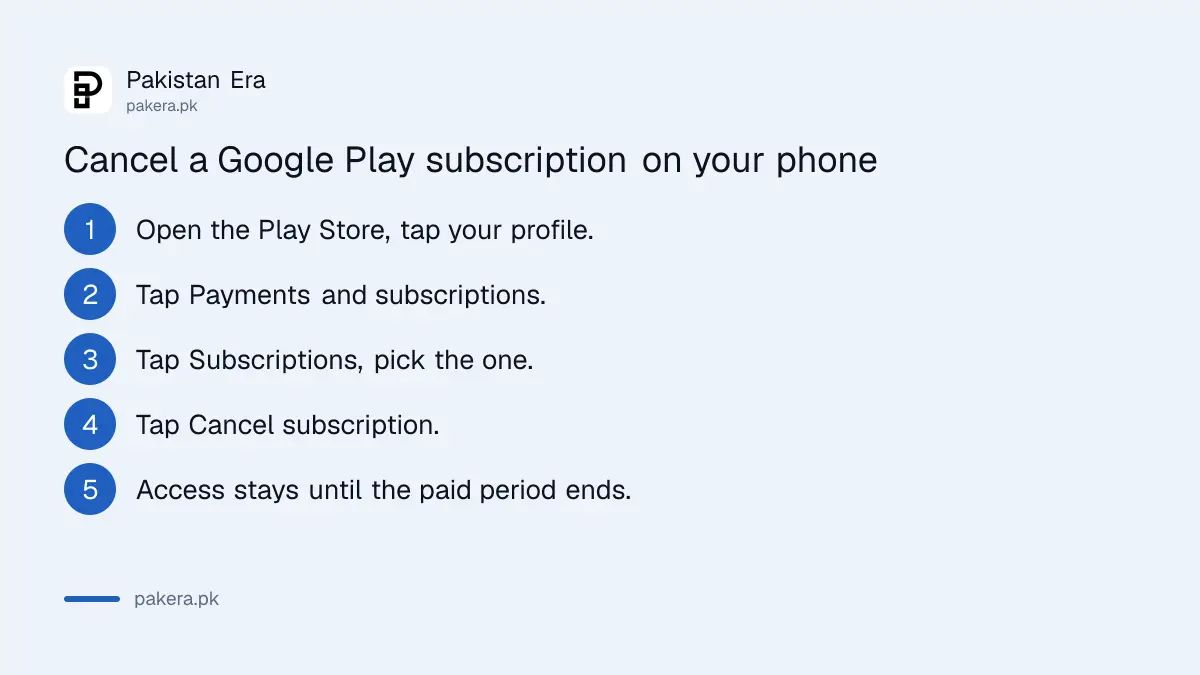
Cancel from the Play Store app or from play.google.com, signed in to the Google account that pays. Uninstalling the app does nothing to the billing. So cancel first, then uninstall if you want to.
- Open the Google Play Store app and tap your profile picture at the top right.
- Tap Payments & subscriptions, then Subscriptions.
- Select the subscription you want to stop.
- Tap Cancel subscription, choose a reason and follow the prompts.
Can't find the subscription? It is probably on another Google account. Many phones in Pakistan carry two or three Gmail accounts, so switch accounts and look again.
Some apps let you pause instead. Google says a pause starts at the end of the billing period and lasts one week to three months. That suits a student who wants Spotify Premium back after exams, but the app decides whether the pause option appears at all.
You keep the subscription until the paid period ends
Cancelling stops the next payment, not the current one. Google's rule is that you keep using the subscription for the time you already paid for. You do not get money back for unused days just because you cancelled early.
Google's example: a yearly plan bought on 1 January and cancelled on 1 July stays active until 31 December, and no new charge comes on the next 1 January. A monthly plan works the same way.
Timing still matters. Google may place a hold on your card up to 48 hours before the next renewal. Cancel on renewal day and a pending amount may show in your bank app. We would cancel at least three days early.
Prepaid plans end on their own, so there is nothing to cancel. If you have not used a prepaid plan at all, Google says you can ask for a refund.
Refund rules: 48 hours with Google, then the developer
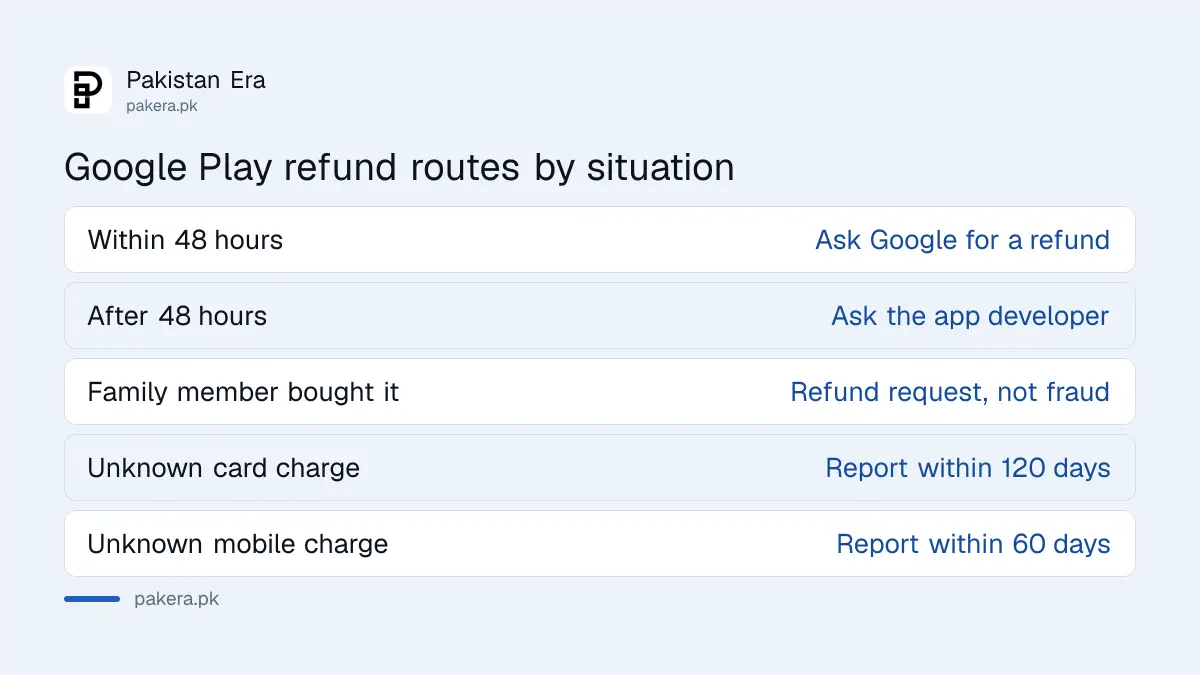
Google says it does not refund most Google Play purchases, but time is the main exception. Within 48 hours of an app, game or in-app purchase, including a subscription, Google may refund you. After 48 hours, the developer decides under its own policy.
| Situation | Who to ask | Time limit Google states |
|---|---|---|
| Bought by mistake or changed your mind | Google, through Request a refund | Within 48 hours |
| More than 48 hours have passed | The app's developer | Developer's own policy |
| In-app item not delivered | The app's developer | Developer's own policy |
| A child or relative bought it on your account | Google, as a refund request | Not a fraud claim |
| Unknown charge on a card | Google, unauthorised charge form | Within 120 days |
| Unknown charge on mobile balance | Google form, with your operator's ID | Within 60 days |
A paid app can be refunded only once, and it is uninstalled when the refund goes through. An order with several items is refunded whole or not at all. And Google says it usually cannot refund if you shared your account or payment details, or left the account without purchase verification.
How to request a refund from Google Play
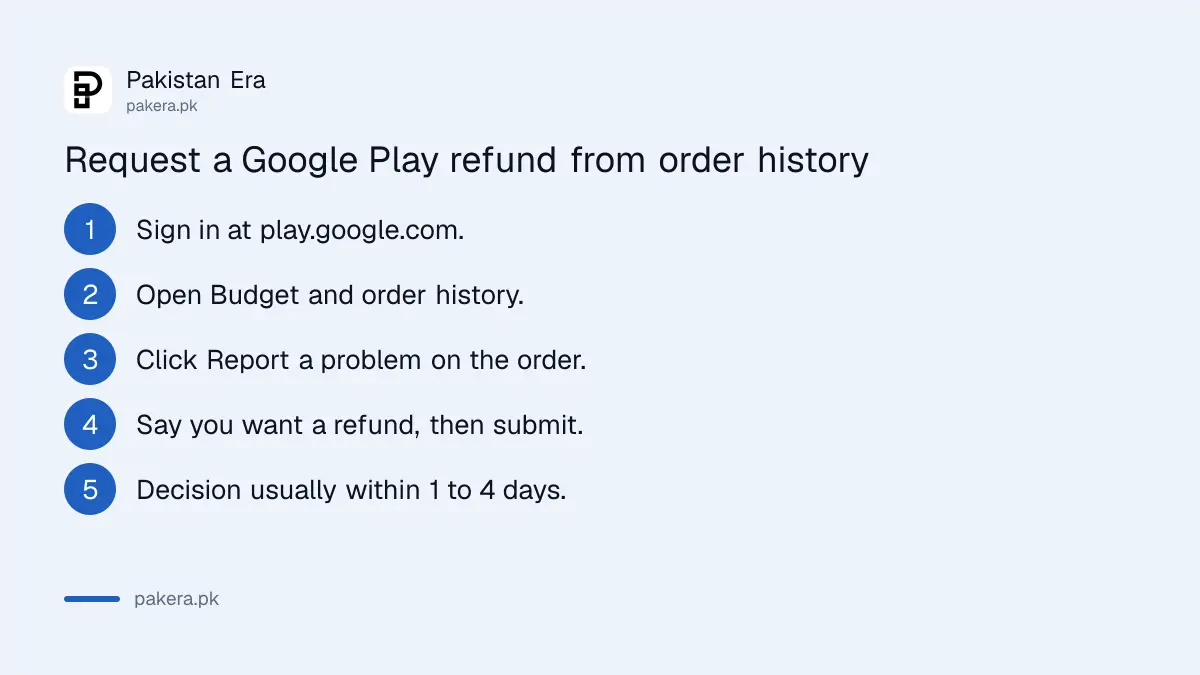
Use the Report a problem button in your order history on play.google.com. Google says a decision usually comes within one day, and at most four days. Sending the same request twice does not speed it up.
- Go to play.google.com in a browser and sign in.
- Click your profile picture, then Payments & subscriptions, then Budget & order history.
- Find the order and click Report a problem.
- Pick the option that fits, and write that you want a refund.
- Click Submit and watch your Gmail for the decision.
An approved refund goes back the way you paid. Google's estimates:
- Debit or credit card: 3 to 5 business days, sometimes up to 10.
- Prepaid mobile balance: 1 to 30 business days.
- Postpaid mobile bill: within 1 to 2 monthly bills.
- Google Play balance: 1 business day, sometimes 3.
If your card has expired since the purchase, the money goes to the bank that issued it. Call the bank, not Google.
After 48 hours, write to the developer
Most apps on Google Play are made by other companies, not Google. After 48 hours, only the developer can refund you. Google says you should expect a reply to a purchase problem within three business days.
Open the app's Play Store page and scroll to App support for the developer's email. Google says to include:
- The transaction ID, from your order history or receipt email.
- The date of the purchase.
- The amount you paid.
- The reason, and whether you want a fix or a refund.
Check your bank statement first. A Google Play charge starts with "GOOGLE*" and then the app or developer name. If it does not, you subscribed on the service's own website, and you cancel there instead.
Report a charge nobody in your family made
A charge that neither you nor anyone you know made is an unauthorised charge, not a refund. Google acts on card charges only within 120 days of the transaction, and on mobile balance charges only within 60 days.
For a card, fill in Google's unauthorised charge form. Google says an email update usually follows within 7 business days. Past 120 days, go to your bank's fraud desk, and mind the bank's own fraud complaint deadlines.
For a charge on your Jazz, Zong, Telenor or Ufone balance, first get an ID from the operator. A "correlation ID" starts with a small g, and you send it on Google's form. A "request ID" starts with a capital G, and Google says to take it to the operator's fraud team. For a JazzCash or Easypaisa wallet, go to the wallet's fraud team.
If your child or a relative made the purchase, Google says it is not fraud. Request a refund instead, inside the 48 hours if you can.
Stop children buying on your phone
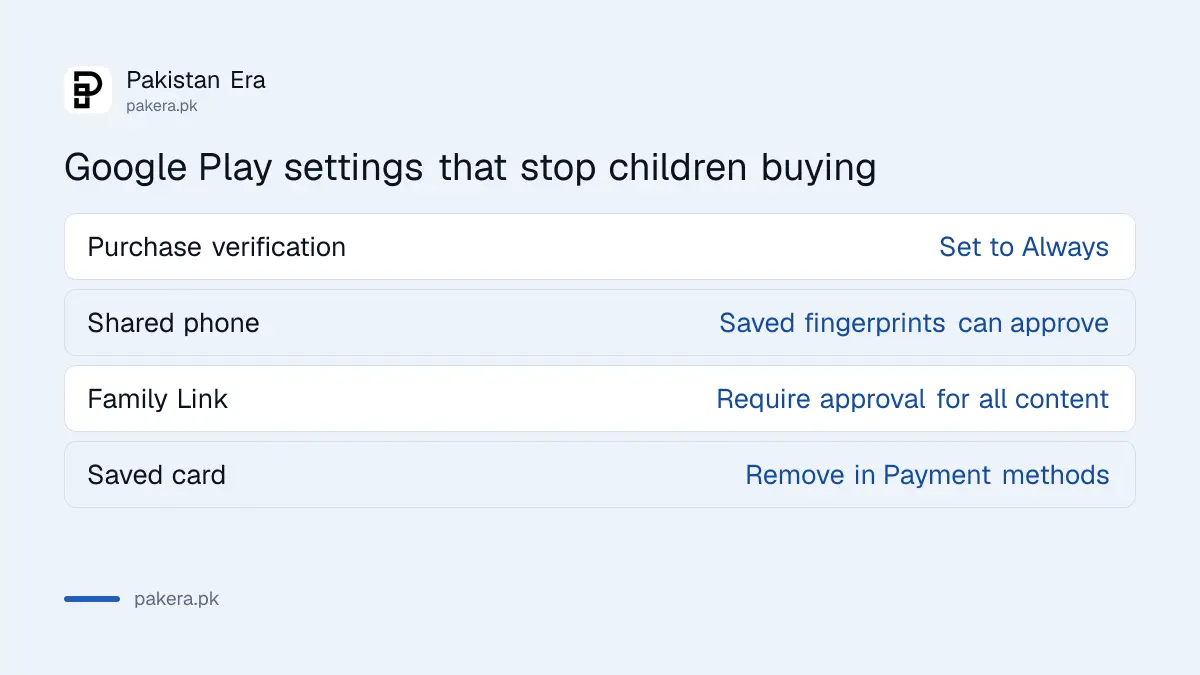
Turn on purchase verification so every purchase asks for your password, fingerprint or face. For a child with their own account, use Family Link purchase approvals. Google says apps designed for children aged 12 and under always need verification anyway.
- Open the Play Store, tap your profile picture, then Payments & subscriptions.
- Tap Purchase verification.
- Choose to verify every purchase. Google lists Always as the default, with Every 30 minutes and Never as the other choices.
Watch out on a shared phone. Google warns that every fingerprint or face saved on the device can approve purchases for every Google account on it. If your child's thumb unlocks the phone, it can also buy gems in a game.
For a child's Family Link account, open the Family Link app, pick the child, then Controls, then Google Play. Under Purchases and download approvals, tap Require approval for, and choose All content. Requests then come to your phone to approve or deny.
Remove a saved card from Google Play
In the Play Store, tap your profile picture, then Payments & subscriptions, Payment methods and More payment settings. Sign in to Google Pay if asked, then tap Remove under the card. Cancel your subscriptions first, because removing a card does not cancel them.
Also check each subscription for a backup payment method. Google lets you add one, and it is charged when the main card fails.
Common questions
Does uninstalling an app cancel its Google Play subscription?
No. Google says uninstalling does not cancel the subscription. Cancel it in Payments & subscriptions in the Play Store.
Can I get a refund after cancelling a Google Play subscription?
Not automatically. You keep access until the paid period ends. Google may refund within 48 hours of the charge; after that, ask the developer.
How long does a Google Play refund take to reach my bank card?
Google says 3 to 5 business days, and sometimes up to 10, because your bank processes it too.
My child bought gems in a game without asking. Is that fraud?
No. Google treats a family member's purchase on your account as a refund request, not an unauthorised charge.
How do I report an unknown Google Play charge on my Jazz balance?
Get a correlation ID from Jazz and fill in Google's form within 60 days. With a request ID, go to Jazz's fraud team.
Can I pause a Google Play subscription instead of cancelling?
Only if the app offers it. Google says a pause starts at the end of the billing period and lasts one week to three months.
How we verified this
What we checked, where we read it, and what we could not confirm.
We read Google Play Help on 28 September 2026: the pages on cancelling a subscription, refund policies, requesting a refund, refund timelines, contacting a developer, unrecognised charges, purchase verification, purchase approvals and payment methods. The Google Play refund policies are the authority if anything changes. We did not place or refund a real purchase, so the timings are Google's estimates, not our measurement. Menu names can differ slightly between Play Store versions.
About the author

Tax, Bills and Technology Writer
Ali Akhtar is a young and curious voice here at Pakistan Era. He is currently pursuing his A-Levels and has a growing interest in Pakistan’s changing industrial landscape and educational trends. Ali likes to write in a way that helps him explain and explore the world around him. His writing reflects the perspective of the new generation navigating the evolving trends of Pakistan where technology, youth innovation, and shifting opportunities are reshaping the country’s future.