WhatsApp Stops Working on Android 5 Phones in Pakistan: Check Yours
WhatsApp now needs Android 6.0 or newer, and iPhones need iOS 15.5 from 30 November 2026. How to check your phone's version and back up your chats in time.
WhatsApp now needs Android 6.0 or newer. Phones on Android 5.0 and 5.1 lost WhatsApp on 8 September 2026. On iPhone the minimum is iOS 15.1 today, and it moves to iOS 15.5 on 30 November 2026. Check your version in Settings, then About phone, then Android version.
Plenty of people in Pakistan keep an old Android phone for a parent or a second SIM. We read WhatsApp's own Help Center on 28 September 2026 to confirm the rule, and to find the next cut-off, which hits older iPhones in about two months.
WhatsApp's page on supported operating systems lists two minimums: Android phones running OS 6.0 and newer, and iPhones running iOS 15.1 and newer. The same page adds that from 30 November 2026, only iOS 15.5 and newer will be supported.
WhatsApp now needs Android 6.0 or iOS 15.1
WhatsApp supports Android phones on version 6.0 and newer, and iPhones on iOS 15.1 and newer, according to its Help Center. Android 5.0 and 5.1 are no longer supported. The iPhone minimum rises to iOS 15.5 on 30 November 2026.
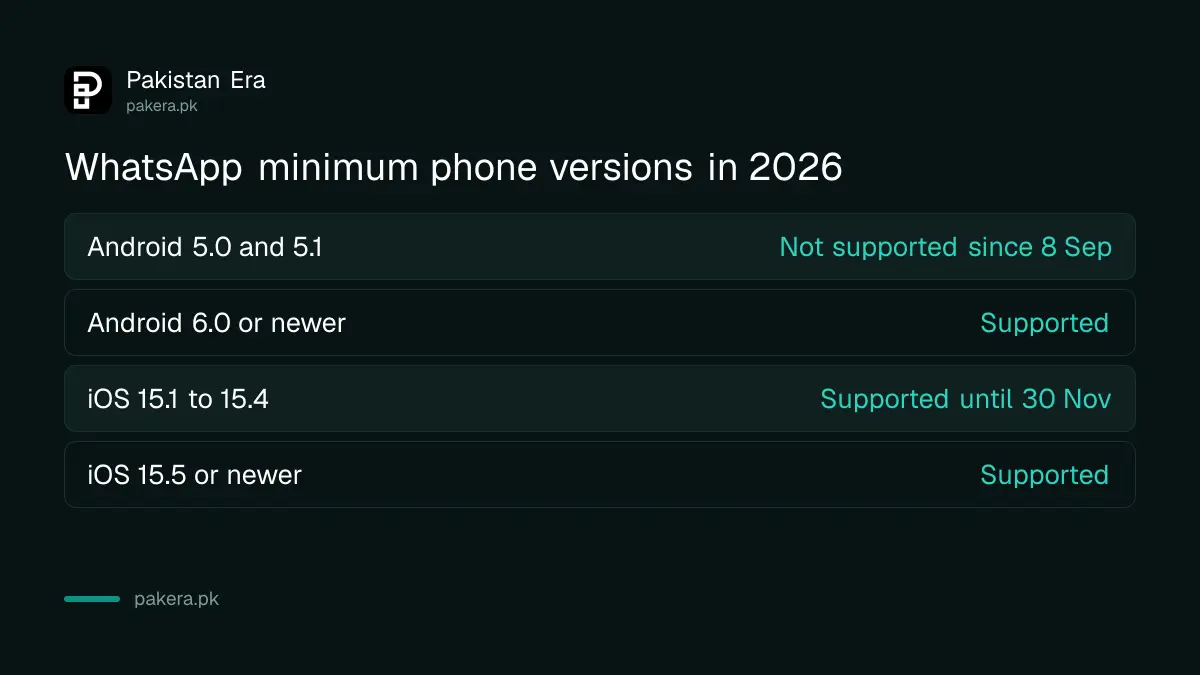
| Your phone runs | WhatsApp status |
|---|---|
| Android 5.0 or 5.1 | Not supported since 8 September 2026 |
| Android 6.0 or newer | Supported |
| iOS 15.0 or older | Not supported |
| iOS 15.1 to 15.4 | Supported until 30 November 2026 |
| iOS 15.5 or newer | Supported |
The 8 September date is not on the Help Center page itself. That page lists only the current minimum. The date comes from WhatsApp's in-app notices, as widely reported, and it matches what users saw on their phones. The rule covers both WhatsApp Messenger and WhatsApp Business, according to those reports.
WhatsApp says it reviews the oldest devices every year and drops those with the fewest users, which may lack security updates. Android 5 came out in 2014, so the phones affected are mostly about ten years old or more.
iPhones on iOS 15.1 to 15.4 are next, on 30 November
The next cut-off is for iPhones. From 30 November 2026, WhatsApp will support only iOS 15.5 and newer. An iPhone stuck on iOS 15.1, 15.2, 15.3 or 15.4 has about two months to update before WhatsApp stops working on it.
Most iPhones that run iOS 15 can move to iOS 15.5 or later for free. Open Settings, tap General, then Software Update. If your iPhone can install a newer version, do it on Wi-Fi with the battery charged.
WhatsApp says it warns you inside the app a few times before support ends. Treat that notice seriously, but read it in the app, never through a link someone sends you.
Check your Android version in Settings
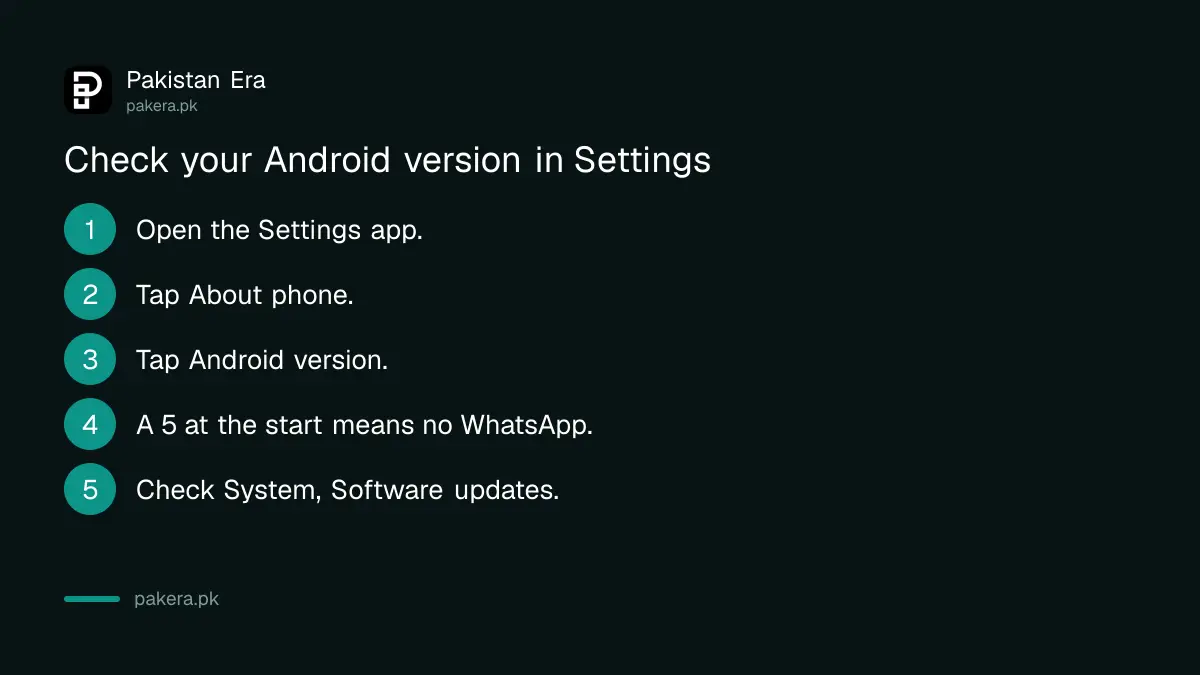
Your Android version is in the Settings app, under About phone. Google's own help page gives the same path. It takes less than a minute, and the number you need is the first one shown under Android version.
- Open the Settings app on your phone.
- Tap About phone (on some phones it is About device).
- Tap Android version, or look for the line with that name.
- Read the number. If it starts with 5, WhatsApp no longer works on this phone.
- Then open System, then Software updates, to see if a newer version is offered.
Menus differ a little by brand, so the exact words can change. If you cannot find the right menu, type "Android version" into the search bar at the top of Settings.
Google also warns that older devices cannot always run newer Android versions. That is the real problem here. A phone that has stayed on Android 5 for this long is unlikely to be offered anything newer, so expect the check to end with no update.
Back up your chats before you change phones
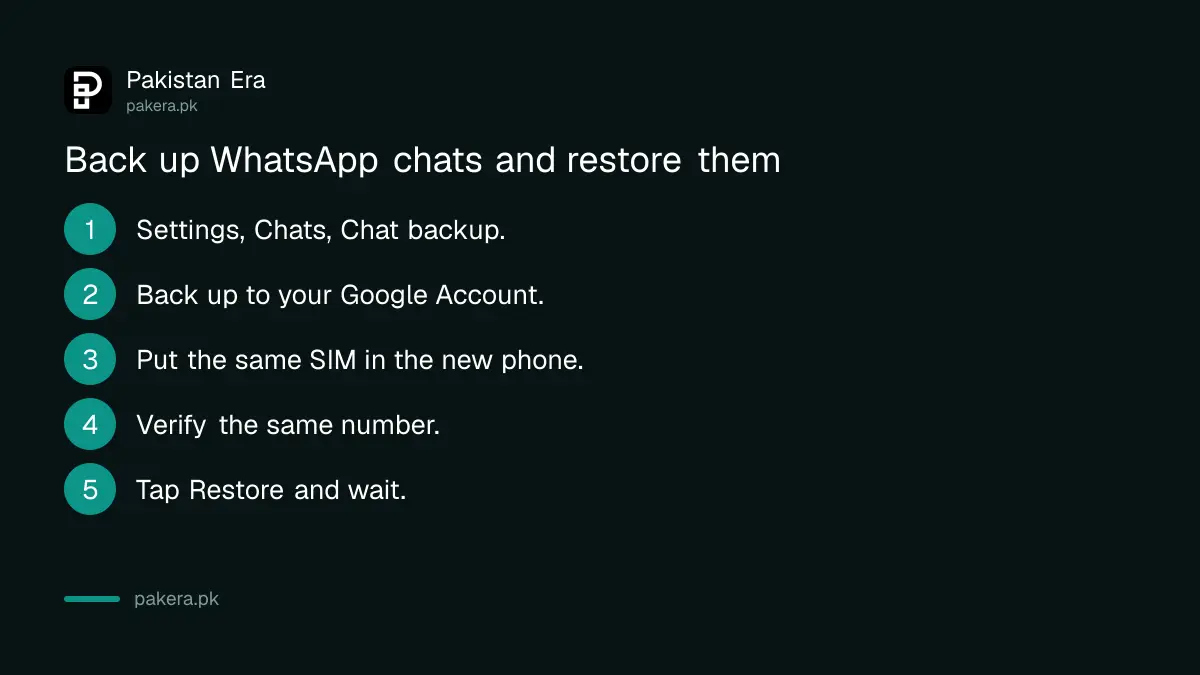
WhatsApp does not keep your chats on its servers. If you lose the phone without a backup, the messages are gone. Back up to your Google Account now, while the phone still works, and restore on the new phone with the same number.
On Android, WhatsApp's Help Center gives this path. Tap the three dots, then Settings, Chats and Chat backup. Choose Back up to your Google Account, pick an account, and tap Back up.
Three limits from WhatsApp's own pages matter here:
- The phone number you back up with and the number you restore with must be the same.
- Each Google Account keeps only one WhatsApp backup. A new backup replaces the old one.
- WhatsApp's direct phone-to-phone Chat Transfer needs Android 6 or above on both the old and the new phone. So an Android 5 phone cannot use it.
That last point catches people. If your old phone is on Android 5, your only route is a Google backup made before WhatsApp stopped working on it. We could not confirm whether an unsupported phone can still make a fresh backup today, and WhatsApp's pages do not say. If WhatsApp still opens on your old phone, back up straight away.
What to do if your phone is too old
Update the phone if an update is offered. If not, move WhatsApp to a newer phone with the same SIM. Any phone on Android 6 or newer works, and phones sold new today ship with far newer versions.
If you are buying a replacement, a basic phone is enough for WhatsApp. The phones under Rs 50,000 all run current Android. A used phone is fine too, but check its IMEI and PTA status first. A set that is not registered will lose mobile network service, and the steps to check the IMEI number and PTA status take a single SMS.
Then move the account:
- Put your SIM in the new phone and install WhatsApp from the Play Store.
- Verify the same phone number by SMS or call.
- Tap Restore when WhatsApp finds your Google backup.
- Wait for the chats to load before you delete anything on the old phone.
Never share the six-digit code WhatsApp sends you, even with someone claiming to be from WhatsApp. If the new login triggers a warning, an account under review is a different problem from an unsupported phone, and the fixes differ.
Common questions
Which Android version does WhatsApp need in 2026?
Android 6.0 or newer. WhatsApp's Help Center lists Android phones running OS 6.0 and newer as supported. Android 5.0 and 5.1 are no longer supported.
When did WhatsApp stop working on Android 5?
On 8 September 2026, according to WhatsApp's in-app notices as reported. The Help Center page shows the new minimum but not the date.
Will WhatsApp stop working on my iPhone?
Only if it runs iOS older than 15.5. From 30 November 2026, WhatsApp supports iOS 15.5 and newer. Update in Settings, General, Software Update.
Can I transfer chats from an Android 5 phone to a new phone?
Not with Chat Transfer, which needs Android 6 on both phones. Use a Google Account backup instead, made while WhatsApp still works on the old phone.
Will I lose my WhatsApp account if my phone is too old?
No. The account is tied to your phone number, not the handset. Put the SIM in a supported phone, verify the number, and restore from your backup.
How we verified this
What we checked, where we read it, and what we could not confirm.
Last checked on 28 September 2026. The minimums of Android 6.0 and iOS 15.1, and the move to iOS 15.5 from 30 November 2026, are from WhatsApp's Help Center page About supported operating systems, which also explains how WhatsApp chooses what to support. The backup steps, the one-backup-per-account rule and the same-number rule are from WhatsApp's back up your chat history and restore pages. The Android 6 requirement for Chat Transfer is from WhatsApp's transfer chat history page. The steps to check your Android version are from Google's Android help page. The 8 September 2026 date comes from WhatsApp's in-app notices as reported, not from a WhatsApp web page.
About the author

Tax, Bills and Technology Writer
Ali Akhtar is a young and curious voice here at Pakistan Era. He is currently pursuing his A-Levels and has a growing interest in Pakistan’s changing industrial landscape and educational trends. Ali likes to write in a way that helps him explain and explore the world around him. His writing reflects the perspective of the new generation navigating the evolving trends of Pakistan where technology, youth innovation, and shifting opportunities are reshaping the country’s future.