National Savings App Transfer Failed? Get Your Refund and Send Money Again
National Savings says failed app transfers were refunded on 6 October 2026. Check your account, resend to a bank in 8 steps, and call 051 111 728 464 if not.
Short answer: to send money from the National Savings Digital app to a bank account, go to Transfers, then "To other Bank Accounts", add the account or IBAN as a beneficiary, and confirm with your Financial PIN. If a transfer failed and the money left your account, National Savings said on 6 October 2026 that all unsuccessful inter-bank transfers have been refunded. Check your statement, then complain through the app's Complaint Management or call 051 111 728 464.
We read the National Savings Digital page, the contact page and the refund notice on savings.gov.pk on 10 October 2026. The steps below follow the Central Directorate of National Savings (CDNS) instructions, in the order the app shows them.
National Savings Digital lets you transfer, buy and pay from your phone
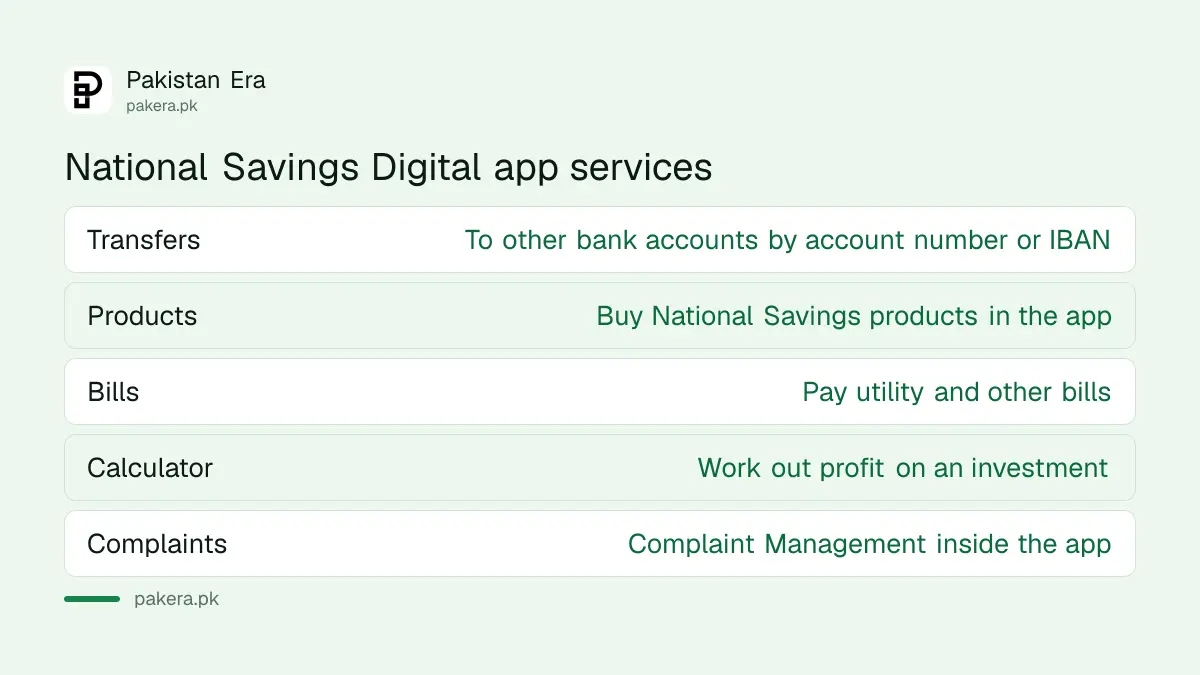
National Savings Digital is the CDNS app and internet banking service. It covers transfers to other banks, buying National Savings products, bill payments, a profit calculator and a complaint tool. You first need a National Savings account linked to it, opened at a centre or online.
Three accounts can be opened online at account.nationalsavings.digital without visiting a centre: the Digital Saving Account, the Digital Sarwa Islamic Saving Account and the Digital Micro Saving Account. Queries about opening go to nsdigitalaccount@savings.gov.pk, and National Savings says it answers within 7 working days.
If you already hold a centre-based account, such as a Special Savings Account, the profit still follows the official rate sheet. The current figures are in National Savings profit rates for October 2026.
Add a bank account as a beneficiary first
You cannot send money to a new account directly. Add it once as a beneficiary, using its account number or IBAN, and the app fetches the account holder's name. Check that name before you save, because it is your best guard against a wrong account.
- Log in to National Savings Digital.
- Go to the "Transfers" section.
- Select "To other Bank Accounts".
- Tap "Add Beneficiary".
- Choose "Account Number" or "IBAN", enter the details and tap "Continue".
- Check the account title the app shows. You can add a nickname and number. Tap "Save Beneficiary".
- Enter your Financial PIN to finish.
An IBAN is the 24-character Pakistani account code that starts with PK. Using it rather than a bare account number avoids mix-ups between banks.
Send money to the saved bank account in 8 steps
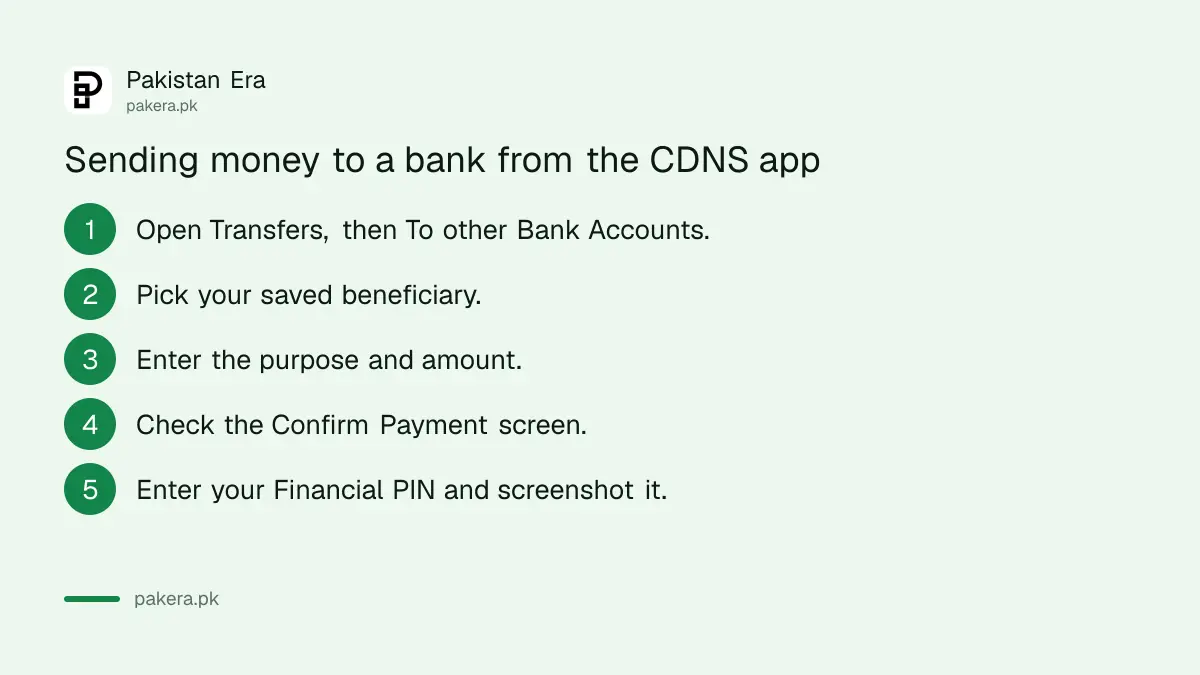
Open Transfers, pick the saved beneficiary, enter the purpose and amount, review the confirmation screen, and approve with your Financial PIN. Then save a screenshot of the confirmation. If anything goes wrong later, that screenshot is your evidence.
| Step | What you do | What to check |
|---|---|---|
| 1 and 2 | Go to Transfers, then "To other Bank Accounts" | You are in the inter-bank section, not own-account |
| 3 and 4 | Tap "Show Beneficiary List" and pick the person | The right nickname and account |
| 5 | Enter the purpose and amount, tap "Continue" | Zeros in the amount |
| 6 | Review the Confirm Payment screen, tap "Confirm Payment" | Name, bank and amount together |
| 7 | Enter your Financial PIN | Nobody can see your screen |
| 8 | Screenshot the confirmation | Date, time and reference number |
National Savings itself suggests the screenshot, so the person you paid can see it went through. Keep it until the receiver confirms the money arrived. Fees and limits for inter-bank transfers vary by bank, and our comparison of IBFT charges at Pakistani banks shows how banks set them.
National Savings says failed transfers were refunded on 6 October
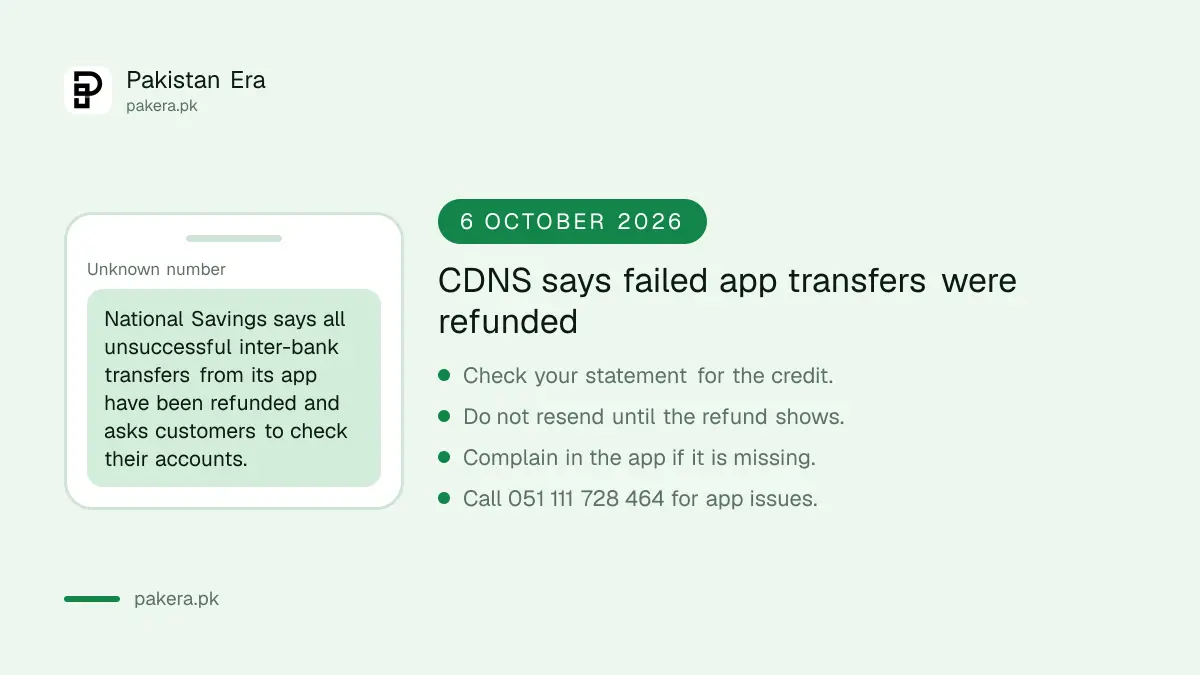
A notice on the savings.gov.pk home page, dated 6 October 2026, says all unsuccessful inter-bank fund transfer transactions from the CDNS app have been refunded. It asks customers to check their accounts. It does not say how many transfers failed or why.
So if you sent money in late September or early October and it never reached the other bank, look at your National Savings statement first. The refund should appear as a credit. If it is there, you can resend the payment.
If you do not see a refund, do not send the payment again until you know where the first one went. A second attempt can leave two amounts in limbo. Move on to a complaint instead.
How to complain if your money has not come back
Start inside the app with Complaint Management, or email digital@savings.gov.pk, or call 051 111 728 464. If that fails, the National Savings Complaints Resolution Cell is on 051 9215747. A final step is the CDNS focal person for the Wafaqi Mohtasib.
- In the app: Complaint Management. National Savings has a video on using it on its digital page.
- Digital helpdesk: digital@savings.gov.pk or +92 51 111 728 464, for the app and internet banking.
- Complaints Resolution Cell: 051 9215747, listed on the National Savings contact page.
- General helpline: (051) 111 267 268.
- Federal Ombudsman route: the contact page names a CDNS focal person for the Wafaqi Mohtasib, on 051 9215754 at head office, for anyone aggrieved by a National Savings action.
Give the date, time, amount, the receiver's bank and IBAN, and your screenshot in every message. A complaint with a reference number is easier to trace than one that says "my money is missing". The general rules banks must follow on failed payments are in money deducted but payment failed; National Savings is a government department rather than a bank, so treat those timelines as a guide, not a promise.
Common questions
How do I transfer money from the National Savings app to a bank?
Go to Transfers, then "To other Bank Accounts", add the account or IBAN as a beneficiary, and confirm the payment with your Financial PIN.
My National Savings app transfer failed. Will I get the money back?
National Savings said on 6 October 2026 that all unsuccessful inter-bank transfers were refunded. Check your statement, and complain if the credit is missing.
What is the National Savings Digital helpline number?
For the app and internet banking, +92 51 111 728 464 or digital@savings.gov.pk. The general National Savings helpline is (051) 111 267 268.
Can I open a National Savings account online?
Yes. The Digital Saving Account, Digital Sarwa Islamic Saving Account and Digital Micro Saving Account open at account.nationalsavings.digital without a centre visit.
Where do I complain if National Savings does not fix it?
Call the Complaints Resolution Cell on 051 9215747. After that, the CDNS focal person for the Wafaqi Mohtasib is on 051 9215754.
How we verified this
What we checked, where we read it, and what we could not confirm.
Last checked on 10 October 2026. We read the National Savings Digital page for the transfer steps, helpline and emails; the 6 October 2026 refund notice on the savings.gov.pk home page; the National Savings contact page for the complaint numbers; and the digital account opening portal at account.nationalsavings.digital. National Savings did not say how many transfers failed or the cause. We did not make a transfer ourselves.
About the author

Senior Writer, Public Services and Technology
Shahid joined us in 2024 as an author. He is a senior contributor to Pakistan's leading technology websites. He writes detailed articles, mostly covering his expertise in the latest tech, mobiles, apps, gadgets, and step-by-step guides. His ideology is to help people understand the latest trends and explain complex methods through very easy-to-understand guides.