Nayatel WiFi Password Change: My Nayatel App Steps, Router Login and Blocking Devices
Change your Nayatel WiFi password in the My Nayatel app in five steps. Where the router login is, how to block up to 8 devices and what to do if the app fails.
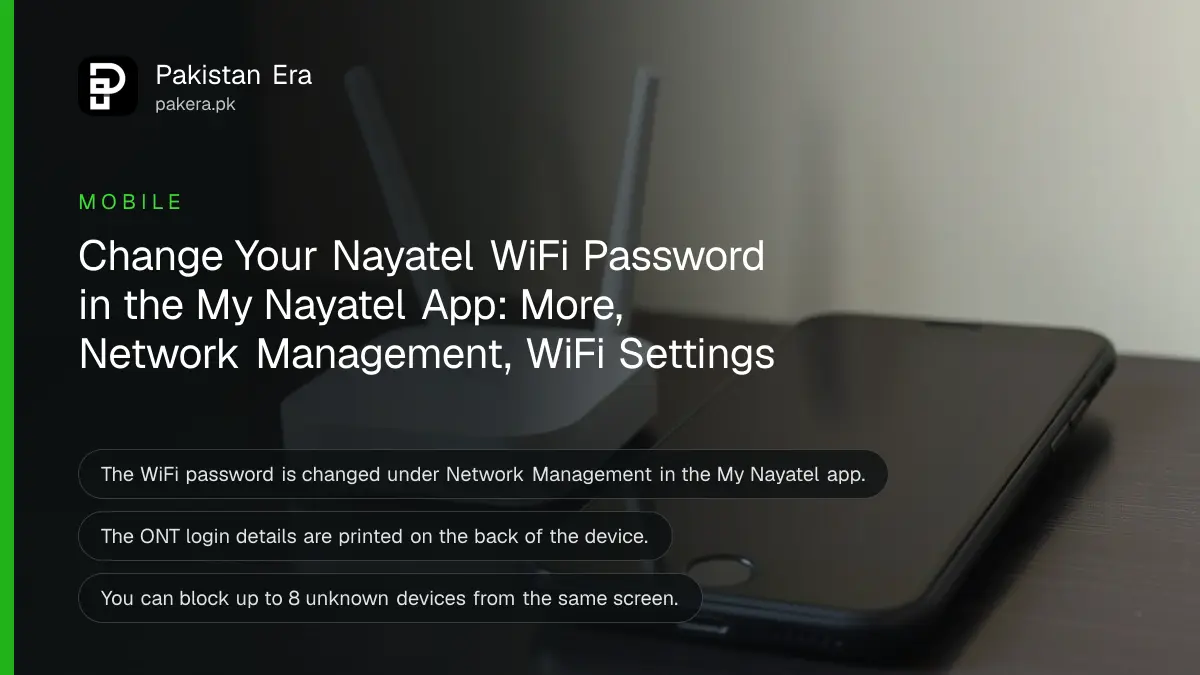
To change a Nayatel WiFi password, open the My Nayatel app, tap More at the bottom right, then Network Management, then WiFi settings, and save a new password. No technician or fee is needed. If the app does not work, message Nayatel from your registered number on WhatsApp +92 51 111 11 44 44.
Nayatel runs WiFi settings through its app rather than asking most customers to log in to the router. The same screen lets you block unknown devices, add a guest network and hide your network name. Here is each path in one place.
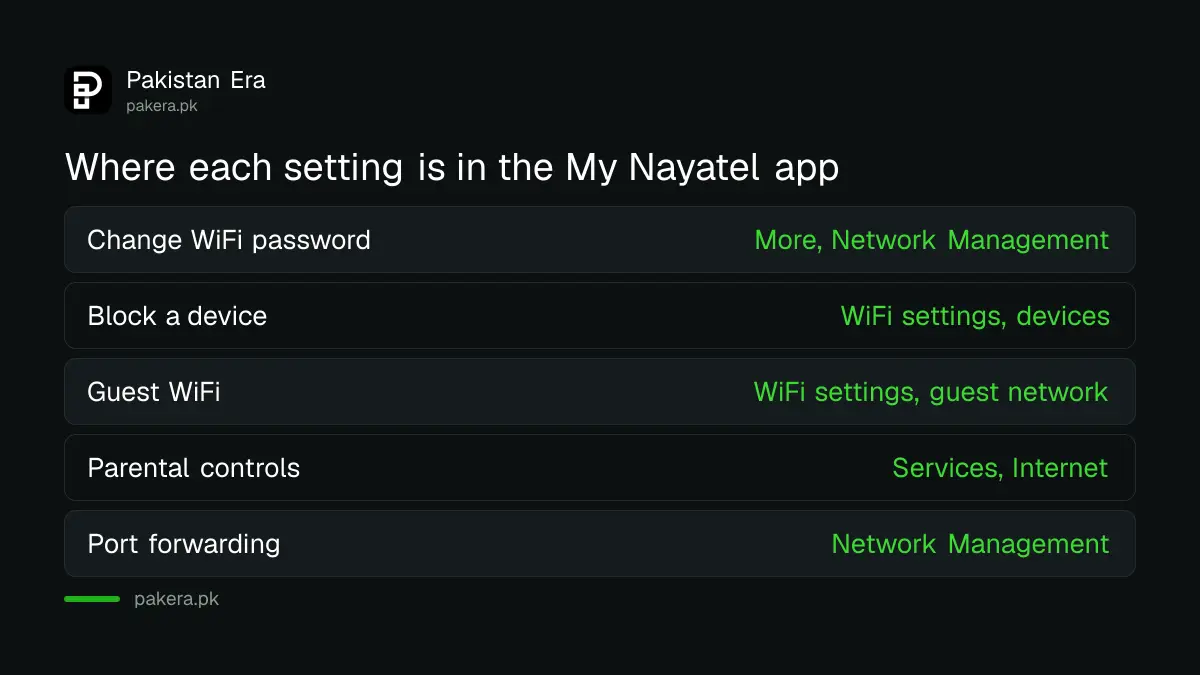
| Task | Where in the My Nayatel app |
|---|---|
| Change WiFi password | More, Network Management, WiFi settings |
| Block a device | More, Network Management, WiFi settings, connected devices |
| Guest WiFi | Network Management, WiFi settings, guest network |
| Parental controls | Services, Internet, Parental Locking |
| Port forwarding | Network Management, port forwarding |
Change the Nayatel WiFi password in the My Nayatel app in five steps
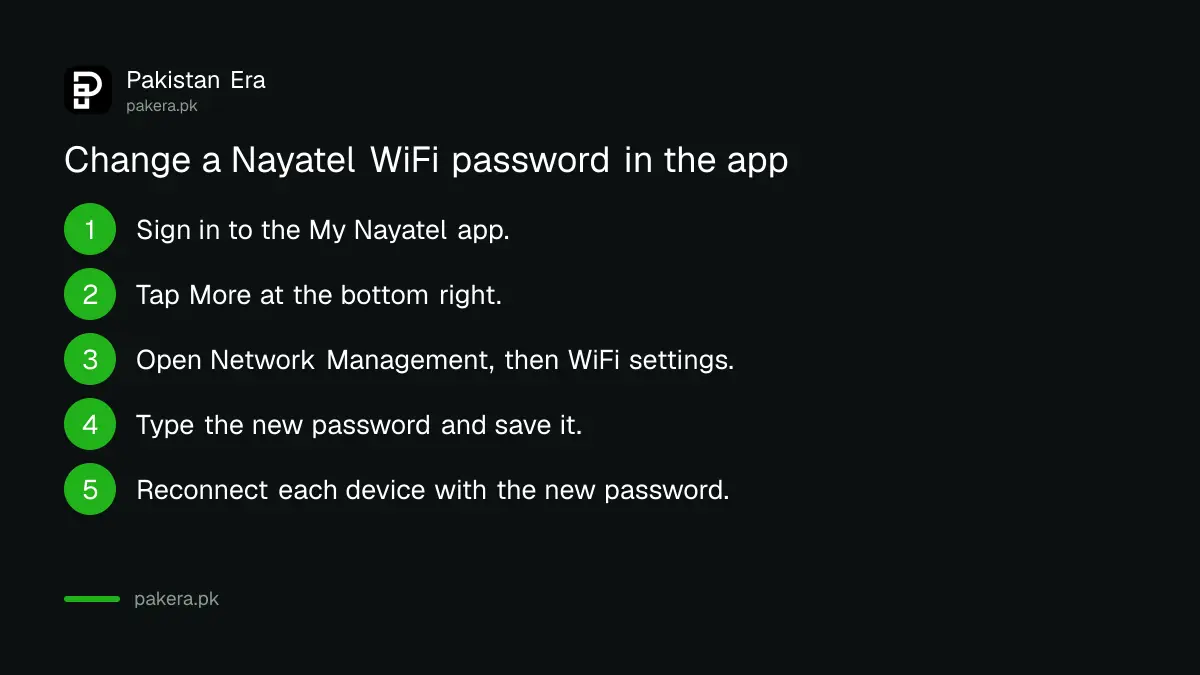
Sign in to the My Nayatel app with your Nayatel account, go to More, Network Management and WiFi settings, type a new password and save. Every phone and laptop will then drop off the network, and each one has to join again with the new password.
- Install My Nayatel from Google Play or the App Store and sign in. New users can sign up at customer.nayatel.com with their Nayatel account.
- Tap More at the bottom right of the main screen.
- Open Network Management, then WiFi settings.
- Type the new password and save it.
- Reconnect each device with the new password.
Write the new password down before you save. If you are changing it from a phone that is on the same WiFi, that phone will disconnect too. Switch to mobile data for a minute and the app will still work.
The ONT login details are printed on the back of the device
Nayatel's FAQ says the username and password for the ONT or router are on the back of the hardware. For full access rights to the router itself, Nayatel asks you to contact support from your registered contact details. Most customers never need that, because the app covers WiFi changes.
The ONT (optical network terminal) is the fibre box Nayatel installs in your home. Its label is for logging in to the device. It is not the same as your WiFi password or your My Nayatel account password. Mixing the three up is the most common reason a login fails.
| Password | What it opens | Where you find or change it |
|---|---|---|
| WiFi password | Joining the home network | My Nayatel app, WiFi settings |
| ONT or router login | The device's own settings | Label on the back of the device |
| My Nayatel account | App and customer portal | App or customer.nayatel.com |
Want to use your own router? Nayatel says its teams check whether a router works on its network, and asks you to email sales@nayatel.com first. Do not swap the ONT for a shop-bought box without that check.
Block unknown devices and add a guest network from the same screen
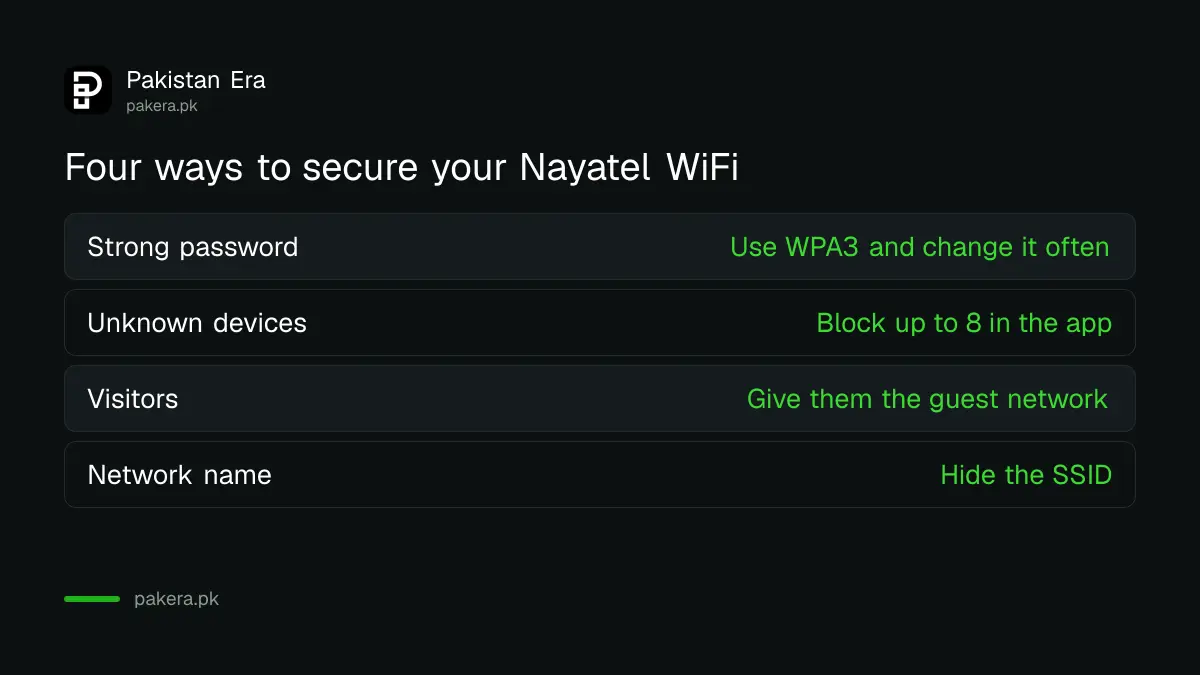
Under Network Management and WiFi settings, the connected devices list shows who is on your WiFi, and Nayatel's FAQ says you can block up to 8 devices there. The same screen has a guest network option with its own name and password, so visitors never learn your main one.
A slow connection at night is often a neighbour or relative using your WiFi. Check the device list first. If you see a phone you do not know, block it, then change the password so it cannot join again.
Nayatel also suggests a strong WPA3 password, changing it from time to time and hiding your network name (SSID). A hidden network does not show in nearby phone lists, so only people who know its exact name can join. General router safety, such as firmware and admin passwords, is covered in the steps to secure a home Wi-Fi router.
Fix a WiFi password change that does not work
If the app will not save the password or you cannot sign in, ask Nayatel support from your registered mobile number or email. Their FAQ says support can change the WiFi password for you. Use WhatsApp +92 51 111 11 44 44, SMS 8116 or 1441 Ext 1.
- The app shows no Network Management option: some older ONTs give fewer controls. Nayatel says its newer dual band ONTs let customers manage connected devices through the app, and it offers discounted ONT replacement for old units.
- Devices will not reconnect: tap "forget network" on the device, then join again with the new password.
- Speed stops near 40 Mbps on WiFi: Nayatel says the 2.4 GHz band limits speed to about 40 Mbps. Join the 5 GHz network for faster plans.
- WiFi is weak in far rooms: change the WiFi channel in the app, or ask about Nayatel's Huawei mesh option, which spreads one WiFi name across the home.
If the WiFi is fine but the internet itself is down, the problem is the line, not the password. Run the checks for home internet that is down today, starting with the lights on the ONT. What each Nayatel ONT light means is set out in Nayatel internet not working: red light and LOS fix.
Keep the WiFi password and your account safe
Never give your My Nayatel login, an OTP or the ONT label details to someone who calls you. Nayatel support works from your registered number and email, so a stranger asking for these is a warning sign. Change your WiFi password whenever a tenant, worker or guest leaves.
For a child's phone or a shared home, use Parental Locking under Services and Internet in the app. Nayatel says it can block internet access at set times or restrict some content. Every other Nayatel number is in the Nayatel helpline guide.
Common questions
How do I change my Nayatel WiFi password?
Open the My Nayatel app, tap More, then Network Management, then WiFi settings. Type the new password and save.
What is the Nayatel router username and password?
Nayatel says the login details for the ONT or router are on the back of the device. For router access rights, contact support from your registered number.
Can Nayatel support change my WiFi password?
Yes. Nayatel's FAQ says support can change it when you contact them from your registered email or number.
How many devices can I block on Nayatel WiFi?
Up to 8 devices, from the connected devices list under Network Management and WiFi settings.
Can I use my own router with Nayatel?
Possibly. Email sales@nayatel.com first so Nayatel's team can check that your router works on its network.
Does changing the WiFi password cost anything?
No. Changing it in the app is free, and Nayatel lists no charge for support to change it.
How we verified this
What we checked and where we read it.
Last checked 21 November 2026. The app paths, the 8 device block limit, guest WiFi, WPA3 and hidden network advice, the label on the back of the ONT, router access through support, the own router check, the 40 Mbps limit on 2.4 GHz, mesh and Parental Locking all come from Nayatel's FAQ page. Contact numbers come from Nayatel's contact page. The app listing links and customer portal address come from Nayatel's home page. Nayatel's FAQ describes the app paths in words only; menu names can change with app updates, so look for Network Management if a label moves.
About the author

Lifestyle & Clothing Writer
Mahnoor Siddiqui is a lifestyle and clothing writer at Pakistan Era, joining the new lifestyle desk in November 2026.