NBP Digital App Registration: Sign Up, Registration Upgrade, Daily Limits and MPIN Reset
Register on the NBP Digital app with CNIC and account number, upgrade with your debit card to send money, see daily limits up to Rs 1m and reset a lost MPIN.
To register on the NBP Digital app, install it from Google Play, the App Store or Huawei AppGallery and sign up with your 14-digit account number or 24-digit IBAN, your CNIC and the mobile number registered with National Bank of Pakistan. That gives you view-only access. To send money or pay bills, you then upgrade the registration with your NBP debit card and its PIN. Below are both stages, the daily limits, and the fixes for a forgotten PIN or a blocked ID.
We read NBP's NBP Digital page, its transaction limit page and its NBP Digital FAQ on 27 October 2026. NBP says the app is free, with no monthly or annual charge. The only paid service it lists is the Pay to CNIC transfer.
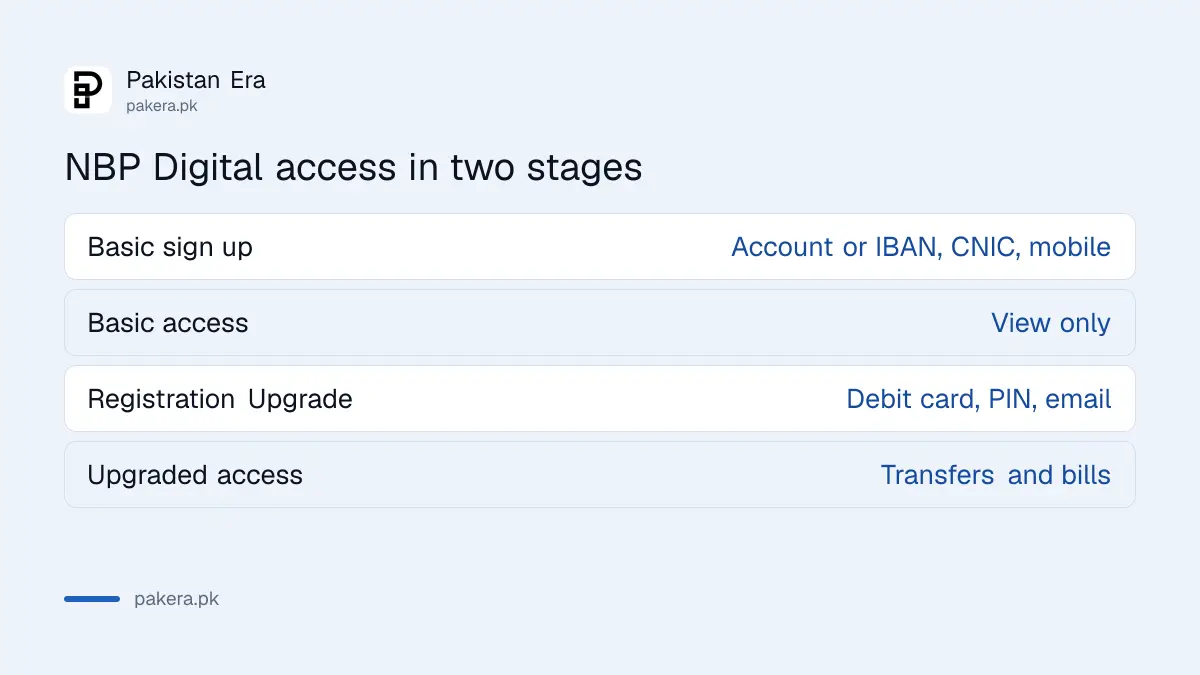
NBP Digital registration happens in two stages
The first stage gives limited, non-financial access: balance, statements and account details. The second stage, called Registration Upgrade, unlocks transfers, bill payments and other financial services. You need a debit card for the upgrade.
| Stage | What you need | What it unlocks |
|---|---|---|
| Basic registration | 14-digit account number (4-digit branch code plus 10-digit account) or 24-digit IBAN, CNIC, registered mobile number | View-only access |
| Registration Upgrade | NBP debit card, debit card PIN, email address | Transfers, bills, top-ups, Raast, virtual card |
Most people stop at the first stage and then wonder why the Transfer button refuses them. NBP's FAQ answers that exact question: you have to upgrade the registration before financial transactions work.
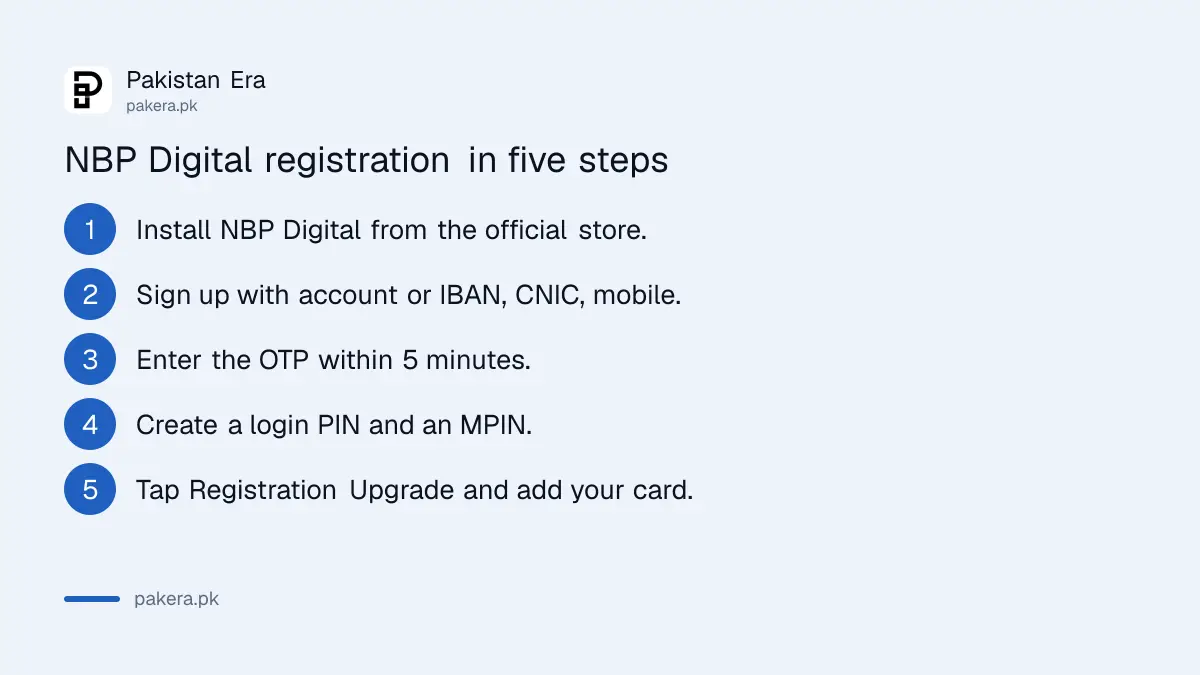
NBP Digital registration takes five steps with your debit card in hand
Download NBP Digital, sign up with your account number or IBAN, CNIC and registered mobile number, then create a login PIN and a separate MPIN. Open the menu, choose Registration Upgrade, and enter your debit card details and email address to unlock transfers.
- Install NBP Digital from Google Play, the App Store or Huawei AppGallery. Android needs version 8.0 or later, iPhone iOS 12.0 or later.
- Sign up with your 14-digit account number or 24-digit IBAN, your CNIC and your registered mobile number.
- Enter the one-time password. NBP says it is valid for 5 minutes and is free.
- On first login, create a 6-digit login PIN and a 4-digit MPIN for transactions.
- Open the menu, tap Registration Upgrade, and enter your debit card, card PIN and email address.
If the email you enter matches NBP's record, NBP says full rights are granted in real time. If it does not, the NBP helpline calls you back to verify first. If your mobile number is not on NBP's record at all, you have to visit your branch and fill in NBP's customer information update form.
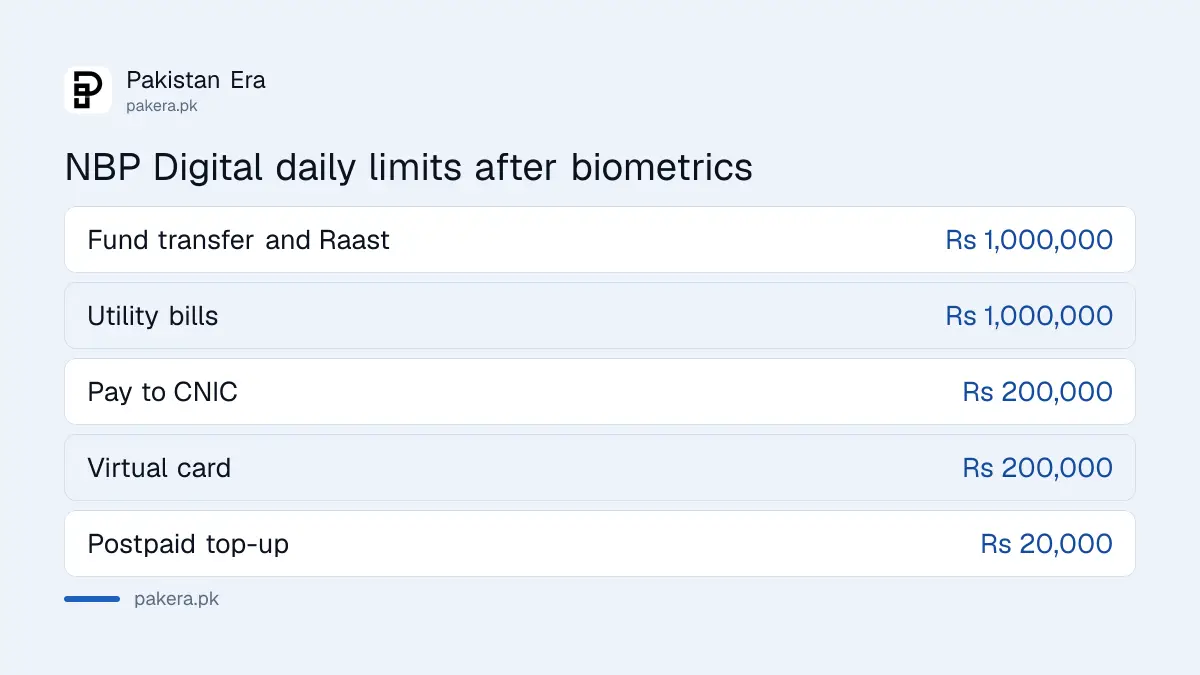
NBP Digital daily limits start at Rs 200,000 and rise to Rs 1 million after biometrics
NBP sets a default daily limit for each transaction type and a higher maximum you can unlock with biometric verification. The limits are shared between the app and NBP Internet Banking, and NBP allows one biometric verification a day.
| Transaction | Default daily limit | Maximum after biometrics |
|---|---|---|
| Internal fund transfer | Rs 200,000 | Rs 1,000,000 |
| Intra bank fund transfer | Rs 200,000 | Rs 1,000,000 |
| Raast | Rs 200,000 | Rs 1,000,000 |
| Pay to CNIC | Rs 50,000 | Rs 200,000 |
| Virtual card | Rs 100,000 | Rs 200,000 |
| Utility bill payment | Rs 300,000 | Rs 1,000,000 |
| Mobile top-up, prepaid | Rs 2,000 | Rs 5,000 |
| Mobile top-up, postpaid | Rs 5,000 | Rs 20,000 |
This table is from NBP's transaction limit page. The FAQ PDF has a similar table, but its layout is scrambled and a few rows do not line up, so we used the web page. Limits are changed inside the app.
A forgotten NBP login PIN or MPIN resets inside the app
For the login PIN, tap Forgot Password/PIN on the login screen and enter the one-time password NBP sends. For the MPIN, open MPIN Management from the menu and choose Forgot MPIN. Too many wrong attempts lock the ID, and the same Forgot option unlocks it.
Your Internet Banking MPIN and app MPIN are separate. NBP says even an existing Internet Banking user must create a new MPIN for the app. If the one-time password never arrives, the cause is almost always a mobile number that NBP does not have on record. NBP lets you update an email address by sending an SMS to 8627, after which an NBP representative calls you. A mobile number change needs the branch.
Block NBP Digital at once if your phone is lost
Call NBP's helpline on 021-111-627-627 and ask to block your mobile banking ID. You can choose a temporary or permanent block. NBP says blocking the app also blocks Internet Banking, and a permanent block means you register again from the start.
Never give the one-time password to anyone, including callers who say they are from NBP. NBP's FAQ says OTP is confidential even from its own branch and call centre staff. If someone already has it, the steps in OTP scams in Pakistan cover what to do next.
Pay to CNIC is the one NBP Digital service with a charge
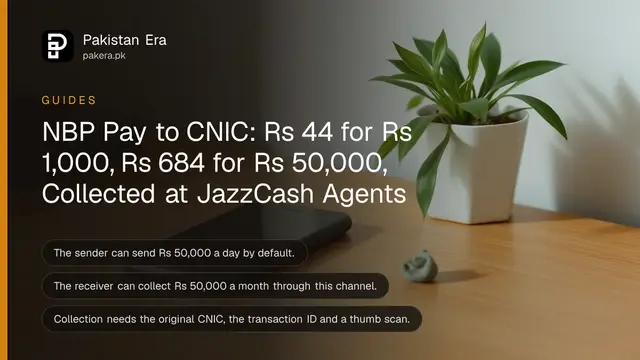
NBP says app transactions are free except Pay to CNIC, which sends cash to anyone's CNIC for collection at a JazzCash agent. Charges run from Rs 44 for up to Rs 1,000 to Rs 684 for Rs 40,001 to Rs 50,000.
The full slab table and the collection rules are in NBP Pay to CNIC charges. For a normal bank transfer, Raast to a mobile number is free under NBP's rule that only Pay to CNIC is charged. To receive Raast payments yourself, create a Raast ID in the app.
Common questions
What do I need to register on NBP Digital?
Your 14-digit account number or 24-digit IBAN, CNIC and the mobile number registered with NBP. For transfers, you also need an NBP debit card and its PIN.
Why can't I send money after registering on NBP Digital?
Basic registration is view-only. Open the menu, tap Registration Upgrade, and add your debit card details.
Is NBP Digital free?
Yes. NBP says there are no monthly or annual charges. Only Pay to CNIC transfers carry a fee.
What is the NBP Digital transfer limit?
Rs 200,000 a day by default for transfers and Raast, rising to Rs 1 million after biometric verification.
What is the NBP helpline number?
021-111-627-627, which NBP also writes as 111-NBP-NBP. It handles complaints, blocks and account queries.
Can I use NBP Digital abroad?
Yes. NBP says it works anywhere with a stable internet connection.
How we verified this
What we checked, where we read it, and what we could not confirm.
Last checked 27 October 2026. We read National Bank of Pakistan's NBP Digital product page, its transaction limit page and its NBP Digital FAQ PDF at nbp.com.pk, plus the NBP helpline page for 021-111-627-627. Limits come from the web page, because the FAQ table's layout is broken. We did not register a live NBP account, so screen names follow NBP's FAQ wording and may differ slightly in the app.
About the author

Senior Writer, Public Services and Technology
Shahid joined us in 2024 as an author. He is a senior contributor to Pakistan's leading technology websites. He writes detailed articles, mostly covering his expertise in the latest tech, mobiles, apps, gadgets, and step-by-step guides. His ideology is to help people understand the latest trends and explain complex methods through very easy-to-understand guides.