Open a Bank Alfalah Account Online in Pakistan: RAPID Portal Steps, Documents and 2 Day Activation
Open a Bank Alfalah account online on RAPID: CNIC and mobile number, five screens, live picture, biometric in the Alfa app, account active in 2 working days.
You can open a Bank Alfalah account online through the bank's RAPID portal, rapid.bankalfalah.com, with your CNIC and a mobile number. You fill five screens, upload your ID and a live picture, and then verify your fingerprints in the Alfa app, at a Bank Alfalah biometric ATM or at a branch. Bank Alfalah then activates the account within 2 working days if nothing is missing.
RAPID is for Pakistani residents only. It opens current and savings accounts, including the Asaan Digital accounts, which need only a CNIC and have no minimum balance. Below are the account choices, the documents, every screen of the application, and how to track an application that has not come through.
Bank Alfalah opens current and savings accounts online through RAPID
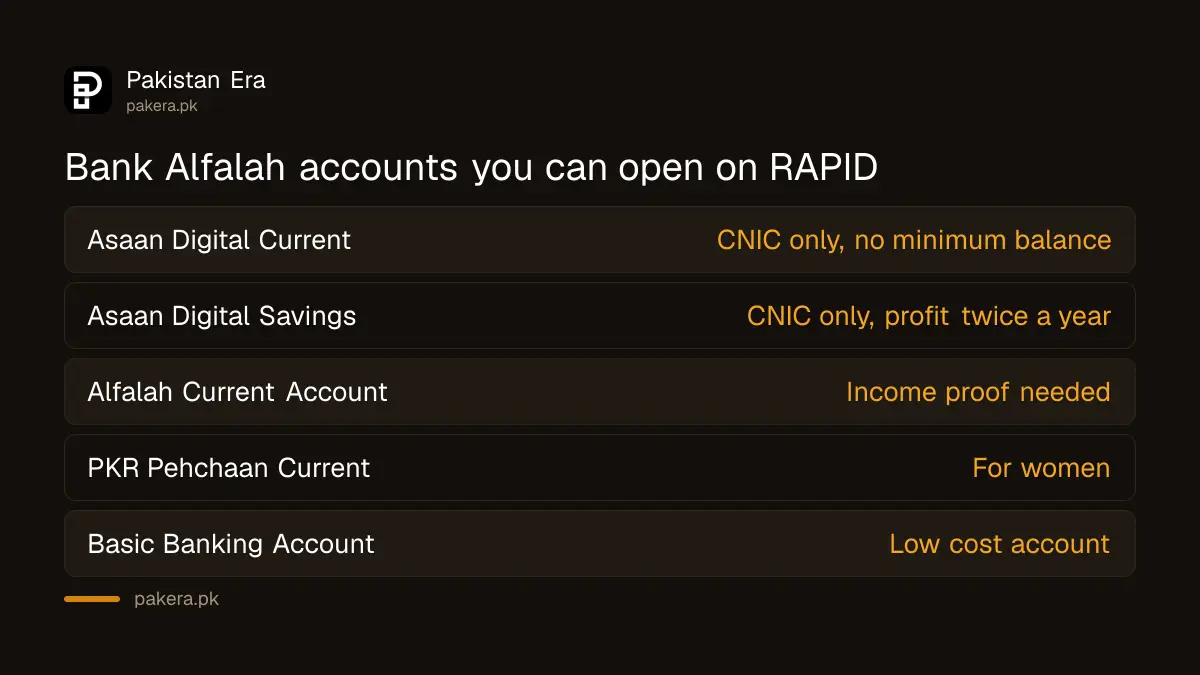
On RAPID you choose a current account or a savings account, then a product such as the Alfalah Current Account, PKR Pehchaan Current Account for women, Basic Banking Account or Asaan Digital Current Account. Asaan Digital accounts open only through RAPID and need just your CNIC and mobile number.
| Account on RAPID | What it suits | Key rule |
|---|---|---|
| Asaan Digital Current Account | Everyday payments, first account | No minimum balance, Rs 3 million balance cap |
| Asaan Digital Savings Account | Small savings with profit | Profit on monthly average balance, paid twice a year |
| Alfalah Current Account | Regular transactions | Income documents needed |
| PKR Pehchaan Current Account | Women | Income documents needed |
| Basic Banking Account | Low cost basic banking | Income documents needed |
Both Asaan Digital accounts allow up to Rs 3 million in total credit balance and Rs 1 million in debits a month. A term deposit booked from the account counts toward the Rs 3 million. Home remittances from abroad are allowed, but commercial remittances are not.
Documents you need for a Bank Alfalah online account
Every applicant needs an original CNIC or Smart National Identity Card, front and back, and a working mobile number. For a regular account you also upload proof of income and a scanned signature. RAPID shows a document checklist for your type of customer before you start.
- Salaried people: CNIC plus proof of employment or salary, such as a salary slip.
- Housewives and students: CNIC plus details of the person who supports them.
- Retired people: CNIC plus proof of pension.
- Landlords and farmers: CNIC plus proof of land or agricultural income.
- Business owners, self employed people and freelancers: CNIC plus proof of business or freelance income.
- Everyone: a live picture taken during the application, and a scanned signature for regular accounts.
Have clear photos of your documents ready before you begin. A blurred CNIC is the easiest way to get an application sent back. If the bank later asks for more, your rights on forms and terms are set out in what the bank must give you at account opening.
How to open a Bank Alfalah account online, screen by screen
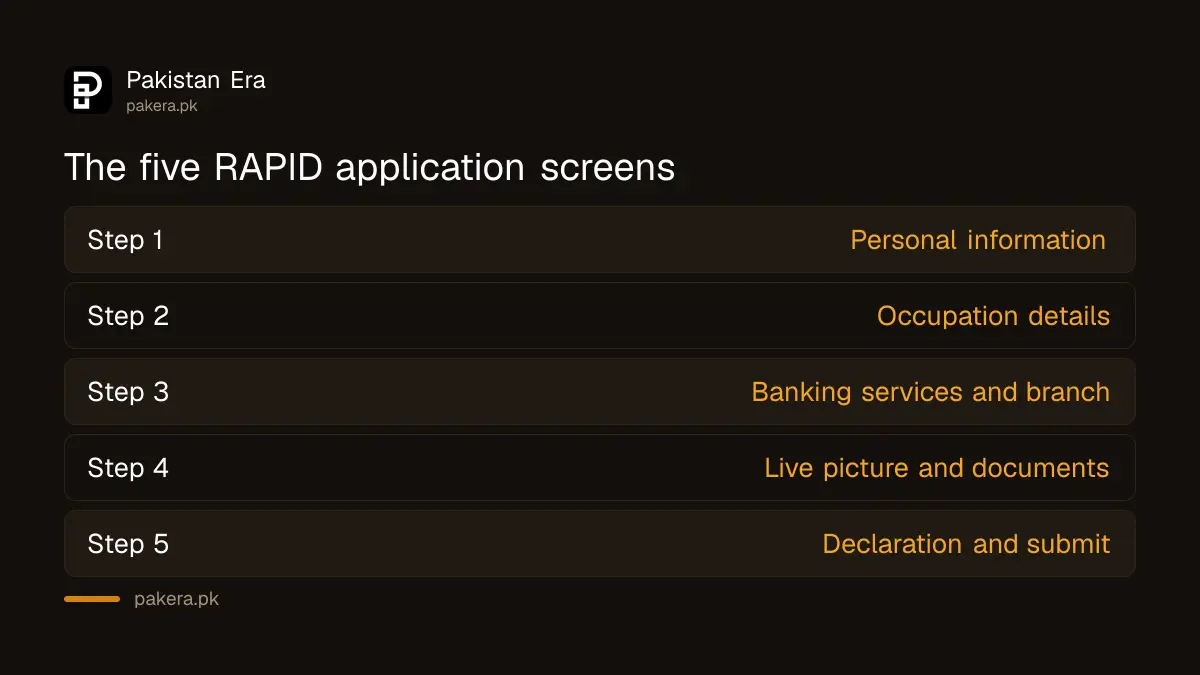
Open RAPID, press Start Now under Open Your Account Now, pick current or savings, choose a product with Apply for Account, verify your identity with an OTP, then complete five steps: personal information, occupation, banking services, document upload and declaration. Then press Save and Submit.
- Go to rapid.bankalfalah.com and select Start Now under Open Your Account Now.
- Choose Current Account or Savings Account, then press Apply for Account on the product you want. The product's own button shows its features.
- Read the document checklist for your customer type and press Start Now.
- Identity verification: select the account type, enter your ID details, upload the front and back of your CNIC, press Save and Next, and enter the OTP sent to your mobile.
- Personal information: enter your personal and contact details, dual nationality if any, and FATCA and CRS details for tax residency.
- Occupation details: give your profession, the purpose of the account, how you will mostly deposit and withdraw, the expected number of credits a month, any politically exposed person links, and your office address.
- Banking services: choose the Alfa app and web banking, a debit card and a cheque book, and pick your preferred branch.
- Document upload: take your live picture and upload proof of income, your scanned signature and any other papers asked for.
- Declaration: read and agree to the terms, then press Save and Submit. An acknowledgment appears on screen.
You can stop part way. RAPID has a Resume Application button that picks up a pending application where you left it. Every main screen ends with Save and Next, so your entries are kept as you go.
Your fingerprints must be verified before the account opens
After you submit, Bank Alfalah needs a biometric check to finish the application. You can do it in the Alfa app, at a Bank Alfalah ATM with a fingerprint reader, or at the nearest branch. Once it is done and nothing is missing, the bank activates the account within 2 working days.
- Install and open the Alfa app, then open the side menu.
- Select Biometric verification.
- Choose RAPID Account as the product type.
- Enter your CNIC number and your account number.
- Scan your left hand, then your right hand, holding the fingers together and still.
- Wait for the confirmation that the biometric check for your RAPID account is complete.
Dry or worn fingers can fail the scan. If the app keeps rejecting them, use a biometric ATM or a branch, where staff can try other fingers. The State Bank's options when fingerprints will not match are in fingerprint not matching at the bank.
Check the status of a Bank Alfalah application
On the RAPID home page, Application Status shows where your application stands and any discrepancy the bank has raised. For an account applied for at a branch, Bank Alfalah's Branch Account Tracker takes your account number and sends the status to your registered email or mobile.
| Problem | What to do |
|---|---|
| Application left half done | Use Resume Application on RAPID |
| Bank raised a discrepancy | Open Application Status, fix the item and resubmit |
| No account after 2 working days | Check that the biometric step is done, then call 021-111-225-111 |
| OTP not arriving | Check the number entered on the identity screen and request it again |
| Branch application status | Use the Branch Account Tracker with your account number |
Once the account is live, set up the Alfa app for transfers and limits, covered in Alfa app registration. Debit card fees for the card you chose are in the Bank Alfalah schedule of charges.
Common questions
Can I open a Bank Alfalah account online?
Yes. Pakistani residents can open current and savings accounts on the RAPID portal at rapid.bankalfalah.com without visiting a branch, apart from the biometric check, which can be done in the Alfa app.
What documents do I need for a Bank Alfalah Asaan Digital account?
Only your CNIC and a registered mobile number. Regular accounts also need proof of income and a scanned signature.
How long does Bank Alfalah take to open an online account?
Within 2 working days after biometric verification, if the bank finds no discrepancy in the application.
Is there a minimum balance on the Asaan Digital account?
No. The Asaan Digital Current and Savings accounts have no minimum balance, with a Rs 3 million balance cap and Rs 1 million in debits a month.
Can I finish my RAPID application later?
Yes. Use Resume Application on the RAPID home page to continue a pending application from where you stopped.
Where do I do biometric verification for a RAPID account?
In the Alfa app under Biometric verification, at a Bank Alfalah biometric ATM, or at the nearest branch.
How we verified this
What we checked and where we read it.
We checked Bank Alfalah's digital account opening page, the RAPID accounts page with its Resume Application and Application Status options, the 12 page RAPID Digital Account Opening User Guide linked from it, and the Asaan Digital Current Account page and Asaan Digital Savings Account page, all on 17 November 2026. The user guide is a set of images; the steps above follow its captions. The customer type list follows the checklist screen in the guide, whose small print we summarised rather than copied.
About the author
Public Services and Education Journalist
Fajr Riaz is a journalist and content writer at Pakistan Era, based in Lahore. She covers the questions people meet in everyday life in Pakistan: how a public service works, what a change in the rules means, and where to find a reliable answer.