PRA Active Taxpayer List Check: Verify a Punjab Service Provider by PNTN or CNIC, Plus 4 Other Free Checks
Check a business on PRA's Active Taxpayer List by PNTN, CNIC or registration number, free on e.pra.punjab.gov.pk, plus PSID, invoice and profile checks.
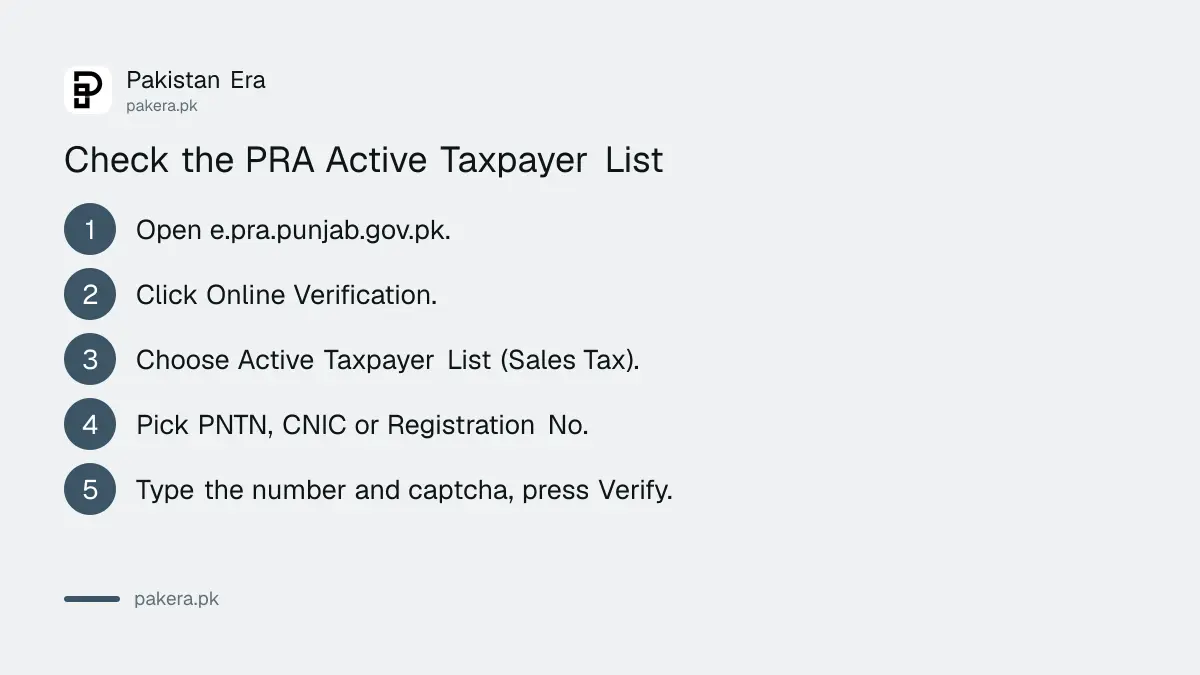
To check if a business is on the Punjab Revenue Authority's Active Taxpayer List, open e.pra.punjab.gov.pk, click Online Verification, and choose Active Taxpayer List (Sales Tax). Pick PNTN, CNIC or Registration No., type the number, fill in the captcha and press Verify. It is free and needs no login. This list is for Punjab sales tax on services, and it is separate from FBR's list.
Readers often check FBR's list and stop there. A caterer, IT firm, salon or contractor in Punjab charges PRA's tax, not FBR's, so its status sits on PRA's own system. We opened PRA's verification page on 11 November 2026 and read every option on it. Below are the five checks it offers, the steps for each, and what to do with the answer.
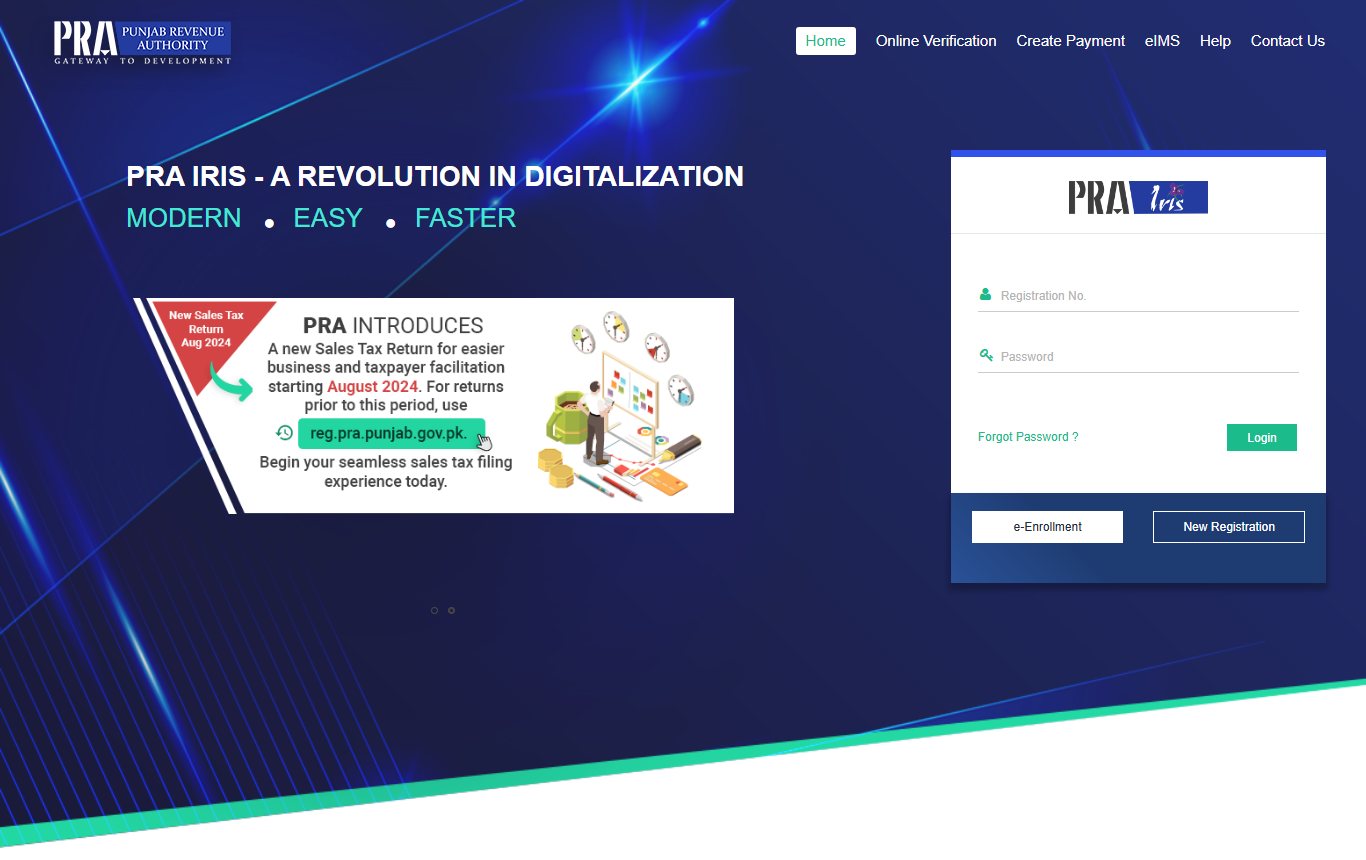
The five checks on PRA's Online Verification page
PRA runs its tax system, PRA IRIS, at e.pra.punjab.gov.pk. The Online Verification link in the top menu opens five public checks. None of them needs an account.
| Check | What it tells you |
|---|---|
| Active Taxpayer List (Sales Tax) | Whether a business is active on PRA's list, by PNTN, CNIC or registration number |
| Active Taxpayer Lists, Downloads | PRA's published list files |
| PSID / CPR Verification | Whether a payment slip ID or a payment receipt is genuine |
| Collecting Agent Invoice Verification | Whether an invoice from a collecting agent is on PRA's system |
| Taxpayer Profile Inquiry | The basic registration profile of a taxpayer |
PNTN is the Punjab National Tax Number, the number PRA uses for a registered person. It appears on the business's PRA registration and on its PRA invoices.
How to check the PRA Active Taxpayer List, step by step
You need the business's PNTN, its owner's CNIC, or its company registration number. Ask the business for it, or read it from its PRA invoice.
- Open e.pra.punjab.gov.pk on a phone or computer.
- Click Online Verification in the top menu.
- Choose Active Taxpayer List (Sales Tax) in the left panel.
- In Parameter Type, pick PNTN, CNIC or Registration No.
- Type the number without dashes, then type the captcha letters.
- Press Verify and read the result. Use Print to save a copy.
Keep the printout with your purchase record. It shows you checked the supplier's status on that date. If the captcha fails, refresh it with the button beside it and try again.
Why the PRA list matters, even if a business is on FBR's
FBR and PRA are different tax authorities. FBR's sales tax list covers goods and federal taxes. PRA's list covers services taxed in Punjab under the Punjab Sales Tax on Services Act 2012. A business can be active on one and missing from the other.
| Who taxes it | Where to check |
|---|---|
| Services in Punjab | PRA, e.pra.punjab.gov.pk, Online Verification |
| Services in Khyber Pakhtunkhwa | KPRA, kpra.kp.gov.pk, Active Taxpayers |
| Services in Sindh | SRB taxpayer search |
| Goods and federal sales tax | FBR sales tax ATL |
| Income tax filer status | FBR income tax ATL, or SMS to 9966 |
For the other lists, see FBR's sales tax ATL check, the SRB taxpayer search for Sindh and checking income tax filer status by SMS.
Check a PRA payment or invoice too
The same page helps when someone hands you proof of payment. The PSID / CPR check confirms whether a payment slip ID or a computerised payment receipt exists on PRA's system. This is useful when a supplier says they have paid the tax they withheld or charged.
The Collecting Agent Invoice Verification check does the same for invoices issued by collecting agents. If you withhold PRA tax from a supplier yourself, you also file a statement. Our guide to the Punjab sales tax withholding statement covers that.
What to do if your own business is not active
If your own PNTN does not show as active, look at your filing record first. PRA does not publish its rule for the list on this page, but a late or missing return is the first thing to rule out.
- Log in to PRA IRIS and check that every monthly return is filed, including nil months.
- File any missing return, as shown in how to file a PRA return, including a nil return.
- Check that your registration is complete, using our PRA registration guide.
- Call PRA's UAN, 042-111-000-772, if the status does not change after you file.
PRA's verification page does not say how often its list updates, so check again a few days after filing.
Common questions
Is the PRA active taxpayer list the same as FBR's ATL?
No. PRA's list is for Punjab sales tax on services. FBR keeps separate lists for income tax and federal sales tax.
Can I check PRA status by CNIC?
Yes. The Parameter Type box offers PNTN, CNIC and Registration No.
Do I need to log in to PRA IRIS?
No. The Online Verification checks are public. Only filing and registration need a login.
Is there an SMS check for PRA status?
PRA's verification page shows only the web check. The 9966 SMS service belongs to FBR.
Can I verify a PRA payment receipt online?
Yes. Use PSID / CPR Verification on the same Online Verification page.
Who should check a supplier's PRA status?
Any business in Punjab that buys taxable services, such as advertising, IT, security or catering, and claims or withholds PRA tax on them.
Last checked: 11 November 2026, from the Online Verification page on e.pra.punjab.gov.pk.
About the author

Tax, Bills and Technology Writer
Ali Akhtar is a young and curious voice here at Pakistan Era. He is currently pursuing his A-Levels and has a growing interest in Pakistan’s changing industrial landscape and educational trends. Ali likes to write in a way that helps him explain and explore the world around him. His writing reflects the perspective of the new generation navigating the evolving trends of Pakistan where technology, youth innovation, and shifting opportunities are reshaping the country’s future.