How to File a Punjab Sales Tax Withholding Statement and Verify STWH Invoices on PRA Iris
Withholding sales tax in Punjab? See who files the PRA withholding statement, the nil option, how to attach the payment slip and how to verify STWH invoices.
Short answer: A withholding agent that does not provide taxable services in Punjab files a Sales Tax Withholding Statement on PRA Iris. Go to Withholding, then Sales Tax Withholding Agent, pick the period, load the STWH invoices, attach any payment slip, verify with your PIN and submit. A nil statement is allowed.
Some buyers must hold back part of the sales tax when they pay a service provider in Punjab. They then deposit it with the PRA. That is withholding, and the PRA tracks it with a special invoice type called STWH. This page explains the statement and the invoice steps.
We read the PRA Iris return manual and return FAQs (2024 editions) on 14 October 2026. They do not list the withholding rates or who counts as a withholding agent, so we do not state those. We did not log in to the live portal.
See whether you file a statement or a return
The PRA FAQ says the withholding statement is for withholding agents that provide no taxable services in Punjab and are not liable to file the sales tax return. If you are also a service provider, you file the return, and STWH invoices flow into it.
So a buyer that sells no taxable services in Punjab files the statement. A business that sells taxable services and also withholds files the return. If you are unsure which you are, ask the PRA helpline before you file the wrong paper.
For the return itself, see filing a Punjab sales tax on services return.
File the statement on PRA Iris
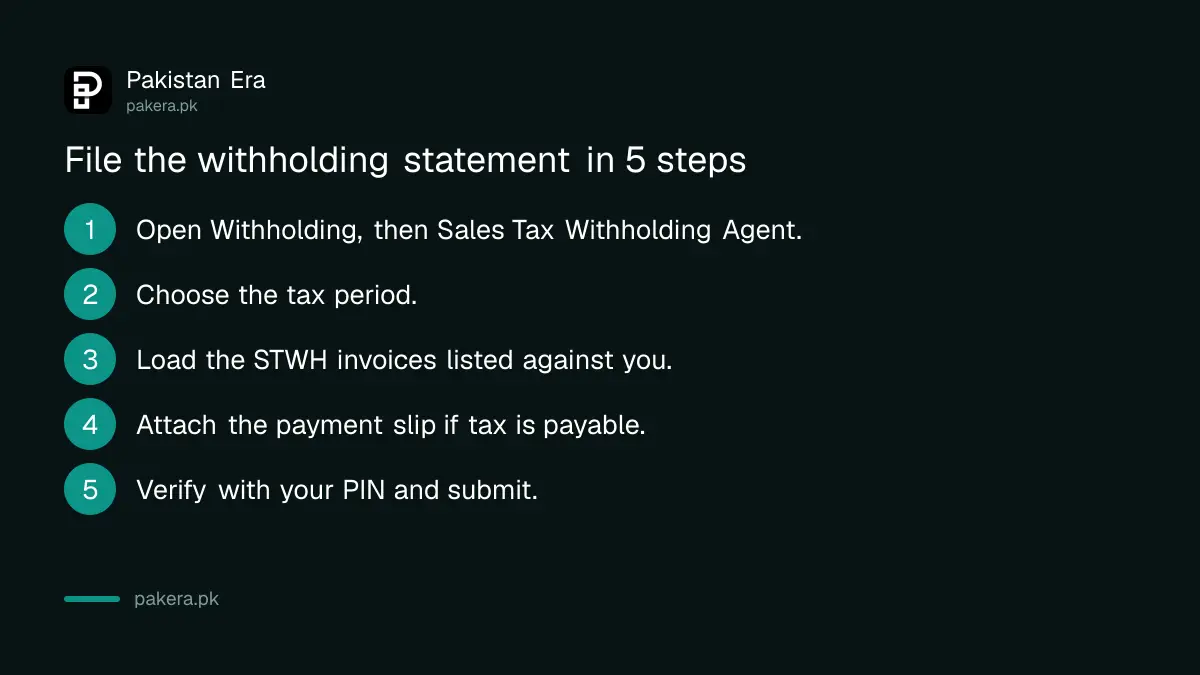
Log in and click Withholding on the top menu, then Sales Tax Withholding Agent. A window opens. Click Period, enter the tax year, search and select the month. The statement has tabs for data, statement of record, payment and verification.
- Click Withholding, then Sales Tax Withholding Agent.
- Pick the tax period with the Period button.
- In the Statement of Record tab, click Load Invoices.
- If tax is payable, open the Payment tab and attach the payment slip (CPR).
- Open the Verification tab, enter your PIN and press Verify PIN.
- Press Submit.
Load Invoices brings in every STWH invoice where you are named as the buyer for that month. Use the Delink tab to remove any invoice that should not be in that period. The Annex G tab takes arrears, default surcharge and penalty with the plus button.
Submit a nil statement when nothing was withheld
If no STWH invoices are linked to you for the month, you can submit a nil statement. You do this by not loading any STWH invoice. It tells the PRA you withheld no tax in that period.
Do this every month you are a withholding agent, even in a quiet month. We did not find the penalty for a missed statement in the manuals, so ask the PRA before skipping one. A federal parallel exists for income tax withholding, explained in the FBR quarterly withholding statement. The two are separate duties.
Know how a provider adds the STWH invoice
The service provider enters the sales invoice first in Invoice Management and saves it. Then the provider enters the same invoice again with the invoice type changed to STWH. The system calculates the tax withheld by itself.
| Step | Who does it | What happens |
|---|---|---|
| Enter a normal sales invoice | Service provider | The sale is on record |
| Enter it again as type STWH | Service provider | The system works out the withheld tax |
| Load or review the STWH invoice | Buyer (withholding agent) | Appears in the statement or Annex A |
| Claim the credit in Annex C | Service provider | Only in the same period as the sale |
The PRA manual says an STWH invoice can only be claimed in the period of its sales invoice. It cannot be claimed in a later month.
Verify or reject STWH invoices as the buyer
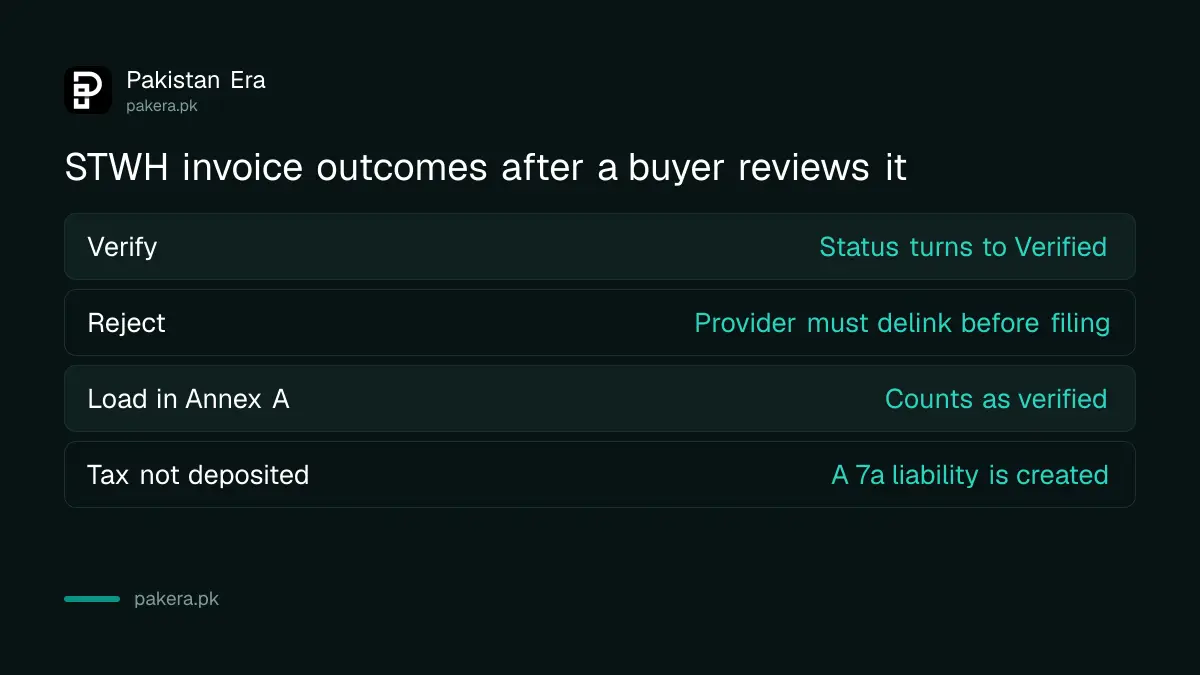
If you are both a service provider and a withholding agent, you must verify the STWH invoices your suppliers add. Select an unverified invoice in Invoice Management and click Verify or Reject. Loading it in your Annex A counts as verified.
Verifying says the deal is real and that tax was paid to the treasury as claimed. If the tax is not deposited within the statutory period, the system creates a liability for you, called 7a. Rejecting an invoice stops your supplier from filing until they delink it from their Annex C.
Buyers registered only as withholding agents do not need to verify. The system creates 7a liability in the provider's return if it cannot match the payment to the buyer's registration number in time. We did not find the length of that statutory period in the papers we read.
Common questions
Who files the withholding statement?
The PRA FAQ says withholding agents who provide no taxable services in Punjab and are not liable to file the sales tax return.
Can I file a nil statement?
Yes. If no STWH invoices are linked to you for the period, you can submit a nil statement by loading no invoice.
What does STWH mean?
It is the invoice type used on PRA Iris for sales tax withheld by the buyer. The provider enters it a second time with this type.
What if I reject an STWH invoice?
The service provider cannot file a return until they delink that invoice from their Annex C.
Can I claim an STWH invoice in a later month?
No. The manual says it can be claimed only in the same period as the related sales invoice, not in any later period.
How we verified this
What we checked, where we read it, and what we could not confirm.
We read the PRA Iris sales tax return user manual and return FAQs, both 2024 editions, and the PRA homepage at pra.punjab.gov.pk on 14 October 2026. The helpline on the homepage is 042-111-000-772. We could not confirm the withholding rates, the statutory deposit period, any penalty or the current screens, so confirm them with the PRA.
About the author

Senior Writer, Public Services and Technology
Shahid joined us in 2024 as an author. He is a senior contributor to Pakistan's leading technology websites. He writes detailed articles, mostly covering his expertise in the latest tech, mobiles, apps, gadgets, and step-by-step guides. His ideology is to help people understand the latest trends and explain complex methods through very easy-to-understand guides.