State Life Policy Check Online by Policy Number: E-Pay, Portal, MySLIC App and Helpline
Check a State Life policy online with just the policy number on E-Pay, see the last payment, and pay by card, JazzCash or Bank Alfalah. Grace and revival rules.
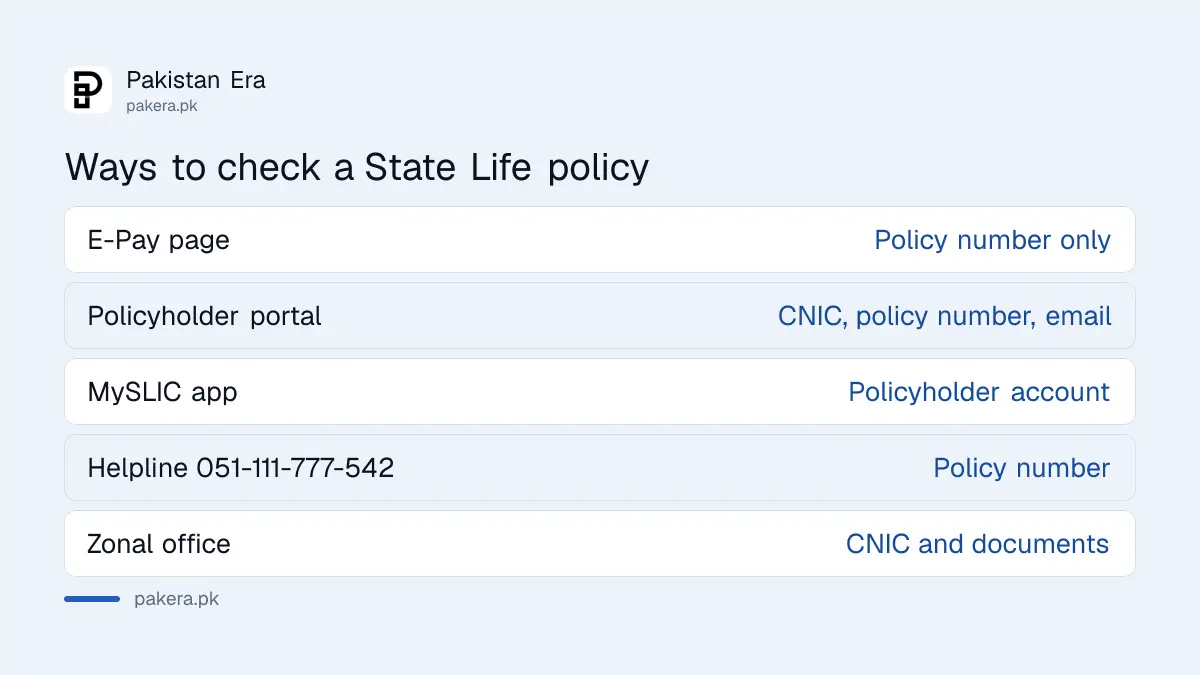
To check a State Life policy online, open State Life's E-Pay page at epay.statelife.com.pk, type your policy number and press Submit, then use "Check Last Payment" to see the most recent premium. No login is needed for that. For the full record, sign up on the State Life policyholder portal with your CNIC, policy number and email, or use the MySLIC app. The helpline is 051-111-777-542.
Most people want one of three things: is my policy still running, did my last premium reach State Life, and how much is due. Below is each way to check, how to pay, and what to do when the policy has lapsed. We read State Life's E-Pay page, sign up form, payment guide and FAQs on 31 October 2026.
The E-Pay page checks a policy with only the policy number
State Life's E-Pay page is the fastest check. It asks only for the policy number, fetches the policy, and has a "Check Last Payment" button. You can pay the due premium on the same page by card or by Raast QR code.
- Open the E-Pay page from the "E-pay" link at the top of statelife.com.pk.
- Type the policy number exactly as printed on your policy document.
- Press Submit to load the policy information.
- Press "Check Last Payment" to see the latest premium State Life has recorded.
- If a premium is due, pay it on the same page or by another method below.
The page warns that card payments carry 1.5 per cent bank charges plus service tax, added on top of the premium. It also announces a new Raast QR option, which you scan from any banking app.
The policyholder portal shows your full policy record
For more than the last payment, create a policyholder account on statelife.com.pk. The sign up form asks for your CNIC, full name, email, policy number, country, mobile number and date of birth. Your email becomes your user ID.
Pakistan residents enter the CNIC or NICOP with dashes. Gulf region customers enter their ID without dashes, as the form explains. After sign up, log in from the "Log In" button under Policyholder. If you forget the password, the login page has a reset link.
State Life also runs the MySLIC app on Google Play and the App Store. And if the website gives you trouble, the call centre on 051-111-777-542 can read your policy status to you once you give the policy number.
| Method | What you need | What it shows |
|---|---|---|
| E-Pay page | Policy number only | Policy details, last payment, pay now |
| Policyholder portal | CNIC, policy number, email, mobile, date of birth | Your policy record after login |
| MySLIC app | Policyholder account | Policy services on your phone |
| Helpline 051-111-777-542 | Policy number | Status read out by an agent |
| Zonal office | CNIC and policy documents | Everything, including loan and surrender value |
Pay the premium online, by JazzCash, at Bank Alfalah or at any office
State Life's payment guide lists four routes: in person at any State Life office, its own E-Pay page, Bank Alfalah, and JazzCash. The page also shows the Kuickpay logo. Premiums can be paid yearly, half yearly, quarterly or monthly.
The FAQ says you can pay the premium or a loan instalment without visiting the zone: through the website, at any nearest Bank Alfalah branch, or through State Life's JazzCash account. Whatever route you use, check the last payment on E-Pay a few days later. That is your proof that the money reached the policy and not just the bank.
If your premium is not reaching the policy, a wrong policy number is the usual cause. Read it off the policy schedule, not from memory.
A policy lapses 31 days after a missed premium
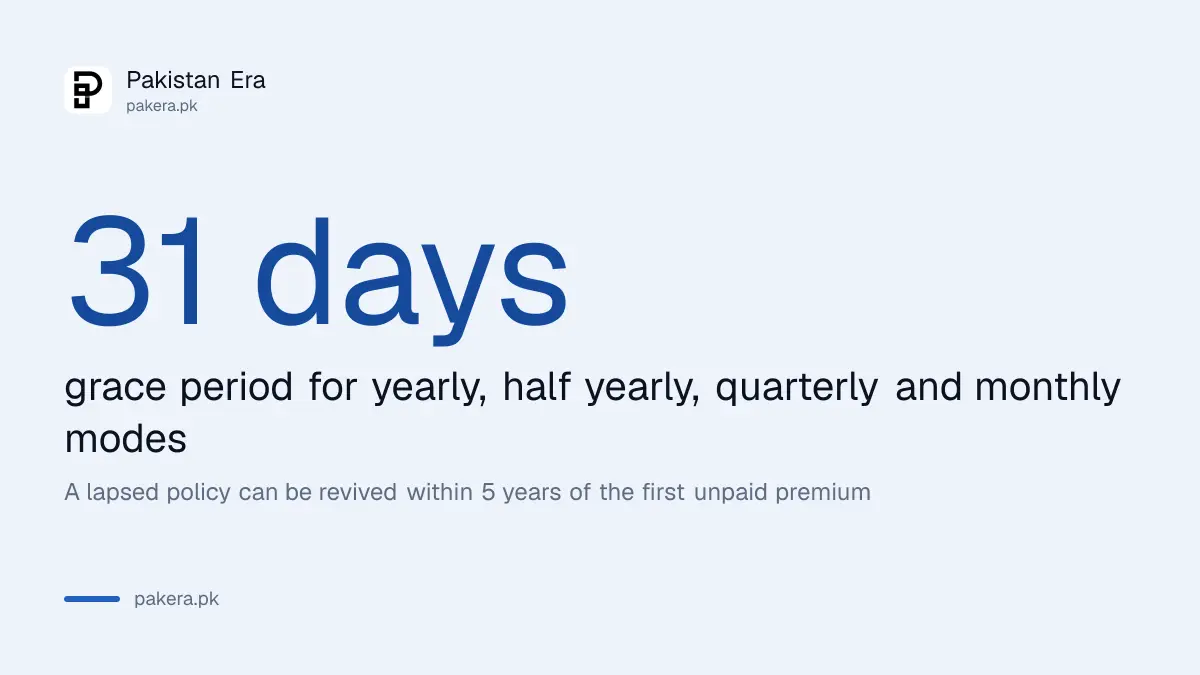
State Life gives a grace period of 31 days for yearly, half yearly, quarterly and monthly modes. If the premium is not paid within that time, the policy lapses. You can revive a lapsed policy within 5 years from the date of the first unpaid premium.
Revival needs a non-medical or a medical revival form, depending on your age and sum assured at the time. Both forms are on State Life's forms page under "Revival". Some policies avoid lapsing through the automatic premium loan option, which treats the premium as paid out of the policy's surrender value for as long as that value covers it.
That option is not free money. The premium becomes a loan with profit charged on it, and the debt is taken from the final payment.
Update your mobile number to get State Life SMS alerts
State Life sends SMS alerts on policy events, but only to the number in its records. To change your address or contact details, give a written request with a valid CNIC copy to the zonal office that issued the policy. The FAQ says this also activates the SMS alerts.
A policy can be moved to a zone nearer your home after it has run for at least 2 years, with no premium or loan dues. You make a written request with your CNIC, and the new zone takes over after a no objection letter from the old one.
Surrender value and loans start after two years
A State Life policy gets a surrender value after it has been in force for at least two years with no premium in default. Bonus is added to the surrender value after three years. Loans are given up to 80 per cent of the surrender value at 10 per cent a year, as set out in a loan against a State Life policy.
Your bonus build up depends on the plan and the policy year. The rates declared for 2026 are in State Life bonus rates 2026. If the policy has already matured and nobody collected the money, search State Life's unpaid claims list by name or policy number.
Common questions
How can I check my State Life policy status online?
Open the E-Pay page, enter the policy number and press Submit. Use "Check Last Payment" to see the most recent premium recorded.
Can I check a State Life policy by CNIC?
State Life's own checks use the policy number. To find policies on a CNIC across insurers, use the SMS 99833 policy finder.
What is the State Life helpline number?
The helpline is 051-111-777-542. The principal office in Karachi also lists 021-99202800 to 9.
Is there a charge to pay a State Life premium by card?
Yes. The E-Pay page says 1.5 per cent bank charges plus service tax are added to card payments.
How long can a lapsed State Life policy be revived?
Up to 5 years from the date of the first unpaid premium, with a medical or non-medical revival form.
I lost my State Life policy document. What now?
Ask your zonal office for a duplicate. The FAQ mentions an affidavit, a newspaper notice and a Rs 25 alteration fee plus policy stamp, with the duplicate issued after about a month.
How we verified this
What we checked, where we read it, and what we could not confirm.
Last checked 31 October 2026. We read State Life's E-Pay page, the policyholder sign up and login pages, the payment guide, the forms page and the State Life FAQs on 31 October 2026. We did not log in to a real policy or make a payment, so we cannot show the exact screens after login. Charges and rules can change, so confirm the amount on the E-Pay page before you pay.
About the author

Global Affairs & Political Economy Writer
Muhammad Hatim is a book lover who started writing because he enjoys it. At Pakistan Era he writes about international relations, geopolitics and the global economy, with a particular interest in South Asia and the forces behind current events.