StormFiber Bill Payment Online in Pakistan: Every Official Way
Pay your StormFiber bill online at my.stormfiber.com, in NayaPay, or at MCB, Askari, Faysal, Meezan and UBL Omni. Due dates, late surcharge and helpline.
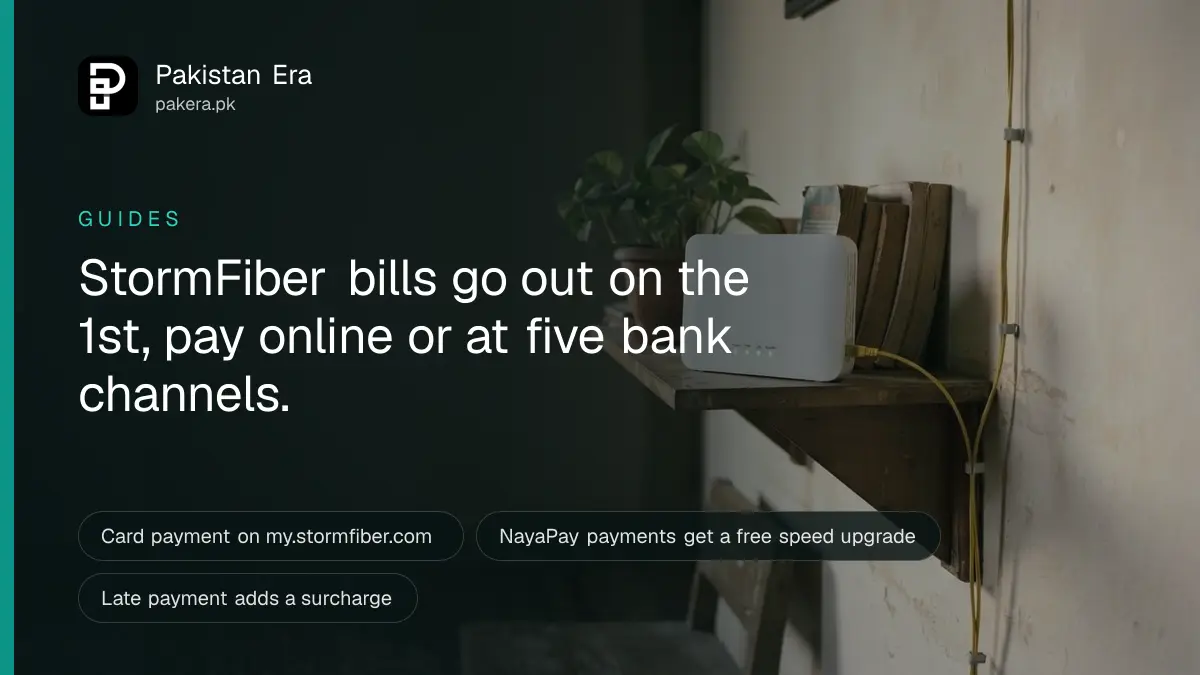
You can pay your StormFiber bill online at my.stormfiber.com with a Visa or MasterCard, in the NayaPay app, or in cash at MCB, Askari, Faysal and Meezan Bank branches, UBL Omni shops and Bank Alfalah cash deposit machines. StormFiber bills on the 1st of each month, in advance. Pay by the due date on your bill to avoid a late surcharge.
We read StormFiber's billing page, its help centre and its terms and conditions on stormfiber.com on 27 September 2026. One thing surprised us. JazzCash, Easypaisa and 1Bill, the apps most people reach for first, are not on StormFiber's own list of payment methods. NayaPay is the wallet StormFiber has partnered with.
Below is how to see your bill, each way to pay it, what happens if you pay late, and who to call when a payment goes missing.
How to check your StormFiber bill
StormFiber emails your monthly bill to your registered email address and sends a notice to your registered mobile number. You can also download it any time from the self-care portal at my.stormfiber.com, using your registered mobile number as your username.
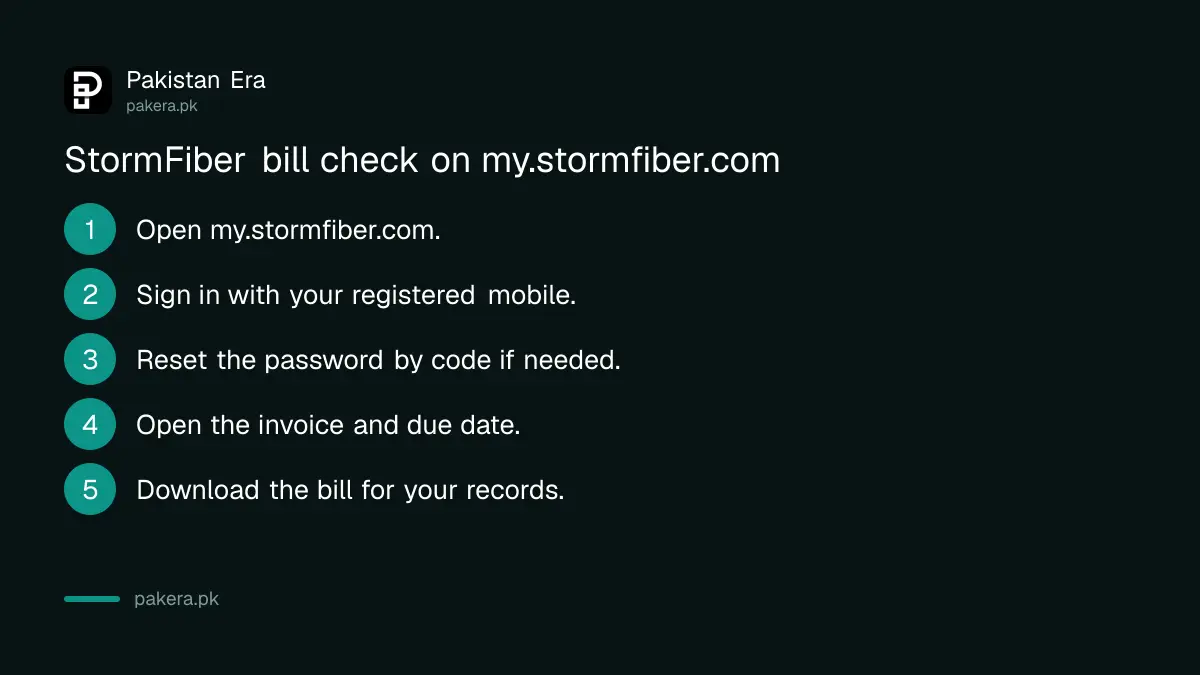
- Open my.stormfiber.com in a browser.
- Enter your registered StormFiber mobile number, or your username, and your password.
- If you have forgotten the password, click "Forgot your password?" and verify your mobile number with the code StormFiber sends.
- Open your invoice to see the amount under "Total Amount Due" and the due date.
- Download the bill if you need it for your records or for tax.
The portal also holds your tax certificates. StormFiber's billing page says you can "retrieve your tax certificates" there, which helps if you claim the advance income tax on your internet bill against your return.
Every official way to pay a StormFiber bill
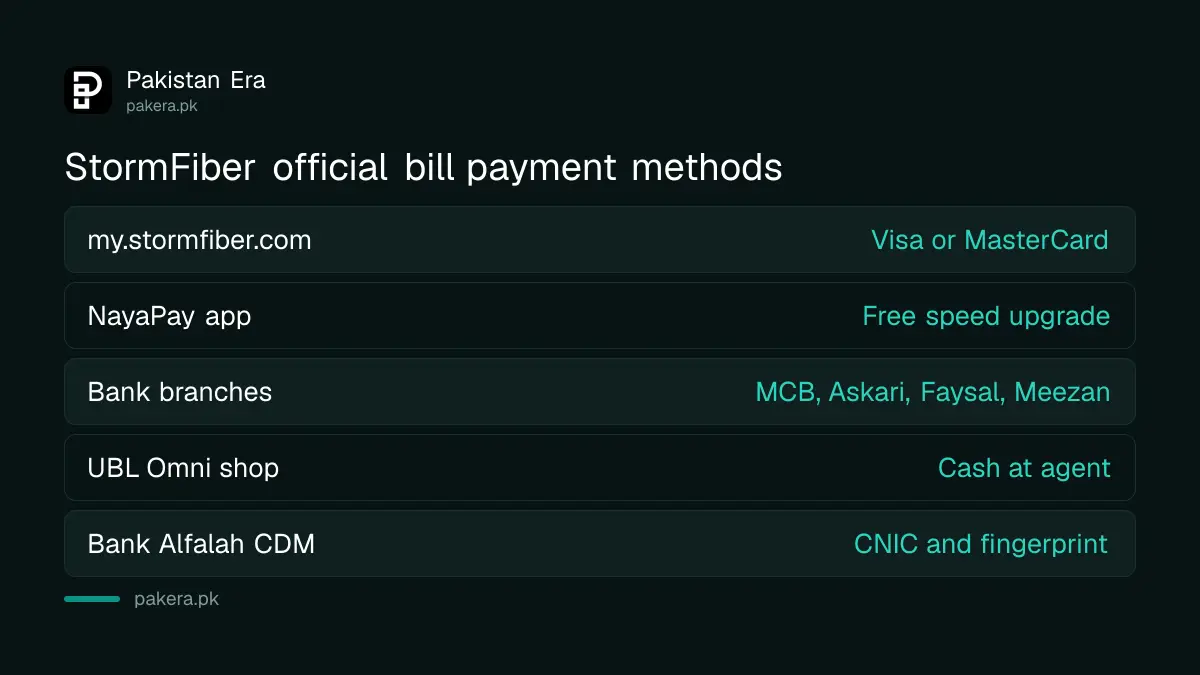
StormFiber lists five payment routes: card payment on its portal, the NayaPay app, cash at four banks, UBL Omni shops, and Bank Alfalah cash deposit machines. Its terms say payments are accepted through prescribed bank branches, collection agents, ATMs and the online portal.
| Method | How it works | What you need |
|---|---|---|
| my.stormfiber.com | Sign in, click "Pay via Card", pay through the HBL payment gateway | Visa or MasterCard debit or credit card |
| NayaPay app | Pay the bill inside the app | A NayaPay account |
| MCB, Askari, Faysal, Meezan branches | Pay cash at the counter | Registered mobile number and bill amount |
| UBL Omni shop | Pay cash at the agent | Registered mobile number and bill amount |
| Bank Alfalah CDM | Pay cash into the machine | CNIC, fingerprint, registered mobile number |
NayaPay comes with a small reward. StormFiber says you get a free bandwidth upgrade each time you pay through it. StormFiber says there are no registration fees or extra charges for paying through a NayaPay account.
At an MCB branch, ask for an MF-71 deposit slip. Write your registered StormFiber mobile number, your registered name, company code CYBER, account number 10849 and the amount. Faysal and Askari branches keep customised StormFiber slips, so you only fill in your number and the amount.
Cheques are slower. StormFiber's terms say to pay by cheque at least two working days before the due date, and MCB takes only MCB cheques.
Paying at a Bank Alfalah cash machine
Bank Alfalah's cash deposit machines take StormFiber bills without a counter queue. You choose "Corporate Clients", confirm your CNIC with a fingerprint, pick StormFiber, enter your registered mobile number, check the bill amount and put in the exact cash.
StormFiber's help centre gives these steps:
- Select "Corporate Clients" on the machine's screen.
- Enter your CNIC number, press "Proceed" and scan your fingerprint.
- Choose StormFiber from the list of service providers.
- Enter the mobile number linked to your StormFiber account and tap "Fetch Title".
- Check the amount, enter what you are paying, insert the exact cash and tap "Next".
- Select "Yes" if you want a printed receipt.
Take the receipt. If the payment does not show on your account, it is your only proof.
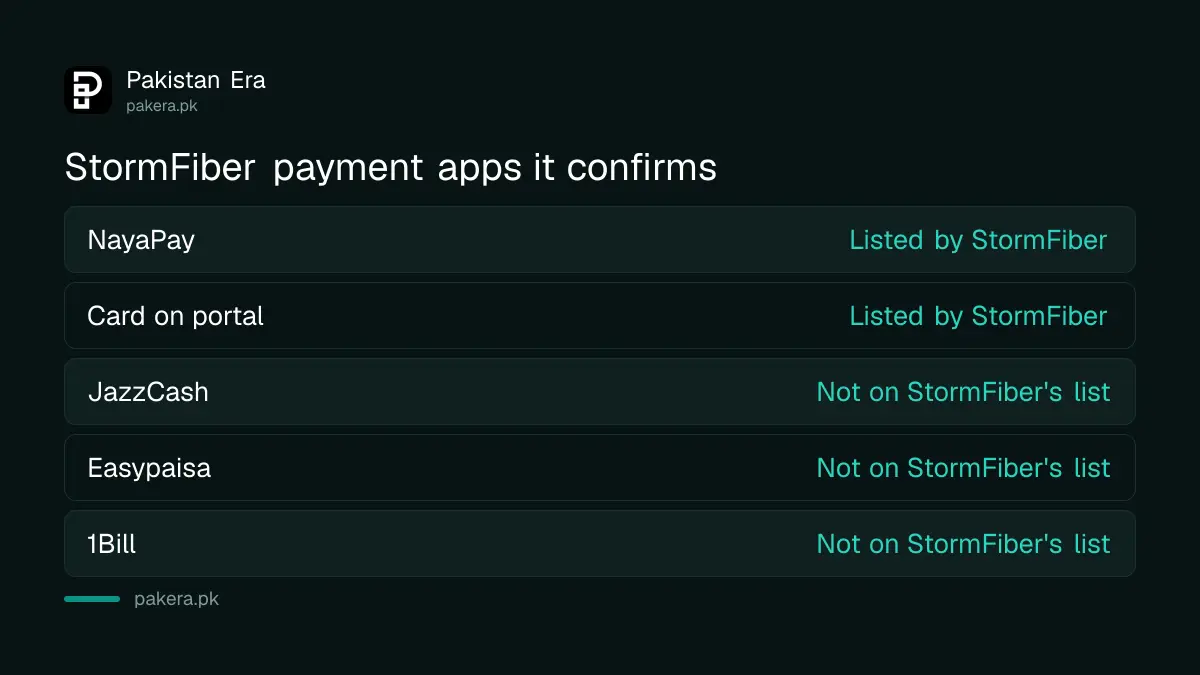
JazzCash, Easypaisa and 1Bill are not on StormFiber's list
StormFiber's billing page, help centre and FAQ do not name JazzCash, Easypaisa or 1Bill as ways to pay. JazzCash says its app pays internet bills in general, but its page does not name StormFiber. So treat these as unconfirmed for StormFiber.
We are not saying they fail. Wallet apps add billers often, and your app may show StormFiber today. But StormFiber has not confirmed those channels, and its terms tell you to keep proof of every payment. If you use a wallet, check that the biller name reads StormFiber, that the amount matches your bill, and save the transaction ID.
For electricity, gas and water, the wallet route works well, as explained in paying utility bills with Easypaisa or JazzCash. For StormFiber, the portal and NayaPay are the safer online routes.
Due dates, late payment and reconnection
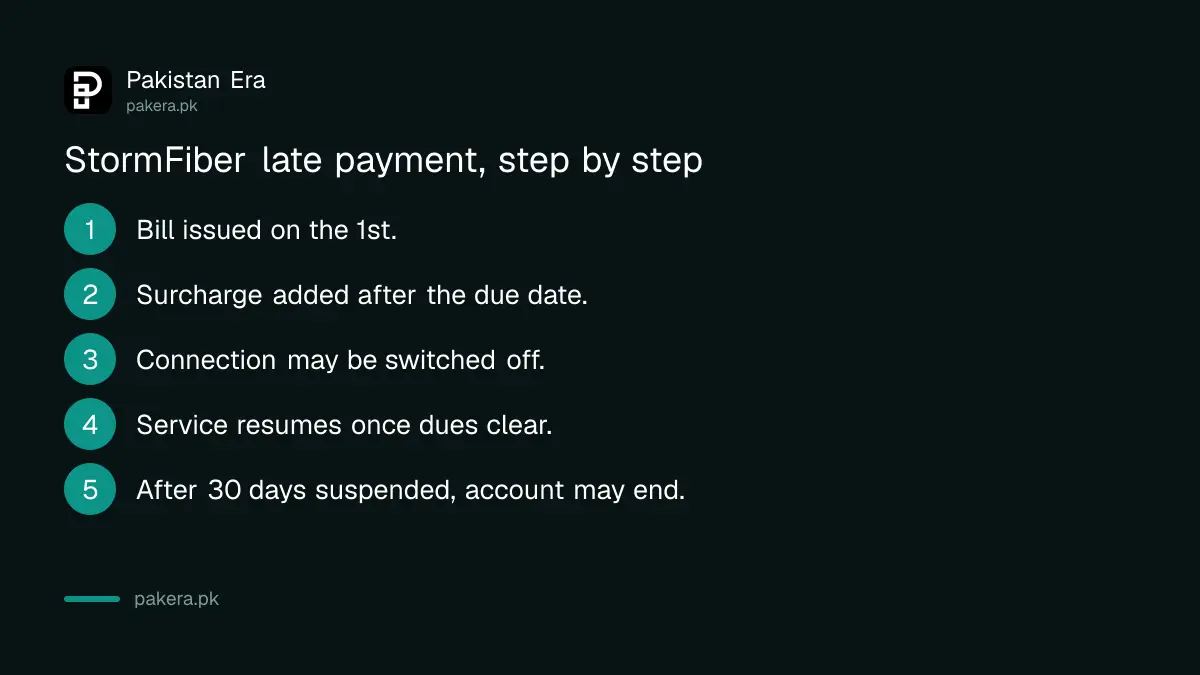
StormFiber is prepaid. You are billed on the 1st of each month for the coming month, and you pay by the due date printed on the bill. Miss it and StormFiber adds a late payment surcharge. Keep missing it and your connection can be stopped.
StormFiber does not publish the surcharge amount on its website. Check your bill for the figure. Here is what its help centre and terms do say:
- After the due date: a late payment surcharge is added to unpaid bills.
- Continued non-payment: your connection may be switched off, and it only comes back once you clear all dues.
- Suspended for 30 days: the terms say the account can be terminated without further notice, and you must return the ONT and other equipment within 7 days.
- No refunds: payments to StormFiber are non-refundable, and there is no reversal for days your service was suspended over arrears.
Going away for a month? Do not just stop paying. StormFiber lets you ask for a temporary suspension by emailing billing@stormfiber.com from your registered email address, with the period and the reason.
Paying ahead saves money. StormFiber gives 5 percent off for 3 months paid in advance, 7 percent for 6 months and 10 percent for 12 months. If you are comparing StormFiber with the best internet providers in Pakistan, count that discount in.
When a payment is stuck, and who to call
If your card was charged but the portal still shows the bill as pending, StormFiber says this is usually "error 481" and you should contact your card's bank. Then email billing@stormfiber.com with the details. The helpline is 111-1-78676 with your city code.
- Karachi: (021) 111-1-78676
- Lahore: (042) 111-1-78676
- Islamabad and Rawalpindi: (051) 111-1-78676
- Faisalabad: (041) 111-1-78676
- Peshawar: (091) 111-1-78676
- Email: billing@stormfiber.com for bills, helpdesk@stormfiber.com for general help
Disputing a bill has a short clock. StormFiber's terms give you 5 days from the bill date to send a written dispute. After that, the bill is treated as final. If StormFiber does not fix a billing problem, you can take it further with a complaint to PTA, the telecom regulator.
Common questions
How can I pay my StormFiber bill online?
Sign in at my.stormfiber.com with your registered mobile number and password, click "Pay via Card" and pay with a Visa or MasterCard. You can also pay in the NayaPay app.
Can I pay StormFiber through JazzCash or Easypaisa?
StormFiber does not list them. Its official channels are the portal, NayaPay, bank branches, UBL Omni and Bank Alfalah CDMs. If your wallet shows StormFiber as a biller, check the name and amount and keep the receipt.
When is the StormFiber bill generated?
On the 1st of each month, for the month ahead. The service is prepaid, and the due date is printed on the bill.
What is the StormFiber late fee?
StormFiber adds a late payment surcharge after the due date but does not publish the amount online. Check your bill or ask the helpline.
How long does reconnection take after paying?
StormFiber says service resumes once all dues are cleared. It does not publish a set time for reconnection, so call the helpline if you are still offline after paying.
What is the StormFiber MCB company code?
CYBER, with account number 10849, on an MF-71 deposit slip, plus your registered mobile number, name and amount.
How we verified this
What we checked, where we read it, and what we could not confirm.
Last checked on 27 September 2026. The payment methods, portal steps, MCB slip details, NayaPay upgrade and advance payment discounts are read on StormFiber's billing page at stormfiber.com/support. The billing date, bill delivery, late surcharge, disconnection, error 481, Bank Alfalah CDM steps and temporary suspension are read in StormFiber's help centre at helpcenter.stormfiber.com. The due date rule, cheque timing, 5-day dispute window, non-refundable payments and 30-day termination are read in StormFiber's terms and conditions. JazzCash's internet bill page was also checked. We did not make a payment, and StormFiber publishes no late fee amount.
About the author

Tax, Bills and Technology Writer
Ali Akhtar is a young and curious voice here at Pakistan Era. He is currently pursuing his A-Levels and has a growing interest in Pakistan’s changing industrial landscape and educational trends. Ali likes to write in a way that helps him explain and explore the world around him. His writing reflects the perspective of the new generation navigating the evolving trends of Pakistan where technology, youth innovation, and shifting opportunities are reshaping the country’s future.