StormFiber WiFi Password Change in Pakistan: Router Login, Portal Reset and Fixes
Change your StormFiber WiFi password from the ONT page in 6 steps, find your router login address, reset the my.stormfiber.com password and fix failed logins.
To change your StormFiber WiFi password, log in to the StormFiber device (the ONT) by typing its default gateway address into a browser, open the wireless settings and save a new key. That is the method StormFiber's own help centre gives. It does not publish one fixed address or login, so below we show how to find yours in 30 seconds on any phone or laptop.
People often confuse two different passwords here. One is the WiFi key your family types into their phones. The other is the password for the my.stormfiber.com self-care portal, where you see bills and usage. We read StormFiber's help centre articles on both on 24 October 2026. Each has its own steps, and both are covered here, along with what to do when the router page will not open.
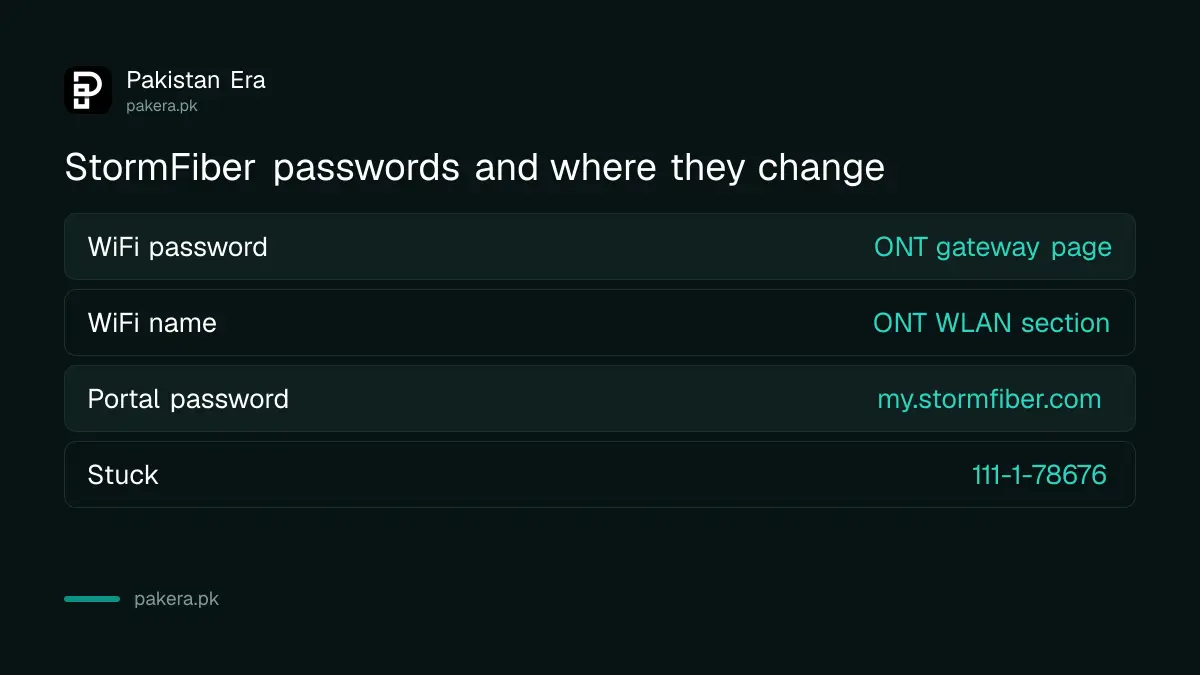
StormFiber has two passwords, and they change in different places
The WiFi password lives on the ONT, the box StormFiber installs, and changes from its settings page. The portal password belongs to your account on my.stormfiber.com and resets with a code sent to your registered mobile or email. Changing one never changes the other.
| What you want to change | Where | What you need |
|---|---|---|
| WiFi network password | ONT settings page at its gateway address | A device on your WiFi, the ONT admin login |
| WiFi network name | Same page, wireless or WLAN section | Same as above |
| Self-care portal password | my.stormfiber.com, "Forgot your password?" | Your registered mobile number |
| Help if both fail | Helpline 111-1-78676 or helpdesk@stormfiber.com | Your account details |
Find your StormFiber router login address first
StormFiber's help centre says to open the ONT "through its default gateway IP". That gateway is simply your router's local address, and every connected device already knows it. Find it on your own phone or laptop instead of guessing from a list online.
- Android: Settings, then WiFi. Tap your StormFiber network and look under advanced details for Gateway or Router.
- iPhone: Settings, then WiFi. Tap the small i beside your network. The number next to Router is the address.
- Windows: open Command Prompt, type
ipconfigand press Enter. Read the line Default Gateway. - Mac: System Settings, Wi-Fi, Details, then TCP/IP. Read the Router field.
Fibre boxes in Pakistan commonly sit on addresses such as 192.168.100.1 or 192.168.1.1, but StormFiber does not publish which one your model uses. The number your device shows is the right one. Type it into the browser address bar, not the search box, while connected to the StormFiber WiFi or a LAN cable.
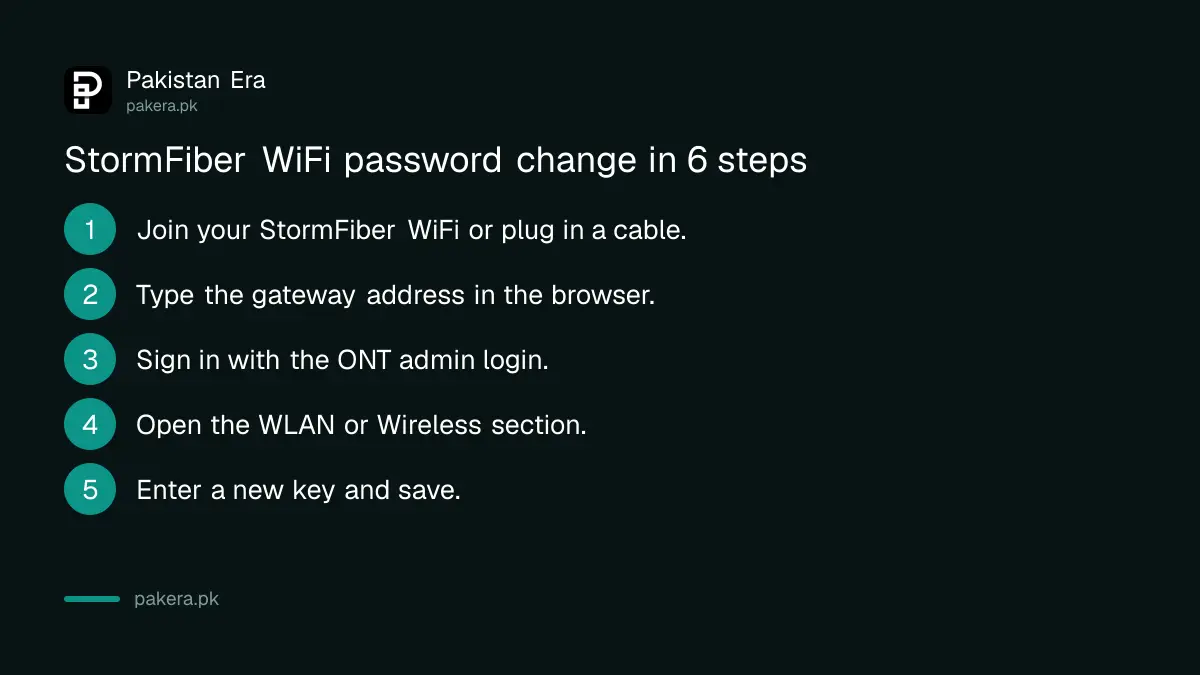
Change the StormFiber WiFi password in 6 steps
Once the login page opens, sign in with the admin username and password for the ONT, find the wireless or WLAN section, and replace the key. Save, and every device will drop off and need the new password. The whole job takes about five minutes.
- Connect to your StormFiber WiFi or plug in a LAN cable.
- Type the gateway address into a browser and press Enter.
- Sign in with the ONT's admin login. Check the sticker on the bottom or back of the device first.
- Open the WLAN, Wireless or WiFi section. Some models split it into 2.4 GHz and 5 GHz.
- Enter the new key in the password, passphrase or pre-shared key field. Use WPA2 or WPA3 if offered.
- Click Save or Apply, then reconnect your devices with the new password.
If your ONT broadcasts two networks, change both, or the old password will still work on one of them. Pick something long: three or four unrelated words beat a short mix of symbols that you will forget. Our notes on securing a home Wi-Fi router explain why the admin login itself should be changed too.
Reset the my.stormfiber.com portal password
The self-care portal password resets online without a call. StormFiber's help centre says to open my.stormfiber.com, click "Forgot your password?", type your registered mobile number, and choose to receive the new password by email, SMS or both.
- Go to my.stormfiber.com.
- Click "Forgot your password?".
- Enter the mobile number registered with your StormFiber account.
- Choose email, SMS or both, then send.
- Sign in with what you receive and set a password you will remember.
The portal is worth having. It shows your bills, and StormFiber says it also shows your internet volume use for the last 10 days and the advance income tax certificate you can claim when filing a return. If you are deciding whether to upgrade, the full price list is in StormFiber packages and prices by city.
When the router page will not open or the login fails
Most failures come from three things: using mobile data instead of the WiFi, typing the address into a search box, or a changed admin login. If the sticker login fails and you never changed it, call 111-1-78676 rather than resetting the box.
| Problem | Likely cause | What to do |
|---|---|---|
| Page does not load | Phone on mobile data, or wrong address | Turn off data, recheck the gateway number |
| Search results appear | Typed into the search box | Type the number in the address bar |
| "Wrong username or password" | Admin login was changed | Call 111-1-78676 before any reset |
| Works, then devices will not connect | Old password saved on devices | Forget the network and rejoin |
| Red light on the ONT | Fibre fault, not a password issue | Register a complaint with StormFiber |
Be careful with the reset button. A factory reset can wipe the settings StormFiber put on the ONT for your connection, and then the internet will not come back until a technician sets it up again. Ask the helpline first. If the box itself is faulty, StormFiber's help centre lists a replacement at Rs 2,000 for a used triple play ONT or Rs 11,500 for a new one, both before tax, handled through billing@stormfiber.com.
Keep strangers off your StormFiber WiFi after the change
A new password removes everyone who had the old one. To stop the problem coming back, give visitors a separate guest network instead of your main key, and check the connected devices list on the ONT page every few weeks for names you do not recognise.
A guest network keeps your main password private, and most ONTs and access points support one. The steps are in setting up guest Wi-Fi with a QR code. The same gateway method also works on other companies' routers, as the general notes on how to change a WiFi password show.
Common questions
What is the StormFiber router login IP?
StormFiber does not publish one address. Its help centre says to use the ONT's default gateway IP, which you can read in your phone's WiFi details or with ipconfig on Windows.
What is the default StormFiber router username and password?
StormFiber does not list it publicly. Check the sticker on the device. If it is missing or does not work, call 111-1-78676 or email helpdesk@stormfiber.com.
Can I change the StormFiber WiFi password from the app or portal?
StormFiber's help centre only describes changing it through the ONT settings page. The my.stormfiber.com portal handles your account password, bills and usage.
How do I reset my my.stormfiber.com password?
Click "Forgot your password?" on my.stormfiber.com, enter your registered mobile number and choose email, SMS or both to receive a new password.
Will changing the WiFi password disconnect my devices?
Yes. Every phone, TV and laptop drops off and must rejoin with the new password. Smart TVs and CCTV systems are the ones people forget.
Should I press the reset button on the StormFiber device?
Not without asking StormFiber. A factory reset can remove the connection settings, and you may need a technician visit to get the internet back.
How we verified this
What we checked, where we read it, and what we could not confirm.
Last checked 24 October 2026. We read StormFiber's help centre articles on changing the WiFi password, changing the self-management portal password, internet volume, advance income tax and ONT replacement at helpcenter.stormfiber.com, and the helpline numbers on stormfiber.com. StormFiber does not publish a router address or default login, so we give the method to find yours rather than a number that may be wrong for your model. The common addresses we mention are general examples, not StormFiber figures. We did not log in to a StormFiber ONT ourselves, so menu names may differ slightly on your model.
About the author

Tax, Bills and Technology Writer
Ali Akhtar is a young and curious voice here at Pakistan Era. He is currently pursuing his A-Levels and has a growing interest in Pakistan’s changing industrial landscape and educational trends. Ali likes to write in a way that helps him explain and explore the world around him. His writing reflects the perspective of the new generation navigating the evolving trends of Pakistan where technology, youth innovation, and shifting opportunities are reshaping the country’s future.