TikTok LIVE Requirements in Pakistan: 1,000 Followers, Age 18 and Every Reason the LIVE Button Is Missing
TikTok LIVE needs age 18 and 1,000 followers under the standard rule, which TikTok says can vary by region. See the steps, Gift rules and why LIVE is missing.
To go LIVE on TikTok you must be at least 18 years old and, under TikTok's standard rule, have 1,000 followers. TikTok says the follower number may vary by region, and LIVE is not available everywhere. If you meet both, tap the plus button, scroll to LIVE, add a title and tap Go LIVE.
Below are the full requirements from TikTok's help centre, the steps to start and end a LIVE, the separate rules for LIVE Gifts, and each reason the LIVE button may be missing on a Pakistani account.
TikTok LIVE needs age 18 and 1,000 followers
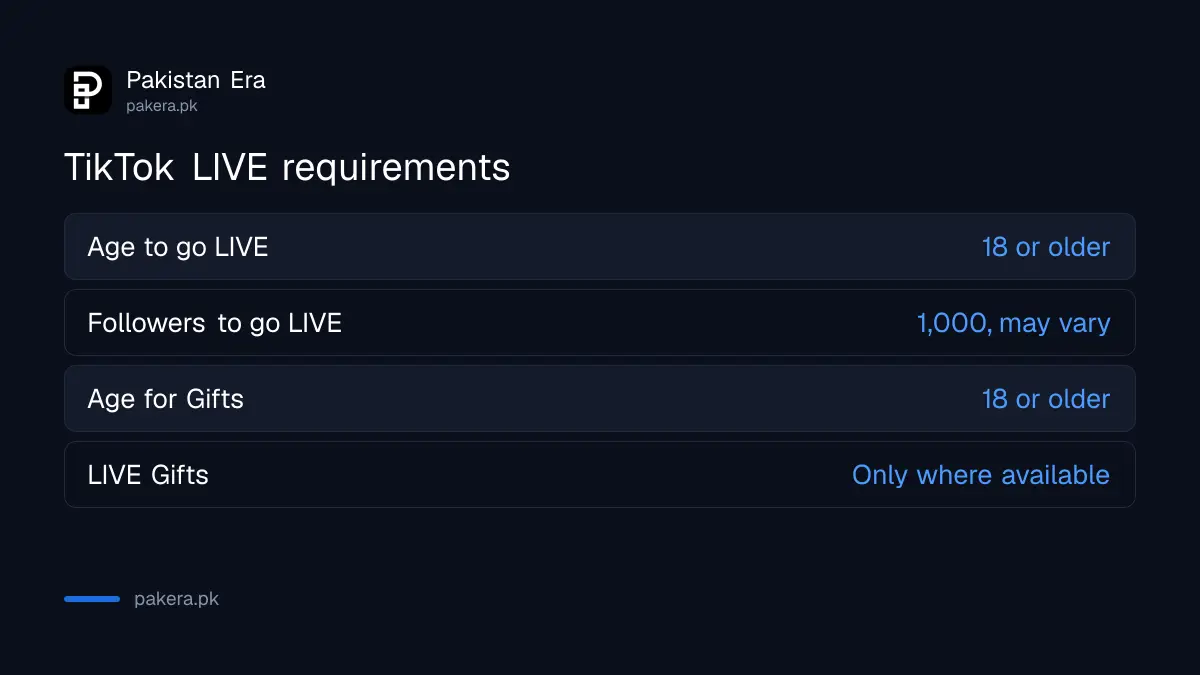
TikTok's help centre lists three conditions: be at least 18 to go LIVE, be at least 18 to send or receive Gifts, and have 1,000 followers to go LIVE. It adds that the follower count may vary across regions and that LIVE is not offered in every location.
| Requirement | TikTok's rule | Confirmed for Pakistan? |
|---|---|---|
| Age to go LIVE | 18 or older | Yes, the rule is global |
| Followers to go LIVE | 1,000 (may vary by region) | Not stated for Pakistan |
| Age to send or receive Gifts | 18 or older | Yes, the rule is global |
| LIVE Gifts for creators | Only where LIVE Gifts is available | Not stated for Pakistan |
| Account standing | Follow Community Guidelines and Terms | Applies everywhere |
TikTok does not publish a country-by-country follower number. So the 1,000 figure is the standard rule, not a promise for Pakistan. The quickest check is in the app itself: if the LIVE option appears when you tap the plus button, you are eligible.
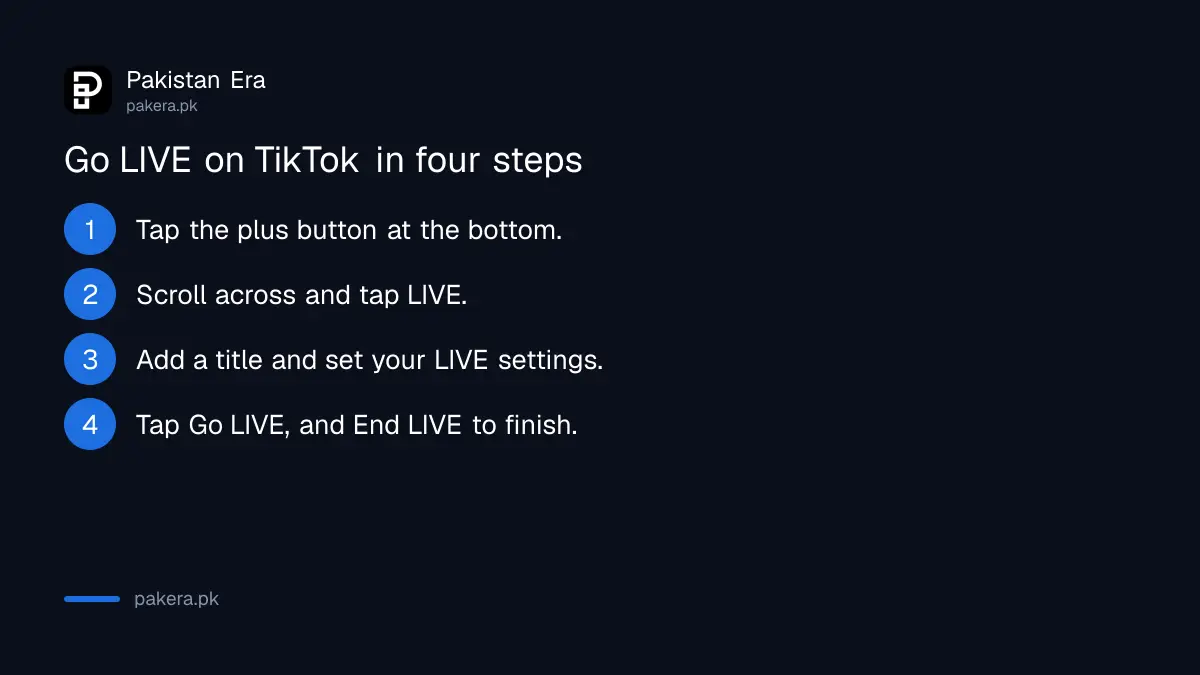
How to go LIVE on TikTok in four steps
Open TikTok, tap the plus button at the bottom, scroll across to LIVE, add a title and pick your settings, then tap Go LIVE. To finish, tap the End LIVE button at the top, then End now.
- Open the TikTok app and tap the + button at the bottom.
- Tap LIVE at the bottom. You may need to scroll across.
- Add a title, and set your LIVE tools and settings, including safety settings.
- Tap Go LIVE.
You can change tools and settings during the LIVE by tapping More at the bottom, then Settings. When you are done, tap End LIVE at the top and confirm with End now.
Plan the data before you start. A LIVE stream from a phone uploads continuously, and a weak mobile signal makes it freeze for viewers. If you stream on a package, the Telenor TikTok and social packages list the bundles that cover the app. Wi-Fi is the safer choice for anything longer than a few minutes.
LIVE Gifts have stricter rules than LIVE itself
To turn on LIVE Gifts, TikTok says you must live where LIVE Gifts is available, be 18 or older, be eligible to go LIVE and keep your account in good standing. Government, politician and political party accounts cannot collect Diamonds from Gifts.
Gifts are how viewers reward a LIVE. Viewers buy Coins and send Gifts, and the creator collects Diamonds based on how popular the LIVE is. TikTok's help page does not say whether LIVE Gifts is available in Pakistan. Earnings reports differ, and the money side is covered in what TikTok actually pays creators in Pakistan. If you do earn, the income belongs in your return, and the steps to declare TikTok income to FBR apply.
To switch Gifts on or off, tap Settings on the LIVE screen, turn LIVE Gifts on or off, then tap Go LIVE.
Why the LIVE button is missing on your TikTok
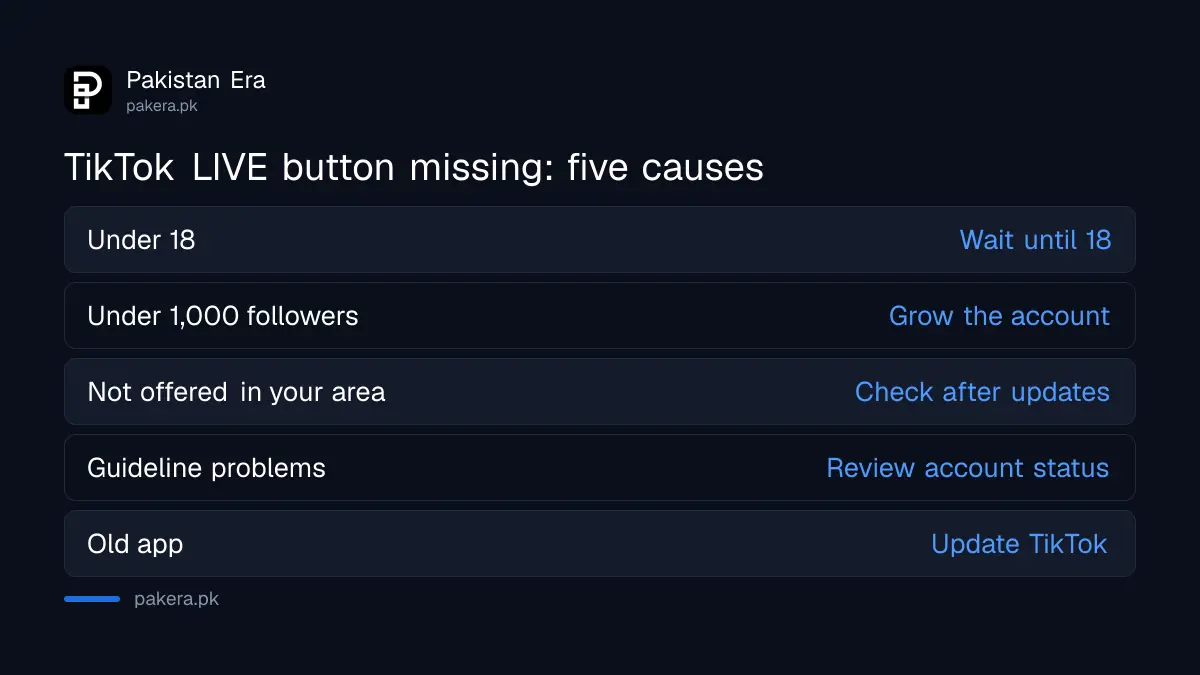
The LIVE option does not appear if you are under 18, have fewer followers than your region requires, live where LIVE is not offered, or your account is not in good standing. An old app version can also hide new features, so update first.
| Reason | What to do |
|---|---|
| Under 18 | Wait until 18; there is no exception |
| Fewer than 1,000 followers | Grow the account; the number may differ by region |
| Feature not offered in your location | Nothing to fix; check again after app updates |
| Community Guidelines problems | Review account status and any warnings |
| Old app version | Update TikTok from Google Play or the App Store |
Buying followers to cross 1,000 is a poor shortcut. Bought accounts do not watch your LIVE or send Gifts, and an account needs to stay in good standing for Gifts in any case. If an account has already been restricted, the route to appeal a banned or suspended TikTok account is the place to start.
Safety settings to set before your first LIVE
Add at least one trusted moderator, and know how to mute, block and report from the LIVE chat. TikTok lets you add moderators who can manage comments, mute a viewer for a set time and block accounts from watching.
From the LIVE settings you can manage moderators, your muted list and your blocked accounts. In the chat, tap a viewer's profile or comment to add them as a moderator, report the comment, mute them or block them. TikTok says moderators can also manage comments from a web browser, which helps if a friend is watching on a laptop. Parents of teens should note that under-18 accounts cannot host a LIVE at all, and TikTok's Family Pairing for teens sets the other limits.
Common questions
How many followers do you need to go LIVE on TikTok in Pakistan?
TikTok's standard rule is 1,000 followers, but it says this may vary by region. It does not publish a Pakistan figure.
Can a 16 year old go LIVE on TikTok?
No. TikTok says you must be at least 18 to go LIVE.
Can I go LIVE on TikTok from a computer?
TikTok's help page describes going LIVE from the app. It mentions the web browser only for watching and moderating a LIVE.
Are TikTok LIVE Gifts available in Pakistan?
TikTok says Gifts are only for creators in locations where the feature is available, and it does not list Pakistan on the page we read.
How do I end a TikTok LIVE?
Tap End LIVE at the top of the screen, then tap End now.
Why did my LIVE option disappear?
TikTok's page does not cover this case directly. Check your follower count, your account standing and your app version, since those are the conditions it lists.
How we verified this
What we checked, where we read it, and what we could not confirm.
Last checked 25 October 2026. On that date we read TikTok's help pages What is TikTok LIVE?, LIVE Gifts on TikTok, and its pages on moderating a LIVE and multi-guest LIVE. TikTok does not publish the follower threshold for Pakistan or say whether LIVE Gifts is available here, so both are marked as not confirmed. We did not host a test LIVE.
About the author

Technology Journalist & Multimedia Producer
Ahmad Ali is a technology journalist and multimedia producer at Pakistan Era, joining the team in October 2026. He covers consumer technology and digital life for Pakistani readers, combining research with hands-on product testing.