Turn Off WhatsApp Blue Ticks in Pakistan: Read Receipts Off in 3 Steps, and the 4 Things That Still Show
Turn off WhatsApp blue ticks in Settings, Privacy, Read receipts. Groups, voice notes and your status viewers still change. All tick meanings and limits here.
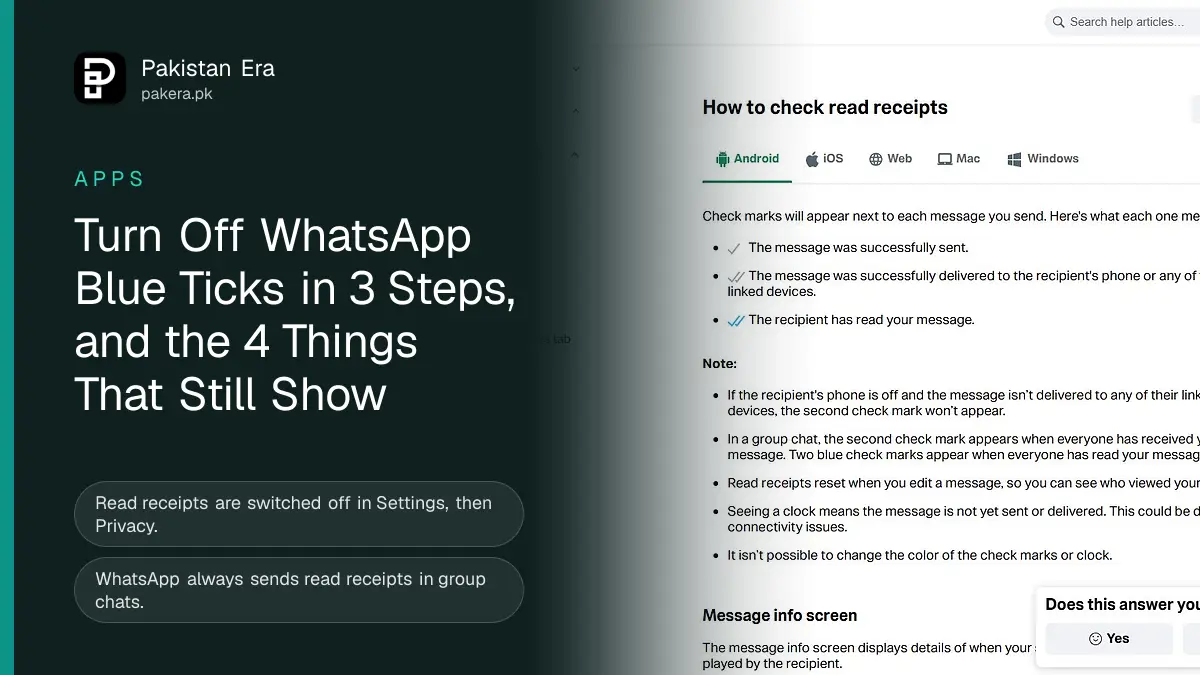
To turn off WhatsApp blue ticks in Pakistan, open WhatsApp, go to Settings, Privacy and switch off Read receipts. People will no longer see two blue ticks when you read their messages. But WhatsApp says blue ticks still show in group chats, voice notes still show as played, and you lose the blue ticks on your own messages too.
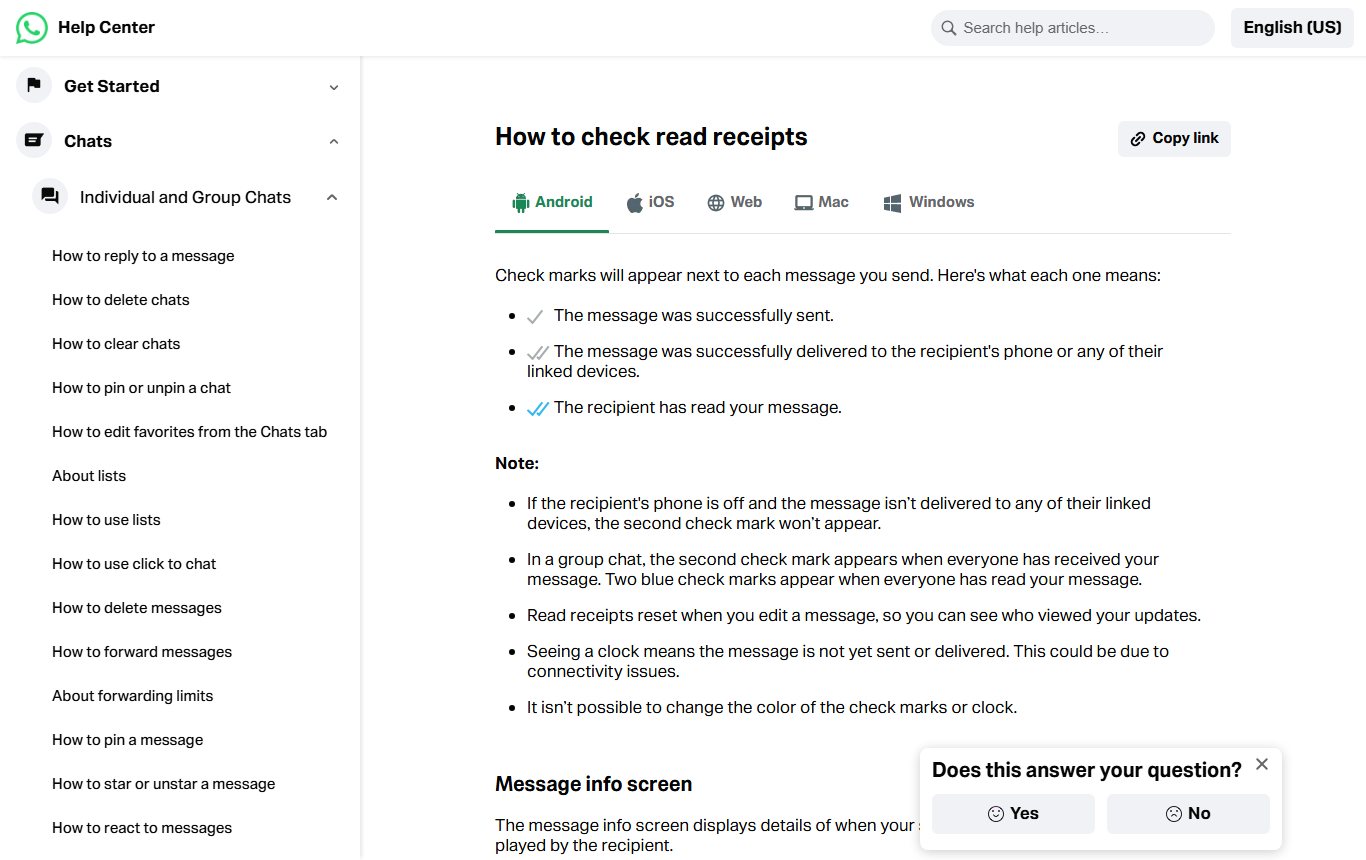
We read WhatsApp's read receipts page and its privacy settings page on 12 November 2026, and screenshotted the first. Blue ticks cause more arguments than almost any other WhatsApp feature. A relative sees two blue ticks and no reply, and assumes they are being ignored. Turning them off is one switch, but it comes with four trade-offs that many people only discover later. This page sets them out so you can decide.
What one grey tick, two grey ticks and two blue ticks mean
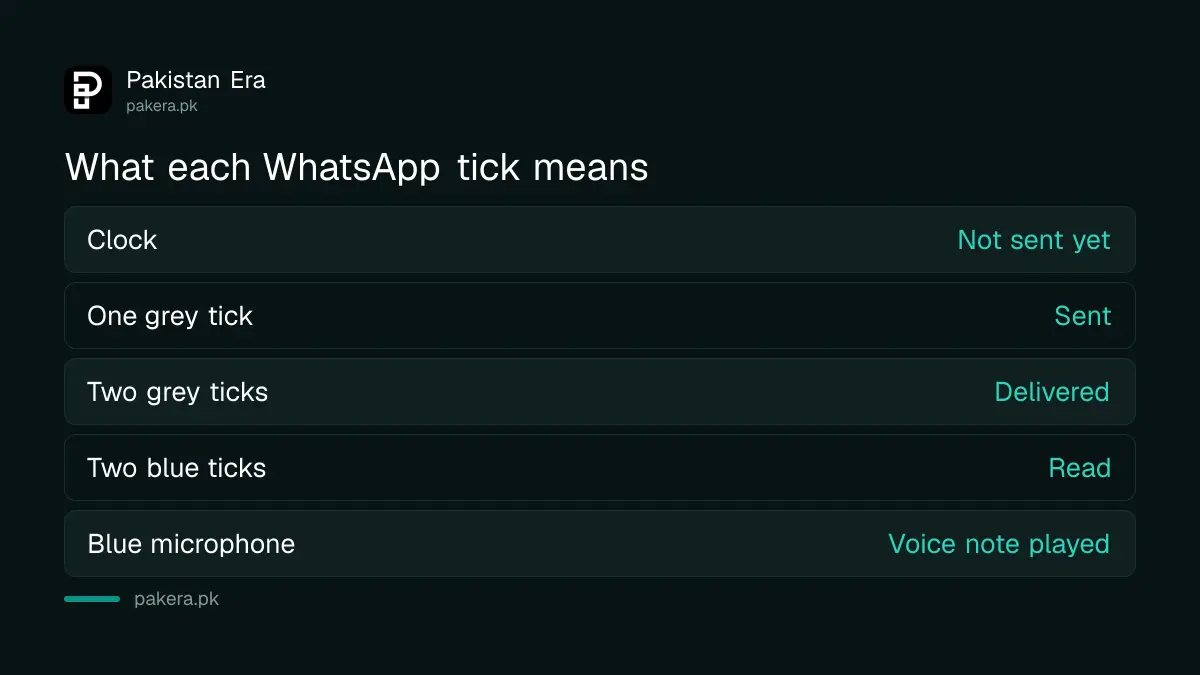
One grey tick means your message was sent. Two grey ticks mean it was delivered to the other person's phone or a linked device. Two blue ticks mean they read it. A clock means it has not been sent yet, usually because of a weak connection.
| Mark | What WhatsApp says it means |
|---|---|
| Clock | Not sent or delivered yet, often a connection problem |
| One grey tick | Sent successfully |
| Two grey ticks | Delivered to their phone or a linked device |
| Two blue ticks | Read by the recipient |
| Blue microphone | Voice message played |
In a group, the second tick appears only when everyone has received your message, and the ticks turn blue only when everyone has read it. WhatsApp also says read receipts reset when you edit a message, so you can see who saw the new version. And you cannot change the colour of the ticks.
If your message is stuck on one tick for days, that is a different problem. Our guide to one tick on WhatsApp and whether you are blocked covers it.
Turn off blue ticks in 3 steps
The switch is the same on Android and iPhone, only the starting point differs. On Android it is behind the three dots at the top. On iPhone it is the Settings tab at the bottom.
- Open WhatsApp and go to Settings.
- Tap Privacy.
- Switch off Read receipts.
That is all. The change works at once for one-to-one chats, and you can turn it back on whenever you like from the same place.
Four things that still show after you turn blue ticks off
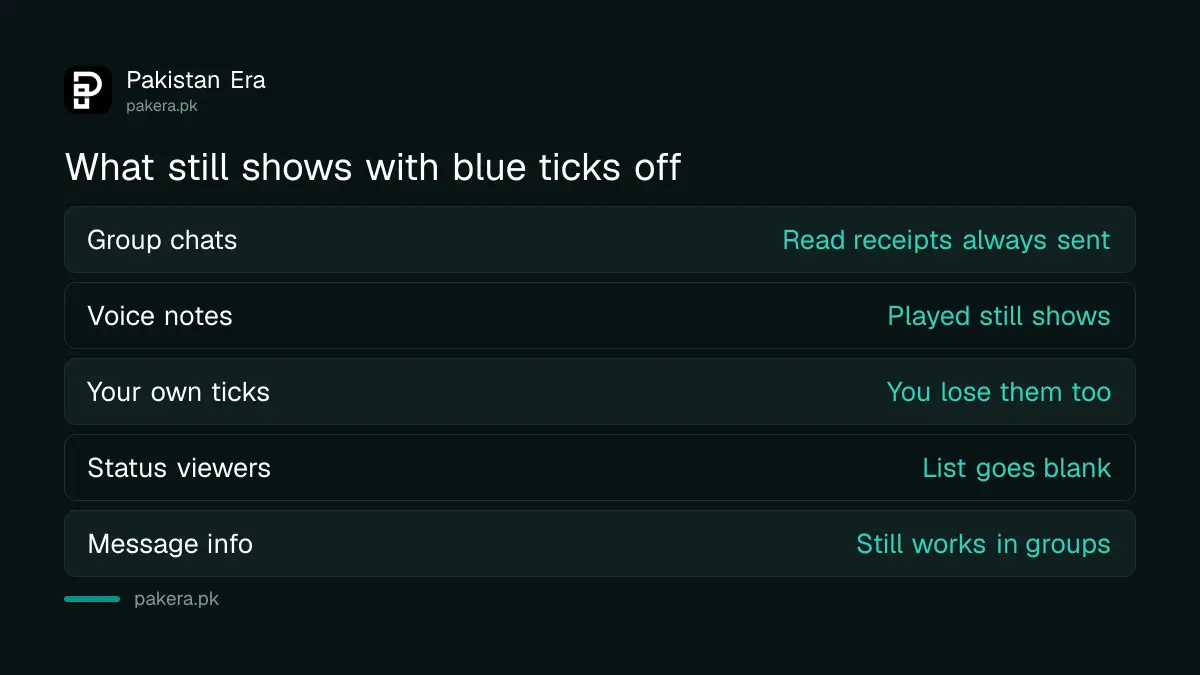
WhatsApp's own pages list the limits. These are the ones that catch people out, because the switch looks like it hides everything and it does not.
- Groups. WhatsApp says read receipts are always sent for group chats. There is no way to turn them off there. Anyone can tap and hold their message, then Info, and see that you read it.
- Voice notes. Play receipts for voice messages cannot be turned off either. The microphone turns blue when you play one.
- Your own ticks. If you switch off read receipts, you cannot see read receipts from others. It works both ways.
- Status views. With read receipts off, you cannot see who viewed your status, and others may not see that you viewed theirs.
We found the status point the most surprising when we went through WhatsApp's privacy page. Many people turn read receipts off to view statuses quietly, and that part works. But in return the "Viewed by" list on their own status goes blank.
Check if someone read your message with Message info
Message info shows exactly when a message was delivered, read or played. Open the chat, tap and hold your sent message, then tap the i icon or the three dots and Info. In a group, it lists each member.
WhatsApp gives six reasons you might not see blue ticks even when the other person has seen the chat:
- You or they have turned off read receipts.
- They have blocked you.
- They have not opened the conversation.
- One of you has a connection problem.
- When someone gets your message for the first time, a read receipt might not be sent.
- The date and time on one of the phones is wrong.
The fifth point is worth knowing for new contacts. A first message to someone may never turn blue, even after they reply. Do not read too much into it.
Other WhatsApp privacy settings to change at the same time
While you are in Settings, Privacy, there are related switches. Last seen and online can be set to Everyone, My contacts, My contacts except, or Nobody. WhatsApp says that if you hide your last seen, you cannot see other people's either, the same two-way rule as blue ticks.
Profile photo and About can also be limited. Our guide on hiding your WhatsApp last seen and profile photo walks through each option, and hiding your WhatsApp status from contacts covers status audiences. WhatsApp adds one hard limit: there is no way to hide your phone number from someone you message.
Should you turn blue ticks off?
Turn them off if you are tired of pressure to reply at once and you do not mind losing the blue ticks on your own messages and your status viewer list. Leave them on if you use WhatsApp for work, deliveries or orders, where knowing a customer has read a price or address saves a phone call.
A middle path is to keep them on and reply with a short "seen, will answer later". It costs a few seconds and avoids most of the misunderstanding.
Frequently asked questions
How do I turn off blue ticks on WhatsApp?
Go to Settings, Privacy and switch off Read receipts. It works on Android and iPhone.
Can I turn off blue ticks in WhatsApp groups?
No. WhatsApp says read receipts are always sent for group chats.
If I turn off read receipts, can I still see other people's blue ticks?
No. WhatsApp says turning off read receipts means you cannot see read receipts from others either.
Can I see who viewed my status with read receipts off?
No. WhatsApp says you may not be able to see who views your status while read receipts are off.
Do voice notes still show as played?
Yes. Play receipts for voice messages cannot be turned off.
Can I change the colour of WhatsApp ticks?
No. WhatsApp says it is not possible to change the colour of the check marks or the clock.
How we verified this
What we checked and where we read it.
Last checked on 12 November 2026. Tick meanings, the switch and its limits are from WhatsApp's How to check read receipts page and its How to change your privacy settings page. We read both in full and screenshotted the first. We did not change the setting on a real account for this article.
About the author

Technology Journalist & Multimedia Producer
Ahmad Ali is a technology journalist and multimedia producer at Pakistan Era, joining the team in October 2026. He covers consumer technology and digital life for Pakistani readers, combining research with hands-on product testing.