How to Hide Your WhatsApp Last Seen and Profile Photo in Pakistan
Choose who sees your WhatsApp last seen, online, profile photo, About and status in Pakistan. Four options, the trade off for last seen, and what stays visible.
Short answer: Open WhatsApp, tap the three dots, then Settings and Privacy. Tap Last seen and online, Profile photo, About or Status and choose Everyone, My contacts, My contacts except or Nobody. Read receipts are a separate switch on the same page.
Someone you barely know opens your chat and sees your photo and the time you were last online. A cousin sees you were up at 3 am. A stranger from a marketplace ad sees your face. WhatsApp's defaults make that easy.
We read WhatsApp's help pages on privacy settings and on last seen and online on 12 October 2026. We did not test the menus on a handset. Everything below follows those pages, and WhatsApp may change the labels in an update.
WhatsApp's defaults show more than many people expect
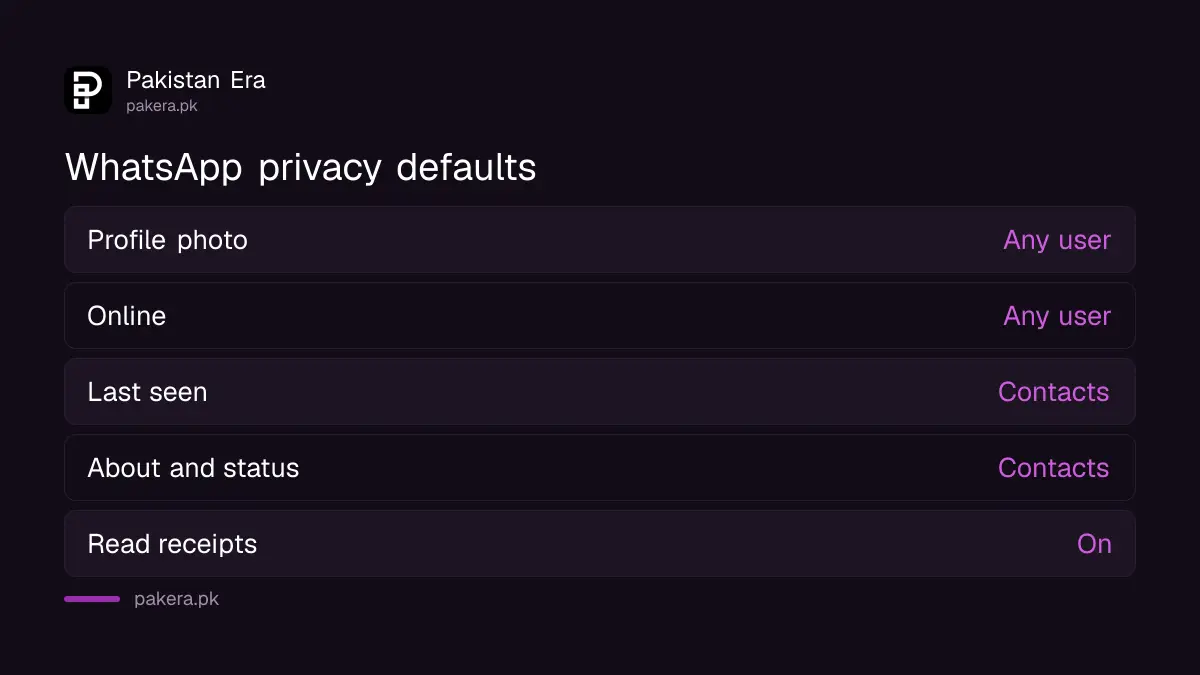
By default, any user can see your profile photo, read receipts and when you are online. Your contacts can see your status, About text, links and last seen. WhatsApp also says it is not possible to see who viewed your profile.
The first group, the "any user" items, is the one to fix first. A photo that anyone can open can also be copied for a fake account in your name. Limiting it to contacts takes ten seconds.
| Item | Default | Options you can pick |
|---|---|---|
| Profile photo | Any user | Everyone, My contacts, My contacts except, Nobody |
| Last seen and online | Contacts for last seen, any user for online | Everyone, My contacts, My contacts except, Nobody |
| About | Contacts | Everyone, My contacts, My contacts except, Nobody |
| Status | Contacts | My contacts, My contacts except, or a chosen audience |
| Read receipts | On | On or off |
Change last seen and online in the Privacy menu
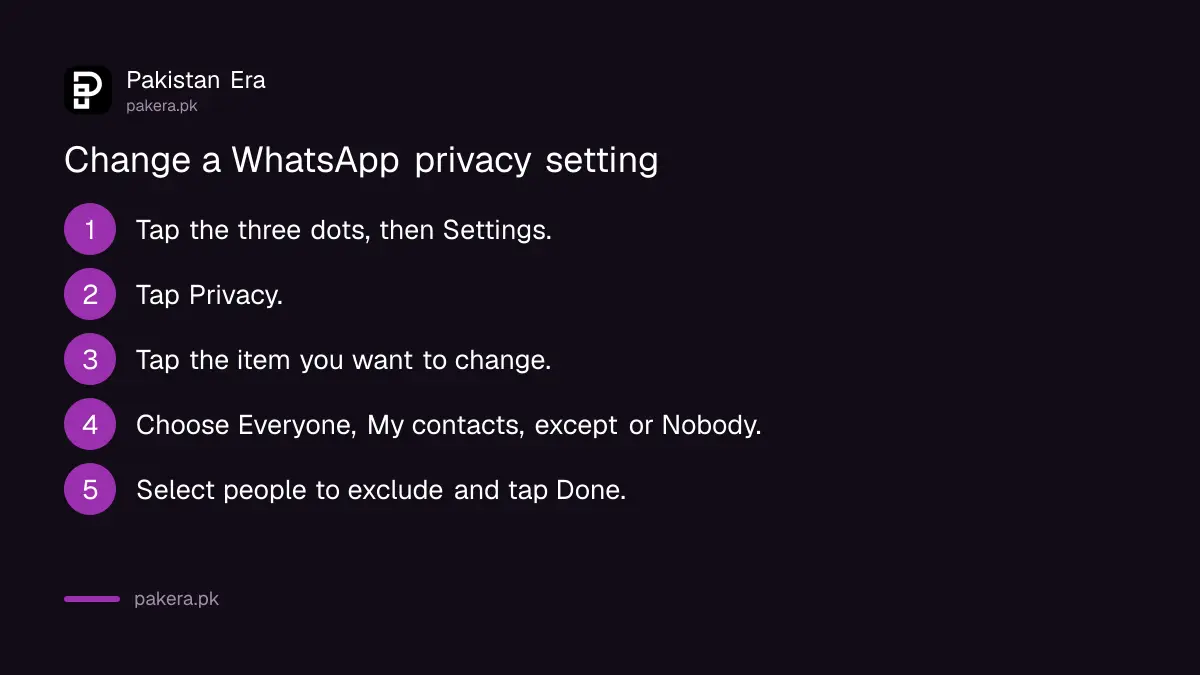
Tap the three dots, then Settings, then Privacy, then Last seen and online. Choose Everyone, My contacts, My contacts except or Nobody. WhatsApp says online means the app is open and connected. It does not mean the person has read your message.
- Open WhatsApp and tap the three vertical dots, then Settings.
- Tap Privacy.
- Tap the item you want to change, such as Last seen and online or Profile photo.
- Choose Everyone, My contacts, My contacts except or Nobody.
- If you pick My contacts except, select the people to leave out and tap Done.
One rule surprises people. WhatsApp says that if you hide your last seen, you cannot see other people's last seen either. That trade is fixed, so decide which you value more.
Pick My contacts except for one awkward person
My contacts except lets everyone in your address book see the item, apart from the people you exclude. Use it for a boss, an ex or a pushy relative. They stop seeing that item, and the others in your contacts are not affected.
A person who suddenly sees no photo may guess what happened. Blocking the contact is the stronger step if you want no contact at all.
For the profile photo specifically, My contacts is a good default for most people. Pair it with a plain photo if you run a shop number that strangers message.
Status privacy works differently
WhatsApp says you cannot set status privacy to Everyone, and you cannot share status with people who do not have your number. You choose who sees a status by building an audience or by mentioning people or groups.
The help page adds a warning. If someone reshares your status from a status mention, they can edit and reshare the content to their own audience. Your name, profile information and phone number are not shown in the reshared status. Mention only people you trust.
If an unknown number can see your statuses, WhatsApp says a contact may have changed their number. Check your status audience before you assume a leak.
Read receipts, typing and your phone number are separate
Turning off read receipts hides the blue ticks, and you will not see other people's either. WhatsApp says read receipts are always sent in group chats. People who are online in a chat with you can still see when you are typing.
Your phone number is another matter. The privacy page says there is no way to hide your phone number when using WhatsApp. Our guide on reserving a WhatsApp username covers the newer username feature, so read it for the current position before you rely on any of this.
For the rest of your account, the Privacy Checkup walks through the main switches in order. Add a passkey from our passkey steps so a stolen SMS code is not enough to take your account.
Common questions
How do I hide my last seen on WhatsApp?
Go to Settings, Privacy, Last seen and online, then choose My contacts, My contacts except or Nobody. You will also stop seeing other people's last seen.
Can someone still see I am online if I hide last seen?
It depends on your Online setting. WhatsApp lets you choose who sees online. If Everyone is selected for online, only people you have messaged, called or saved can see it.
Can I hide my profile photo from one person?
Yes. Choose Profile photo, then My contacts except, and select that person. They will no longer see your photo.
Does turning off read receipts work in groups?
No. WhatsApp says read receipts are always sent for group chats. The setting applies to one to one chats.
Can I hide my phone number?
WhatsApp's privacy page says there is no way to hide your phone number when using WhatsApp. Check our username guide for any newer option.
Why can I not see someone's last seen?
WhatsApp lists several reasons: you hide yours, you have not chatted or saved them, they hid theirs, you are blocked, or there is a temporary connection issue.
How we verified this
What we checked, where we read it, and what we could not confirm.
We read how to change your privacy settings and about last seen and online on WhatsApp's help centre on 12 October 2026. The labels shown on your phone may differ.
About the author

Technology Journalist & Multimedia Producer
Ahmad Ali is a technology journalist and multimedia producer at Pakistan Era, joining the team in October 2026. He covers consumer technology and digital life for Pakistani readers, combining research with hands-on product testing.