WhatsApp Username in Pakistan: Reserve Yours and Hide Your Number
Reserve a WhatsApp username now and keep your number private once it goes live in Pakistan. Setup steps, the username key, and new poll and @all features.
You can reserve a WhatsApp username now: open Settings, tap your profile or Account, then Username. It is not fully live yet. WhatsApp is rolling usernames out country by country and will notify you in the app when yours works. Once active, people who don't have your number see your @username instead.
Joining a school parents' group or selling something online in Pakistan usually means handing your mobile number to strangers. WhatsApp usernames are built to stop that. We read WhatsApp's blog and six of its Help Center pages on 28 September 2026 to see what is live, what is only reserved, and how the new username key works.
WhatsApp opened reservations on 29 June 2026 and said the feature would launch "later this year". Its Help Center still says usernames are "rolling out gradually over the next few months and might not be available to you yet". No official page we found names Pakistan as live.
WhatsApp usernames are reserved now and activated country by country
Reserving works today on the latest version of WhatsApp. Using the username to chat comes later, when WhatsApp switches it on in your country. A reserved name is held for you, and nobody can see it or message you through it until it goes live.
That split matters. Plenty of people reserve a name, then wonder why friends cannot find them. Until WhatsApp sends you a notification that your username is active, nobody can reach you by it.
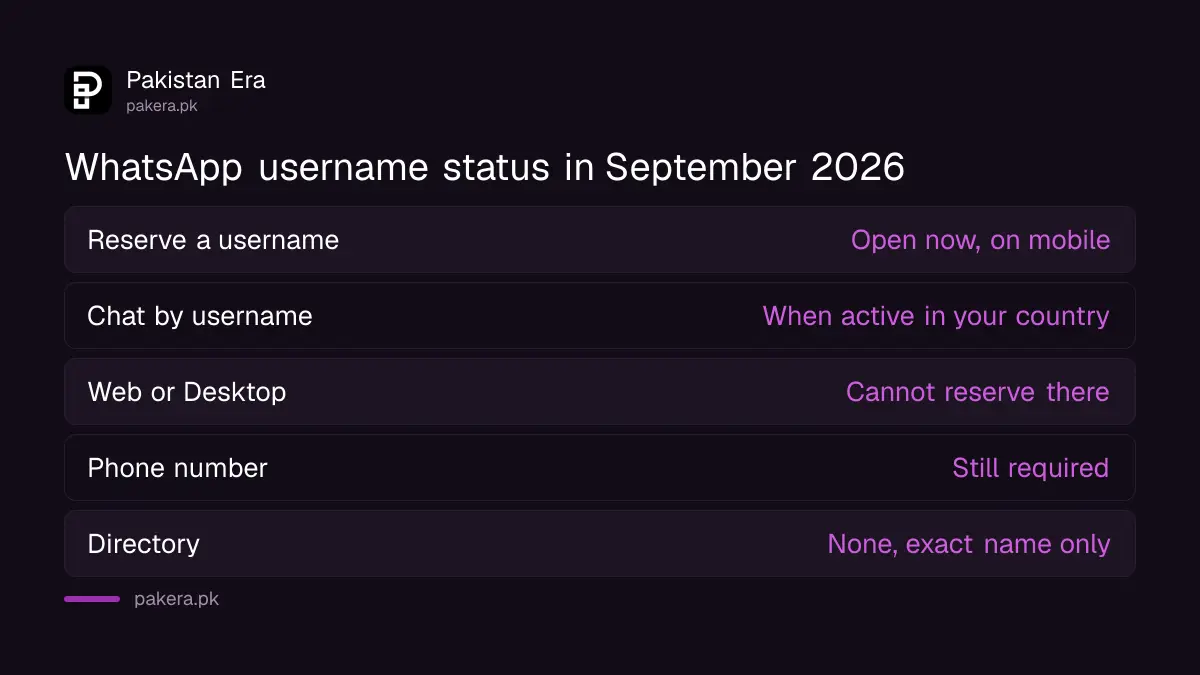
| Question | Answer from WhatsApp's own pages |
|---|---|
| Can I reserve a username now? | Yes, on the mobile app, since 29 June 2026 |
| Can people message me by it now? | Only once it is active in your country |
| Can I reserve on WhatsApp Web or Desktop? | No, only on your main phone |
| Do I still need a phone number? | Yes, every account still needs one |
| Is it compulsory? | No, it is optional |
| Is there a directory of usernames? | No, people must type your exact username |
Set up your WhatsApp username in under a minute
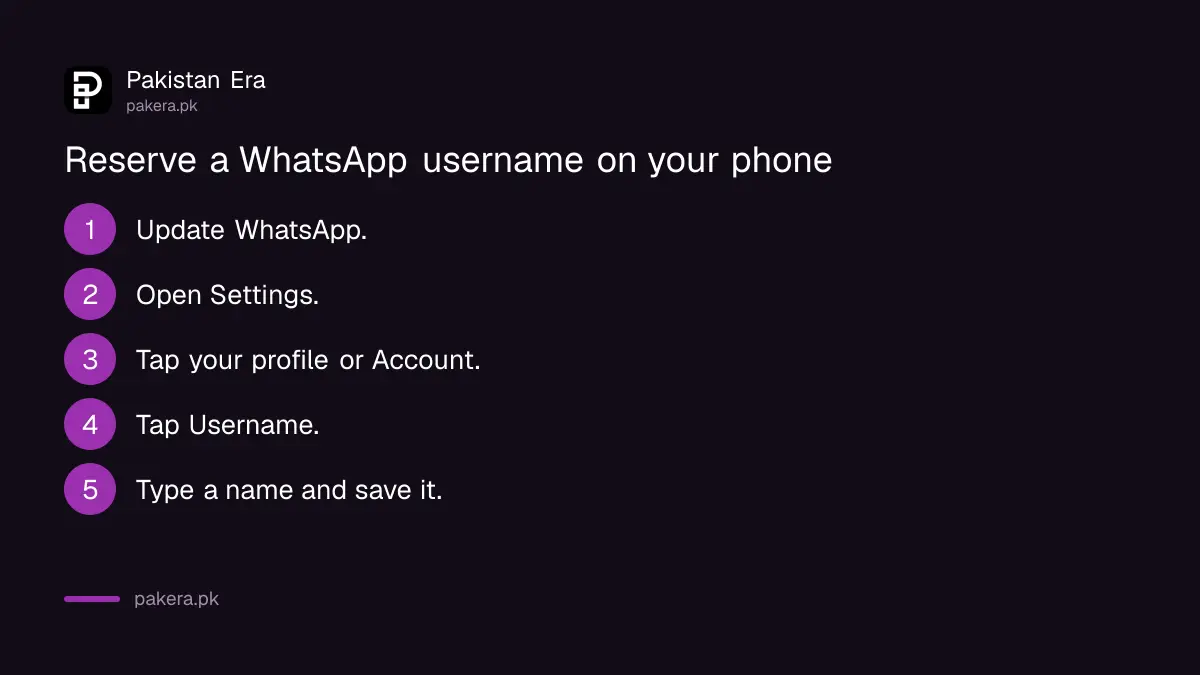
Update WhatsApp first, then open Settings and go to Username. WhatsApp's blog gives the path as Settings, Account, Username. Its Help Center shows it under your profile. Pick a unique name that starts with @, and save it.
- Update WhatsApp from the Play Store or App Store.
- Open WhatsApp, tap the three dots on Android, then Settings. On iPhone, tap Settings at the bottom.
- Tap your profile photo area, or Account, depending on your version.
- Tap Username.
- Type the name you want, or tap Suggest a username, then save it.
If you see "Username is taken", someone got there first. WhatsApp suggests adding numbers or an underscore, for example @name_lahore or @name1. If you see "This username is not available", the name may be held for its owner on Instagram or Facebook. You can claim your own Instagram or Facebook name by adding WhatsApp to the same Accounts Center, which Meta is renaming Meta Account.
Some names are held back for businesses, governments and public figures. Scammers can still pick lookalike names, so treat any official-sounding username with the same care as an unknown number.
No Username option at all? Update the app and restart it. If it is still missing, usernames have not reached your region yet. Reserving is not possible on WhatsApp Web or Desktop, so use your phone.
The username key blocks strangers who only know your name
A username key is an optional code that WhatsApp generates for you. With it on, a new person needs both your username and the key to message you for the first time. WhatsApp's own example key is four digits, 1427. You cannot choose the digits yourself.
This is the feature many people call a "username PIN". WhatsApp calls it a key. Turn it on like this: Settings, tap your profile area, Username, Contact me by username, then choose People who know my key and tap Save key.
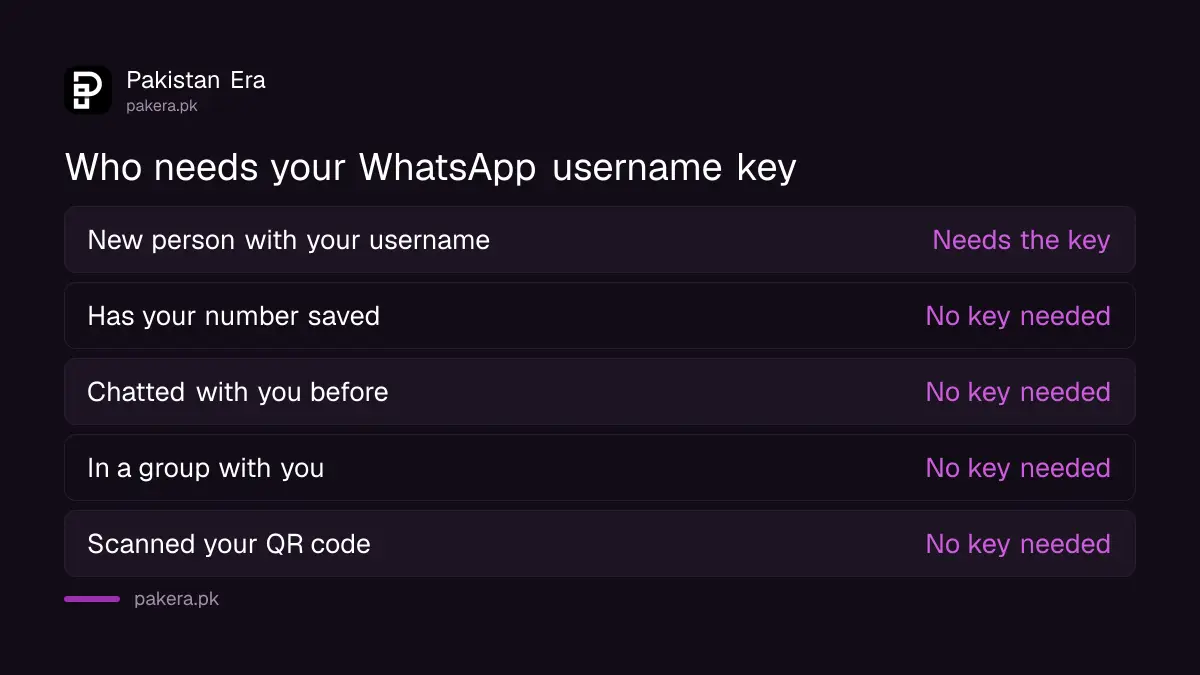
Five kinds of people never need the key:
- People who already have your phone number saved
- People you have chatted with before
- People in a group with you
- People who scanned your QR code
- People you messaged first
Two details are easy to miss. If your WhatsApp is linked to a Meta account that says you are under 18, the key is on by default. And WhatsApp will not tell you when someone fails to reach you because they lacked the key.
What a username hides, and what it does not
With a username active, anyone who hasn't saved your number sees your @username instead of your digits, in chats, groups and calls. Your number stays on the account, though. Anyone who already has it can still message you, and a first message may show your number's country.
WhatsApp says creating a username also removes your number from existing chats with people who don't have it saved. People who have you saved keep seeing the name they stored and your number. Delete the username later and your number becomes visible again.
So a username is a privacy tool, not a shield. It helps in large WhatsApp communities and school groups, and when you sell on marketplaces. It does not protect an account from takeover. That still needs two-step verification or a passkey, and keeping the six-digit code to yourself. If WhatsApp restricts your account after a spam report, what to do is different again, and an account under review follows its own process.
Other WhatsApp features confirmed in August 2026
WhatsApp's blog confirmed two sets of updates in August 2026. Group polls can now close at a set time, hide who voted, and be edited for 15 minutes. The @all mention alerts a whole group. Two-step verification moved from a six-digit PIN to a full password.
| Feature | What it does | Announced |
|---|---|---|
| Poll end time | Voting locks when the time is up | 4 August 2026 |
| Hide voter names | Group sees results, not who voted | 4 August 2026 |
| Edit a poll | Fix the question within 15 minutes | 4 August 2026 |
| @all mention | Alerts everyone, even in muted groups; admins only in groups over 32 | 4 August 2026 |
| New group from a group | Start a side chat with members in one tap | 4 August 2026 |
| More than one passkey | Useful if you use Android and iPhone | 25 August 2026 |
| Two-step password | Longer password with letters and symbols | 25 August 2026 |
| Unknown caller details | Android shows country and shared groups | 25 August 2026 |
You can mute @all alerts in notification settings if a busy group abuses it. And if your phone is very old, none of this reaches you: WhatsApp no longer works on Android 5 phones, and older iPhones lose it on 30 November.
Common questions
Are WhatsApp usernames live in Pakistan?
Not confirmed. You can reserve one, but WhatsApp says usernames reach countries gradually and it will notify you in the app when yours is active. No official page lists Pakistan as live.
How do I reserve a WhatsApp username?
Update WhatsApp, open Settings, then Account or your profile, then Username. Type a unique name or tap Suggest a username, and save.
What is the WhatsApp username PIN?
WhatsApp calls it a username key. It is an optional code WhatsApp generates. New contacts need it, plus your username, to message you for the first time.
Will a username hide my number from everyone?
No. People who already have your number saved still see it. A username hides it only from people who don't have it.
Can I change or delete my WhatsApp username?
Yes, at any time. Once you let a username go, someone else may claim it, and deleting it makes your number visible again.
How we verified this
What we checked, where we read it, and what we could not confirm.
Last checked on 28 September 2026. The reservation launch date, the path Settings, Account, Username and the gradual country rollout are from WhatsApp's blog post It's time to reserve your WhatsApp username, dated 29 June 2026. What a username hides, who needs a username key, the key settings path, the under-18 default, the Web and Desktop limit and the error messages are from WhatsApp Help Center pages, including How to add and manage your username key. The poll, @all, passkey, two-step password and caller details features are from WhatsApp's blog posts of 4 August and 25 August 2026. We did not see an official statement that usernames are active in Pakistan.
About the author

Public Services and Education Journalist
Fajr Riaz is a journalist and content writer at Pakistan Era, based in Lahore. She covers the questions people meet in everyday life in Pakistan: how a public service works, what a change in the rules means, and where to find a reliable answer.