YouTube Not Working in Pakistan: Fix Something Went Wrong, Playback Error and 6 More Errors
YouTube not working? Fix Something went wrong, Playback error and 6 more messages on phone, laptop and TV, plus the internet speed each video quality needs.
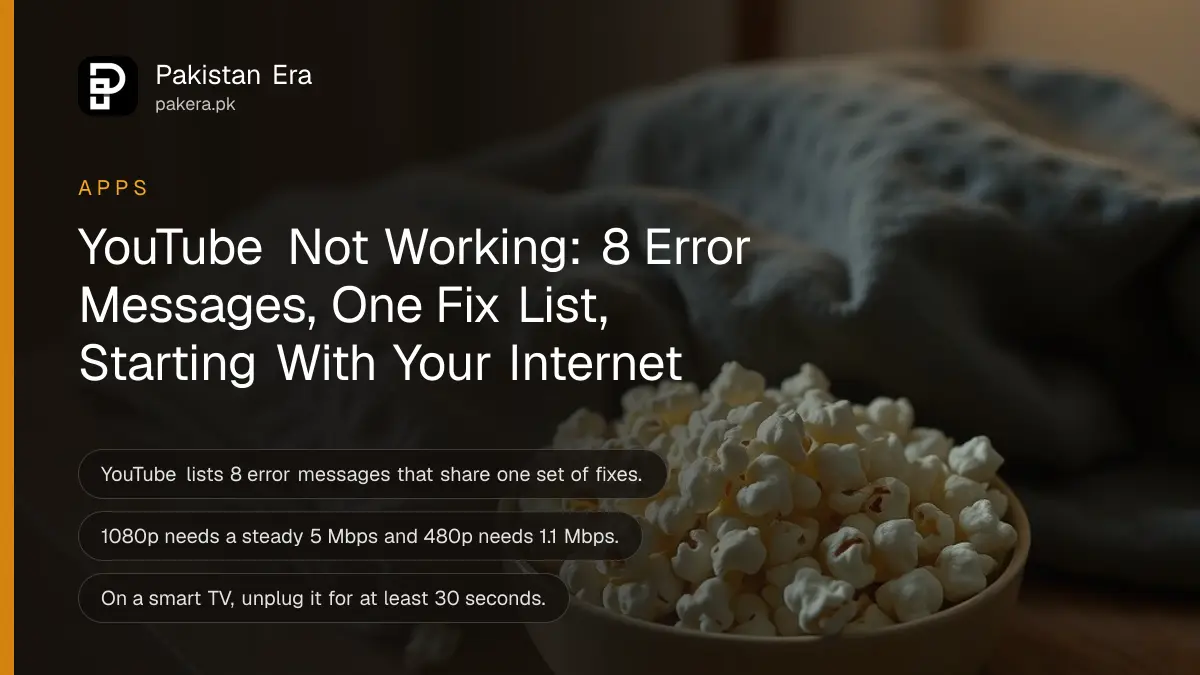
When YouTube is not working and shows "Something went wrong" or "Playback error. Tap to retry", restart your internet, close and reopen the app, update it, and turn off any ad blocker. Those four steps clear most YouTube errors on a phone, laptop or smart TV. Below is every error message YouTube lists, the speed each video quality needs, and the fix for each device.
We read YouTube's help page on video errors on 2 November 2026. It lists eight error messages and eleven checks. In Pakistan the most common cause is plain: a slow or patchy mobile connection that cannot hold the quality the video is set to. So the speed table below is the first thing to check.
YouTube lists eight error messages, and one fix list covers them all
YouTube's help page groups eight messages together, from "An error has occurred" to "Connection to server lost". It gives one set of fixes for all of them, so you do not need a different method for each message you see.
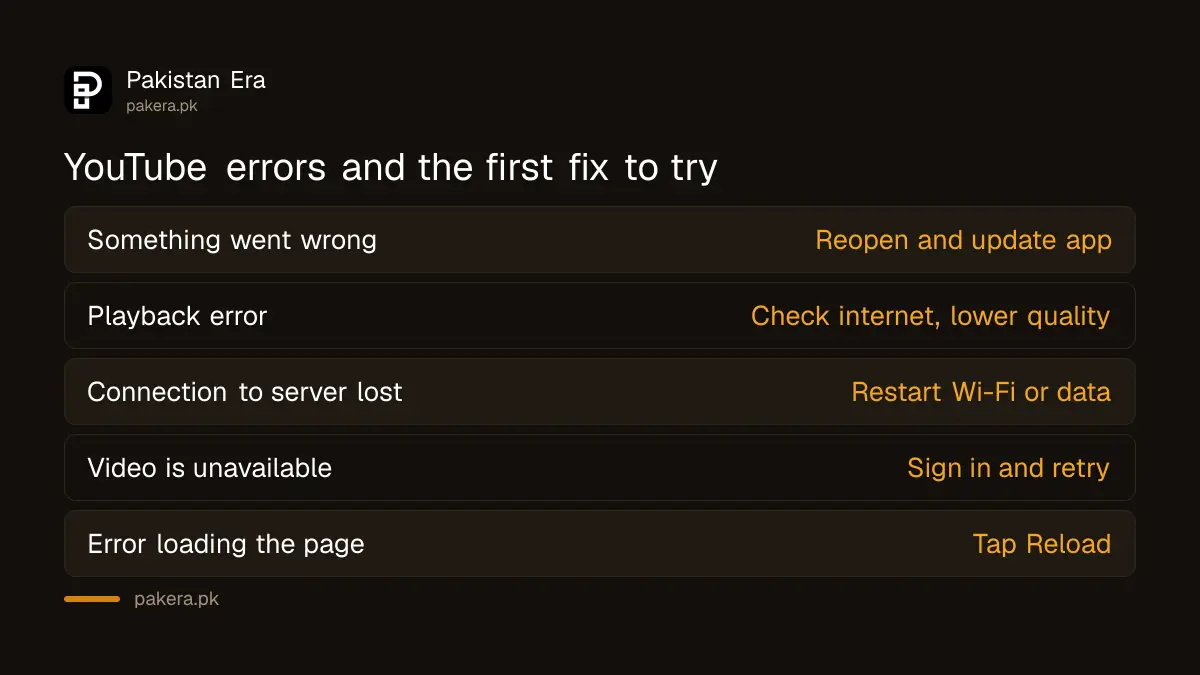
| Error message you see | What usually helps first |
|---|---|
| An error has occurred. | Restart the app or browser |
| Playback error. Tap to retry. | Check internet, lower quality |
| Connection to server lost. | Restart Wi-Fi or mobile data |
| This video is unavailable. | Sign in, check the video still exists |
| Something went wrong. Tap to retry. | Close and reopen the app, update it |
| Experiencing interruptions? Find out why. | Speed test, fewer devices on Wi-Fi |
| Error loading the page, please try again. | Tap Reload, or try later |
| Something went wrong. Refresh or try again later. | Refresh, clear cache, disable extensions |
The "what usually helps first" column is our reading of which of YouTube's fixes fits each message best. YouTube itself gives one shared list.
Your internet speed decides which quality plays without stopping
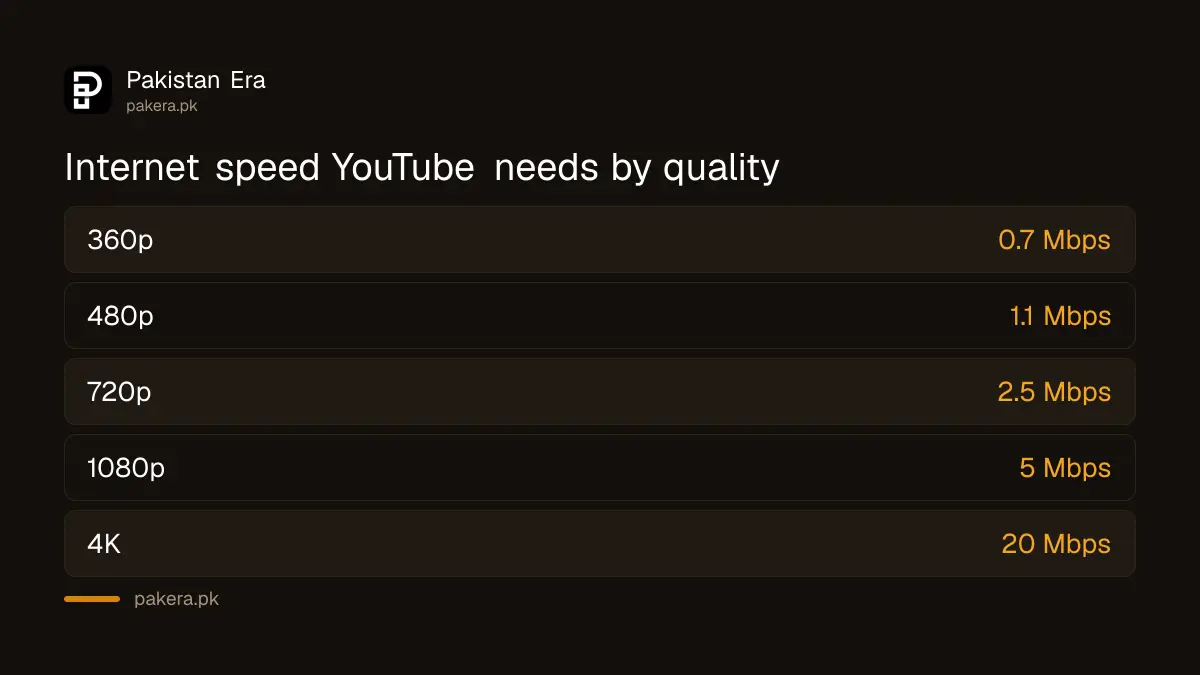
YouTube recommends a steady 0.7 Mbps for 360p, 1.1 Mbps for 480p, 2.5 Mbps for 720p, 5 Mbps for 1080p and 20 Mbps for 4K. If your connection drops below that, the video buffers or throws a playback error.
Run a speed test on the same phone or laptop. If you get 2 Mbps on mobile data, a 1080p video will keep stopping, while 480p should play. Tap the gear icon on the video and pick a lower quality. You can also set a default so YouTube stops choosing high quality on mobile data; the steps for YouTube quality settings and data saver show where.
YouTube also says other devices on the same network can slow you down. A family Wi-Fi with three phones streaming and a TV streaming at the same time will struggle on a basic home package.
Eleven fixes from YouTube, in the order worth trying
YouTube's list covers internet, sign in, restarting, updates, browsers, extensions, ads and DNS. Work through them in the order below. Most people are fixed by the third or fourth step, and the later ones matter mostly on laptops.
- Restart your router or turn mobile data off and on, then run a speed test.
- Lower the video quality from the gear icon.
- Close the YouTube app fully, or restart the phone. Reinstall the app if it keeps failing.
- Update the YouTube app from the Play Store or App Store, and update the phone's system software.
- Make sure mobile data is allowed for YouTube in your phone's settings.
- Sign in. YouTube says signed out users can be blocked from some videos.
- On a laptop, update Chrome, Firefox or Safari, or clear the cache and cookies.
- Turn off ad blockers and other extensions, or test in an incognito window.
- Allow ads on YouTube. YouTube lists ad blockers as a cause of playback errors.
- Check that no app has changed your DNS settings.
- Open Stats for Nerds on the video to see how it is actually playing.
Step 10 catches people who installed a "DNS changer" or similar network app months ago and forgot it. If you set a custom DNS yourself, the steps to change DNS on Android and Windows also show how to switch it back.
Smart TVs and Android TV boxes need a power cycle
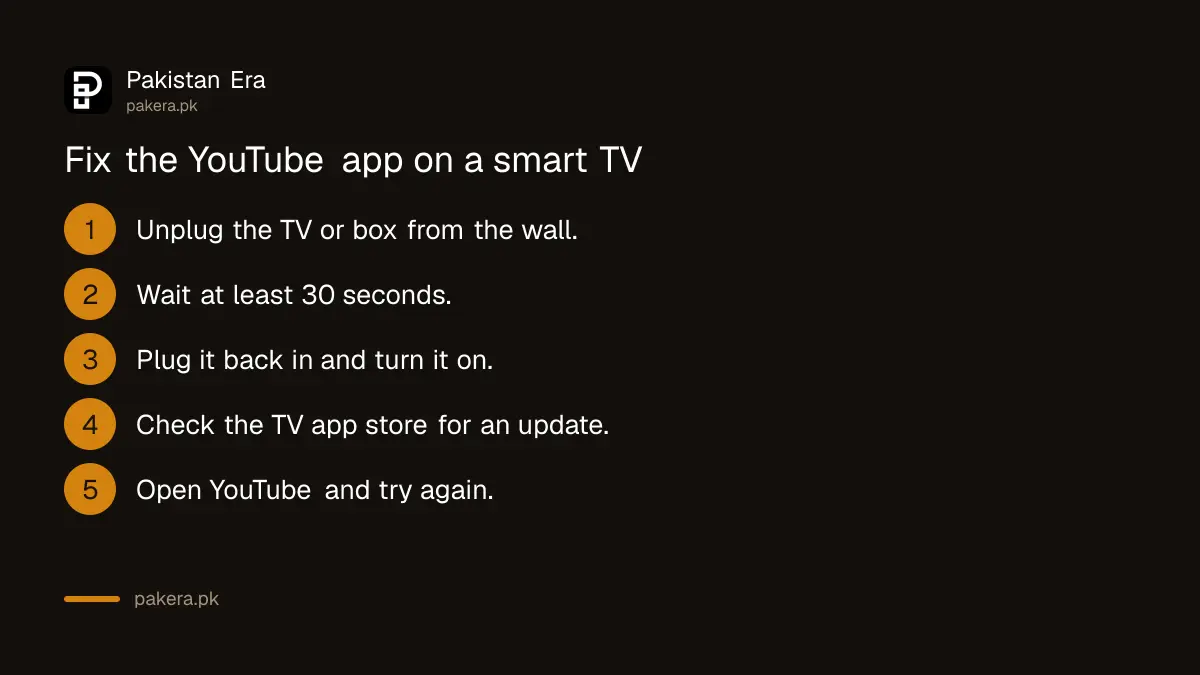
For a TV, YouTube calls a power cycle the most effective fix. Unplug the TV or streaming box from the wall, wait at least 30 seconds, and plug it back in. Then check the TV's app store for a YouTube update.
Turning the TV off with the remote is not the same thing. Most TVs only go to standby, so the app stays stuck. Pull the plug. If the YouTube app on an Android TV box still fails after that, the steps to update apps on an Android TV cover the Play Store on the TV itself.
No sound and "Error loading the page" have their own short fixes
For no sound, YouTube says to check that volume is on for the browser or device, check the device's sound settings, and restart. For "Error loading the page", tap Reload or refresh the browser, and if that fails, try again later.
On a laptop, the volume icon on the video itself is often muted by accident. If every app on the laptop is silent, not just YouTube, the problem is Windows, and the no sound on Windows 11 fixes apply instead.
When the page error appears, YouTube notes you may not see the Like, Share or Download buttons, the description or comments. That is a loading problem, not a ban on your account.
When nothing works, the problem may not be on your side
If YouTube fails on every device, on both Wi-Fi and mobile data, and other websites open normally, the fault is likely with YouTube or your internet provider, not your phone. Wait and try again later rather than resetting anything.
A quick check: open YouTube on a phone using a different network. If it works there, call your home internet provider. If it fails everywhere, give it an hour. Do not install "YouTube fix" apps or unofficial YouTube versions from websites. They are a common way malware gets onto phones.
Common questions
Why does YouTube say "Something went wrong. Tap to retry"?
It usually means the app lost its connection or got stuck. Check your internet, close and reopen the app, and update it. YouTube's help page lists this message with the same fixes as other playback errors.
What internet speed does YouTube need for 1080p?
YouTube recommends a steady 5 Mbps for 1080p, 2.5 Mbps for 720p and 1.1 Mbps for 480p. 4K needs 20 Mbps.
Can an ad blocker stop YouTube from playing?
Yes. YouTube lists ad blockers and other browser extensions among the causes of playback errors and asks you to turn them off or allow ads.
How do I fix YouTube on a smart TV?
Unplug the TV or streaming box, wait at least 30 seconds and plug it back in. Then check for a YouTube app update in the TV's app store.
Why is YouTube working on Wi-Fi but not on mobile data?
Check that mobile data is allowed for YouTube in your phone's app settings, and that your data bundle has not run out. Lower the video quality if the mobile signal is weak.
How we verified this
What we checked, where we read it, and what we could not confirm.
On 2 November 2026 we read YouTube's help pages Troubleshoot YouTube video errors and How to fix no sound on YouTube. The eight error messages, the eleven fixes, the speed figures and the TV power cycle step come from those pages. The order of the fixes and the "what usually helps first" column are our own judgement. We could not check whether any YouTube outage was affecting Pakistan when we wrote this.
About the author

Technology Journalist & Multimedia Producer
Ahmad Ali is a technology journalist and multimedia producer at Pakistan Era, joining the team in October 2026. He covers consumer technology and digital life for Pakistani readers, combining research with hands-on product testing.