How to Link AdSense to Your YouTube Channel in Pakistan: New or Existing Account, Step by Step
Link AdSense to your YouTube channel in Pakistan from YouTube Studio: new or existing account, the 32 day change rule, approval times and fixes for failures.
To link AdSense to your YouTube channel, open YouTube Studio, go to Earn, and click Start on the "Sign up for AdSense for YouTube" card. Sign in with the Google account you want paid, then submit your details or click Accept Association for an existing account. Linking an existing AdSense account takes minutes. A new one usually takes several days to approve, and sometimes 2 to 3 weeks.
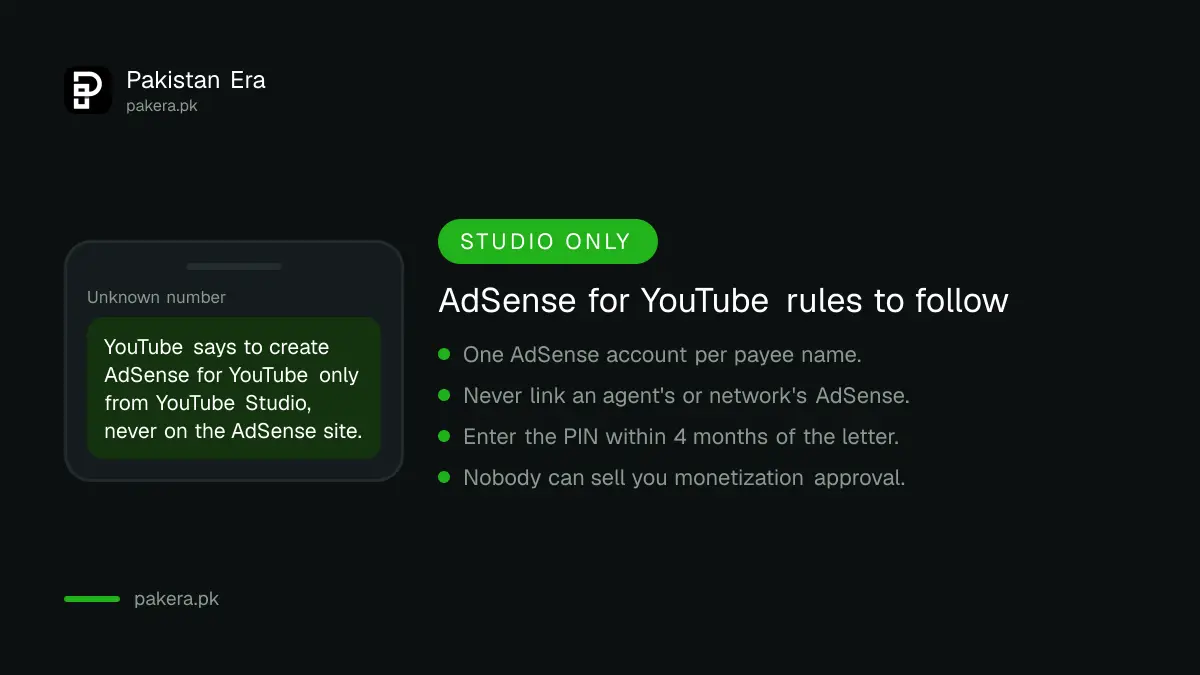
Most Pakistani creators who get stuck here make the same mistake: they open adsense.com and sign up there. YouTube says that route gets the account disapproved and can switch off monetization. Start inside YouTube Studio every time.
| Your situation | What to do in YouTube Studio | How long it takes |
|---|---|---|
| No AdSense account yet | Earn, Start on the AdSense for YouTube card, submit details | Several days, sometimes 2 to 3 weeks |
| Already have AdSense (website or old channel) | Earn, Start, sign in to that account, Accept Association | A few minutes; up to 24 hours to show |
| Want a different linked account | Earn, Change on the AdSense card | Allowed once every 32 days |
| New account disapproved as a duplicate | Use the old account with Change Association, or close it and reapply | A few days after closing |
How to set up a new AdSense for YouTube account
Once your channel is accepted into the YouTube Partner Program, the Earn tab shows a card to sign up for AdSense for YouTube. Click Start, confirm your password, choose the Google account that will receive payments, add your contact details and submit. YouTube emails you when it is approved.
- Sign in to YouTube Studio.
- Click Earn in the left menu.
- Click Start on the Sign up for AdSense for YouTube card.
- Enter your YouTube password if asked.
- Choose the Google account to use. Check the email at the top; if it is wrong, click Use a different account.
- Add your contact details and submit the application.
Use the same name as on the Pakistani bank account you will be paid into, so the two records match. Type the address the post office uses for your house too. The PIN letter comes to that address.
You must be at least 18, or have a legal guardian over 18 who handles the payments through AdSense. Many Pakistani channels are run by students, and in that case the parent's details go on the account.
How to link an existing AdSense account to YouTube
If you already have AdSense, for a website or an older channel, link that one instead of making another. YouTube allows only one AdSense or AdSense for YouTube account per payee name. You sign in with the Google account that holds it and click Accept Association.
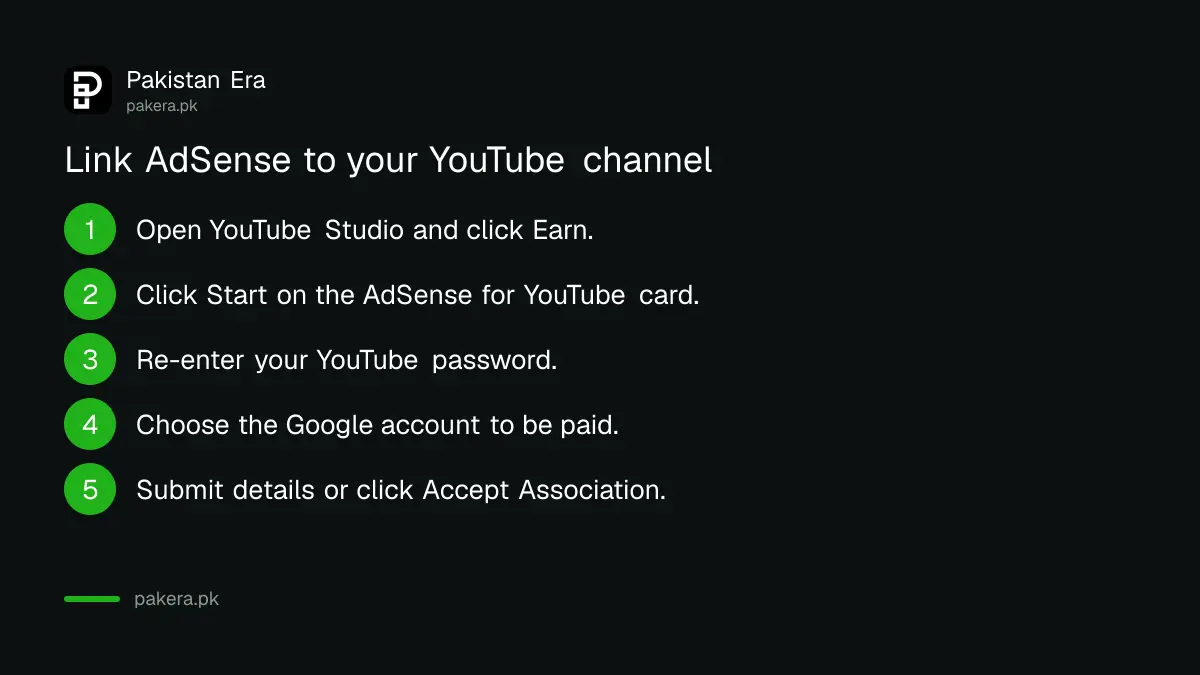
- Open YouTube Studio and click Earn.
- Click Start on the Sign up for AdSense for YouTube card.
- Re-enter your YouTube password.
- Choose the Google account that owns your existing AdSense account. It may not be the one you use for YouTube.
- Click Accept Association.
- You return to the Earn page, and a green Done sign appears on the card.
The link usually works within minutes, though YouTube says it can take up to 24 hours to show. Monetization starts once the association is complete.
Change the AdSense account linked to your channel
Open Earn in YouTube Studio, find the card with your current AdSense for YouTube account, and click Change. Sign in to the account you want, check your channel URL under "Your website", and click Accept association. YouTube lets you do this only once every 32 days.
- In YouTube Studio, click Earn.
- Find the AdSense for YouTube card under the Partner Program options and click Change.
- Re-enter your password, then sign in to an existing account or create one.
- Check the account at the top and your channel URL under Your website.
- Click Accept association. Click Redirect if the page does not move on.
AdSense accounts cannot be transferred to another person. If you sell or hand over a channel, the new owner links their own account. Handing a channel to a partner or agency is a separate job, done through YouTube channel ownership and Brand Accounts.
Fixes when the AdSense link fails
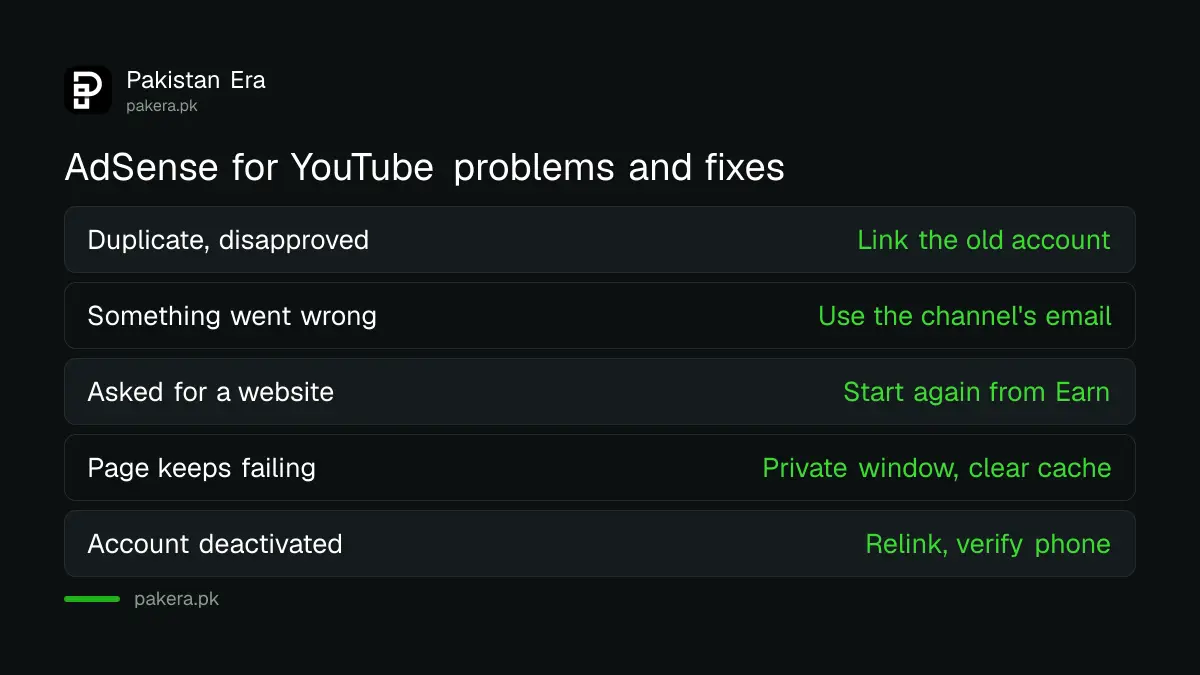
The common failures are a duplicate account, an "Oops, something went wrong" error and a request for a website URL. A duplicate is fixed by using the old account or closing it. The error is usually the wrong Google account. A website prompt means you opened regular AdSense instead of YouTube Studio.
| Problem | Fix |
|---|---|
| New account disapproved as duplicate | Click Change Association and pick your old account, or close the old one and reapply |
| "Oops, something went wrong" | Sign in with the email used for YouTube; for a Brand Account, the email that created the channel |
| Asked for a website URL | Stop; go back and start from Earn in YouTube Studio |
| Page keeps failing | Close all tabs, clear cache and cookies, try a private window |
| Account deactivated | Link it to your channel, sign in, verify your phone number again |
YouTube deactivates an AdSense for YouTube account if setup is left unfinished, or if it has no ad activity or earnings. It emails a warning after 5 months and deactivates after 6. Deactivation does not touch your channel, and linking plus a fresh phone check brings it back.
After linking: PIN, tax form and payment to Pakistan
Linking is the start, not the payday. AdSense mails a PIN letter once your balance reaches $10, and you must enter it within 4 months or payments pause. Then add US tax info and your Pakistani bank for the wire transfer.
Allow at least 3 weeks for the PIN letter before you ask for a new one, and check the address matches your post office's version. Verifying the AdSense PIN covers a letter that never arrives. The US tax info for YouTube AdSense decides how much is held back from US views. The wire transfer, thresholds and bank charges are in AdSense payment in Pakistan.
Never let an agent or "MCN" link their AdSense to your channel. YouTube says creators in a network must link their own account. A stranger's account means a stranger gets your earnings.
Common questions
Can I use my website's AdSense account for YouTube?
Yes. Click Start on the AdSense for YouTube card, sign in with that account and click Accept Association. One payee can have only one AdSense account.
How long does AdSense for YouTube approval take in Pakistan?
A new account usually takes several days, and sometimes 2 to 3 weeks. Linking an existing account takes minutes, and up to 24 hours to show.
Why was my new AdSense for YouTube account disapproved?
Usually because an AdSense account already exists under the same payee name. Link the old account, or close it and apply again.
Can I change my linked AdSense account on YouTube?
Yes, from the Earn tab with the Change button. You can do this once every 32 days.
Can I create AdSense for YouTube on adsense.com?
No. YouTube says to create it only from YouTube Studio. Signing up on the regular AdSense site can get the account disapproved and turn off monetization.
Do I need to be 18 to link AdSense to YouTube?
Yes, or a legal guardian over 18 must handle payments through AdSense for you.
How we verified this
What we checked and where we read it.
Last checked 21 November 2026. The steps, timings, the one account per payee rule and the fixes are from YouTube Help, Set up an AdSense for YouTube account to get paid on YouTube and Change your linked AdSense for YouTube account. The deactivation rules are from YouTube Help's article on deactivated AdSense for YouTube accounts, and the age rule from How to earn money on YouTube.
About the author

Technology Journalist & Multimedia Producer
Ahmad Ali is a technology journalist and multimedia producer at Pakistan Era, joining the team in October 2026. He covers consumer technology and digital life for Pakistani readers, combining research with hands-on product testing.