How to Turn On Facebook Professional Mode in Pakistan: 4 Clicks, Free, and What Changes
Turn on Facebook professional mode in Pakistan in 4 clicks, free. See what changes for followers and privacy, which tools open up, and how to switch it off.
To turn on Facebook professional mode (now called pro mode), open your profile, tap or click Options below your cover photo, choose Turn on pro mode, and confirm with Turn on. It is free, it keeps your friends and posts, and you can switch it off at any time. The one thing it changes straight away is who can follow you: the setting moves to Public.
Pro mode turns a personal profile into a creator profile without making a separate Page. That suits Pakistani creators who already have a few thousand friends and do not want to start again from zero followers. Before you switch, read the table. It sets out what you gain and what you give up.
| When you turn pro mode on | When you turn it off again |
|---|---|
| Who can follow you moves to Public | Who can follow you moves back to Friends |
| Public followers can follow you | Followers who are not friends are removed |
| Content and audience insights open up | Insights become unavailable |
| Moderation Assist and safety tools | Moderation Assist is removed |
| Posts can be shown to new people | No more discovery chances |
| Monetization tools, if you are eligible | Future payouts and bonuses are paused |
How to turn on pro mode on your Facebook profile
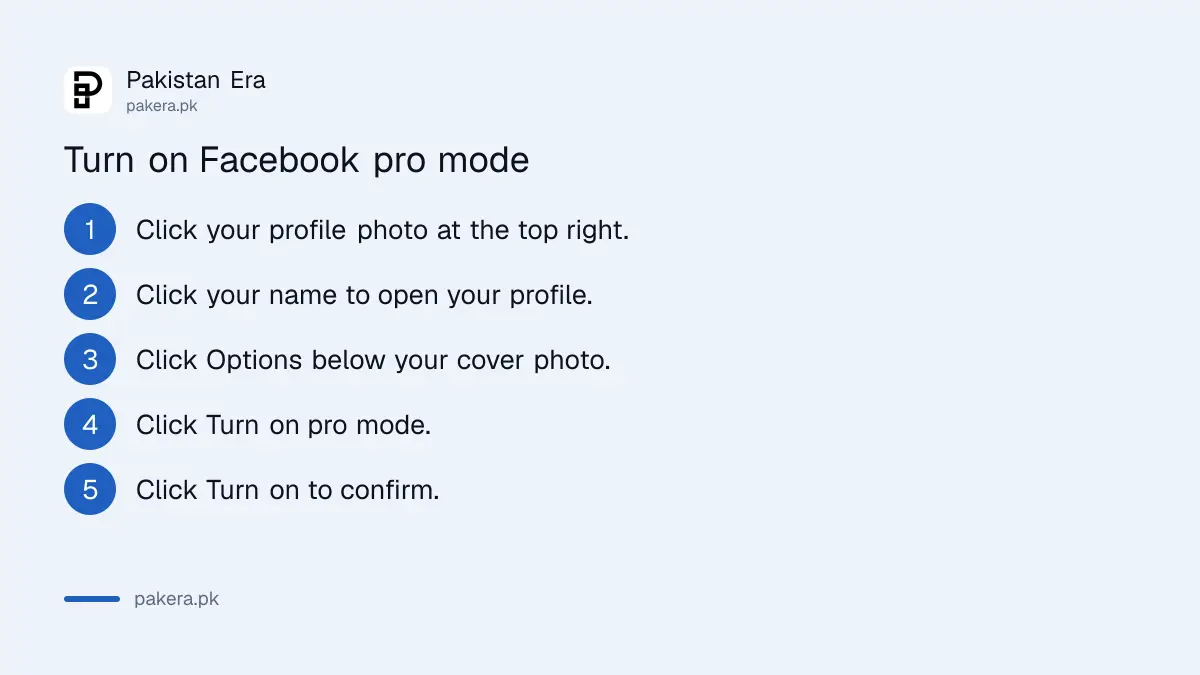
Facebook puts the switch in the Options menu on your own profile. On a computer it takes four clicks: your profile photo, your name, Options, then Turn on pro mode. You confirm once more and the profile changes at once. Nothing you posted before is deleted.
- Click your profile photo at the top right of Facebook, then click your name.
- Click Options below your cover photo.
- Click Turn on pro mode.
- Click Turn on to confirm.
In the Facebook app the switch sits in the same place: open your own profile and use the options button under your profile header. Labels can differ a little between app versions, so look for the words "pro mode" or "professional mode".
Once it is on, your profile shows a professional dashboard. That is where the insights, the tools and any monetization offers live. A good first step is to check that your profile name is the one you want people to search for, because changing a Facebook name later is limited to once every 60 days.
What changes for your friends, followers and privacy
Your friends and your old posts stay exactly as they were. What changes is who can follow you. Facebook sets the follow setting to Public, so anyone can follow your public posts. You can change that setting later, but most creators leave it public to grow.
Friends see everything they saw before. Followers who are not friends see only the posts you share publicly. So check the audience on your old posts before you switch. A family photo set to Public in 2019 will now reach strangers who follow you.
Run Facebook Privacy Checkup before or straight after you switch. It lets you limit old posts to friends in one step, and set who can see your friends list, phone number and email.
Pro mode tools you can use straight away
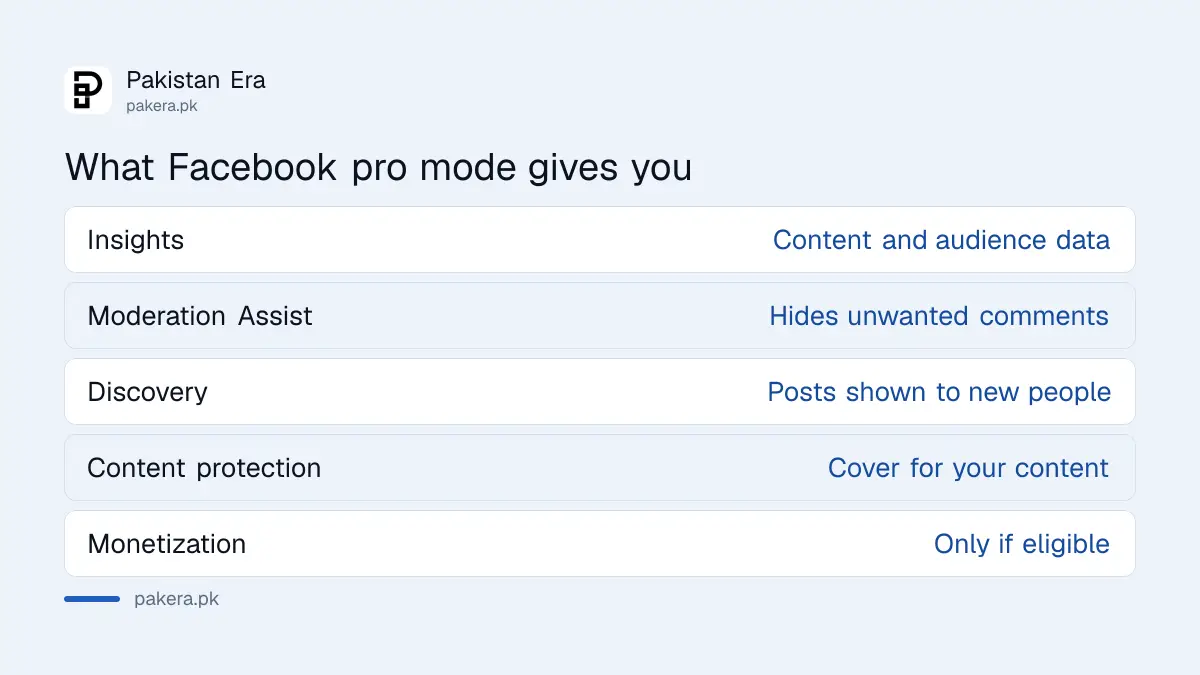
Every pro mode profile gets content and audience insights, Moderation Assist and a chance to be shown to people who do not follow you. These are free and work in Pakistan. Money tools are a different matter, and Facebook only offers them to profiles it decides are eligible.
- Insights: how many people saw each post, who your audience is and when they are online.
- Moderation Assist: automatic hiding of unwanted comments on your posts.
- Discovery: your public posts can be recommended to people outside your friends.
- Content protection: cover for your own content. Facebook removes it from all your content if you switch pro mode off.
To plan and schedule posts for your pro mode profile and an Instagram account together, Meta Business Suite scheduling is free.
Pro mode does not mean Facebook will pay you in Pakistan
Turning on pro mode is a first step, not a payment switch. Facebook's Content Monetization programme is invite-only, and Pakistan is not on Meta's list of countries for it. Pro mode opens the dashboard where an offer would appear if one came, nothing more.
The best way to see what is open to you is the professional dashboard itself. If no earning offer appears there, your profile is not eligible yet. The full position is set out in checking a Facebook Content Monetization invite, along with the earning options that do reach Pakistani creators.
Ignore anyone in Pakistan selling "monetized" profiles or promising to unlock Facebook payouts for a fee. Facebook decides eligibility, and buying a profile breaks its rules. A profile that keeps posting copied clips also loses reach, so original videos matter more than the switch.
How to turn off pro mode, and what you lose
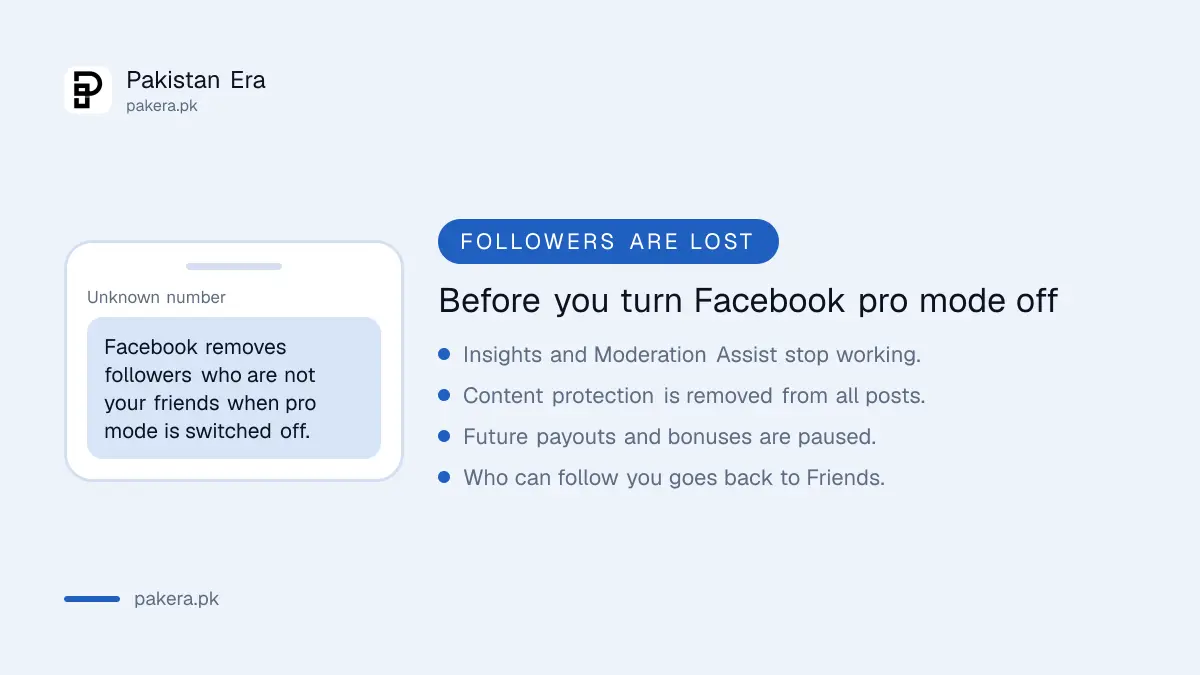
Use the same Options menu: Options, Turn off pro mode, Continue, then Turn off. Your friends and posts stay. Followers who are not your friends are removed, insights and Moderation Assist go, and any future payouts or bonuses are paused.
- Click your profile photo at the top right, then your name.
- Click Options below your cover photo.
- Click Turn off pro mode.
- Click Continue, then Turn off.
Payouts or bonuses already pending still come through. If you switch pro mode back on later, public followers can follow you again. Think twice if you have built a big following: the followers who are not friends do not come back on their own.
Common questions
Is Facebook professional mode free in Pakistan?
Yes. Pro mode costs nothing and you can turn it on or off at any time. Meta Verified, the paid blue tick, is a separate product.
Will my friends know I turned on professional mode?
Little changes for them. Your friends stay friends and see the same posts as before. The visible change is that strangers can now follow your public posts.
Do I need 1,000 followers for Facebook pro mode?
No. Facebook's help page sets no follower minimum for turning pro mode on. Follower targets apply only to some earning tools.
Can I earn money on Facebook after turning on pro mode in Pakistan?
Not automatically. Content Monetization is invite-only and Pakistan is not on Meta's country list. Any offer you are eligible for appears in the professional dashboard.
Should I make a Facebook Page or use pro mode?
Use pro mode if your audience already knows you personally and you want to keep your friends. A Page suits a shop, brand or team that several people run.
What happens to my followers if I turn pro mode off?
Followers who are not your friends are removed. Friends stay, and public followers can follow again if you turn pro mode back on.
How we verified this
What we checked and where we read it.
Last checked 21 November 2026. The steps to turn pro mode on and off, and every change listed in the table, are from Facebook Help, Turn pro mode on or off for your Facebook profile. That page gives the computer steps; the app follows the same Options menu on your profile. Meta's business help page How to turn on pro mode for your Facebook profile describes the same switch. The Content Monetization position for Pakistan is from Meta's own country list for the programme.
About the author

Technology Journalist & Multimedia Producer
Ahmad Ali is a technology journalist and multimedia producer at Pakistan Era, joining the team in October 2026. He covers consumer technology and digital life for Pakistani readers, combining research with hands-on product testing.