Transfer YouTube Channel Ownership in Pakistan: Brand Account Steps, the 7-Day Rule and Every Role
Transfer YouTube channel ownership in Pakistan: add an owner on the Brand Account, wait 7 days, then set the primary owner. See every role and what not to do.
To transfer YouTube channel ownership in Pakistan, the channel must sit on a Brand Account. Add the new person as an Owner, wait until they have been an owner for 7 days, then open Manage permissions and make them the primary owner. A channel on a personal Google account cannot be handed over until it is moved to a Brand Account.
Pakistani creators hand channels over for ordinary reasons: a cousin who built a cooking channel moves abroad, a small business changes its manager, a freelancer finishes a contract and the client wants full control. YouTube has three tools for this, and picking the wrong one either locks you out or deletes content. We read YouTube's help pages on channel owners, channel permissions and moving channels on 1 November 2026. Here is which tool does what, the 7-day rule, and the mistakes that cannot be undone.
Only a Brand Account channel can change its primary owner
A Brand Account is a separate account that more than one Google account can manage. YouTube lets you transfer primary ownership only on a channel linked to one. A channel tied directly to a personal Google account must first be converted by removing all roles in channel permissions.
Check which kind you have. If your channel name always matches your own Google account name, it is likely a personal channel. If it has its own name and switching to it feels like switching accounts, it is likely a Brand Account.
YouTube also warns that if the primary owner's account is deleted, the channel is deleted with it. That is the strongest reason to settle ownership while everyone is still on good terms.
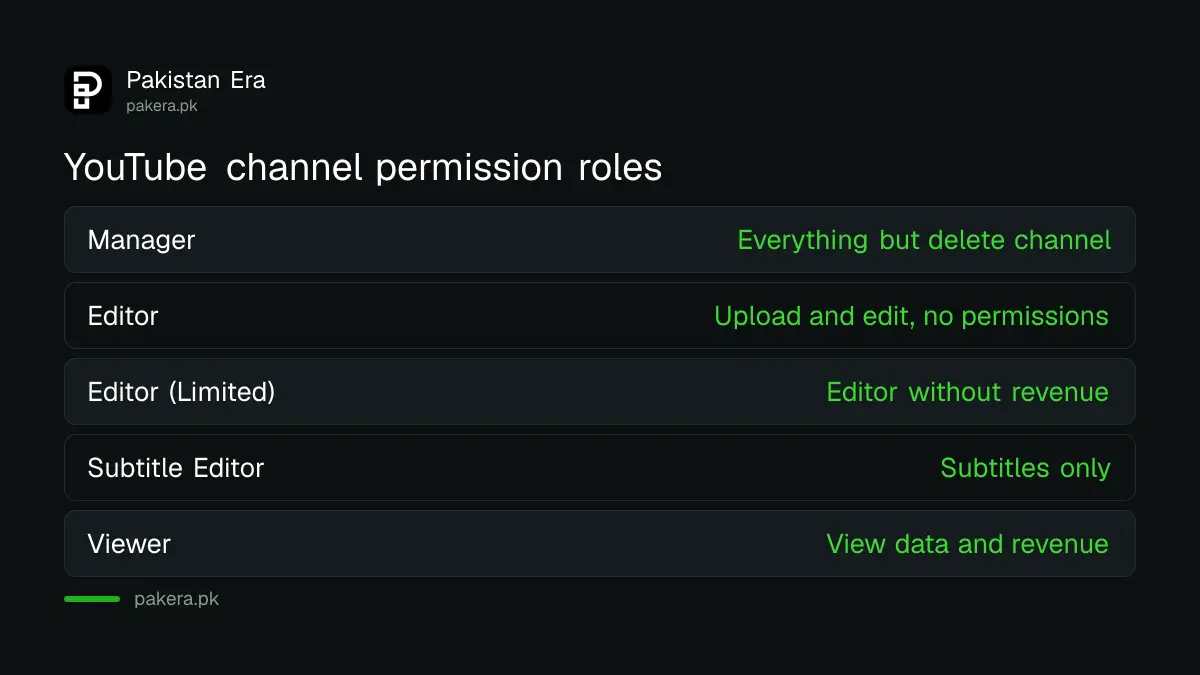
| Tool | What it does | Can it transfer ownership? |
|---|---|---|
| Brand Account roles | Adds owners, managers and communications managers | Yes, through the primary owner setting |
| Channel permissions in YouTube Studio | Gives access as Manager, Editor, Viewer and more | No, the Owner cannot transfer ownership here |
| Move channel | Moves a channel between accounts you control | Only between accounts linked to the same Google account |
Make someone primary owner in 6 steps after a 7-day wait
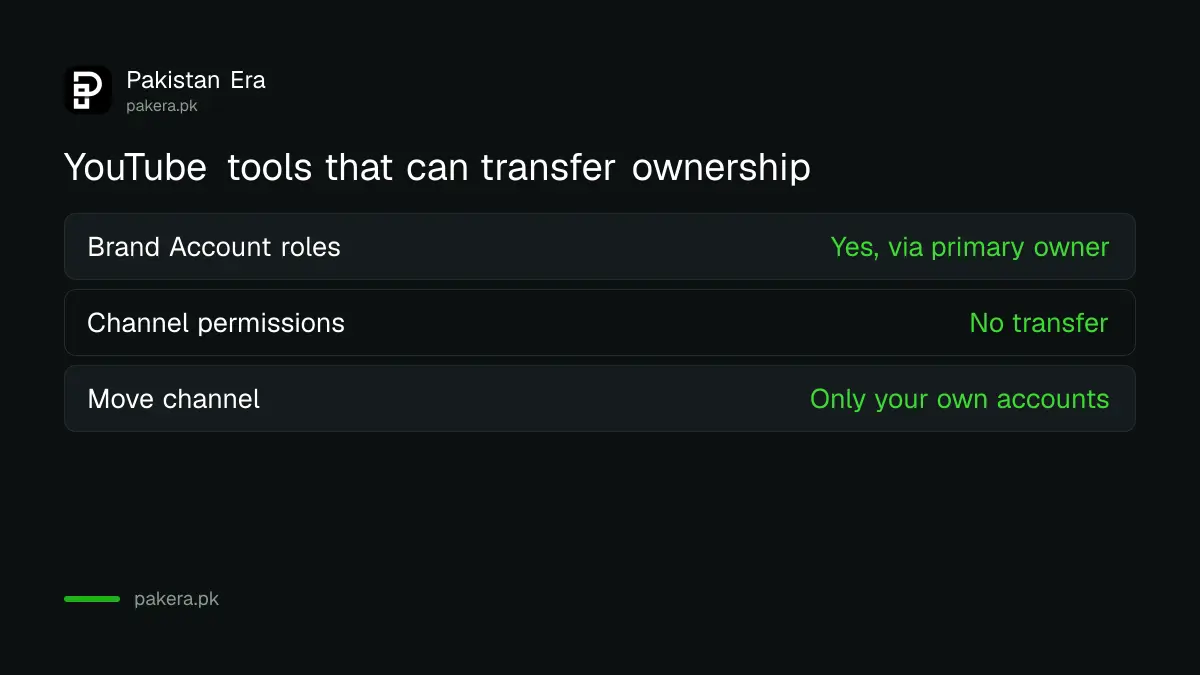
Open the Brand Accounts section of your Google account on a computer, select the account, choose Invite new users and add the new person as Owner. Once they have been an owner for 7 days or more, use Manage permissions to set them as primary owner and confirm Transfer.
- On a computer, open the Brand Accounts section of your Google account and select the channel's Brand Account.
- Select Invite new users, enter the new person's email address and choose the Owner role. Select Invite, then Done.
- The new person accepts the email invitation.
- Wait until they have been an owner for 7 days or more.
- Open Manage permissions, find the new owner's name and select the down arrow beside it.
- Choose the primary owner option and select Transfer in the confirmation window.
Only an owner can make someone the primary owner. A manager cannot. YouTube recommends keeping at least one owner besides the primary owner, so the outgoing person can stay on as a second owner for a while, and be removed later.
Channel permissions give access without giving the channel away
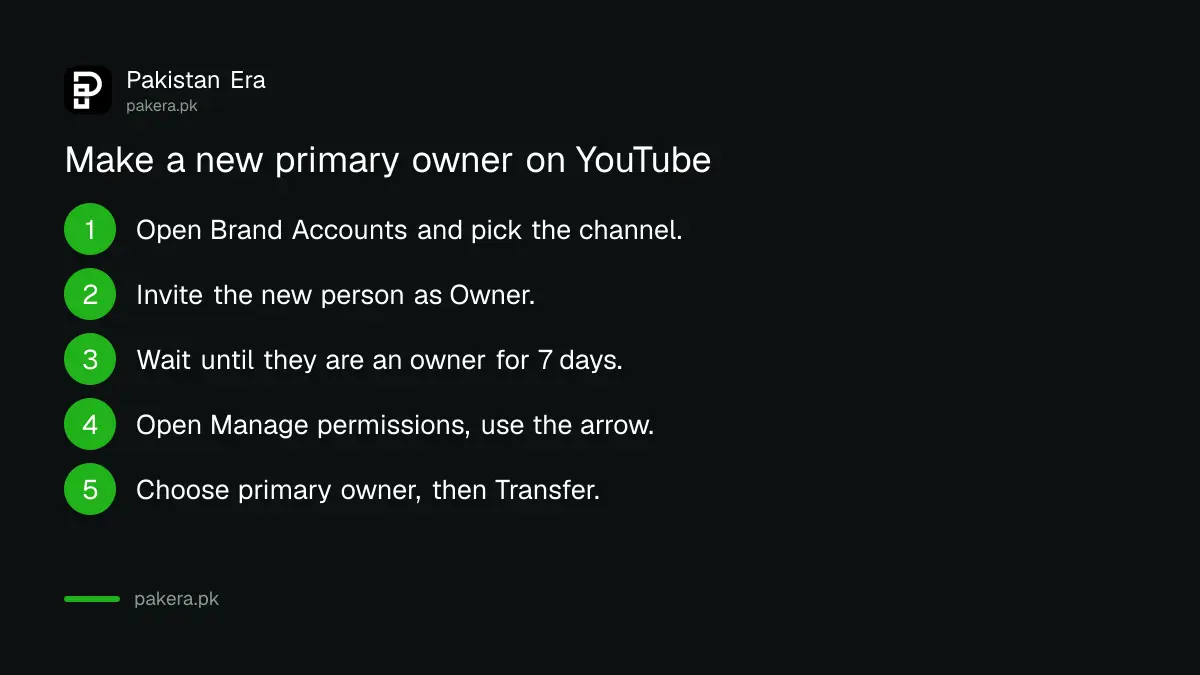
For an editor, a thumbnail designer or an agency, YouTube Studio's channel permissions are the safer tool. You invite by email and pick a role. The Owner cannot transfer ownership from this screen, and an unanswered invitation expires after 30 days.
| Role | Can do | Cannot do |
|---|---|---|
| Manager | Manage permissions, create, publish and delete content | Delete the channel |
| Editor | Edit everything, upload, publish, run live streams | Manage permissions, delete published content |
| Editor (Limited) | Same as Editor | See revenue data |
| Subtitle Editor | Add and edit subtitles | Upload or edit anything else |
| Viewer | See channel data and revenue | Edit anything |
In the YouTube Studio app, tap your profile picture, then Settings, Permissions and Invite, enter the email, pick a role and send. YouTube recommends channel permissions over Brand Account roles because roles can lead to risks such as password sharing. Never send your Gmail password to an editor.
Moving a channel between Brand Accounts deletes the other channel
The Move channel option in YouTube's Advanced settings shifts a channel between Brand Accounts linked to the same Google account. If the destination already has a channel, it is replaced, and its videos, playlists, history and verification badge are permanently deleted.
The channel you move also loses its watch and search history, creator demographic information and gift settings. YouTube says to move only when necessary. Before the move, your Google account must be the primary owner, the channel must be opted out of channel permissions, and anyone with access through them must be removed. Supervised accounts cannot move channels.
Move is not a transfer to another person. It only works between accounts you already control, so it will not hand a channel to a buyer or a client.
Protect the channel before and after the handover
Agree in writing who will own the channel, keep both people as owners until the switch is done, then review access. Handing over a password instead gives away the whole Google account and its email, not just the channel.
After the transfer, the new owner should change the channel name or handle if needed, through the steps to change a YouTube channel name and handle, and set up fresh security. If a handover goes wrong and someone locks you out, the route to recover a hacked YouTube channel is the place to start. Closing a channel instead of passing it on is a different decision, and hiding or deleting a YouTube channel sets out what each option removes.
Common questions
Can I transfer my YouTube channel to another Gmail account?
Yes, if the channel is on a Brand Account. Add the new person as Owner, wait 7 days, then make them primary owner.
Why can't I make someone the primary owner?
They have been an owner for less than 7 days, you are only a manager, or the channel still uses channel permissions and needs to opt out first.
Does transferring ownership delete my videos?
No. Changing the primary owner keeps the channel. Only the Move channel option can delete a destination channel's content.
How long does a YouTube channel permission invite last?
30 days. After that it expires and you send a new one.
Can a manager delete my channel?
Under channel permissions, no. The Manager role cannot delete the channel.
What happens if the primary owner deletes their Google account?
YouTube says the channel is deleted too, which is why it recommends a second owner.
How we verified this
What we checked, where we read it, and what we could not confirm.
Last checked 1 November 2026. We read YouTube's help pages Change channel owners and managers with a Brand Account (roles, 7-day rule, Transfer steps, deletion warning), channel permissions (roles, 30-day invites, Owner cannot transfer) and the Move channel page (same Google account, losses, prerequisites) on 1 November 2026. YouTube does not give steps for removing an existing Brand Account owner, so we have not described them. We did not transfer a live channel.
About the author

Technology Journalist & Multimedia Producer
Ahmad Ali is a technology journalist and multimedia producer at Pakistan Era, joining the team in October 2026. He covers consumer technology and digital life for Pakistani readers, combining research with hands-on product testing.