Delete YouTube Channel in Pakistan: Hide It or Remove It for Good, the 6 Steps and What You Lose
Hide or permanently delete a YouTube channel from YouTube Studio on a computer. See what each option removes, why the app cannot do it, and what stays in Gmail.
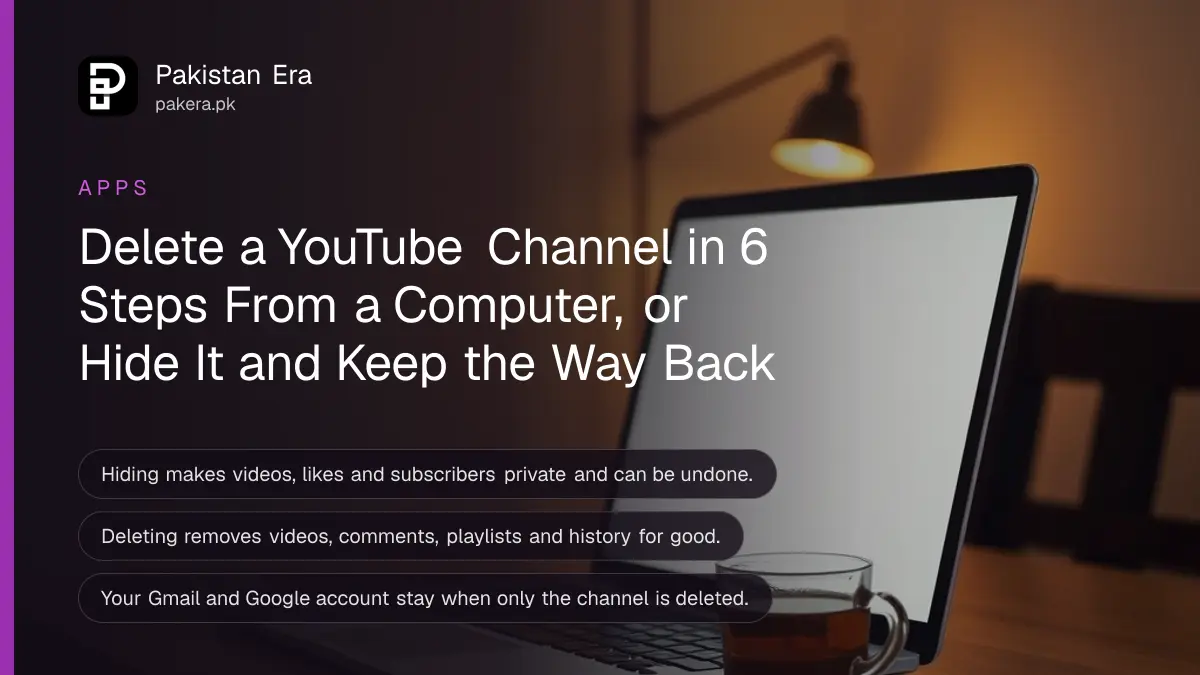
To delete a YouTube channel in Pakistan, sign in to YouTube Studio on a computer, open Settings, then Channel, then Advanced settings, and click Remove YouTube content at the bottom. Choose "I want to hide my channel" to make it private, or "I want to permanently delete my content" to erase it. YouTube says you cannot currently delete a channel from a phone.
Most people only need the first option. Hiding is reversible. Deleting is not, and YouTube warns it may have a harder time recovering your account afterwards. Below is what each option removes, the exact steps, what happens to your Google account and Gmail, and what to try first if you only want to stop a channel being found. We read YouTube's help page on 28 October 2026.
YouTube gives two choices: hide the channel or delete it for good
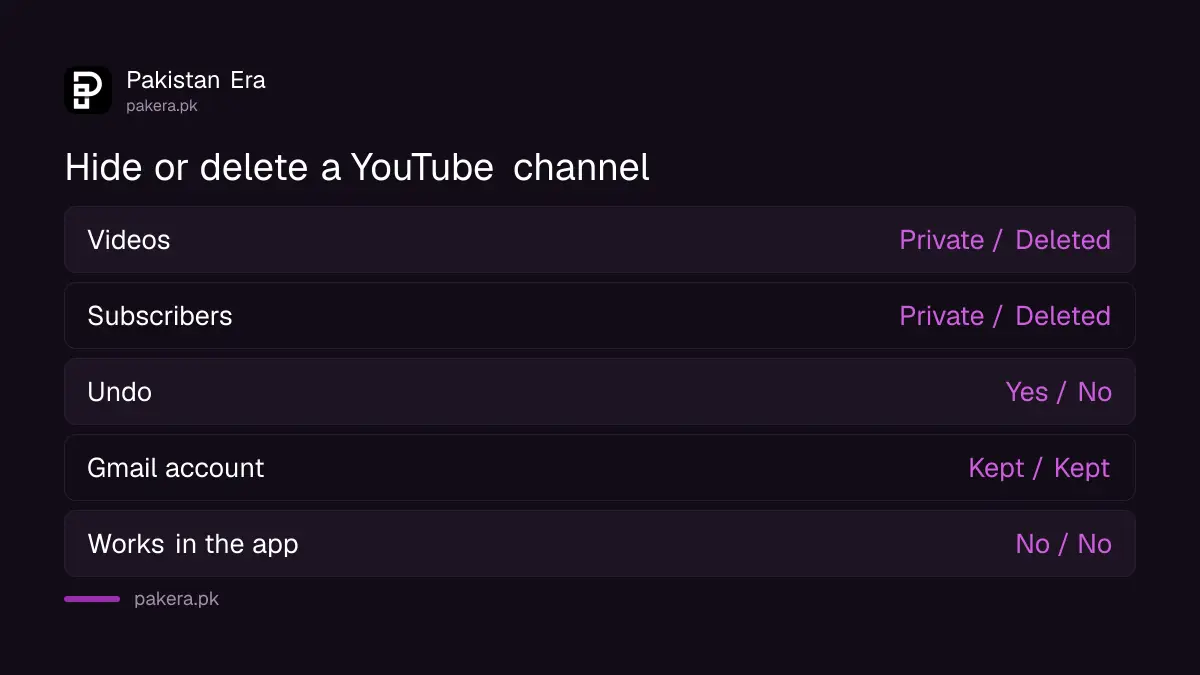
Hiding makes your channel name, videos, likes, subscriptions and subscribers private, and you can turn the channel back on later. Deleting permanently removes your videos, comments, messages, playlists and viewing history. Neither option deletes your Google account or Gmail.
| What happens to | Hide channel | Delete channel |
|---|---|---|
| Videos | Made private | Permanently deleted |
| Channel name and subscribers | Made private | Deleted |
| Comments and messages | Not stated on YouTube's page | Permanently deleted |
| Playlists and watch history | Likes and subscriptions made private | Deleted |
| Can you undo it? | Yes, re-enable later | No undo described |
| Google account and Gmail | Untouched | Untouched |
Our advice is blunt. Hide first, wait a month, then delete only if you are sure. Plenty of people delete a channel in anger and then want an old family video back.
Delete a YouTube channel from YouTube Studio in 6 steps
Use a laptop or desktop browser. Sign in, open YouTube Studio, go to Settings, Channel, Advanced settings, and pick Remove YouTube content. Tick the confirmation boxes and press the final button. You may be asked for your Google password on the way.
- Sign in to YouTube Studio on a computer with the Google account that owns the channel.
- Click Settings in the left sidebar.
- Click Channel, then Advanced settings.
- Scroll to the bottom and click Remove YouTube content. Enter your sign-in details if asked.
- Choose "I want to hide my channel" or "I want to permanently delete my content".
- Tick the boxes to confirm, then click Hide my channel or Delete my content.
If you own more than one channel, check the channel name at the top of Studio before step 2. Deleting the wrong one is the costliest slip in this whole process.

You cannot delete a YouTube channel from the phone app
YouTube's help page says you cannot currently delete a channel on mobile devices. The YouTube and YouTube Studio apps do not carry the Remove YouTube content option. Use a computer, or borrow one at a relative's home or a cyber café for five minutes.
If you use a shared computer, sign out of your Google account when you finish. Then remove the account from that browser. Leaving a signed-in Google session on a café machine is a bigger risk than the channel you just closed.
Deleting the channel keeps your Gmail and Google account
YouTube says these steps delete only the YouTube channel, not the Google account you sign in with. Your Gmail, Google Drive, Google Photos and Play Store purchases stay. Deleting the whole Google account, however, deletes the channel along with it.
Before you delete, save anything you want to keep. Google Takeout lets you download all your Google data as a zip file: you untick the products you do not need and keep the rest. Google says an export can take from a few minutes to a few days, so start it well before you delete.
If the channel earned money, check that your last AdSense payment has arrived and download your Studio revenue reports first. Once the channel is gone, those reports go with it, and they are what explain each payment to your bank or tax adviser.
Deletion is not instant, and YouTube describes no undo
YouTube says it may take some time for a channel to be permanently deleted, and gives no exact time. A hidden channel can be turned back on later, but YouTube's page describes no way to reverse a deletion once it completes.
For a hidden channel, YouTube notes that view counts may look wrong, and after you re-enable it, counts can take up to a week to update. That is normal. Do not panic and file a complaint over it.

Try these lighter options before you delete anything
If you want privacy rather than an empty account, set individual videos to private or unlisted, change your channel name, or hide just your subscriptions. If the channel was hacked, recover it first, because deleting it can make recovery harder.
- Hacked channel: follow the steps to recover a hacked YouTube channel before you delete anything.
- Wrong name or handle: rename it instead. YouTube allows the channel name and handle change twice in 14 days.
- A strike or termination: deleting does not clear a strike. A terminated channel appeal is the correct route.
- A private video leaked: set it to private in Studio, then report copies on other channels.
One more case matters in Pakistan. If someone is threatening to post your private photos or videos, deleting your own channel will not stop them. Report it to NCCIA on 1799 and keep the evidence.
Common questions
Can I delete my YouTube channel from my phone?
No. YouTube says you cannot currently delete a channel on mobile devices. Use YouTube Studio on a computer.
Will deleting my YouTube channel delete my Gmail?
No. Only the channel is deleted. Your Google account and Gmail stay, unless you delete the Google account itself.
Can I get a deleted YouTube channel back?
YouTube's help page describes no way to undo a deletion. A hidden channel, by contrast, can be re-enabled later.
How long does it take to delete a YouTube channel?
YouTube says it may take some time for the channel to be permanently deleted. It does not give a number of days.
Does hiding a channel remove my videos?
No. Hiding makes your videos, channel name, likes, subscriptions and subscribers private. They come back when you re-enable the channel.
Does deleting my channel remove a copyright strike?
No. Deleting is not a way to clear a strike. If you think the strike is wrong, appeal it or ask for a retraction first.
How we verified this
What we checked, where we read it, and what we could not confirm.
Last checked 28 October 2026. We read YouTube's help page Delete or hide your channel twice on 28 October 2026 for the steps, the option and button labels, the mobile limit, the Google account rule and the note on view counts. The Takeout export details come from Google's download your data page. We did not delete a channel ourselves. YouTube's page does not say what happens to comments when a channel is hidden, how long deletion takes, or whether a deletion can be reversed; we say so where it matters. The line about a strike staying with the account is our reading of how strikes attach to accounts, not a quote. NCCIA's 1799 helpline is from our earlier reads of NCCIA's own pages.
About the author

Technology Journalist & Multimedia Producer
Ahmad Ali is a technology journalist and multimedia producer at Pakistan Era, joining the team in October 2026. He covers consumer technology and digital life for Pakistani readers, combining research with hands-on product testing.