How to Download All Your Google Data With Takeout in Pakistan, Free
Make a free copy of your Google Photos, Gmail and Drive with Takeout. See the steps, file sizes, delivery options and the 7 day and 5 download limits.
Short answer: Go to takeout.google.com and sign in. Tick the Google products you want, such as Photos, Gmail and Drive. Choose Next step, pick a delivery method and file size, then choose Create export. Google emails you a download link, usually the same day. The link works for about 7 days. It is free.
A lot of Pakistani families have ten years of photos, mail and documents sitting in one Google Account. Then a phone is stolen, an account is hacked, or someone wants to move to a new email address. Takeout is how you take a full copy out first.
We read Google's own help page on downloading your data on 12 October 2026. The steps and limits below come from that page.
Google Takeout makes a free copy of your Google data
Takeout is Google's official tool for exporting your data. You choose which products to include, and Google packs them into archive files. It is made for backups, for moving to another service and for leaving a platform.
It is not a restore button. The export gives you files you can keep and open. It does not put anything back into your account.
How to download your Google data step by step
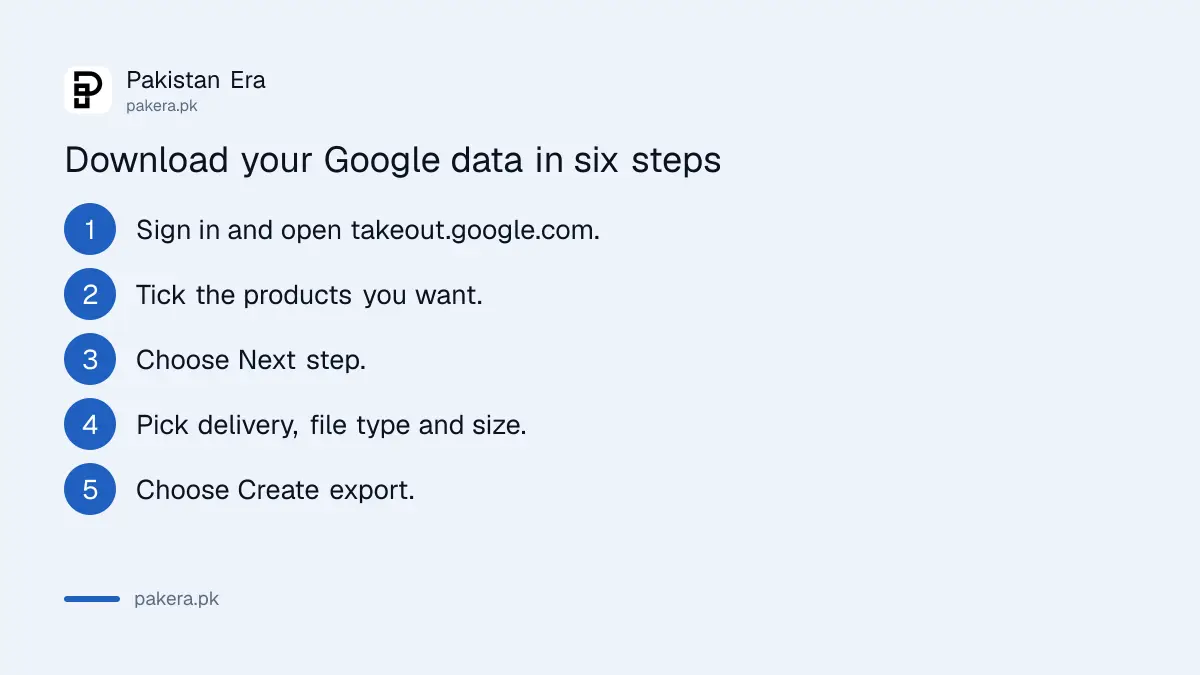
Open takeout.google.com, choose the products, pick how you want the files delivered, and select Create export. Then wait for the email with your download link.
- Sign in to your Google Account and go to takeout.google.com.
- Choose which products to include. Google selects them all by default, so untick what you do not need.
- Choose Next step.
- Pick a delivery method, a file type and a maximum file size.
- Choose Create export.
- Open the email Google sends and download the archive.
Google says this can take from a few minutes to a few days. Most people get the link the same day. Large photo libraries take longer, so ask early and do not wait until the night before you need them.
Choose the file type, size and delivery method with care
Zip files open on almost any computer, so choose zip unless you know you need something else. Pick the largest size, 50 GB, if your disk allows it, because bigger archives mean fewer files to join together.
| Choice | Options Google gives |
|---|---|
| File type | Zip, or tgz (Windows may need extra software to open tgz) |
| Maximum size | You choose it, and the 50 GB option splits data the least |
| Delivery | Email link, Google Drive, Dropbox, Microsoft OneDrive or Box |
| How often | One-time, or every 2 months for one year |
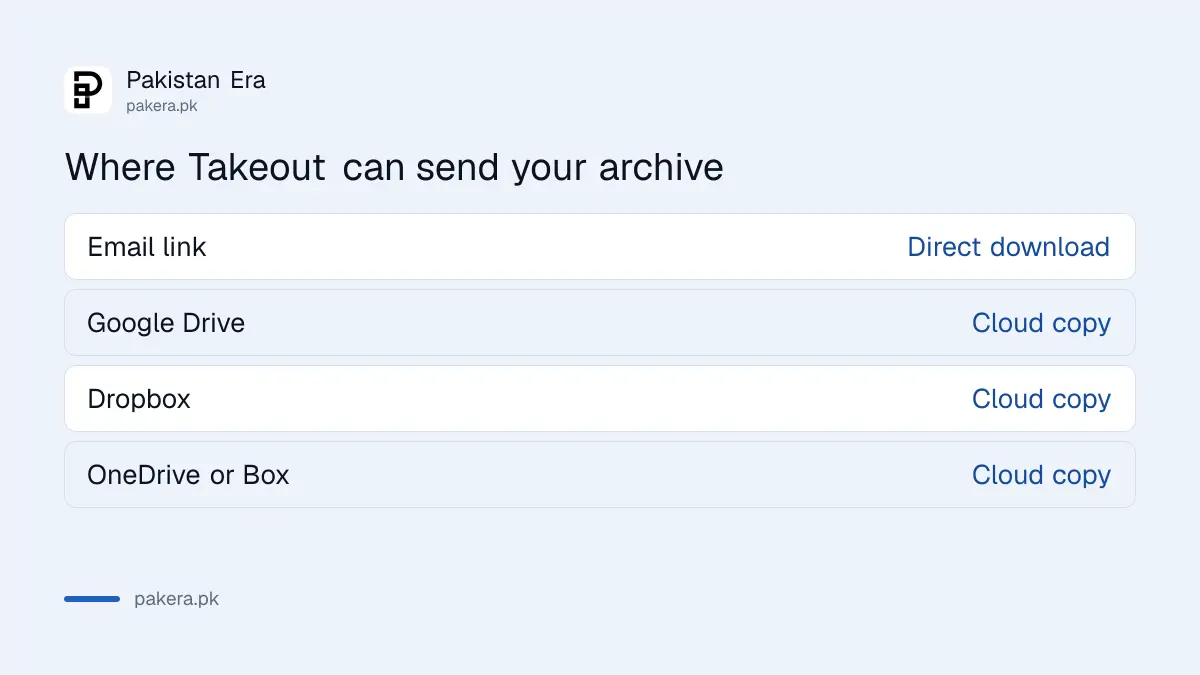
If your internet is slow or capped, sending the archive to Google Drive, Dropbox or OneDrive is easier than downloading many large files. If you use mobile data, check your package first. The ways to cut a bill are covered in how to save mobile data on Android and iPhone.
Download before the link runs out
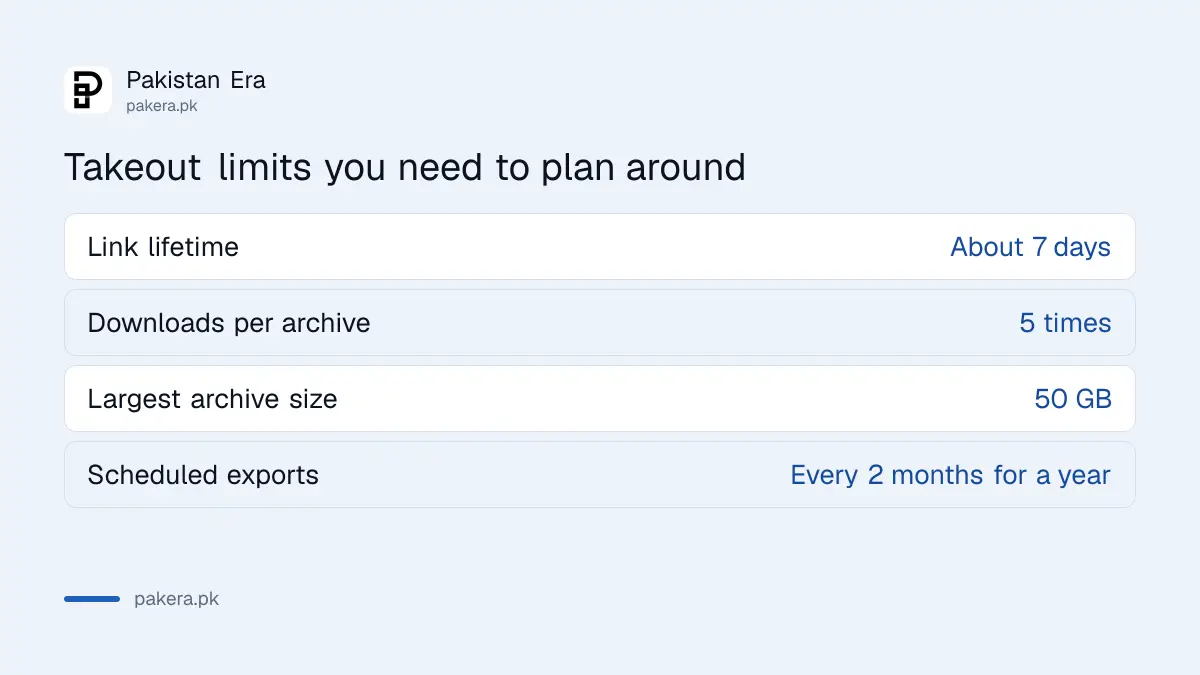
Google says the archive expires in about 7 days. It also says each archive can be downloaded only 5 times. After that you must request a new one. Plan to download it once, onto a computer or an external drive, and check it.
When the files arrive, open a few of them. Look at a photo folder and a Gmail export. Do this before you delete anything from your account. A backup you have not opened is not yet a backup.
Keep the archive somewhere private. It holds your whole mailbox and photos. If someone else gets it, they get everything.
When a Takeout copy is worth making
Make one before you do anything you cannot undo. The most common cases for Pakistani users are below.
- Your Google Photos storage is full and you plan to delete old photos to free space.
- You are about to recover or close a Google Account that holds important mail.
- You are clearing your history and plan to delete your location history, and want a copy first.
- You are leaving a job and your work files sit in a personal account.
- You plan to stop paying for extra storage after reading about Google One prices in Pakistan.
The scheduled export, every two months for a year, suits people who cannot afford to lose a decade of family photos. Set it once and let it run.
Common questions
Is Google Takeout free?
Yes. Google's help page describes it as a way to download your own data, and it does not mention a fee.
How long does a Takeout export take?
Google says from a few minutes to a few days, and that most people get their link the same day.
How long does the download link last?
About 7 days, according to Google. Each archive can be downloaded 5 times.
Can I send the export straight to Google Drive or OneDrive?
Yes. Google lists Drive, Dropbox, Microsoft OneDrive and Box as delivery options, and a plain email link.
Does Takeout delete anything from my account?
No. It only makes a copy. Your data stays in your account until you delete it yourself.
Can I schedule Takeout to run again?
Yes. Google offers an export every 2 months for one year as an alternative to a one-time archive.
How we verified this
What we checked, where we read it, and what we could not confirm.
We read Google's help page Download your Google data on 12 October 2026. Google may change the list of products, file sizes and limits, so check that page when you request your export. We did not run an export ourselves for this article.
About the author

Technology Journalist & Multimedia Producer
Ahmad Ali is a technology journalist and multimedia producer at Pakistan Era, joining the team in October 2026. He covers consumer technology and digital life for Pakistani readers, combining research with hands-on product testing.