Lock ChatGPT Chats in Pakistan: Hide Conversations With a 4-Digit PIN, Free Plan Included
Lock a ChatGPT chat in Pakistan: tap the three-dot menu, choose Lock chat and set a 4-digit PIN. See who gets it, what it hides, and why a PIN reset wipes all.
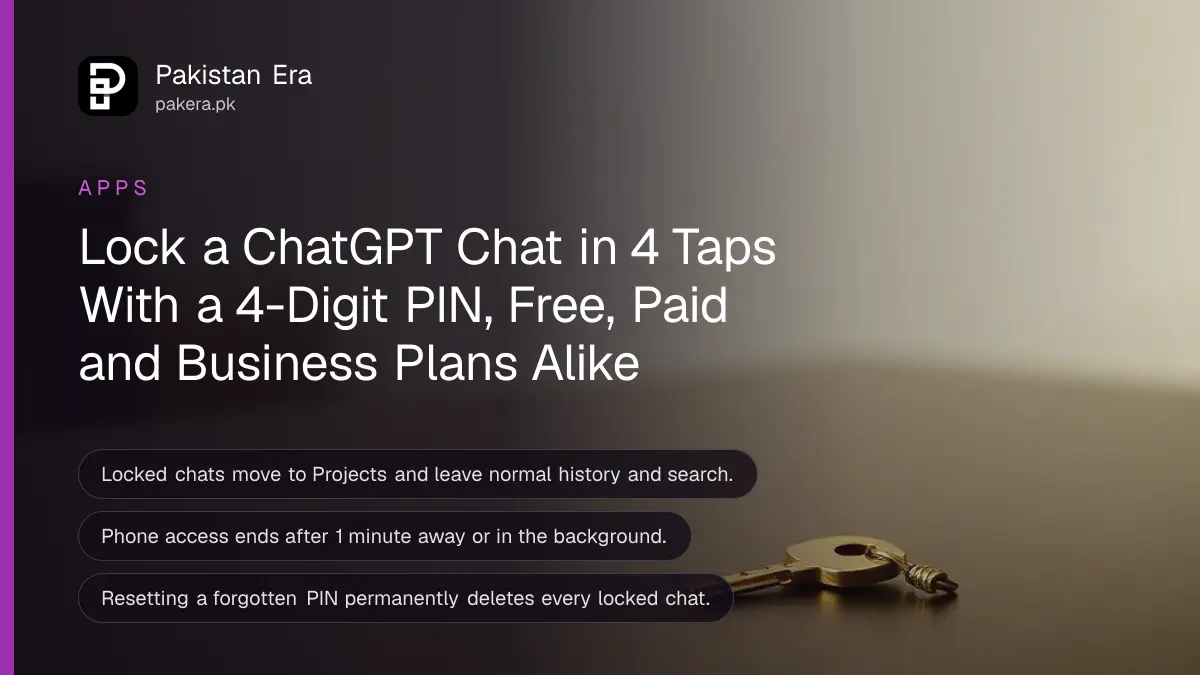
To lock a chat in ChatGPT, open the chat's three-dot menu (•••), tap Lock chat, confirm, and set a 4-digit account PIN. The chat leaves your normal history and search and moves to Projects > Locked chats. OpenAI says the feature is rolling out to Free, Go, Plus and Pro users on the web, the iPhone and Android apps, and the new desktop app.
Locked chats help when you share a phone with family, hand a laptop to a colleague, or share your screen in a class or a Zoom call. But there is one rule you must know before you start: if you forget the PIN and reset it, every locked chat is deleted for good. OpenAI Support cannot recover them. We read OpenAI's locked chats help page and its ChatGPT release notes on 5 November 2026. We did not test the feature on a Pakistani account, so the steps below are OpenAI's own.
Locking a ChatGPT chat takes four taps and a PIN
You lock an existing chat from its menu, then set or enter a 4-digit PIN. OpenAI asks you to wait until ChatGPT finishes its reply before you lock. The first time, you must lock an existing chat; after that you can start new chats inside Locked chats.
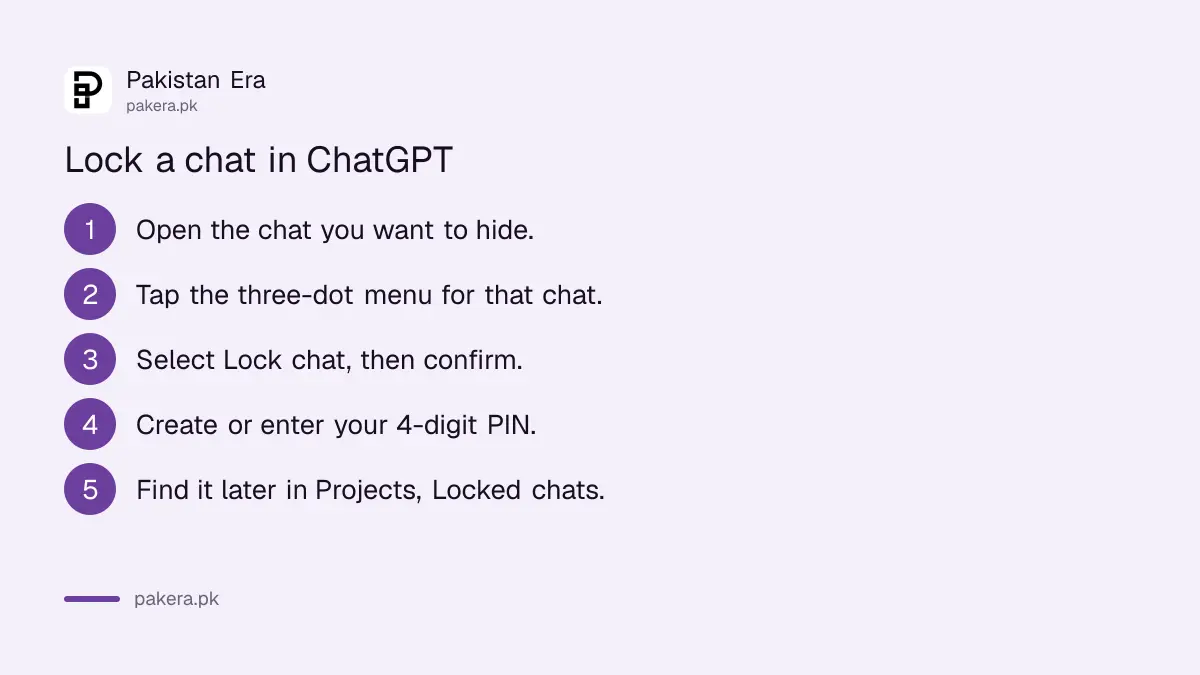
- Open the chat you want to hide.
- Tap the more options menu (•••) for that chat.
- Select Lock chat, then select Lock chat again to confirm.
- Create a 4-digit PIN when asked, and enter it again to confirm. If you already have a PIN, enter it.
- The chat moves to Projects > Locked chats and disappears from normal history and search.
Search results can take some time to update. Other devices where ChatGPT is already open may still show the chat title until their list refreshes, so check your other phone or laptop before you share a screen.
Open a locked chat from Projects with your PIN or fingerprint
Locked chats live under Projects. You open them with your account PIN, or with Face ID, Touch ID or your Android screen lock if you turn that on. Opening them gives you short, temporary access; it does not unlock the chats for good.
- Select Projects.
- Select Locked chats.
- Enter your PIN, or use Face ID, Touch ID or device unlock.
- Pick the chat you want.
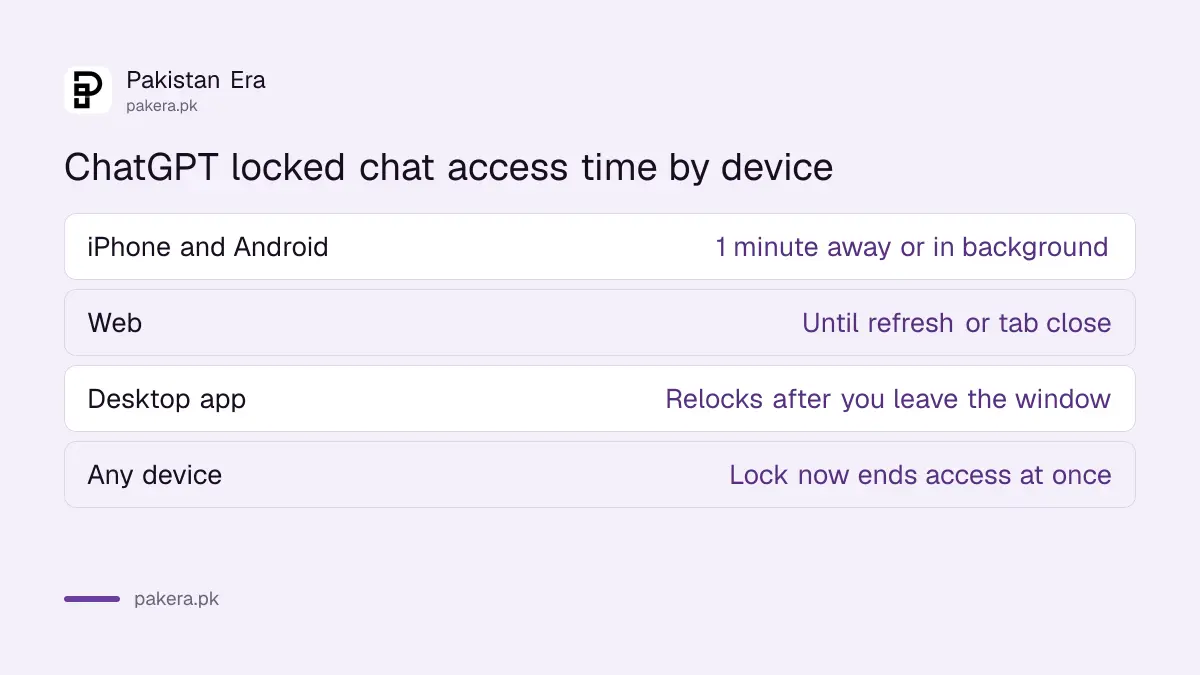
On iPhone and Android, access ends on its own after 1 minute away from the locked chat, or 1 minute with the app in the background. On the web, it ends when you refresh or close the tab. Tap Lock now to end access at once, which is a good habit before you hand the phone to someone.
Where locked chats work, and where they do not
OpenAI's help page lists locked chats on Free, Go, Plus, Pro, Business, Enterprise and Edu plans. It works on the web, the iPhone and Android apps, and the new ChatGPT desktop app for Windows and macOS. Some chat types cannot be locked.
| Item | What OpenAI says |
|---|---|
| Plans | Free, Go, Plus, Pro, Business, Enterprise, Edu |
| Devices | Web, iPhone, Android, new desktop app (Windows, macOS) |
| PIN | 4 digits, tied to your OpenAI account, works on all your devices |
| Fingerprint or face | Optional, set separately on each device |
| Cannot be locked | Codex chats, local Work chats, chats made from a shared link |
| Not available | ChatGPT for Healthcare; Voice inside locked chats on desktop |
If you do not see Lock chat in the menu yet, the rollout has not reached your account. OpenAI says it is rolling out gradually. Update the app from the Play Store or App Store and check again in a few days. If you use the older desktop app, now called ChatGPT Classic, you need the new app; our guide to the new ChatGPT desktop app explains the switch.
Locking hides a chat; it does not encrypt or delete it
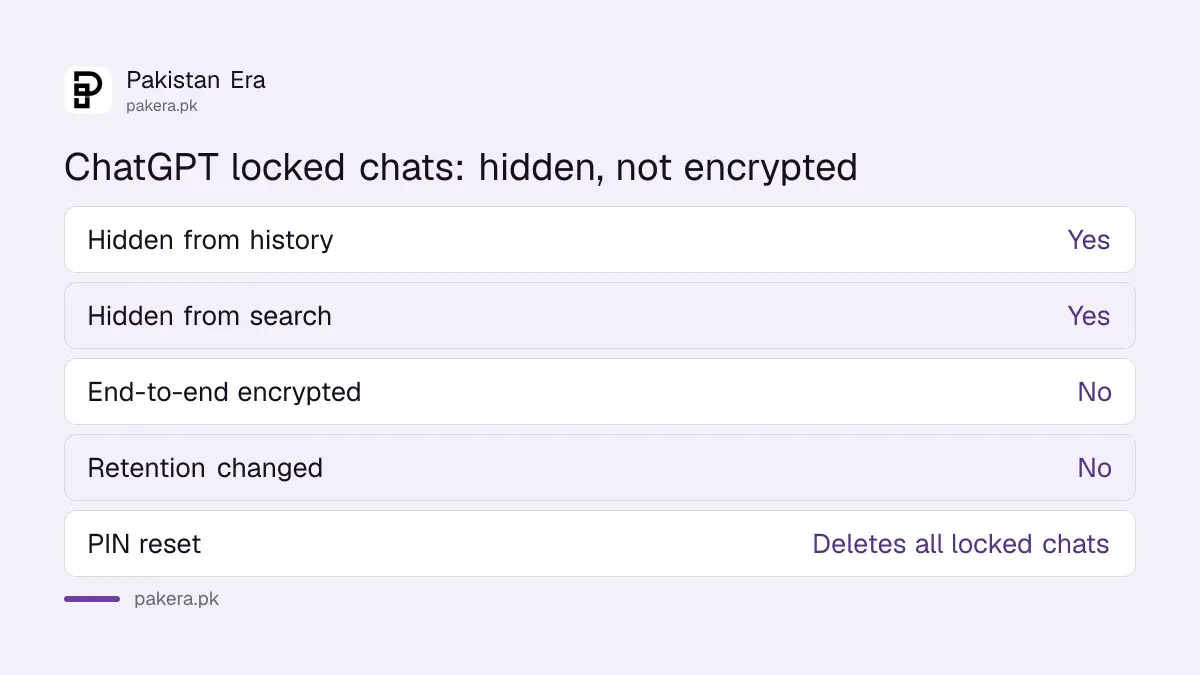
A locked chat is hidden from view, not sealed in a vault. OpenAI says locking does not add end-to-end encryption, does not change how long OpenAI keeps the chat, and does not change your model training setting. Treat it as a curtain, not a safe.
- No extra encryption: OpenAI says it is not end-to-end encrypted and not a separate encrypted vault.
- Same retention: the chat is kept for the same time as any other chat.
- Training setting unchanged: if "Improve the model for everyone" is on, it stays on. Our guide to turning off ChatGPT training shows how to change it.
- Old memories stay: anything ChatGPT remembered before you locked the chat is not removed.
- Shared links keep working: if you shared the chat earlier, the old link still shows the old content. Delete the link separately.
- Projects: a chat locked from a project leaves that project and stops using its files and instructions.
For really private material, such as a CNIC photo, a bank statement or a medical report, the safest step is not to upload it at all. If you already did, you can delete the chat or the saved memory; see our guide to deleting ChatGPT memories.
Forgetting the PIN is the one mistake you cannot undo
You can change your PIN any time if you know the current one, and nothing is lost. But resetting a forgotten PIN permanently deletes all locked chats, the memories stored only inside them, and the files they protected. OpenAI Support and workspace admins cannot unlock them for you.
To change the PIN (safe, nothing deleted):
- Open Settings, then Security and login.
- Select Account PIN.
- Under Change PIN, select Change (web, desktop) or Change PIN (phone).
- Enter the current PIN, then the new 4-digit PIN twice.
To reset a forgotten PIN, the same menu has a Reset option. You verify your identity, read a warning, and confirm with Reset PIN & Delete (web, desktop, Android) or Delete all and reset (iPhone). That is the step that wipes your locked chats. Forgetting the PIN does not delete anything by itself, so if you are unsure, leave the chats locked and keep trying to remember. Too many wrong tries only pauses access for a while.
Pick a PIN you will not forget but that is not your birth year or 1234. Do not reuse your JazzCash, Easypaisa or ATM PIN; a PIN that unlocks money should never unlock anything else.
Unlock a chat to send it back to normal history
Permanent unlock returns a chat to your regular history and search. Open the locked chat, tap •••, choose Unlock chat (Unlock on iPhone), and confirm. A chat that came from a project goes back to normal history, not to the project.
After you unlock, files from that chat show again in Space, and the conversation can feed regular Memory if your settings allow. Memories that were made inside the locked chat are not copied into regular Memory automatically.
Locked chats are one part of keeping your account private. It is also worth checking who else is signed in to your ChatGPT; our guide to checking ChatGPT login activity covers that, and if you keep a work account too, see how to switch between two ChatGPT accounts.
Common questions
How do I lock a chat in ChatGPT?
Open the chat, tap the three-dot menu, select Lock chat, confirm, and set a 4-digit PIN. The chat moves to Projects > Locked chats.
Is ChatGPT's locked chat feature free in Pakistan?
Yes. OpenAI lists it on the Free plan as well as Go, Plus and Pro. It is rolling out gradually, so some accounts may not see it yet.
What happens if I forget my ChatGPT PIN?
Nothing is deleted until you reset it. Resetting a forgotten PIN permanently deletes all locked chats, and OpenAI Support cannot recover them.
Can I use my fingerprint instead of the PIN?
Yes, on supported phones. Turn on Face ID or Touch ID on iPhone, or device unlock on Android, in Account PIN settings. The PIN still works as a backup.
Does locking a chat stop OpenAI from reading or keeping it?
No. OpenAI says locking does not add encryption, does not change how long the chat is kept, and does not change your model training setting.
Why can't I see Lock chat in the menu?
The feature may not have reached your account yet. Update the app and check again later. Codex chats, local Work chats and chats made from a shared link cannot be locked.
How we verified this
What we checked, where we read it, and what we could not confirm.
We read OpenAI's help page "Locked chats in ChatGPT" and the 20 October 2026 entry of the ChatGPT release notes on help.openai.com on 5 November 2026. We did not lock a chat ourselves; every step and limit here is as OpenAI states it. The rollout is gradual, so menus may differ on your account for a while.
About the author

Technology Journalist & Multimedia Producer
Ahmad Ali is a technology journalist and multimedia producer at Pakistan Era, joining the team in October 2026. He covers consumer technology and digital life for Pakistani readers, combining research with hands-on product testing.