ChatGPT Desktop App for Windows and Mac in Pakistan: New App vs ChatGPT Classic, Free Download
Get the new ChatGPT desktop app for Windows or Mac free from chatgpt.com/download. See ChatGPT vs ChatGPT Classic, which plans get Work, and common fixes.
The new ChatGPT desktop app for Windows and Mac downloads free from chatgpt.com/download, and it now holds Chat, Work and Codex in one app. If you already use the older ChatGPT desktop app, it shows a prompt to get the new one, and the old app stays on your PC as "ChatGPT Classic". Chat is free; Work, the mode that builds documents, sheets and slides, is for Plus, Pro, Business and Enterprise plans, says OpenAI.
After the update, you may find two ChatGPT icons on your laptop and wonder which one to keep. The short answer: you can keep both, but new agent features may come only to the new app. We read OpenAI's help page on moving to the new desktop app and the ChatGPT download page on 5 November 2026. We did not install the app for this guide.
Get the new ChatGPT app for Windows or Mac in 5 steps
The download is on OpenAI's own site. Sign in with the same ChatGPT account you use on your phone, and your chats and projects appear there too. If you use the Codex app, you do not need a new download: an update turns it into the new ChatGPT app.
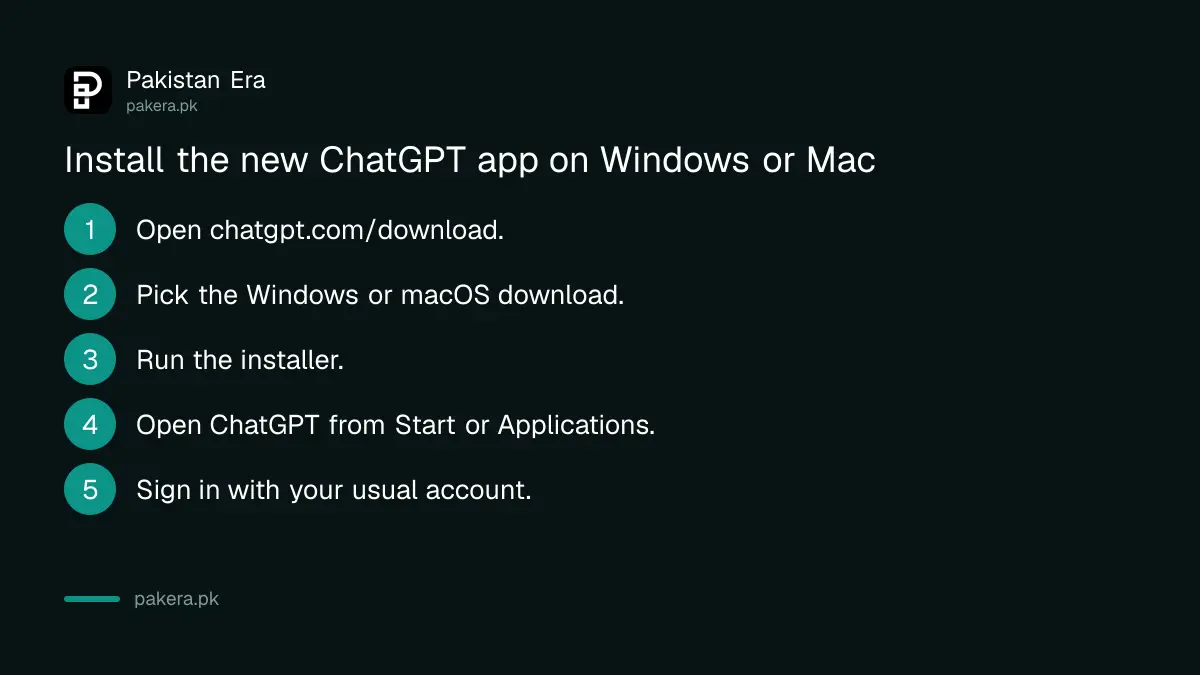
- Open chatgpt.com/download in your browser.
- Choose the desktop download for Windows or macOS.
- Run the installer and finish the setup.
- Open ChatGPT from the Start menu or Applications.
- Sign in with your usual ChatGPT account.
Download only from chatgpt.com or openai.com. "ChatGPT for PC" files on Facebook groups, Telegram channels and file-sharing sites are a common way to spread malware that steals saved passwords and banking logins. The real app is free, so there is never a reason to use a cracked or "premium unlocked" copy.
ChatGPT and ChatGPT Classic: which icon is which
After the update, you may see two apps. "ChatGPT" is the new one with Chat, Work and Codex. "ChatGPT Classic" is the earlier desktop app. OpenAI says Classic still gets model updates, bug fixes and security patches, and you can keep using it. Some new agent features may be only in the new app.
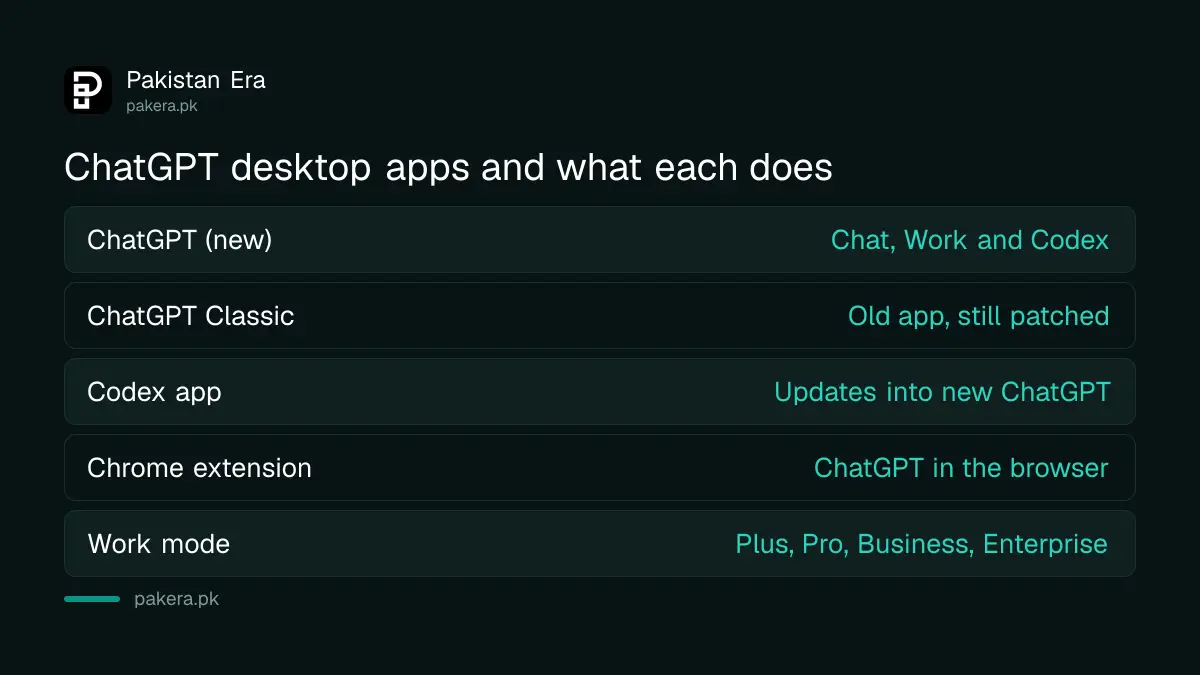
| App | What it has | Keep it? |
|---|---|---|
| ChatGPT (new) | Chat, Work and Codex in one app | Yes, this is where new features land |
| ChatGPT Classic | The previous desktop app | Optional; still updated and patched |
| Codex app | Becomes the new ChatGPT app after an update | Just update it |
| Chrome extension | ChatGPT inside the browser | Optional, from the Chrome Web Store |
OpenAI says no migration is needed at launch, so nothing breaks if you leave Classic in place. If disk space on an old laptop is tight, keeping only the new app is the simpler choice.
Chat, Work and Codex do three different jobs
Inside the new app, a toggle switches between Chat and Work, and a menu switches between ChatGPT and Codex. Chat is the normal conversation. Work does longer tasks that produce files. Codex is for programmers working with code on the computer.
- Chat: ask questions, search, and talk, as in the browser.
- Work: research and create documents, spreadsheets, presentations, reports and Sites. OpenAI's download page says Work is on the Plus, Pro, Business and Enterprise plans.
- Codex: works with local files, code repositories and terminals. It is desktop only; on the phone you reach desktop Codex chats from the Remote tab.
Chat and Work chats appear together under Recents, where you can sort, filter and pin them, and your projects show under Projects. Cloud Work chats sync across web, mobile and desktop, so a report started on your laptop at the office can be checked on your phone on the bus. For what each plan includes, see our ChatGPT plans comparison and the guide to Work and Codex by plan.
New features need the new app, such as locked chats
OpenAI's newer privacy features point to the new desktop app. Locked chats, which hide a conversation behind a 4-digit PIN, work on desktop only in the new ChatGPT app for macOS and Windows. If you stay on Classic, use the browser for those features.
Our guide to locking ChatGPT chats with a PIN covers the steps. On a shared family computer, locked chats plus a separate Windows user account is the safest setup. If two people use ChatGPT on the same PC, each can keep a separate account; see switching between two ChatGPT accounts.
Fix the common problems with the desktop app
Most desktop problems in Pakistan come from three things: the wrong account, a slow or blocked connection, and an old copy of the app. Check these before you reinstall. If ChatGPT will not load at all, the problem may be wider than the app.
- Chats missing: check you signed in with the same account as on your phone. Separate accounts never share chats.
- Two icons, confused: open "ChatGPT", not "ChatGPT Classic", for Work and new features.
- Work not shown: Work needs a paid plan such as Plus. On Free, you see Chat only.
- App will not connect: try chatgpt.com in the browser. If that fails too, see ChatGPT not working in Pakistan.
- Codex missing on phone: it is desktop only; use the Remote tab on mobile.
Keep Windows itself updated as well. An unpatched Windows 10 laptop is a bigger risk than any app. For a slow PC, our guide to speeding up Windows startup helps, and you can stop ChatGPT from launching at startup there too.
Common questions
Is the ChatGPT desktop app free in Pakistan?
Yes. The app is a free download from chatgpt.com/download. Chat works on the Free plan; Work needs Plus, Pro, Business or Enterprise.
What is ChatGPT Classic on my laptop?
It is the previous ChatGPT desktop app. OpenAI says it still receives model updates, fixes and security patches, and you can keep using it.
Do I lose my chats when I move to the new app?
No. Sign in with the same ChatGPT account and your chats and projects appear. Codex users keep their Codex chats and projects after the update.
Can I use Codex on my phone?
Codex cannot be selected on web or mobile. You can open supported desktop Codex chats from the Remote tab in the ChatGPT mobile app.
Should I uninstall ChatGPT Classic?
You do not have to. Some new agent features come only to the new app, so most people can use the new one and remove Classic if space is short.
Where is the safe place to download ChatGPT for PC?
Only chatgpt.com or openai.com. Avoid files shared on social media or file sites.
How we verified this
What we checked, where we read it, and what we could not confirm.
We read OpenAI's help page "Moving to the new ChatGPT desktop app" on help.openai.com, and the "Download ChatGPT" page on chatgpt.com, on 5 November 2026. We did not install the app. OpenAI has not published minimum Windows or macOS versions on those two pages, so we do not state them here.
About the author

Technology Journalist & Multimedia Producer
Ahmad Ali is a technology journalist and multimedia producer at Pakistan Era, joining the team in October 2026. He covers consumer technology and digital life for Pakistani readers, combining research with hands-on product testing.