How to Check Who Is Logged In to Your ChatGPT Account and Lock It in Pakistan
See every device signed in to your ChatGPT account, log out strangers and turn on SMS or WhatsApp login codes. OpenAI's own steps, explained for Pakistan.

To see who is logged in to your ChatGPT account, open Settings, then Security and login, then Security history and Active sessions. Log out any device you do not know, or tap Log out all. Then turn on multi-factor authentication, which can send codes by SMS or WhatsApp.
Update, 11 October 2026: You can also stop ChatGPT training on your chats in Data Controls.
Your ChatGPT history holds more than you think. CV drafts, bank letters, family problems, business plans, sometimes a photo of a document. Anyone signed in to your account can read all of it, and on a paid plan they can use your subscription too.
We read OpenAI's own help pages on account security on 9 October 2026. Here is how to check sign-ins, remove strangers, lock the account, and what to do if someone has already taken it over.
Where to see your ChatGPT login history
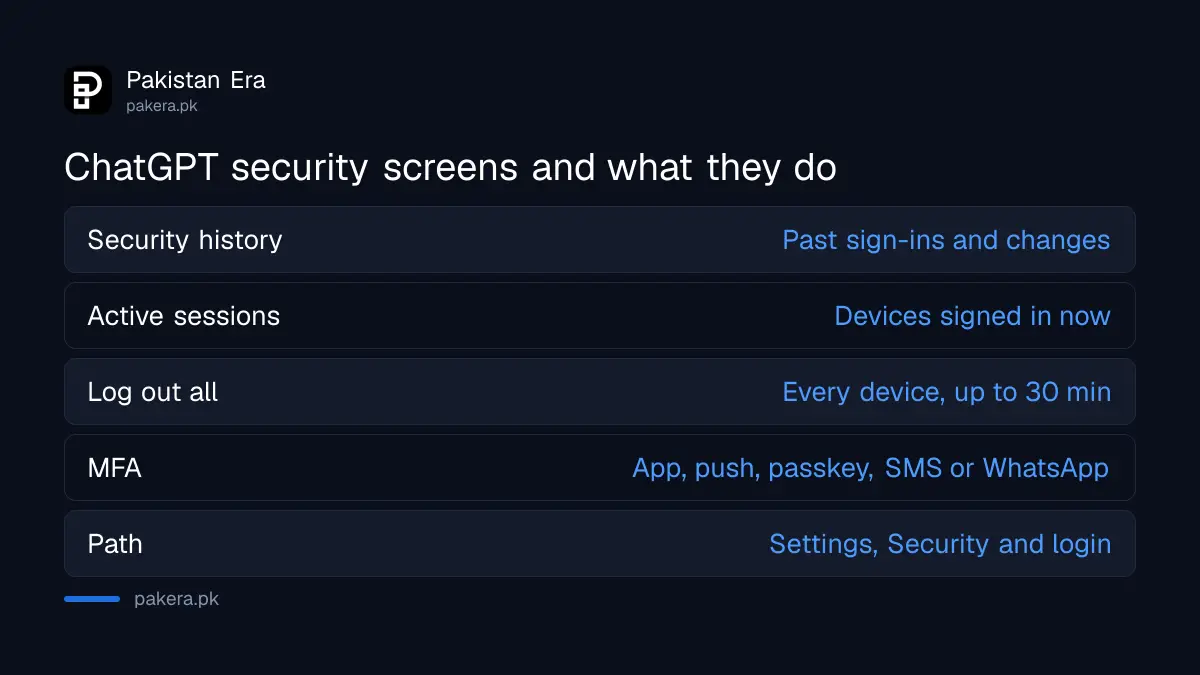
OpenAI added Security history in September 2026. It lists recent sign-ins, sign-outs and security changes with the time, location and device. Open it on the web from Settings, then Security and login, then Security history. Some details may be approximate.
| Screen | What it shows | What you can do |
|---|---|---|
| Security history | Past sign-ins, sign-outs, password, MFA and passkey changes, with time, place and device | Spot activity you did not do |
| Active sessions | Browsers and OpenAI apps signed in now, with device, approximate place and sign-in time | Log out one session, or all of them |
| Multi-factor authentication | Your second sign-in step | Turn on an authenticator app, push, SMS or WhatsApp code, or a passkey |
Read the location with care. OpenAI says details may be approximate or unavailable. A sign-in from "Islamabad" when you live in Rawalpindi is probably you on a different network. A sign-in from another country at 3 am, when you were asleep, is not.
Log out devices you do not recognise
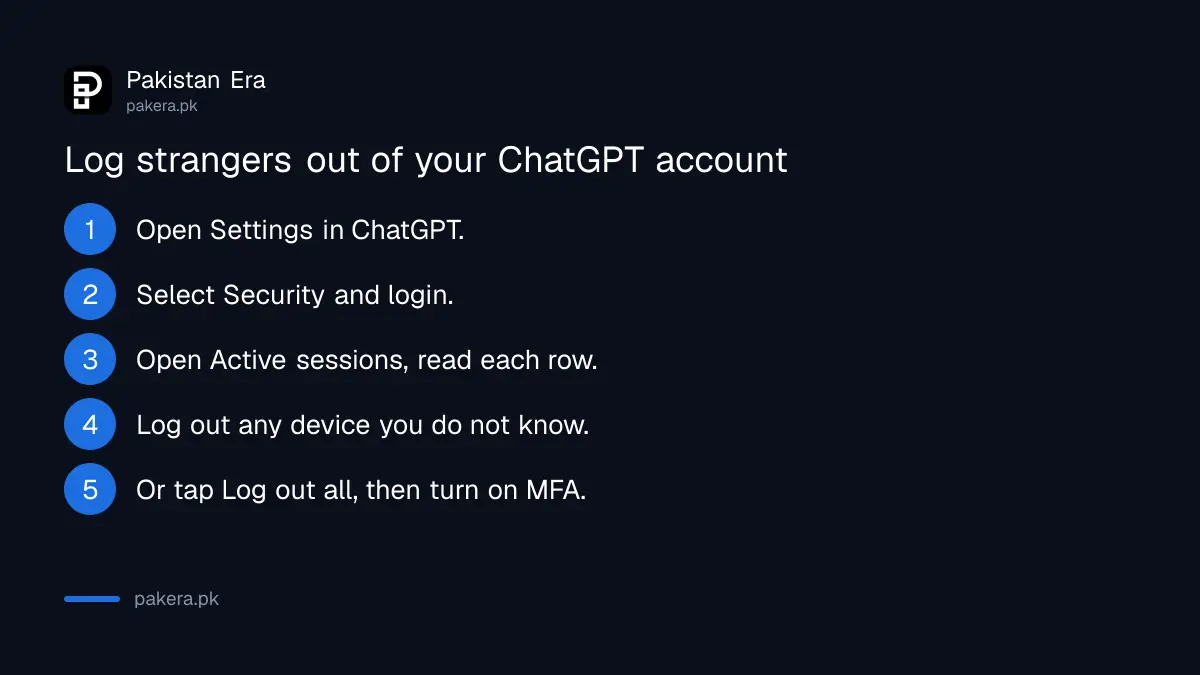
Open Active sessions to see every browser and OpenAI app signed in now. Log out any one you do not know with Log out. If you are not sure, tap Log out all, which signs out every device including yours. OpenAI says this can take up to 30 minutes.
- In ChatGPT, open Settings.
- Select Security and login. On some versions the menu is just called Security.
- Select Active sessions and read each row: device, app, approximate location and sign-in time.
- Next to a session you do not know, select Log out, then confirm.
- To remove everyone at once, find Log out of all sessions, select Log out all, and confirm Log out of all devices.
A row marked Current session is the device in your hand. You cannot log it out from that row. Active sessions also does not show third-party apps, connected apps or recently signed-out sessions, according to OpenAI, so use Security history for the past.
Did you once log in on a cyber cafe computer, a friend's laptop or an office PC? This is the screen that shows it. Log it out.
Turn on multi-factor authentication
Multi-factor authentication, or MFA, means a second check after your password. OpenAI offers an authenticator app, push approval, a passkey, or a 6-digit code by SMS or WhatsApp. Turn it on in Settings, then Security and login, under Multi-factor authentication. It works across ChatGPT and OpenAI's other services.
OpenAI says the options you see depend on your device, country, plan and how you created the account. So a Pakistani account may not show every method. Pick the strongest one you can use.
- Passkey: uses your phone's fingerprint or face lock. Hard to phish.
- Authenticator app: codes from an app such as Google Authenticator. Works without signal.
- SMS or WhatsApp code: easiest to set up, but tied to your SIM and WhatsApp.
If you use the SMS option, protect the SIM too. A SIM PIN stops a thief who takes your phone from receiving your codes.
Two warnings from OpenAI. Turning on MFA does not log out other sessions, so log everyone out first if you suspect a stranger. And email is not an MFA method. If you lose every MFA method, recovery through OpenAI Support takes a verification process of a few days, and the one-time email recovery works only once.
The same logic applies across your other accounts. Setting up the second step on WhatsApp, Facebook and Gmail is covered in turning on two-step verification.
What to do if someone already got into your ChatGPT account
Act in this order: change your password if you use one, log out of all sessions, check Security history for unfamiliar activity and note the details, then contact OpenAI Support from any Help Center page. If you use the API, delete your API keys too.
- Change your password if you sign in with one, and do not reuse an old one.
- Log out of all sessions from Active sessions.
- Open Security history, and screenshot or note any events you did not do.
- Turn on MFA once strangers are logged out.
- Contact OpenAI Support through the chat on any Help Center page, with the details you saved.
If you sign in with Google, the password to change is your Gmail password, not a ChatGPT one. Secure the Google account first. If you are locked out of Gmail itself, start with recovering a Gmail account.
Be careful with emails that look like they come from OpenAI. OpenAI's own advice is to check the sender address and the website address before you enter any details. A "your account is suspended" email with a login link is a classic trick.
Shared ChatGPT accounts carry a real risk
If you share one ChatGPT login with friends or bought access to a shared paid account, every person on it can read every chat. They can also change the password or turn on MFA and lock you out. Active sessions will show their devices, but you cannot control them.
OpenAI's advice is to use a unique password that you do not share. If you want a paid plan, pay for your own. The plans and how Pakistanis pay for them are set out in the ChatGPT, Gemini and Claude plans comparison.
Common questions
Can I see where my ChatGPT account was logged in?
Yes. Security history shows sign-ins with time, location and device, and Active sessions shows devices signed in now. OpenAI says some details may be approximate.
How do I log out of ChatGPT on all devices?
Go to Settings, Security and login, Active sessions, then Log out all. It signs out every device, including yours, and can take up to 30 minutes.
Does ChatGPT send login codes by WhatsApp?
Yes, as one MFA option. OpenAI lists a 6-digit code by SMS or WhatsApp, but available options vary by country and account.
Does turning on MFA log out other people?
No. OpenAI says enabling MFA does not cancel existing logins. Log out of all sessions first, then turn on MFA.
What if I lose my phone with my MFA codes?
Use another MFA method if you set one up. If none is left, contact OpenAI Support. Verification can take a few days, and the email recovery works only once.
Can I use Security history on the ChatGPT app?
OpenAI's instructions are for ChatGPT on the web. If the app does not show it, open chatgpt.com in your phone's browser.
How we verified this
What we checked, where we read it, and what we could not confirm.
We checked on 9 October 2026. Security history, log out of all sessions and the compromise steps are from OpenAI's Keeping your OpenAI account secure. The Active sessions details and limits are from OpenAI's page on managing active sessions. MFA methods, the setup path and recovery rules are from OpenAI's Managing multi-factor authentication. The Security history launch date of 25 September 2026 is from OpenAI's ChatGPT release notes. OpenAI's pages name the menu both "Security" and "Security and login", so your screen may show either. We did not test the screens on a Pakistani account.
About the author

Technology Journalist & Multimedia Producer
Ahmad Ali is a technology journalist and multimedia producer at Pakistan Era, joining the team in October 2026. He covers consumer technology and digital life for Pakistani readers, combining research with hands-on product testing.