How to Make Flashcards and Quizzes From Your Notes in ChatGPT, Free in Pakistan
ChatGPT flashcards and quizzes are free on every plan. Upload a photo of your notes, ask for cards or a quiz, and revise for board exams. Steps and cautions.
You can turn your class notes into flashcards and quizzes in ChatGPT for free in Pakistan. Upload a photo or file of your notes, then type "make flashcards from these notes" or "quiz me on this". OpenAI says both features work on the free plan, on mobile and on the web.
Many students in Pakistan revise the same way: read the notes again, then hope. Board exams, MDCAT and university mid-terms reward recall, not rereading. Testing yourself is what builds recall, and making cards by hand takes hours.
We read OpenAI's ChatGPT release notes on 9 October 2026 to check what each study tool does, which plans get it, and where it works. Here is how to use flashcards, quizzes, study mode and the new scan feature, and where to be careful.
ChatGPT flashcards and quizzes are free on every plan
Flashcards are available on mobile and web for all ChatGPT plans, including Free, according to OpenAI. Interactive quizzes are available to all consumer plans on web and mobile. You do not need ChatGPT Plus for either, and Pakistan is on OpenAI's supported countries list.
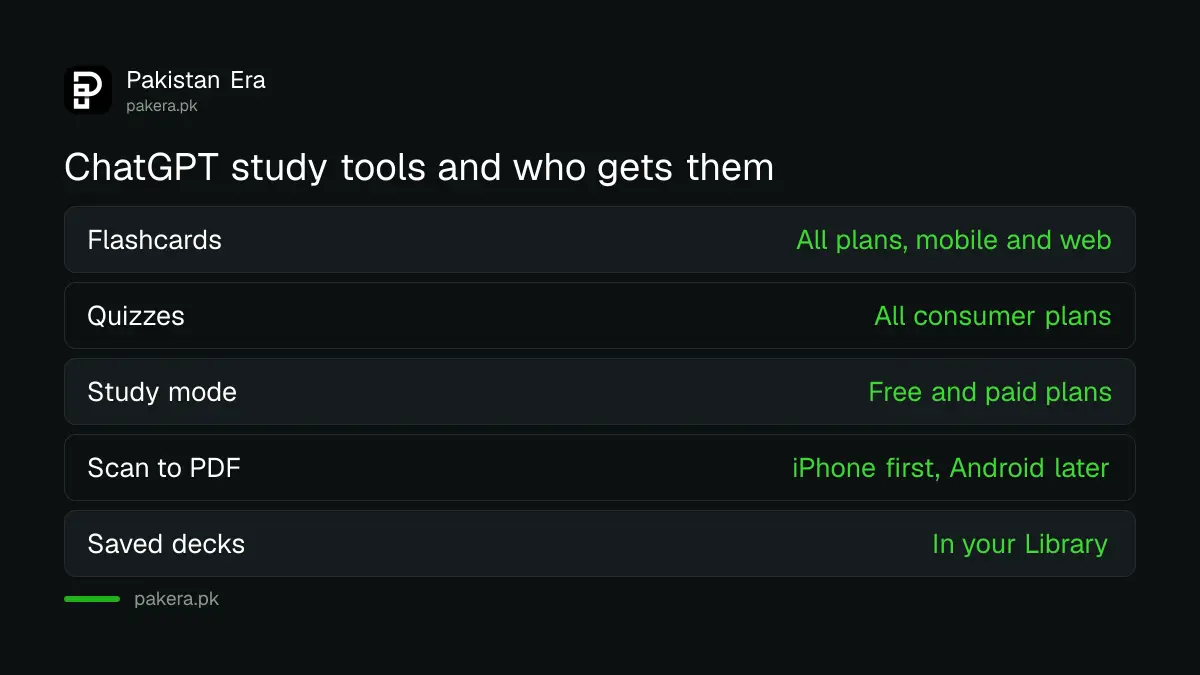
| Study tool | What it does | Free plan? | Where it works |
|---|---|---|---|
| Flashcards | Turns a topic or your notes into cards you flip and mark | Yes | Mobile and web |
| Quizzes | Asks you questions you answer inside the chat | Yes | Mobile and web |
| Study mode | Guides you step by step instead of giving the answer | Yes | iOS, Android, web and desktop |
| Scan | Photographs several pages and joins them into one PDF | Not stated | Rolling out on iPhone, Android to follow |
| Interactive visuals | Lets you change a formula's inputs and see the result | Not stated | Shown for 70+ maths and science topics |
Flashcards arrived in September 2026 and quizzes in August. The wider picture of what a free ChatGPT account includes in Pakistan, compared with Gemini and Claude, is in the free AI plans comparison.
How to make flashcards from your notes in ChatGPT
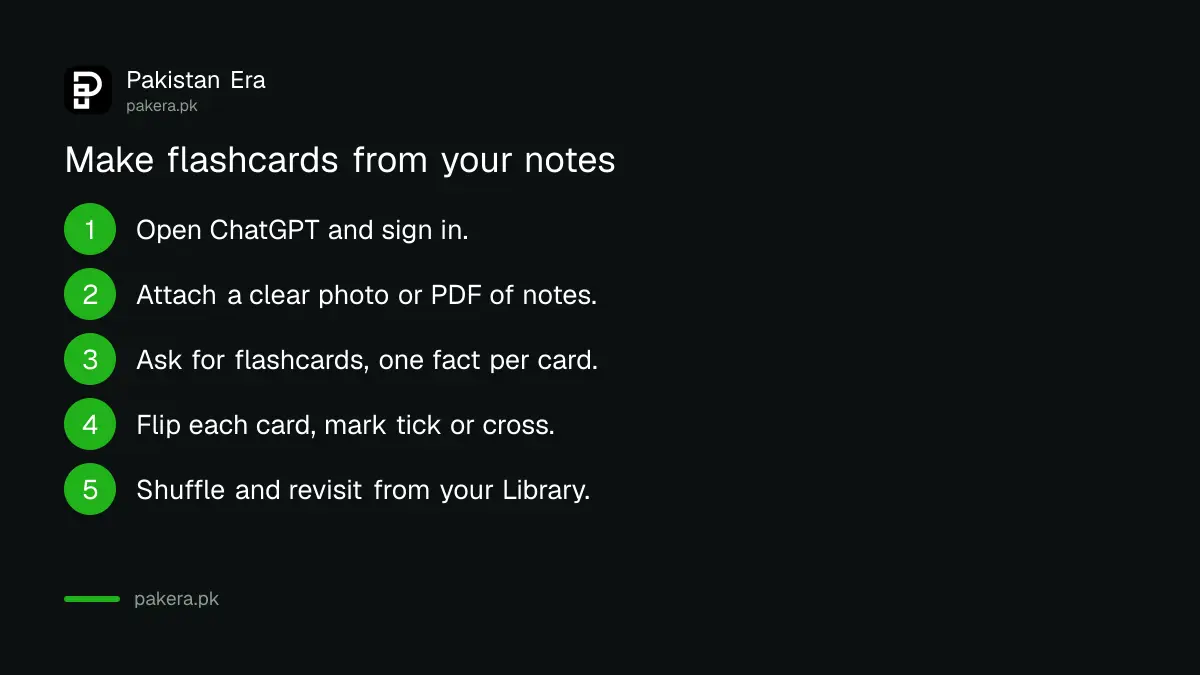
Open ChatGPT, attach your notes as a photo, PDF or file, and ask it to turn them into flashcards. Tap a card to flip it. Mark it with a tick if you knew the answer or a cross to see it again later. The deck saves itself in your Library.
- Open the ChatGPT app or chatgpt.com and sign in.
- Tap the attach button and add your notes: a clear photo, a PDF or a document.
- Type a clear request, for example "Make 20 flashcards from these Chemistry notes, one fact per card".
- Tap each card to flip it. Mark the tick if you knew it, or the cross to practise it again.
- Use shuffle to change the order, then come back to the deck later from your Library.
You can also skip the notes and just name a topic: "flashcards on the causes of the 1857 war of independence". That is quicker, but it means ChatGPT writes from its own knowledge, not your syllabus. For a board exam, your own textbook notes are the safer base.
OpenAI also says you can ask ChatGPT to pull up a saved deck again, or to set a scheduled task to practise it. Free accounts can create up to three active scheduled tasks, according to the same release notes.
How to make ChatGPT quiz you on a chapter
Ask ChatGPT to "quiz me" on a topic or on the notes you uploaded. It asks questions that you answer directly in the conversation. OpenAI says ChatGPT has become better at recognising when you want a quiz and building one straight away.
Be specific. "Quiz me on Class 10 Physics chapter 12, 10 multiple choice questions, then tell me which I got wrong" works much better than "quiz me on physics". Ask for the format your exam uses: short questions, MCQs or fill in the blanks.
- For MCQ tests such as MDCAT or ECAT: ask for multiple choice with four options and an explanation after each answer.
- For board exams: ask for short questions in the style of past papers, then paste your answer and ask for marking.
- For language subjects: ask for vocabulary or grammar questions from a passage you upload.
Study mode is the other tool worth knowing. Instead of giving the answer, it asks you questions to find out your level and works through the problem with you. OpenAI's notes say you turn it on from Tools by choosing Study and learn, and the menu may look different in newer app versions.
Scanning many pages of notes on your phone
ChatGPT's camera can now photograph several pages in a row and join them into one PDF, ready to upload. Open the camera in ChatGPT, tap the three-dot menu and choose Scan. OpenAI says this is rolling out on iOS first, with Android coming later.
If you use an Android phone, you will probably not see Scan yet. Until it arrives, take clear photos one page at a time and attach them together, or use your phone's own document scanner to make a PDF first.
Good photos matter more than people think. Shoot in daylight, keep the page flat, and fill the frame. Blurry handwriting in a dim room is where ChatGPT starts to guess, and guessed facts make bad flashcards.
Check every card against your textbook
ChatGPT can make mistakes, and OpenAI itself says its study mode can be inconsistent. A wrong card learned well is worse than no card. Check each deck against your textbook or teacher's notes before you start drilling it.
Three habits help. Keep each card to one fact. Delete any card you cannot confirm in your book. And for numbers, dates and formulas, trust the textbook over the chat every time.
Think about privacy too. Do not upload anything with your CNIC number, B-Form, roll number slip or a classmate's personal details. Class notes are fine. Personal documents are not needed for revision.
If ChatGPT is not working well for a subject, other free tools exist. The AI tools for students in Pakistan list covers Anki, NotebookLM and others we opened, and Google offers Gemini free for eligible students.
Common questions
Are ChatGPT flashcards free in Pakistan?
Yes. OpenAI says flashcards are available on mobile and web for all ChatGPT plans, which includes the free plan.
Where are my ChatGPT flashcards saved?
They are saved automatically in your Library. Open them there, or ask ChatGPT to bring the deck back up.
Can ChatGPT make flashcards from a photo of my notes?
Yes. Upload a clear photo or file of your notes and ask ChatGPT to turn them into flashcards. Clear, well-lit photos give better cards.
Is the ChatGPT Scan feature on Android?
Not yet. OpenAI says Scan is rolling out on iOS first and that it is working to bring it to Android.
Can I trust ChatGPT flashcards for my board exam?
Only after checking them. ChatGPT can make mistakes, so compare each card with your textbook before you learn it.
Do I need ChatGPT Plus for quizzes?
No. OpenAI says interactive quizzes are available to all consumer ChatGPT plans, including Free, on web and mobile.
How we verified this
What we checked, where we read it, and what we could not confirm.
We checked on 9 October 2026. Flashcards (all plans, mobile and web), quizzes (all consumer plans), Scan (rolling out on iOS), study mode, interactive maths and science visuals and the three scheduled tasks on Free are all from OpenAI's ChatGPT release notes. The plan to bring Scan to Android and the easier quiz creation are from OpenAI's 7 October 2026 post, Helping teens learn, plan, and shape the future of AI. We did not build a deck on a Pakistani free account for this article, so exact button names may differ in your app version.
About the author

Technology Journalist & Multimedia Producer
Ahmad Ali is a technology journalist and multimedia producer at Pakistan Era, joining the team in October 2026. He covers consumer technology and digital life for Pakistani readers, combining research with hands-on product testing.