YouTube Comment Settings in Pakistan: Turn Comments On, Off or Pause, and Review Held Comments
Turn YouTube comments on, off or pause in Pakistan, pick None, Basic, Strict or Hold all, review held comments within 60 days, and why kids videos lock them.
To change comments on a YouTube video, open YouTube Studio, go to Content, click the video, click Show more, and pick a setting under "Comments and ratings": On, Pause or Off. With comments On, you also choose how strict the filter is, from None to Hold all. Held comments wait in Studio for up to 60 days.
Creators usually need this for one of two reasons. Either comments vanished and they want them back, or a video got flooded with spam links and abuse. Both fixes sit in the same menu.
One rule overrides everything else. If a video is set as made for kids, comments are off and you cannot turn them on. Check that first if the switch looks greyed out.
YouTube gives you three comment choices for each video
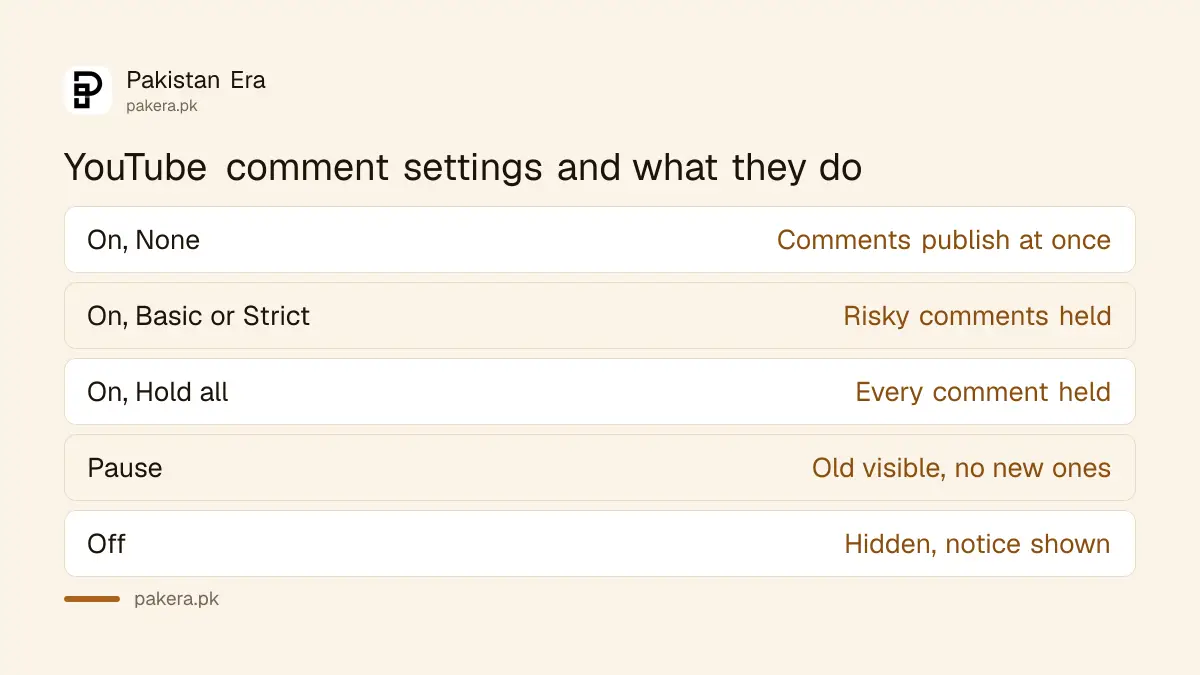
Every video can have comments On, Paused or Off. On lets people comment, with the filter you choose. Pause keeps old comments visible but stops new ones. Off hides comments and shows viewers a notice that comments are turned off.
| Setting | Old comments | New comments |
|---|---|---|
| On, None | Visible | Published straight away |
| On, Basic or Strict | Visible | Possibly bad ones held for review |
| On, Hold all | Visible | All held until you approve |
| Pause | Visible | Not allowed |
| Off | Hidden, come back if you turn comments on | Not allowed |
Pause is useful during a heated moment, for example after a match result or a political clip, when you want to keep the good discussion but stop new attacks. Off is the stronger step. The old comments are not deleted; they return if you switch comments back on.
With comments On, you can also limit who may comment to subscribers and channel members, and set a minimum time they must have been subscribed.
Change comments on one video in YouTube Studio
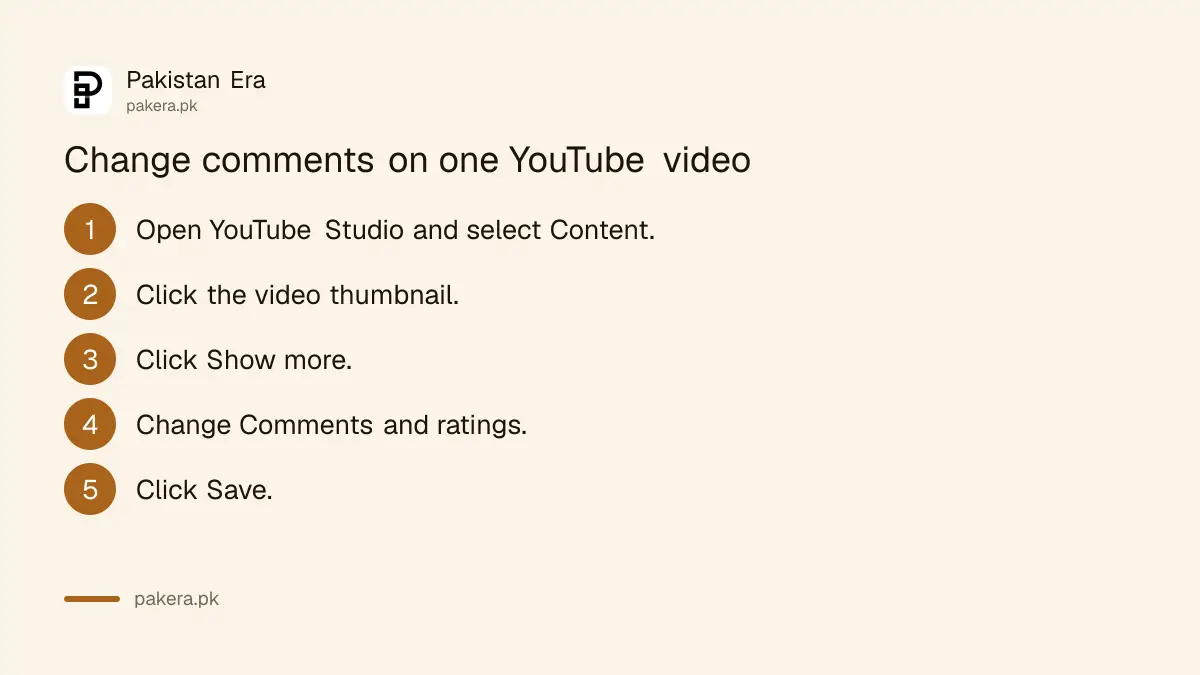
On a computer, open YouTube Studio, choose Content from the left menu, click the video's thumbnail, click Show more, and change the settings under Comments and ratings. Click Save. The change applies to that video only, not to the rest of the channel.
- Sign in to YouTube Studio on a computer.
- From the left menu, select Content.
- Click the thumbnail of the video.
- Scroll down and click Show more.
- Under Comments and ratings, choose On, Pause or Off, and the moderation level.
- Click Save.
On your phone, use the YouTube app. Open one of your own videos, tap Comments below it (or to the right of a Short), tap the settings icon, then tap Comments under For this video and change it.
In the same Studio section you can set how comments are sorted. Under Comments and ratings, choose Sort by, then Top or Newest.
Pick a moderation level to hold spam and abuse
When comments are On, YouTube offers four levels: None, Basic, Strict and Hold all. Basic and Strict send comments that may be inappropriate to a Held for review list. Hold all sends every comment there. Nothing held is public until you approve it.
- None publishes every comment at once. Fine for a small channel with friendly viewers.
- Basic holds comments that may be inappropriate.
- Strict is the tighter filter, so it holds more comments than Basic.
- Hold all holds everything, for channels that get targeted or for sensitive topics.
YouTube says held comments can be reviewed in more than 100 languages, so Urdu and Roman Urdu abuse can be caught too, not only English. For a channel that gets a lot of scam replies, such as fake "WhatsApp me for prize" messages, Strict is a sensible place to start.
Instagram has a similar tool, and Instagram's Hidden Words filter works the same way for comments there.
Review held comments within 60 days
Held comments sit in the Held tab of the Comments page in YouTube Studio. You can approve them so they appear, or remove them. YouTube keeps them for up to 60 days, so check the tab at least once a month or real comments may disappear unseen.
- Open YouTube Studio.
- Go to the Comments page from the left menu.
- Open the Held tab.
- Approve the comments you want to publish, or remove the rest.
Channel-wide tools feed the same tab. Under your channel's comment settings, you can add blocked words and blocked links. Comments that match are held for review. You can also hide specific users across all your videos, and approve trusted users whose comments skip the filters.
Set a default for new uploads
A default comment setting applies to every new video you upload. It does not change videos already on your channel, so old videos keep whatever setting they had. Set the default once, then adjust single videos when needed.
The same idea applies to filters on the Comments page. Choose the filters you want, then open the filter menu and select Set current filters as default.
If you post news, cricket or political videos, Strict or Hold all is a sensible default, which you can relax on calmer videos. That keeps the risk of a Community Guidelines problem from a comment thread lower, and gives you time to read before anything goes public.
When you cannot change comment settings
Three kinds of video lock the comment setting. Made for kids videos have comments off. Private videos and videos on supervised accounts cannot have their comment settings changed. For comments on a video you do not want public, YouTube suggests posting it as unlisted instead.
| Video type | Comments | What to do |
|---|---|---|
| Made for kids | Always off | Change the audience setting if it was marked wrongly |
| Private | Cannot change | Post as unlisted to allow comments |
| Supervised account | Cannot change | Settings are controlled by the parent |
If a video was marked made for kids by mistake, changing the audience brings comments back, but it also affects other features and earnings. The made for kids setting explains what changes before you switch it.
Common questions
Why are comments turned off on my YouTube video?
Check the made for kids setting first, because it turns comments off. A private video or a supervised account also locks the comment setting.
How long does YouTube keep held comments?
Up to 60 days in the Held tab of YouTube Studio. Held comments are not public unless you approve them.
Does turning comments off delete them?
No. Existing comments are hidden while comments are off, and they reappear if you turn comments back on.
Can I turn off comments from the YouTube app?
Yes. Open your video, tap Comments, tap the settings icon, then change Comments under For this video.
Can I allow only subscribers to comment?
Yes. With comments On, you can limit commenting to subscribers and members, and set a minimum subscription time.
How we verified this
What we checked and where we read it.
Last checked 15 November 2026. Settings, moderation levels and the 60 day rule come from YouTube Help: Learn about comment settings. Studio and app steps and the made for kids, private and supervised rules come from Choose comment settings.
About the author

Technology Journalist & Multimedia Producer
Ahmad Ali is a technology journalist and multimedia producer at Pakistan Era, joining the team in October 2026. He covers consumer technology and digital life for Pakistani readers, combining research with hands-on product testing.