iMessage and FaceTime Waiting for Activation in Pakistan: Fix It on iPhone, Step by Step
Fix iMessage and FaceTime stuck on Waiting for activation in Pakistan: SMS and balance, time zone, the off and on reset, email instead, and the 24 hour rule.
iMessage or FaceTime stuck on "Waiting for activation" in Pakistan? Activation uses an SMS, and Apple asks you to confirm that your Jazz, Zong, Ufone or Telenor SIM can send and receive international SMS. Turn on mobile data or Wi-Fi, set the right time zone, then switch iMessage and FaceTime off, restart, and switch them on again.
Apple says carrier verification can take up to 24 hours. So if you just put in a new SIM, give it a day before you try the harder fixes. Toggling iMessage on and off every few minutes does not help, and Apple asks you not to.
Three simple causes are worth ruling out first: a SIM that cannot send the SMS, the wrong date and time, or an old iOS version. All three take a minute to check.
Five activation errors all have the same first fixes
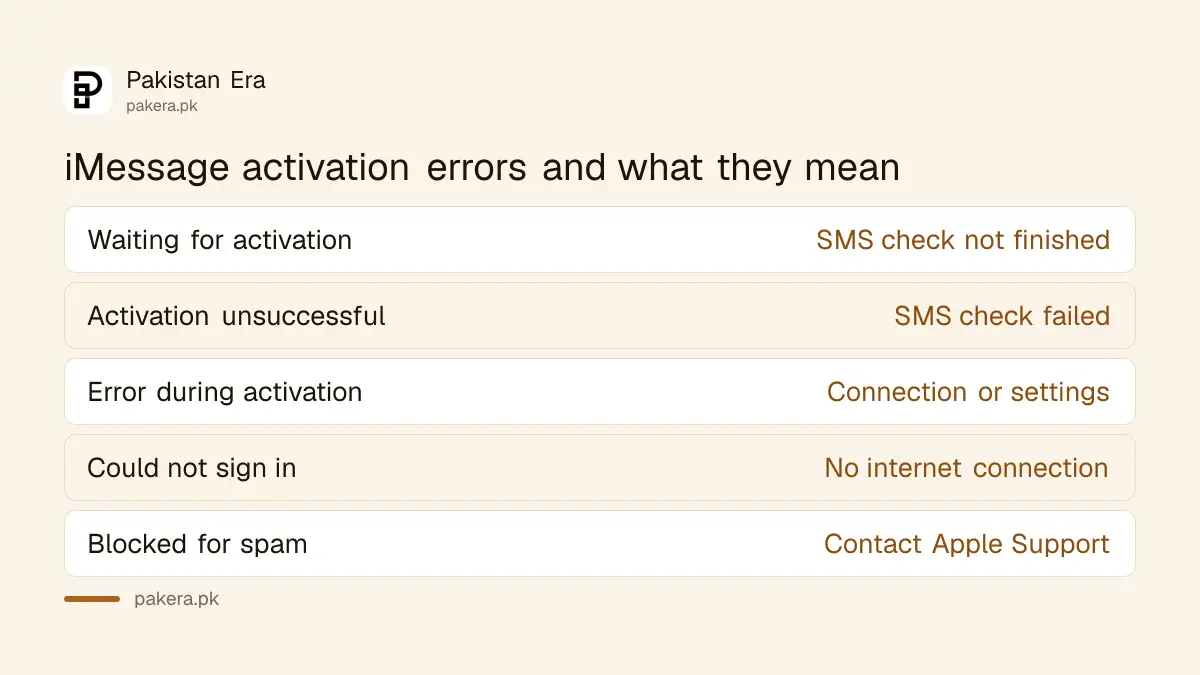
Apple lists five messages you may see when iMessage or FaceTime will not turn on. They look different but start the same way: check the connection, the iOS version, the time zone and SMS. Only the blocked account message needs Apple itself.
| Message on your iPhone | What it usually means |
|---|---|
| Waiting for activation | The SMS check has not finished yet |
| Activation unsuccessful | The SMS check failed, try again |
| An error occurred during activation | Connection or settings problem |
| Could not sign in, please check your network connection | No internet, or Apple's server not reached |
| Unable to contact the iMessage server | Connection problem, try again later |
Check four things before you sign in again
Apple asks you to check four things first: an internet connection, the latest iOS, the correct time zone, and SMS. On a prepaid SIM, keep some balance so the activation text can go out.
- Connect to the internet. Use mobile data or Wi-Fi. If Wi-Fi fails, try mobile data instead.
- Update iOS. Go to Settings, General, Software Update and install the latest version.
- Check the time zone. Go to Settings, General, Date & Time. Turn on Set Automatically, or choose Karachi as the time zone.
- Allow the SMS. If a message says your network provider may charge for SMS, tap Turn On.
If you bought the iPhone abroad and the SIM is new, also check that the phone has a signal at all. A phone showing SOS or No Service cannot send the activation SMS, and an iPhone stuck on No Service or SOS has its own set of fixes.
Turn iMessage and FaceTime off, restart, then on again
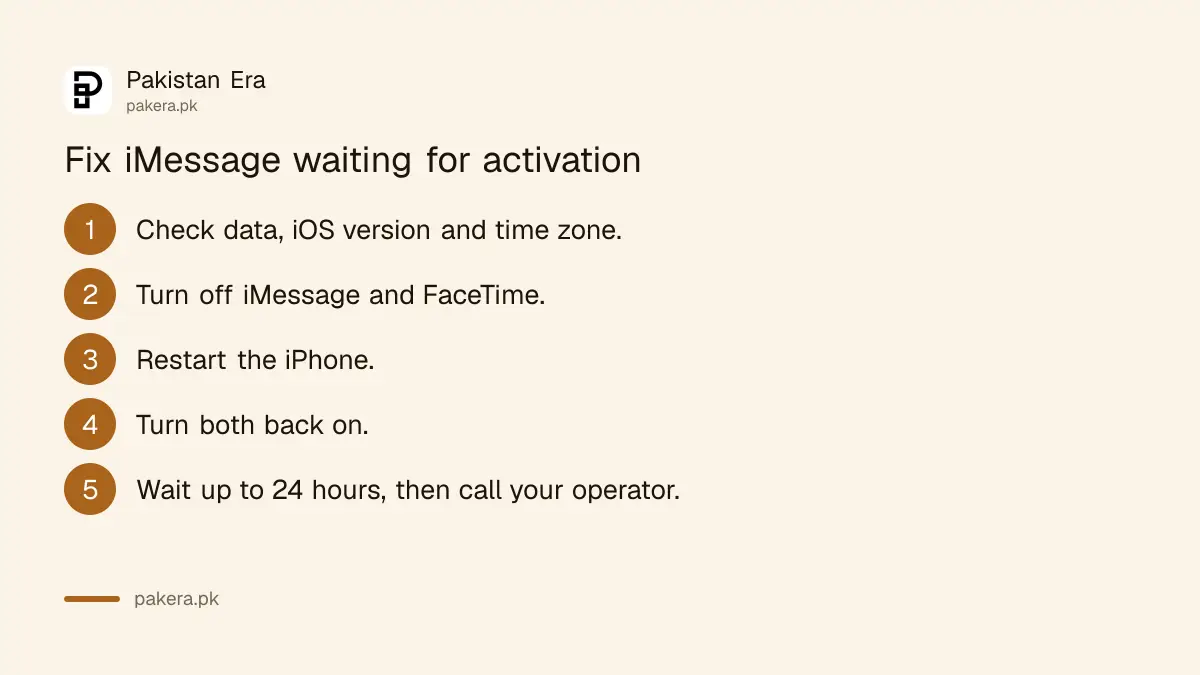
This is Apple's main fix, and it works for most "Waiting for activation" cases. Turn both services off, restart the iPhone, and turn them back on. Then leave it alone. A spinning wheel next to your number means the phone is still checking on its own.
- Open Settings and tap Apps.
- Tap Messages and turn off iMessage.
- Go back to Apps, tap FaceTime, and turn it off.
- Restart your iPhone.
- Turn iMessage and FaceTime back on.
On older iOS versions, Messages and FaceTime sit directly in Settings instead of under Apps. The switches are the same.
A new iPhone set up on iOS 26 can have a different symptom. If iMessage did not switch on when you added an eSIM later, your messages may show Not Delivered, go as green SMS bubbles, or come from your email address. Apple's fix is the same toggle: Settings, Apps, Messages, iMessage off and on.
Activate online, or use your email address instead
If the phone number will not verify, Apple offers two other routes. You can request activation online at apple.co/IMFT-mac, signing in with your Apple Account. Or you can use iMessage and FaceTime with your email address, which needs no SMS at all.
To activate online:
- Open apple.co/IMFT-mac in a browser.
- Under Enable Apple Account, tap Get Started.
- Sign in with your Apple Account and follow the steps. Enter your phone number if you use it with these services.
Apple sends an email when your account is ready. If no email comes, Apple says your account is likely blocked and the unblock request was not approved.
To use your email address, sign in to your Apple Account and check that the email on file is correct. In Messages, go to Settings, Apps, Messages, Send & Receive and pick the email. In FaceTime, pick it under "You Can Be Reached By FaceTime At". People can then reach you on that email even while the number is still pending. Apple notes that using both can split one contact into two chats.
Wait 24 hours, then call your mobile operator
Apple says carrier verification can take up to 24 hours. If your number is still not verified after a day, contact your operator and confirm your SIM can send and receive international SMS. Then wait up to another 24 hours after repeating the steps.
Ask the helpline one plain question: "Can my number send an international SMS?" If the answer is no, ask them to turn it on. Keep plain balance on the SIM as well as any package.
After a SIM replacement or a port to another network, the number has to work normally for calls and SMS before Apple can verify it.
A blocked account needs Apple Support
One message is different. "iMessage or FaceTime Activation Failed. This account is blocked due to reported spam" means Apple has limited the account. Apple says iMessage and FaceTime are for personal messages, not business or unwanted messages, and misuse can limit them.
Contact Apple Support for a blocked account. Meanwhile, you can still text with iMessage off, as normal SMS, MMS or RCS. If someone else may have signed in to your Apple Account and sent spam from it, follow the steps for a hacked Apple Account first.
One more note. Apple says FaceTime is not available in every country or region. If FaceTime is missing entirely from Settings, check where your iPhone was sold and which region your Apple Account uses, because the Apple Account country affects some services.
Common questions
How long does iMessage activation take in Pakistan?
Usually a few minutes. Apple says carrier verification can take up to 24 hours, so wait a full day before calling your operator.
Does iMessage activation cost money?
Activation sends an SMS, and Apple says your carrier may charge for it. The charge is your operator's normal international SMS rate.
Why is iMessage waiting for activation on Wi-Fi?
Wi-Fi gives the internet connection, but the phone number still needs an SMS from your SIM. If the SIM cannot send an international SMS, activation stays pending.
Can I use iMessage without a SIM in Pakistan?
Yes, with your email address. Choose your email under Send & Receive in Messages, and under "You Can Be Reached By FaceTime At" in FaceTime.
What does "blocked due to reported spam" mean?
Apple has limited iMessage and FaceTime on that account after spam reports. Only Apple Support can review it.
How we verified this
What we checked and where we read it.
Last checked 15 November 2026. Errors, steps, the 24 hour wait, online activation and the blocked account message come from Apple Support: If you can't turn on or sign in to iMessage or FaceTime on your iPhone (dated 14 September 2026 on the page). Phone number and email settings come from Add or remove your phone number in Messages or FaceTime. Apple's page is written for the United States; the Pakistan notes on balance and international SMS apply its carrier advice to local prepaid SIMs.
About the author

Technology Journalist & Multimedia Producer
Ahmad Ali is a technology journalist and multimedia producer at Pakistan Era, joining the team in October 2026. He covers consumer technology and digital life for Pakistani readers, combining research with hands-on product testing.