Apple ID Hacked in Pakistan: Check Signed-In Devices, Change the Password and Recover Your Apple Account (Every Step)
Apple ID hacked in Pakistan? See the 5 signs Apple lists, remove unknown devices, change the password, and recover a locked Apple Account with no Apple Store.
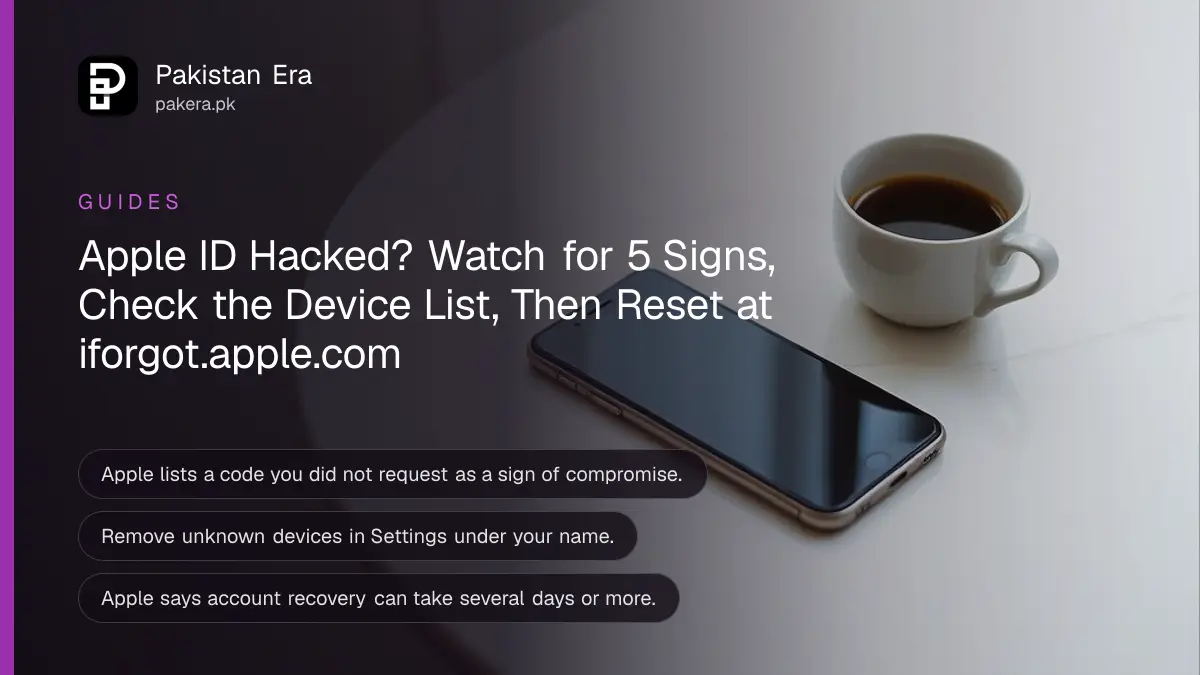
If you think your Apple ID is hacked, open Settings, tap your name, and scroll to the device list. Remove any device you do not own, then change your password under Sign-In and Security. If the password no longer works, start at iforgot.apple.com in Safari. Apple now calls the Apple ID an Apple Account, but it is the same login.
An Apple Account holds your iCloud photos, backups, saved passwords, Find My and App Store purchases. Someone inside it can lock your iPhone remotely. Below are the signs Apple lists, the checks in order, and the recovery route when you are locked out, which matters in Pakistan because there is no Apple Store to walk into. We read Apple's support pages on 25 October 2026.
Apple lists five signs that your Apple Account is compromised
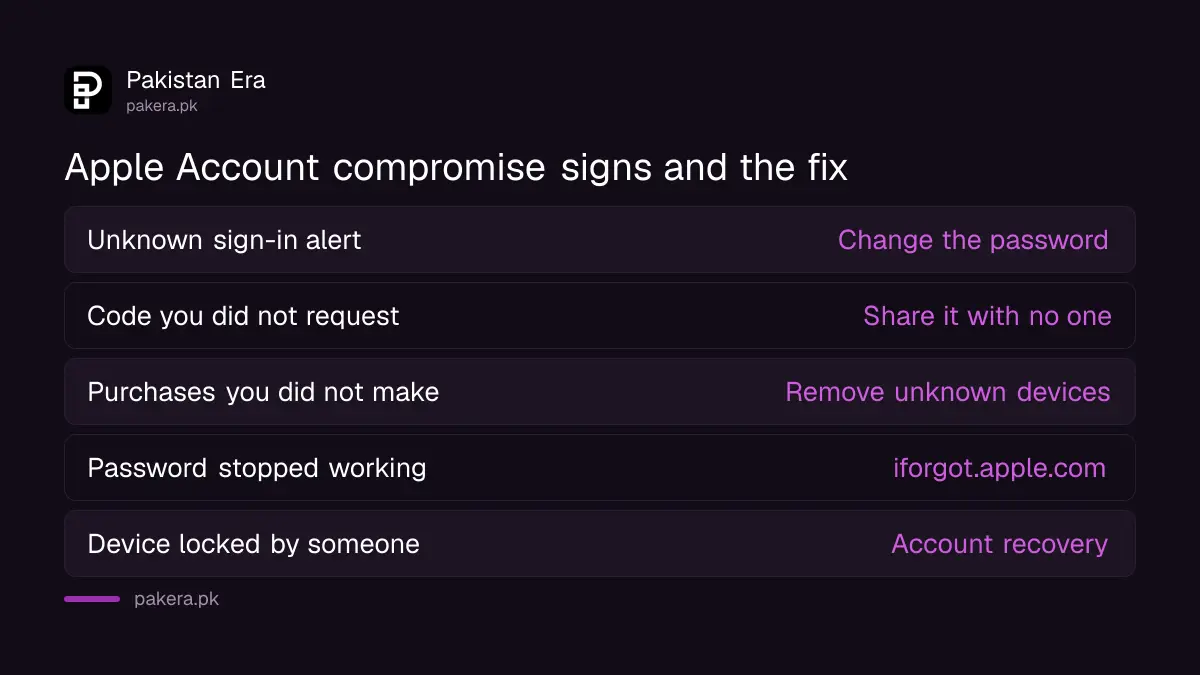
Apple says an account may be compromised if you get alerts about sign-ins or changes you did not make, a verification code you did not request, unknown activity, a password that stops working, or a device that someone else locked or put in Lost Mode.
| Sign Apple lists | What it usually means | Do this now |
|---|---|---|
| Alert about a sign-in or password change you did not make | Someone has your password | Change the password |
| A two-factor code you did not request | Someone is trying to sign in | Do not share the code, tap Don't Allow |
| Messages, deletions or purchases you did not make | Someone is using the account | Remove unknown devices |
| Your password stopped working | The password was changed | Reset at iforgot.apple.com |
| Your device is locked or in Lost Mode | Someone used Find My on you | Start account recovery |
A code you did not request is the most useful warning, because it arrives before any damage. Never read it out to a caller, even one who says they are from Apple. Apple says its threat notifications never ask for your password or a verification code by email or phone.
Check the device list first, because it shows who is signed in
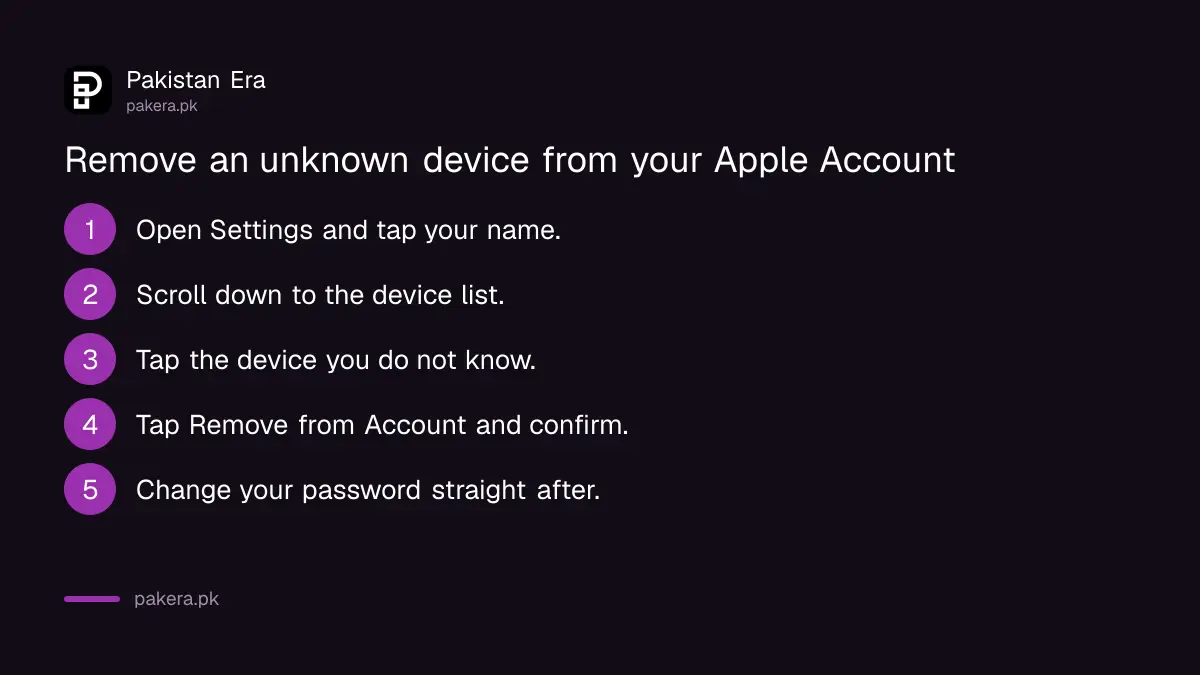
On your iPhone, open Settings, tap your name, and scroll down to the devices. Every iPhone, iPad, Mac or Windows PC using your Apple Account appears there. Tap any device you do not recognise and choose Remove from Account.
- Open Settings and tap your name at the top.
- Scroll down to the list of devices.
- Tap a device name to see its model and details.
- Tap Remove from Account, read the message and confirm.
- On a computer, sign in at account.apple.com, choose Devices, and do the same.
Apple warns that a removed device loses access to iCloud, Find My and other Apple services, and stops showing two-factor codes. If the device is still signed in, it can reappear the next time it goes online. So change the password straight after removing it, which signs it out for good.
Change the password and check every contact detail on the account
Change your Apple Account password to a strong one you use nowhere else, from Settings, your name, Sign-In and Security. Then confirm every email address and phone number on the account belongs to you. Apple says to check that SMS forwarding is not turned on for your number.
That last step is easy to skip and important in Pakistan. If someone has set up forwarding on your SIM, your Apple codes can reach them. Ask your network to check, or dial *#21# to see whether call forwarding is on. Our steps to check and cancel call forwarding list the codes for Jazz, Zong, Telenor and Ufone.
At account.apple.com, Apple says to correct any personal or security details that look wrong or unfamiliar. Look closely at the name, the birthday and the trusted phone numbers. An attacker who adds their own number can sign in again after you change the password.
Locked out? Recovery works without an Apple Store
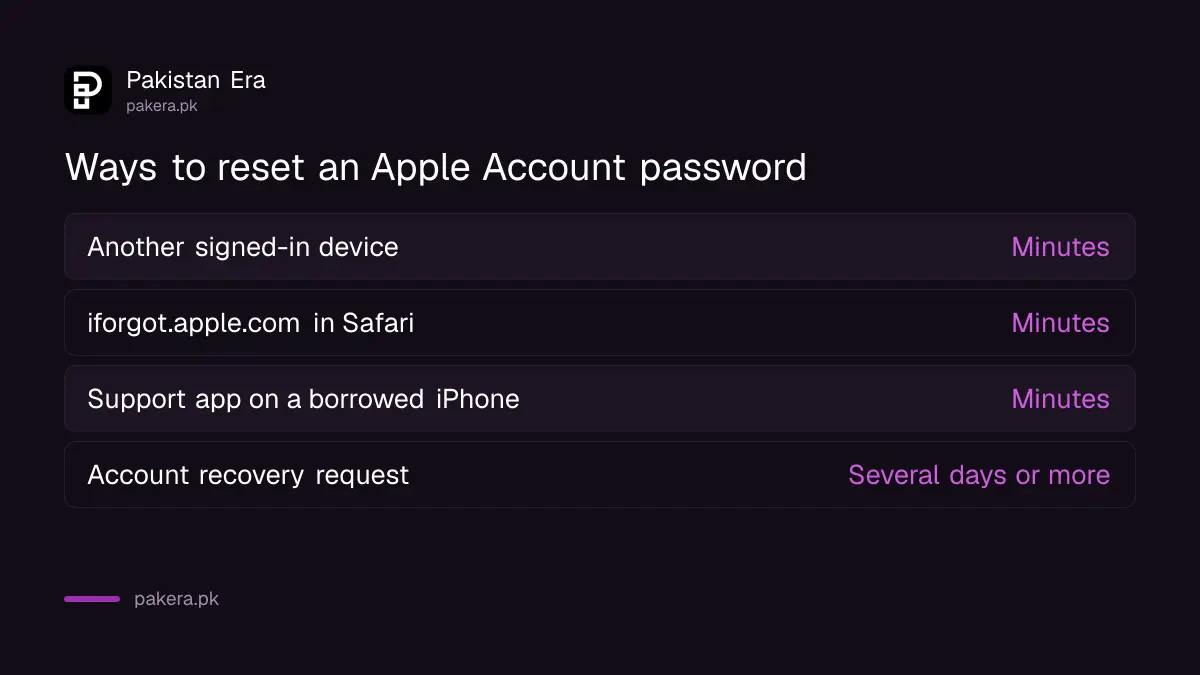
If you cannot sign in, reset the password on another Apple device you are signed in to, or go to iforgot.apple.com in Safari. You can also use the Apple Support app on a borrowed iPhone. If none of that works, request account recovery, which Apple says can take several days or more.
| Your situation | Where to reset | Time |
|---|---|---|
| Another of your Apple devices is still signed in | Settings on that device, Forgot password | Minutes |
| No signed-in device, but you have your trusted number | iforgot.apple.com in Safari | Minutes |
| Only a family member's iPhone available | Apple Support app, Support Tools, Reset Password, Help Someone Else | Minutes |
| No trusted device and no trusted number | Account recovery request | Several days or more |
Apple says iforgot.apple.com in Safari needs iOS 17 or later. Pakistan has no Apple-run store, so the borrowed-device route through the Support app is the practical one for most people here. A recovery contact on your Apple Account, set up before trouble, gives you a faster way back in.
Do not pay anyone on Facebook or WhatsApp who offers to "unlock" or "recover" an Apple ID. Apple's recovery is free, and a stranger offering to do it for a fee wants your money, your login or both.
After you are back in, close the remaining doors
Turn on two-factor authentication if it is off, then check which Apple services are signed in with your account. Apple lists FaceTime, Messages, Media and Purchases, Mail and Calendar, plus iCloud for Windows. Turn on Stolen Device Protection on your iPhone too.
- Open Settings, your name, Sign-In and Security, and turn on two-factor authentication.
- In Settings, check FaceTime, Messages and Media and Purchases show your own email.
- Review your purchase history for apps or subscriptions you did not buy, and the cards linked to the account.
- Turn on Stolen Device Protection, so a thief who learns your passcode cannot change the password at once.
- Change passwords saved in iCloud Keychain for your bank, email and social apps.
Apple also suggests security keys, small physical keys that replace codes, for people at high risk of phishing. For most readers, the steps to turn on Stolen Device Protection and a strong passcode do more.
Report Apple scams and hacking in Pakistan
Report a fake Apple call, email or message to Apple, and report hacking or money loss to the National Cyber Crime Investigation Agency (NCCIA) on 1799. If a card linked to your Apple Account was charged, call your bank first and ask it to block the card.
Apple's real security messages never ask you to click a link, open a file or install a profile. Anyone who calls claiming to be Apple and asks for a code is lying. The steps to report a fake Apple support call or message cover where to forward it. Keep screenshots of every alert and message before you change anything.
Common questions
How do I see where my Apple ID is logged in?
Open Settings, tap your name and scroll to the device list. On a computer, sign in at account.apple.com and choose Devices.
Can someone use my Apple ID without my password?
Not normally. They need your password and, with two-factor on, a code from your device or trusted number. That is why you should never share a code.
How long does Apple account recovery take?
Apple says it can take several days or more. Resetting from a trusted device or iforgot.apple.com is much faster.
Someone locked my iPhone with my Apple ID. What now?
Reset your Apple Account password through iforgot.apple.com or a trusted device, then remove unknown devices. If that fails, request account recovery.
Is the Apple ID the same as the Apple Account?
Yes. Apple renamed it. Your email, password and purchases are unchanged.
Will Apple ever call me about a hacked account?
Apple says its threat notifications never ask for your password or verification code by phone or email. Treat such a call as a scam.
How we verified this
What we checked, where we read it, and what we could not confirm.
We read Apple's guide if you think your Apple Account has been compromised, its page on resetting a forgotten Apple Account password, and its pages on device lists, two-factor authentication and threat notifications, on 25 October 2026. NCCIA's helpline comes from our read of its site on 24 October 2026. We did not test recovery on a locked account, and the purchase-history step uses general menu names that may differ on your iOS version.
About the author

Technology Journalist & Multimedia Producer
Ahmad Ali is a technology journalist and multimedia producer at Pakistan Era, joining the team in October 2026. He covers consumer technology and digital life for Pakistani readers, combining research with hands-on product testing.