Change Your Google Account Name, Gmail Sender Name and Profile Picture in Pakistan
Change your Google Account name, the name on your Gmail emails and your profile picture in Pakistan, and why your old name can still show for a few days.
To change your name on Google, go to myaccount.google.com, tap Personal info, then Name, tap Edit, type the new name and tap Save. To change the name people see on your emails, open Gmail on a computer, go to Settings, See all settings, Accounts and Import, and under "Send mail as" click Edit info. Google lets you change your name as many times as you want, and both changes are free.
Those are two different names, and that catches many people out. A student who sets up Gmail with a nickname, or a shop owner who wants the business name on emails, often changes one and wonders why the other stays the same.
Google keeps three separate names for one account
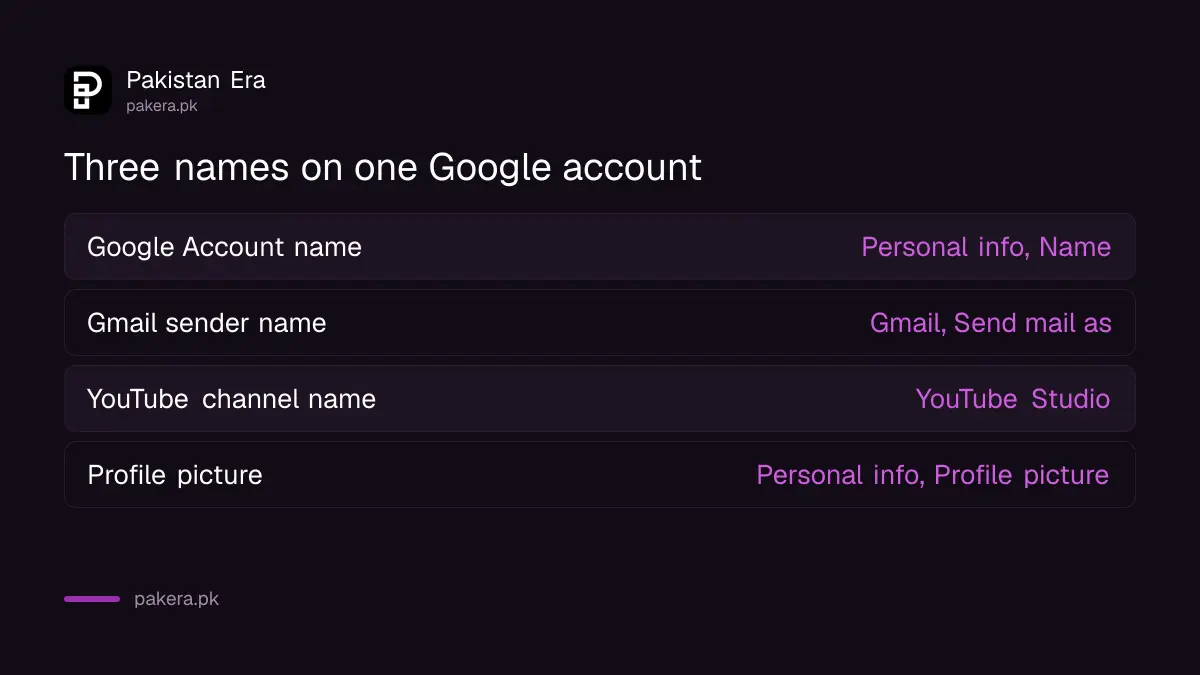
Your Google Account name shows across Google services. Your Gmail sender name is what people see in their inbox. Your YouTube channel name is separate again. Google says changing your account name or picture does not change your YouTube name or picture.
| Name | Where people see it | Where to change it |
|---|---|---|
| Google Account name | Google services, Chat, shared files | myaccount.google.com, Personal info, Name |
| Gmail sender name | The "From" line of your emails | Gmail on a computer, Accounts and Import, Send mail as |
| YouTube channel name | Your channel and comments | YouTube Studio |
| Profile picture | Most Google services | myaccount.google.com, Personal info, Profile picture |
Change your Google Account name on Android, iPhone or a computer
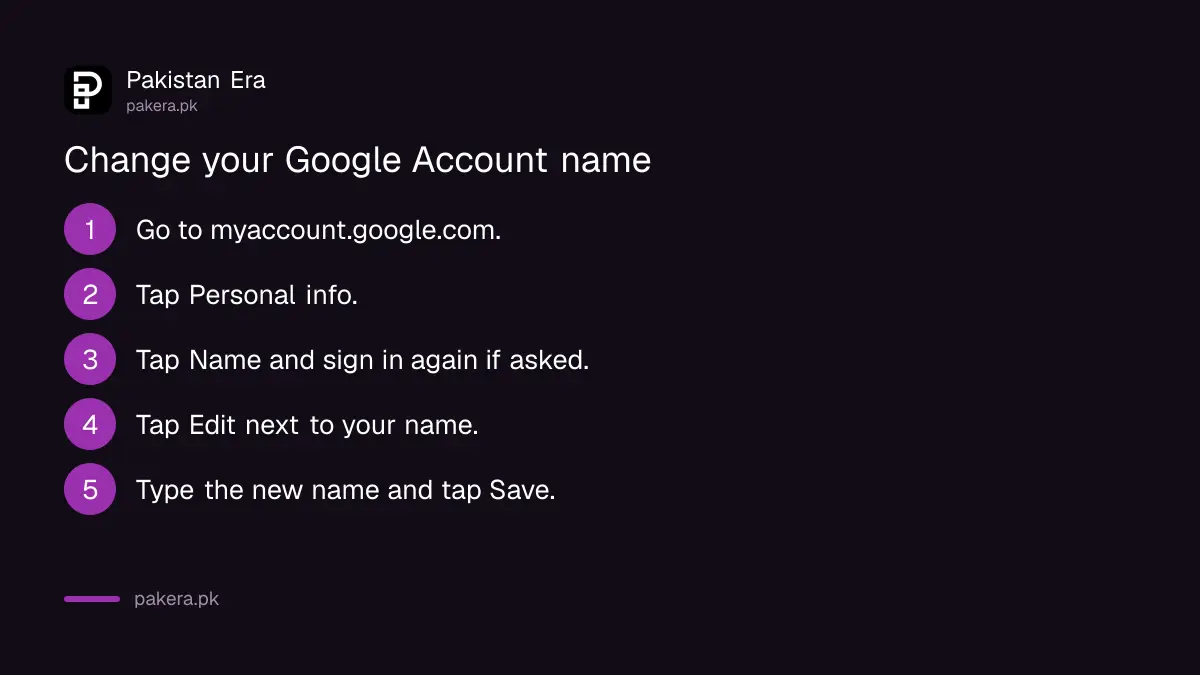
Open myaccount.google.com, tap Personal info, then Name. Tap the edit icon next to your current name, update it and tap Save. On Android you can also reach the same page from Settings, Google, Manage your Google Account.
- On your phone or computer, go to myaccount.google.com and sign in.
- At the top, tap Personal info.
- Tap Name. You may be asked to sign in again.
- Next to your current name, tap Edit.
- Type the new first and last name and tap Save.
There is a Nickname field on the same page. Use it for the short name your friends call you, and keep your full name in the main field. That helps people find you in shared documents and Chat.
Change the name on your Gmail emails from a computer
Gmail's sender name can only be changed on a computer, not in the Gmail app. Open Gmail in a browser, go to Settings, See all settings, then Accounts and Import. Under "Send mail as", click Edit info and save.
- Open Gmail in a browser on a computer.
- Click the Settings gear at the top right, then See all settings.
- Open the Accounts and Import tab, or Accounts on some accounts.
- Under "Send mail as", click Edit info.
- Type the name you want people to see and click Save changes.
This changes only the name, not the address. If the address itself is the problem, Google now lets personal accounts change the Gmail address and keep the account, within its own limits.
Emails you already sent keep the old name. Google says historical emails retain the name you used when you sent them.
Add or change your profile picture
Your Google profile picture is set on the same Personal info page. Tap Profile picture, choose a photo from your phone or Google Photos, crop it, and tap Save as profile picture. It then shows in most Google services.
- Go to myaccount.google.com and tap Personal info.
- Under "Basic info", tap Profile picture.
- Tap Change or Add profile picture, then take or choose a photo.
- Drag the photo to the centre of the square and tap Save as profile picture.
Google says only the profile picture is shared across its services, not your other photos. You can also find past profile pictures from the same screen.
Your old name can still show for a few days
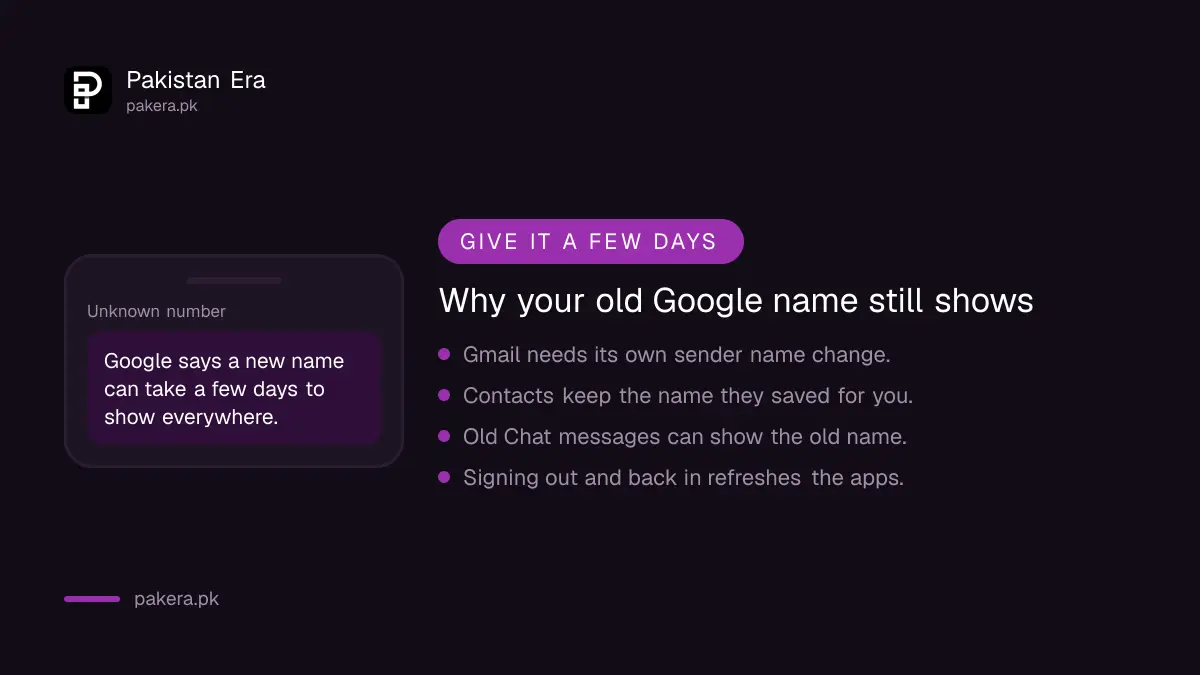
Google says a new name or picture can take a few days to update across its products. Contacts who saved your old name keep it. Old Chat conversations may show the old name. Clearing cache or signing out and back in helps.
- Sign out and sign back in on your phone and computer so apps fetch the new details.
- Clear your browser's cache and cookies. This may sign you out of other websites too.
- Change the Gmail sender name separately, as above. Gmail may keep the old one until you do.
- Ask close contacts to edit the name they saved for you. Google cannot change names in other people's contacts.
A name change is also a good moment to tidy up account safety. A quick Google Security Checkup shows your devices and recovery details in one place. YouTube creators should change the channel name in YouTube Studio, where the rules for changing a YouTube name and handle are different.
Common questions about changing your Google and Gmail name in Pakistan
How many times can I change my Google Account name?
As many times as you want. Google sets no limit on name changes for personal accounts.
Why does Gmail still show my old name?
Gmail's sender name is separate. Change it on a computer under Settings, Accounts and Import, Send mail as, Edit info.
Can I change my Gmail name in the Gmail app?
No. Google says the Gmail sender name cannot be changed from the Gmail app. Use Gmail in a browser on a computer.
Will changing my Google name change my YouTube channel name?
No. Google says your YouTube name and picture stay the same. Change them in YouTube Studio instead.
Will my old emails show the new name?
No. Google says emails you already sent keep the name you used at the time. Only new emails carry the new sender name.
How we verified this
What we checked and where we read it.
Last checked 15 November 2026. We read Google Account Help's page Change your Google Account picture, name and other info (computer and Android versions) and Gmail Help's page Change the name on your Gmail account. The YouTube Studio route comes from the YouTube note on the Google Account page.
About the author

Technology Journalist & Multimedia Producer
Ahmad Ali is a technology journalist and multimedia producer at Pakistan Era, joining the team in October 2026. He covers consumer technology and digital life for Pakistani readers, combining research with hands-on product testing.