How to Delete or Deactivate Threads in Pakistan Without Deleting Your Instagram
Delete or deactivate your Threads profile in Pakistan and keep your Instagram account. App and web steps, the 30 day cancel window and the 90 day rejoin wait.
To delete your Threads profile without losing Instagram, open the Threads app, go to your profile, tap the menu at the top right, tap Meta Account, then Manage account, tap Manage next to the Threads profile, then Deactivation or deletion, and Delete profile. Meta says deleting Threads does not delete your Instagram or Facebook profile. The deletion becomes final after 30 days.
That was not always true. When Threads launched in 2023, removing it meant losing Instagram too. Meta has since separated the two, and its current help page says so plainly. You can also take a break instead of deleting.
Deactivating hides Threads, deleting removes it
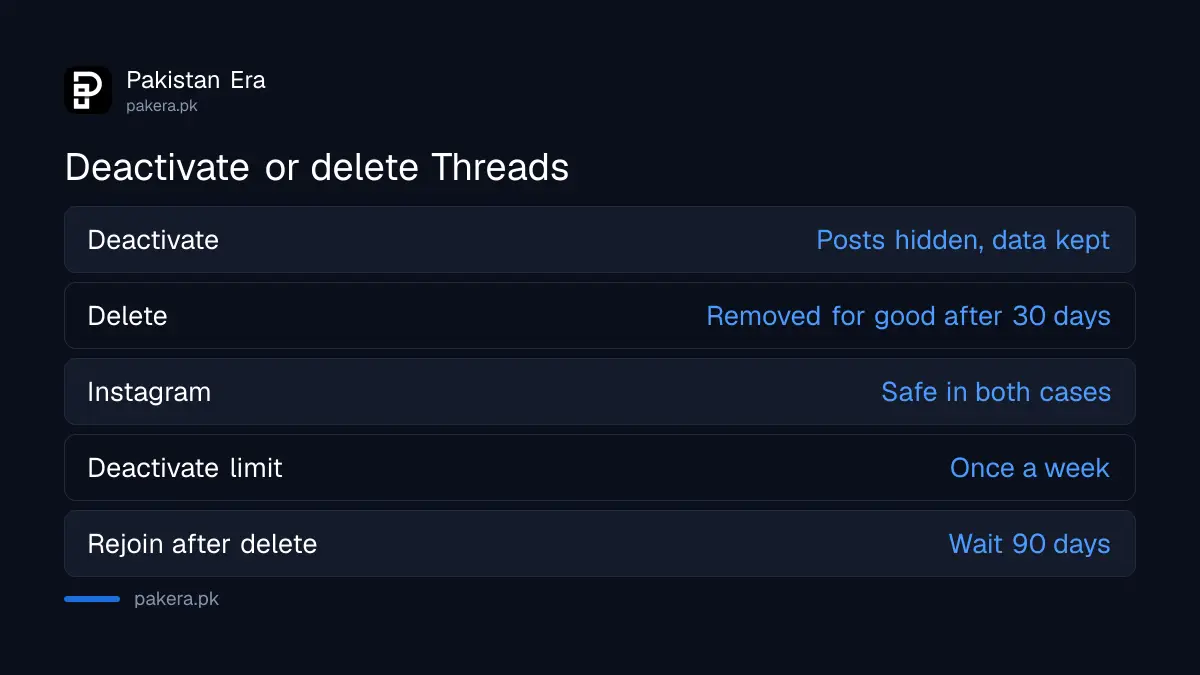
Deactivation hides your Threads profile and posts until you come back, and it keeps your data. Deletion permanently removes your content, likes and followers after 30 days. Neither one touches your Instagram account, according to Meta's Threads help pages.
| Question | Deactivate | Delete |
|---|---|---|
| Posts and replies | Hidden until you return | Removed for good after 30 days |
| Followers and likes | Kept | Removed |
| Instagram profile | Not affected | Not affected |
| How often | Once a week | Once, then a 90 day wait to sign up again |
| Change your mind | Come back when you like | Log in before the 30 days end |
Delete your Threads profile from the app
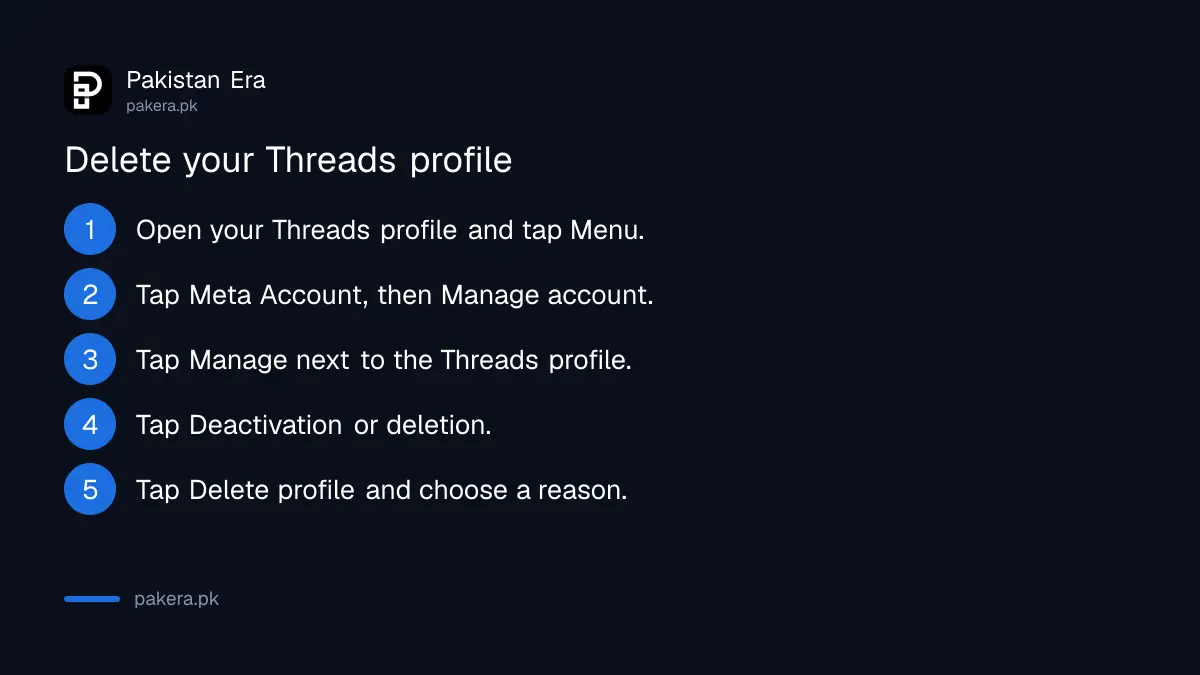
In the Threads app, open your profile, tap the menu, then Meta Account and Manage account. Tap Manage next to the Threads profile, choose Deactivation or deletion, then Delete profile, pick a reason and tap Continue. Meta cannot delete it for you.
- Open the Threads app and tap your profile picture at the bottom right.
- Tap the Menu icon at the top right.
- Tap Meta Account, then Manage account.
- Tap Manage next to the Threads profile you want to remove.
- Tap Deactivation or deletion, then Delete profile.
- Select a reason and tap Continue.
If your app does not show Meta Account
Meta says Threads in Meta Account is not available everywhere yet. On older menus, go to your profile, tap Menu, then Account settings and Personal details. Tap Deactivation or deletion, choose the profile, tap Delete profile at the bottom and follow the prompts.
Meta says that for security reasons it cannot delete a Threads profile on your behalf. You have to be logged in to ask for deletion. If you cannot log in, recover the linked Instagram account first. The steps for a hacked Instagram account apply when someone else has changed your login.
Deactivate Threads for a break instead
Deactivation hides your profile and posts but keeps everything ready for when you return. Meta allows it once a week. On a computer use threads.com settings. In the app, go to Profile, then Deactivate or delete profile, and tap Deactivate profile.
- On a computer, open threads.com, click More on the left, then Settings.
- Click Meta Account, then Manage profile.
- Click Manage next to the Threads profile, then Deactivation or deletion.
- Click Deactivate profile, choose a reason and confirm.
Without Meta Account, the app route is shorter: your profile, Menu, Profile, Deactivate or delete profile, then Deactivate profile. If you only want one or two posts gone, Meta also lets you delete individual posts without hiding the whole profile.
Taking a break from Instagram itself is a separate step. The options to delete or deactivate an Instagram account work differently.
The 30 day window and the 90 day wait
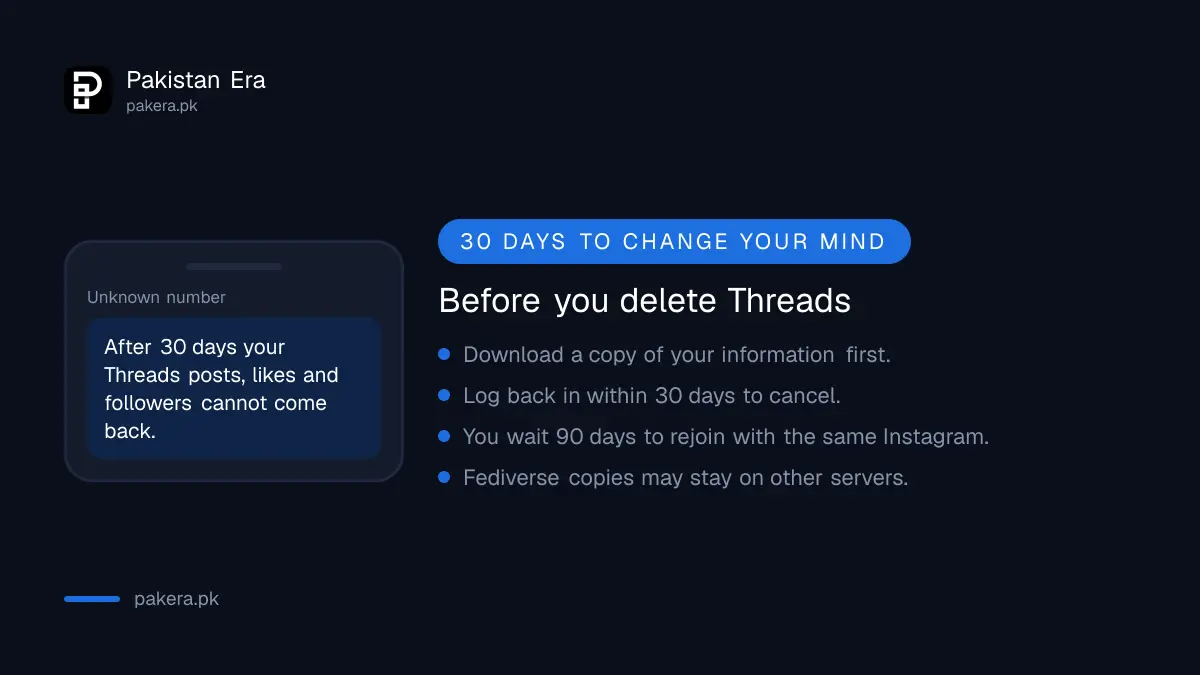
After you ask to delete, Meta hides the profile and removes it for good after 30 days. You can cancel by logging back in before then. Once deleted, you must wait 90 days before signing up again with the same Instagram profile.
- Cancel: log in to Threads before the deadline and tap Log in to confirm the cancellation. Meta notes that the number of days can vary by region.
- Full removal: Meta says the whole process can take up to 90 days, and backup copies may stay longer for legal or safety reasons.
- Removed for breaking rules? You may not be able to sign up again with the same Instagram or Facebook profile.
- Fediverse sharing: if you turned it on, Meta switches it off and asks other servers to delete your posts, but it cannot guarantee they will.
Save a copy of your Threads posts first
Meta suggests downloading a copy of your information before you delete. Once the 30 days pass, your posts and replies cannot be brought back. So save what you want to keep first.
The tool is the same Download your information option used to download your Instagram data. Request the copy, wait for the file to be ready, and save it on your phone or computer before you tap Delete profile.
Common questions about deleting Threads in Pakistan
Will deleting Threads delete my Instagram account?
No. Meta's help page says deleting your Threads profile does not delete your Instagram or Facebook profile.
How long does Threads take to delete my profile?
Your profile is permanently deleted 30 days after the request. Meta says the full process can take up to 90 days.
Can I get my Threads profile back after deleting it?
Only within the 30 days. Log back in and confirm the cancellation. After that the content cannot be retrieved.
How often can I deactivate Threads?
Once a week. Meta limits deactivation to one time in seven days.
Can I make a new Threads profile after deleting the old one?
Yes, but you must wait 90 days before signing up again with the same Instagram profile.
How we verified this
What we checked and where we read it.
Last checked 15 November 2026. We read the Instagram Help Centre pages Delete your Threads profile and Temporarily deactivate your Threads profile, which hold Meta's Threads help. Both pages say Threads in Meta Account is not available everywhere, which is why two sets of menu steps are given.
About the author

Technology Journalist & Multimedia Producer
Ahmad Ali is a technology journalist and multimedia producer at Pakistan Era, joining the team in October 2026. He covers consumer technology and digital life for Pakistani readers, combining research with hands-on product testing.