Forgot WhatsApp Encrypted Backup Password in Pakistan: Change It, Switch to a Passkey, or What You Lose
Forgot your WhatsApp encrypted backup password in Pakistan? Change it while the app works, switch to a passkey, and know the 5 try limit before you restore.
Forgot your WhatsApp encrypted backup password? If WhatsApp still opens on your phone, you can set a new one: Settings, Chats, Chat backup, End-to-end encrypted backup, Change password, then "I forgot my password". If you have lost the phone and the password together, WhatsApp says nobody can open that backup, not even WhatsApp.
That is the trade-off of end-to-end encrypted backup. It keeps your Google Drive or iCloud copy private, but the password, the 64-digit key or the passkey is the only way back in. There is no reset by email, no CNIC check and no support ticket that unlocks it.
So the moment to act is now, while WhatsApp still works on your phone. Change the password, write it down, or switch to a passkey, and your next backup is safe.
Change a forgotten password while WhatsApp still works
WhatsApp lets you change a forgotten encrypted backup password as long as you can still open the app. You prove it is you with your phone's PIN, a passkey, the old password or the 64-digit key, then create a new password. Your next backup uses the new one.
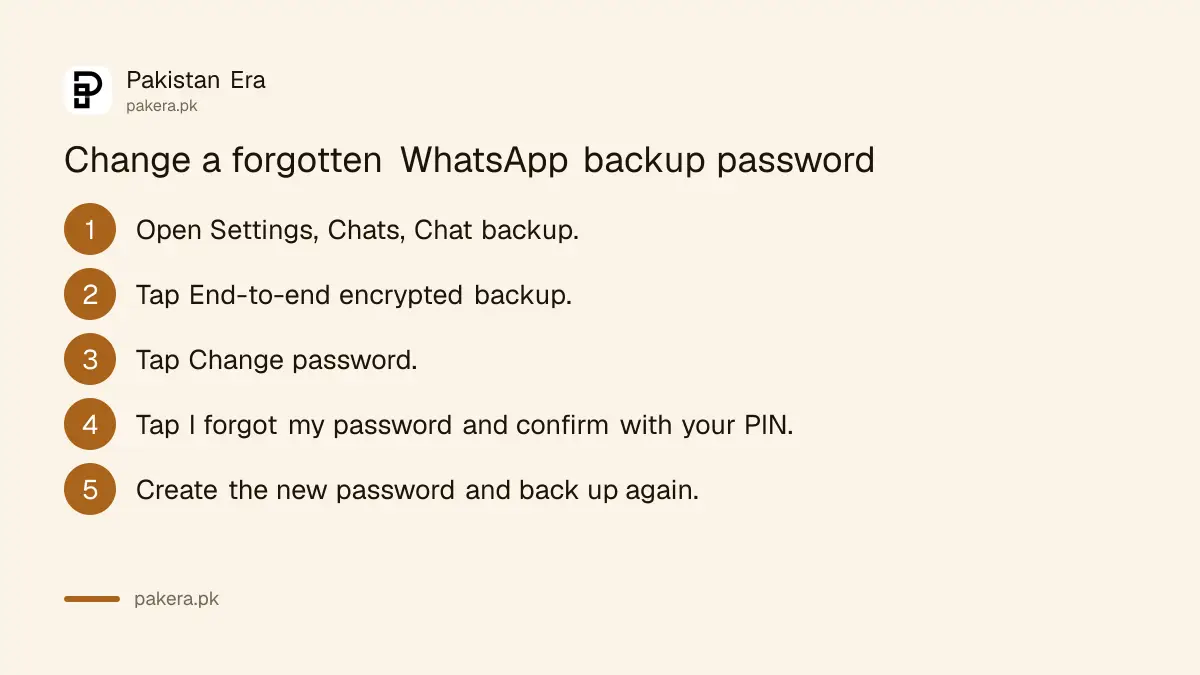
- Open WhatsApp and go to Settings, then Chats, then Chat backup.
- Tap End-to-end encrypted backup.
- Tap Change password.
- Tap I forgot my password.
- Confirm with your phone's PIN, a passkey, your password or your 64-digit key.
- Create the new password, then run a backup right away.
On iPhone, open Settings or tap your profile picture, then Chats, Chat backup and End-to-end encryption. The menu names differ slightly from Android, but the options are the same.
Run a fresh backup straight after. Tap Back up on the Chat backup screen and wait for it to finish on Wi-Fi. That new backup is the one you will restore from on your next phone.
Three ways to lock the backup, and which to pick
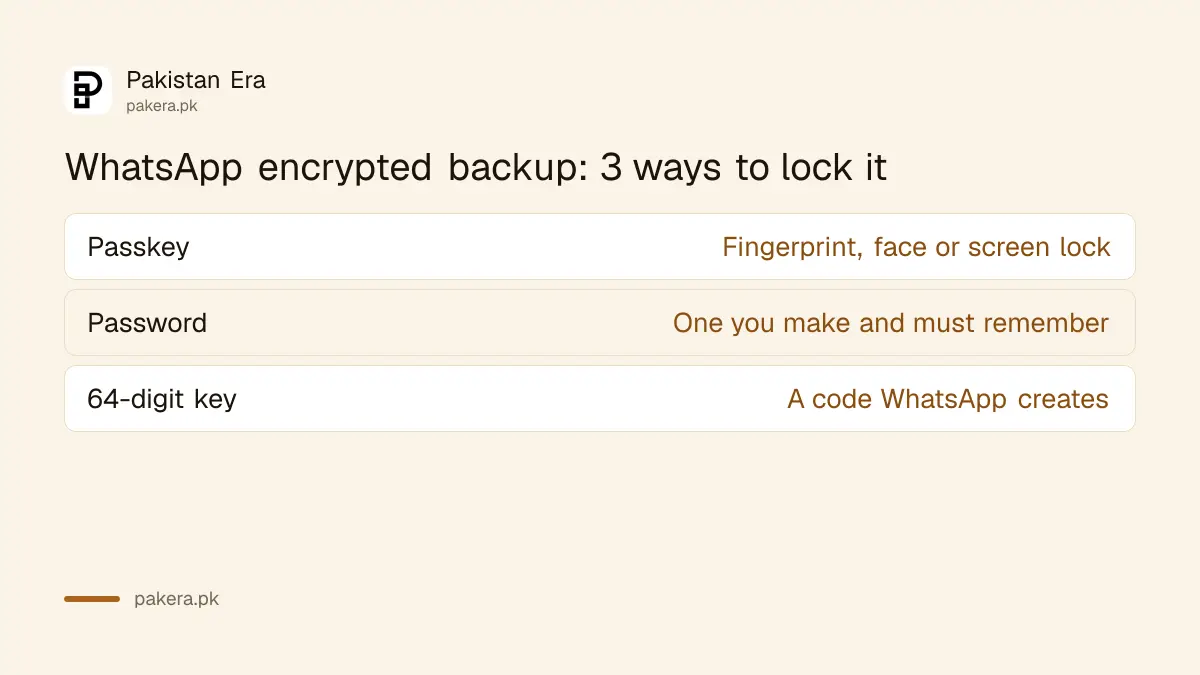
WhatsApp offers three locks for an encrypted backup: a passkey, a password you create, or a 64-digit key WhatsApp makes for you. A passkey is the hardest to forget, because it uses your fingerprint, face or screen lock instead of something you must remember.
| Lock | How you open the backup | Needs |
|---|---|---|
| Passkey | Fingerprint, face or screen lock | Android 9 or later, or iOS 18 or later, with a screen lock |
| Password | A password you make yourself | Nothing extra, but you must remember it |
| 64-digit key | A long code WhatsApp creates | A safe place to keep the code |
On Android, the passkey sits in a password manager such as Google Password Manager, which can sync it to a new phone signed in to the same Google Account. WhatsApp also lists a minimum Google Mobile Services version for this. If your phone is too old for a passkey, use the 64-digit key and keep a copy on paper.
The backup password is not the same as the app lock password. WhatsApp keeps them separate, so changing one does not change the other.
Switch to a passkey so you cannot forget it
You cannot switch from a password or key to a passkey in one tap. WhatsApp asks you to turn end-to-end encrypted backup off first, then turn it back on and choose a passkey. Turning it off does not unlock older encrypted backups.
- Go to Settings, Chats, Chat backup, End-to-end encrypted backup.
- Tap Turn off and follow the prompts. On Android, WhatsApp may ask for your Google Account password.
- Tap Turn off again to confirm.
- Go back and turn end-to-end encrypted backup on.
- Choose passkey, or tap More options for a password or key.
- Run a new backup.
Your WhatsApp login passkey and your backup passkey uses the same kind of fingerprint or face check, so it is worth setting up both.
Five wrong tries lock you out for a while
WhatsApp gives five attempts to enter the backup password or key during a restore. After five wrong tries you have to wait before trying again. Guessing wildly burns those tries, so write down every password you might have used first, then try them carefully.
When you restore on a new phone and cannot remember the password, you can skip the restore. WhatsApp says a skipped backup stays available if you reinstall on another device. But the moment you start backing up on the new phone, the old backup is replaced, and it is gone for good.
So do not rush. If the old phone still works, take it back, open WhatsApp there, and change the password as shown above. Then back up and restore again.
What you lose if the password and phone are both gone
If you lose access to your WhatsApp account and forget the password or key, WhatsApp says you cannot restore the encrypted backup. It cannot send you a copy, reset it, or restore it for you. Your chats on other people's phones remain, but your own history is lost.
| Your situation | What you can do |
|---|---|
| WhatsApp works, password forgotten | Change the password in Chat backup |
| New phone, old phone still works | Change the password on the old phone, back up again |
| New phone, have the 64-digit key | Restore with the key |
| Old phone lost, password forgotten | Backup cannot be restored |
| Not sure yet | Skip the restore, do not start a new backup |
Losing the SIM adds a second step: you need the number back to log in at all, then the backup password to restore. Moving WhatsApp to a new number on the same phone keeps your chats without a restore.
For the wider picture of where Android and iPhone keep backups, and how to restore normally, see backing up and restoring WhatsApp chats.
Common questions
Can WhatsApp reset my encrypted backup password?
No. WhatsApp says it cannot reset the password or help restore the backup. You can only change it yourself while WhatsApp still works on your phone.
How many times can I try my backup password?
Five. After five wrong attempts, WhatsApp makes you wait before trying again.
Does turning off encryption unlock my old backup?
No. Turning off end-to-end encryption or making a new passkey does not unlock older encrypted backups. You still need the original password, key or passkey.
Is the backup password the same as WhatsApp app lock?
No. WhatsApp keeps the encrypted backup password separate from the app lock password.
What happens if I skip the restore on a new phone?
The old backup stays available for another try. It is replaced only when you start backing up on the new phone.
How we verified this
What we checked and where we read it.
Last checked 15 November 2026. Steps and rules come from the WhatsApp Help Center: How to turn on end-to-end encrypted backup (Android and iPhone versions) and If you forgot your encrypted backup password. The change password steps on WhatsApp's page are written for Android; iPhone menu names come from the iPhone version of the first page.
About the author

Technology Journalist & Multimedia Producer
Ahmad Ali is a technology journalist and multimedia producer at Pakistan Era, joining the team in October 2026. He covers consumer technology and digital life for Pakistani readers, combining research with hands-on product testing.