How to Fix Google Play Store Download Pending or Apps Not Installing in Pakistan
Google Play stuck on download pending or apps not installing? Try Google's own fixes in order: internet, 1 GB free space, restart, time, then clear the cache.
If Google Play is stuck on "Download pending" or apps will not install, check your internet first, then free up space until you have more than 1 GB, restart the phone, and set the date and time to automatic. If that fails, clear the Play Store's cache and storage. Google lists these steps in this order.
It usually happens at the worst time. You need a bank app, a NADRA app or a ride app right now, and the Play Store just spins. The good news is that the fix is almost always on your own phone, and costs nothing.
We read Google's own Play Store help pages on 9 October 2026 and put the steps in the order Google gives them, from the quickest to the most drastic. Stop as soon as your download starts.
Start with the basic fixes Google lists first
Google's first five checks are your connection, your storage space, an Android system update, closing and reopening the Play Store, and restarting the phone. A sixth is the date and time. Most stuck downloads clear at one of these steps, without losing any data.
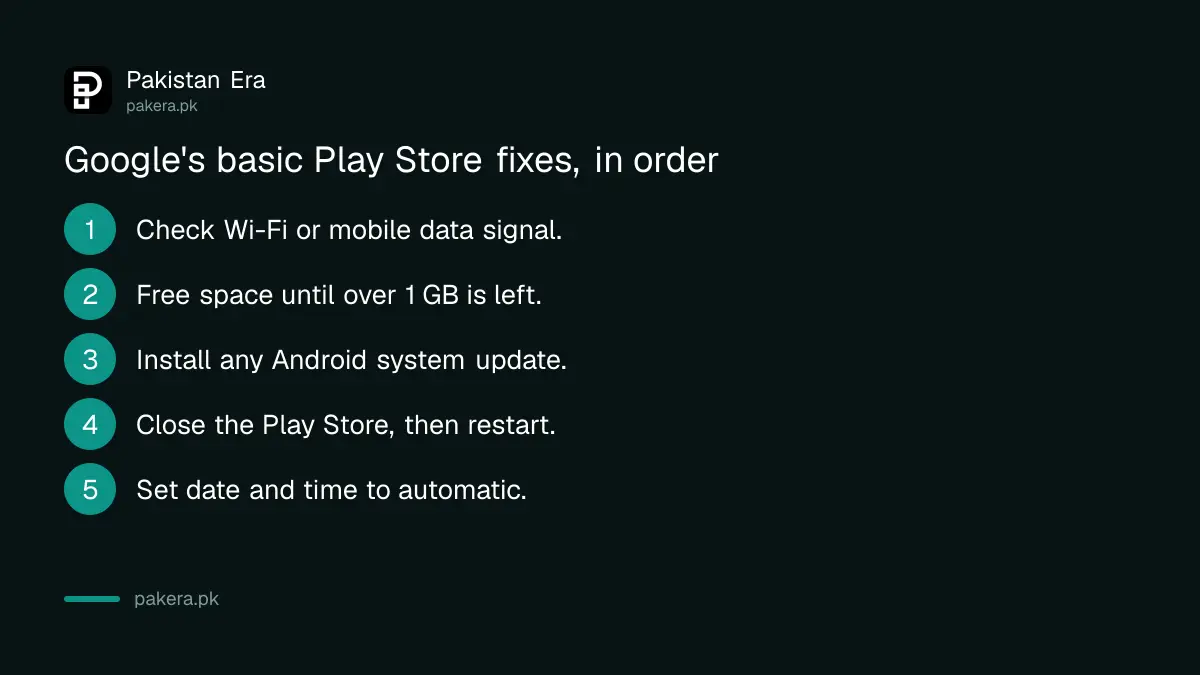
- Check your internet. Google says a strong connection matters and Wi-Fi is best. On mobile data, move to a spot with a better signal or switch to Wi-Fi.
- Check your storage. Open Settings, then Storage. Google says your phone may be low on space if you have less than 1 GB free, and that low space can stop apps installing.
- Check for an Android update. Open Settings, then System, Software update, System update, and install anything waiting.
- Close and reopen the Play Store. Swipe up from the bottom and hold, swipe the Play Store away, then open it again.
- Restart the phone. Hold the Power button and tap Restart.
- Set the date and time to automatic. In Settings, under System, then Date and time, turn on "Set time automatically" and set the time zone automatically too. Wait a few minutes and try again.
The date and time one surprises people, but Google lists it for a reason. A clock set wrong by hand, after a trip or a battery change, is easy to miss. Automatic time removes the doubt.
Storage is the most common culprit on budget phones. If you are under 1 GB, clear old WhatsApp videos and downloads first. The full method is in fixing phone storage full on Android and iPhone.
Why a download says pending on mobile data
A download can wait if the Play Store is set to download or update over Wi-Fi only, or if other app updates are already running. Check Settings, then Network preferences, in the Play Store, and look at Manage apps and device to see what is updating.
Google says the Play Store always tries to update apps over Wi-Fi first. If you are on a mobile data package with no Wi-Fi, open the Play Store, tap your profile picture, then Settings and Network preferences, and check the download and auto-update choices there.
Background updates can also hold up a new download while they finish. Tap your profile picture, then Manage apps and device. If a long list of updates is running, let them finish, or update the one app you need from its own page first.
Watch your data. Twenty app updates on a small package can eat a day's allowance. Ways to cap that are in saving mobile data on Android and iPhone.
Fix a problem with just one app
If only one app will not download, first check that its page says it is available for your device. If it is installed but broken, uninstall it from Manage apps and device, then install it again. Google also suggests removing and reinstalling the Play Store's own updates.
- Open the app's page in the Play Store. If it says it is not available for your device, you cannot download it there.
- Tap your profile picture, then Manage apps and device, then Manage. Tap the app and choose Uninstall, then Install again.
- To reset the Play Store itself, touch and hold its icon, tap App info, tap the three dots at the top right, and tap Uninstall updates.
- Open the Play Store again, tap your profile picture, then Settings, About, and under Play Store version tap Update Play Store.
"Not available for your device" is a real limit, not a fault. The app may not support your Android version, or your country. Do not download a copy of it from a random website instead. Fake copies of bank and government apps do circulate, and how to spot them is in checking an app is official before you install it.
Clear the Play Store cache when many apps fail
When many apps fail, Google calls clearing the Play Store's cache and data the most common fix. Touch and hold the Play Store icon, tap App info, then Storage and cache. Tap Clear cache, then Clear storage. You will need to agree to the terms again.
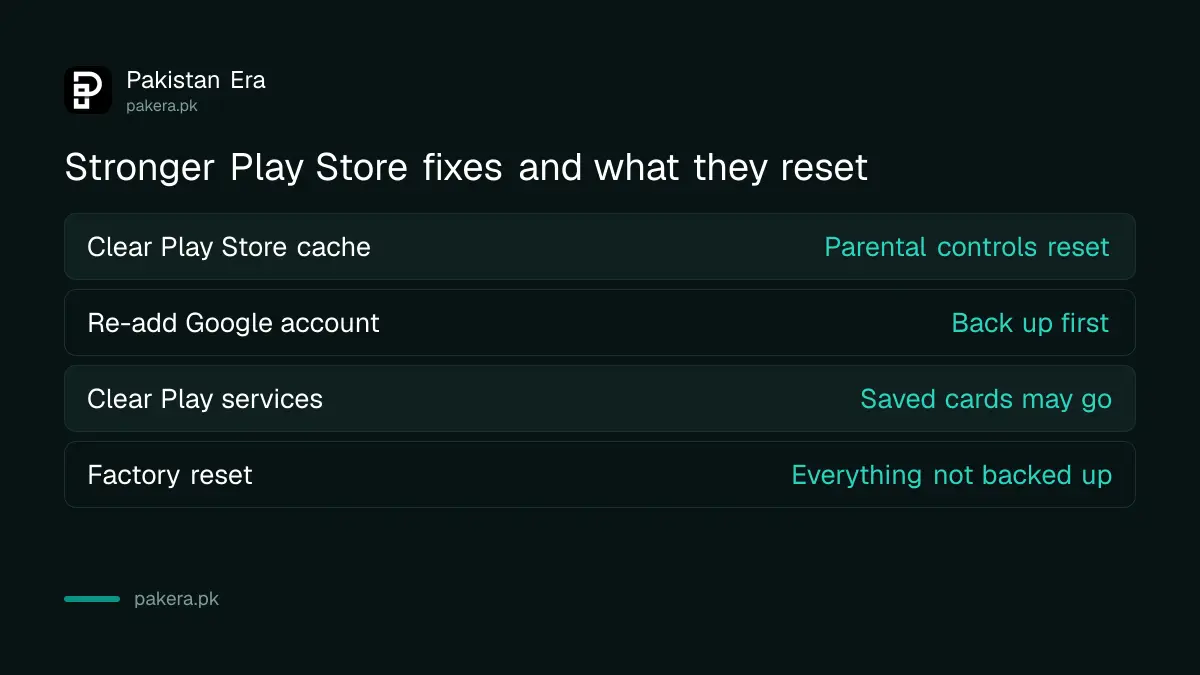
| Fix | When to use it | What you lose |
|---|---|---|
| Clear Play Store cache and storage | Many apps will not download | Play Store parental controls and purchase password, which you set again |
| Remove and re-add your Google account | Cache clearing did not help | Some account data on the phone, so back up first |
| Clear Google Play services data | Only after every other step | Saved cards in Google Wallet and some sign-ins |
| Factory reset | Last resort, if nothing else works | Everything on the phone not backed up |
Google is clear that clearing Google Play services is not recommended until you have tried everything else. It can delete saved payment cards and sign you out of your Google account on devices. If you remove your Google account, make sure you know its password first. A forgotten Gmail password is a separate headache, covered in recovering a Gmail account.
Paid apps and purchases that fail are a different problem
If a free app downloads but a paid app or in-app purchase fails, the problem is usually the payment, not the download. Check your card or carrier billing method first. Google has a separate help page for in-app purchase problems.
In Pakistan, many people pay on Google Play with JazzCash, Easypaisa or mobile credit. If a purchase keeps failing, check the balance and the payment method on your Google account. The options that work are set out in paying on Google Play with JazzCash and Easypaisa.
Common questions
Why does Google Play say download pending?
Usually because of a weak connection, low storage, a Wi-Fi only setting, or other updates running first. Check each, then restart the phone.
How much free space do I need to download apps?
Google says your phone may be low on space if it has less than 1 GB free. Large apps and games need more than that.
Will clearing Play Store data delete my apps?
No. It resets Play Store settings such as parental controls and purchase passwords. Your installed apps stay on the phone.
Is it safe to clear Google Play services?
It works, but Google advises it only after every other step. It can remove saved payment cards and sign you out of your Google account on devices.
Why does an app say it is not available for my device?
The app does not support your phone, its Android version or your country. You cannot download it from the Play Store on that phone.
Should I download the APK from a website instead?
No. Copies from random websites can be fake or carry malware. Wait, fix the Play Store, or ask the app maker for an official link.
How we verified this
What we checked, where we read it, and what we could not confirm.
We checked on 9 October 2026. The basic steps, the 1 GB storage line and the date and time fix are from Google's page Fix problems downloading apps with basic troubleshooting steps. The single-app steps, Play Store cache clearing, account removal and the Google Play services warning are from Google's linked pages on fixing one app, multiple apps and the Play Store app. The Network preferences path and Wi-Fi first rule are from Google's How to update apps on Android page. Menu names vary by phone brand, so the words on your screen may differ slightly.
About the author

Technology Journalist & Multimedia Producer
Ahmad Ali is a technology journalist and multimedia producer at Pakistan Era, joining the team in October 2026. He covers consumer technology and digital life for Pakistani readers, combining research with hands-on product testing.