How to Manage ChatGPT Memory and Delete Saved Memories in Pakistan
See what ChatGPT remembers about you in Pakistan, switch memory off, delete saved items and use Temporary Chat for private questions. Steps read from OpenAI.
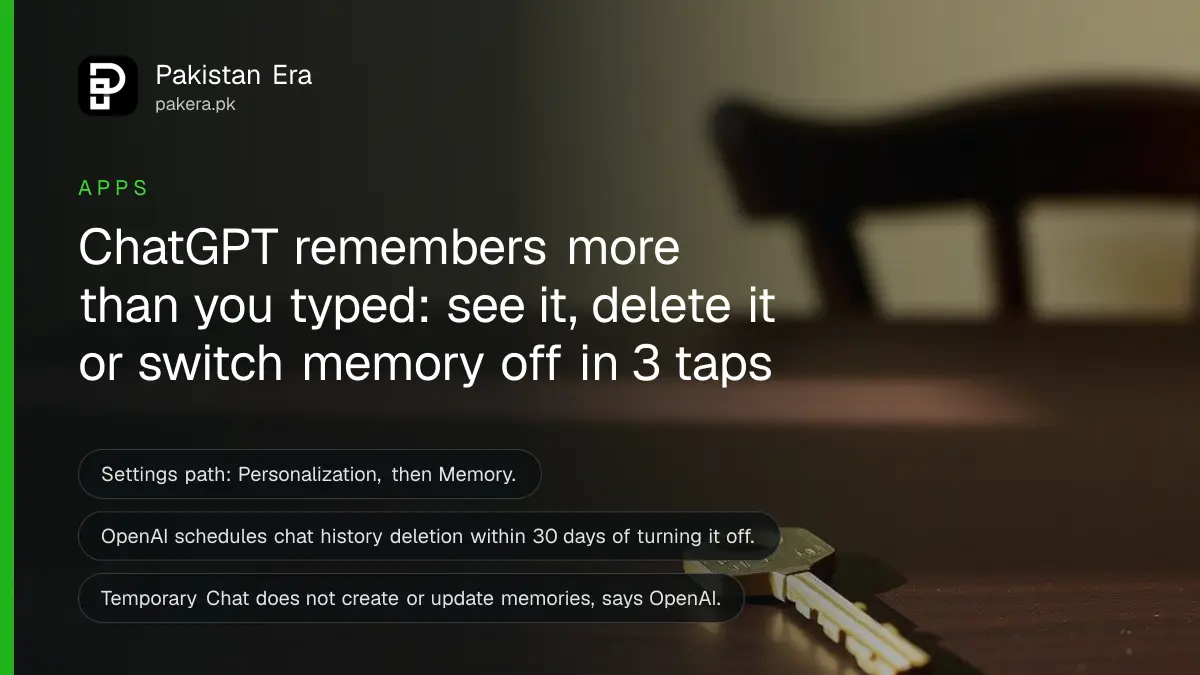
Short answer: Open ChatGPT, go to Settings, then Personalization, then Memory. There you can switch memory off, read what ChatGPT has saved about you and delete single items. For one private question, start a Temporary Chat so nothing is remembered at all.
Many Pakistani users type a lot into ChatGPT: CV details, a family problem, a business idea, a salary. The tool now carries some of that into later chats. This is useful when you want it. It is a problem when you share a phone, a laptop or a work account, or when you simply forgot what you told it.
We read OpenAI's own Memory help page on 12 October 2026. We did not test the controls on a live account, so the menu names below come from that page. OpenAI says memory features "vary by plan, region, platform, and workspace settings", so your screen may show fewer options than ours.
ChatGPT memory uses more than the facts you typed
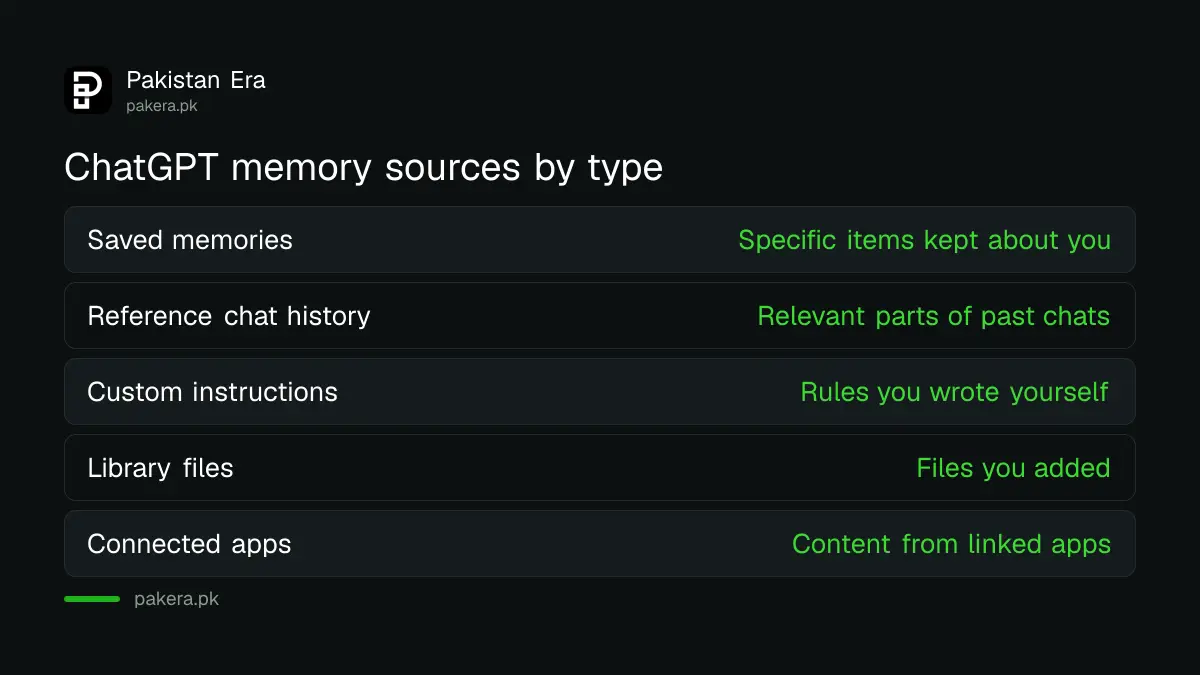
OpenAI says ChatGPT personalises answers using past chats, saved memories, custom instructions, files in your Library and content from connected apps. It decides which of that is relevant to each answer. So memory is wider than a list of facts you once asked it to keep.
Two kinds matter most. Saved memories are specific items, such as "prefers answers in simple English". Reference chat history is looser. ChatGPT draws on relevant parts of your old conversations, and that information changes over time.
| Source | What it is | Where you control it |
|---|---|---|
| Saved memories | Specific items ChatGPT keeps about you | Settings, Personalization, Memory |
| Reference chat history | Relevant parts of your past chats | Settings, Personalization, Memory |
| Custom instructions | Rules you wrote yourself | Settings, Personalization |
| Library files and connected apps | Files and app content you added | Delete the file or disconnect the app |
You can turn memory off in Settings
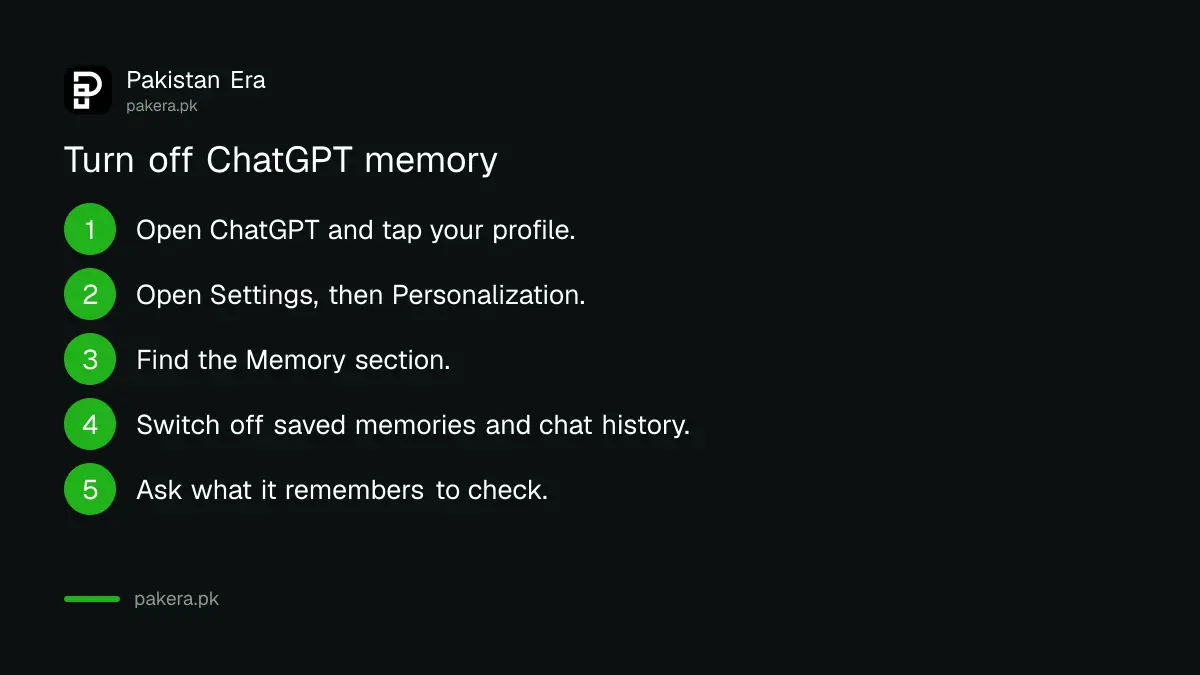
Go to Settings, then Personalization, then Memory, and switch the memory controls off. OpenAI says turning memory off keeps your past chats. It also warns that if you turn memory on again later, ChatGPT may build fresh memories from your existing chat history.
That last point surprises people. Switching memory off is not the same as erasing it. If you want a clean start, you also need to delete what is already stored, which the next section covers.
- Open ChatGPT in the app or in your browser and tap or click your profile.
- Open Settings, then Personalization.
- Find the Memory section.
- Switch off saved memories, and switch off reference chat history if you want old chats ignored as well.
- Start a new chat and ask what it remembers about you to check the change.
Delete a memory, then delete what it came from
OpenAI lets you correct a memory, choose "Don't mention this again" or delete it from the memory summary or the saved memory controls. To remove a fact fully, delete the memory, the chats and files that contain it, and disconnect any connected app that holds it.
Think of a single fact as living in several places. A salary you typed might sit in a saved memory, in the chat where you wrote it and in a file you uploaded. If you delete only the memory, the chat can bring it back into later answers.
The Sources line under a reply is the quickest way to find the cause. OpenAI says it shows which information contributed to a response. If a reply mentions something you did not expect, open Sources, find the item and remove it there.
Reference chat history is deleted on a delay
If you turn off reference chat history, OpenAI says its deletion is scheduled within 30 days. The original chats stay until you delete them yourself. The company also keeps deletion logs for up to 30 days for safety and debugging.
So do not expect the change to be instant. For a shared device, do both steps on the same day: turn the setting off and delete the sensitive chats by hand. Then sign out when you finish.
We have not checked how these 30 day windows apply to every plan. OpenAI's page does not give a separate figure for each one, so treat 30 days as the stated outer limit.
Use Temporary Chat for questions you do not want kept
A Temporary Chat does not create or update memories. OpenAI also says you can choose "Unpersonalized" before you start, so the chat ignores your existing memories and instructions. Use it for health, money or family questions on any device you do not fully control.
This is the simplest habit to build. You keep memory on for normal work, such as your writing style or your course subject. You switch to a Temporary Chat for anything you would not want repeated. Our guide on stopping ChatGPT training on your chats covers the separate training switch, which is a different control from memory.
A short rule works for most families: nothing with a CNIC number, a bank detail or a medical record goes into any chatbot, memory or not. Our note on using AI chatbots safely at work repeats this from the national cyber emergency team's advice.
Lock the account as well as the memory
Memory protects nothing if someone else is signed in. Check who has your account open, sign out unknown devices and use a strong password with two step checks. Memory then stays private because only you can open it.
Use our walkthrough on checking who is logged in to your ChatGPT account for the sign in review. If you are not sure the account is yours alone, change the password first and then delete memories.
Common questions
Where do I find ChatGPT memory settings?
They sit under Settings, then Personalization, then Memory. OpenAI says the options you see depend on your plan, region, platform and workspace settings, so a free account may show less than a paid one.
Does turning memory off delete what ChatGPT already knows?
No. OpenAI says turning memory off keeps your past chats, and memories may be rebuilt from them if you turn it on again. Delete the saved memories and the chats to remove them.
How do I stop ChatGPT using one old chat?
Delete that chat, and delete any saved memory that came from it. OpenAI says full removal needs the memory, the chat, the files and the connected apps all cleared.
Do Temporary Chats save anything?
OpenAI says Temporary Chats do not create or update memories, even when personalisation is on. You can also pick "Unpersonalized" so the chat does not use your existing memories.
How long does OpenAI take to remove my data?
For reference chat history, OpenAI says deletion is scheduled within 30 days after you turn it off. Deletion logs are kept for up to 30 days for safety and debugging.
Is it safe to tell ChatGPT my CNIC or bank details?
No. Do not put identity or banking details into any chatbot. Memory can carry a detail into later chats, and a shared or hacked account would expose it.
How we verified this
What we checked, where we read it, and what we could not confirm.
We read OpenAI's ChatGPT memory help page at help.openai.com on 12 October 2026. We did not open a live account, so menu names follow that page. OpenAI changes plan features often, and no Pakistan specific rule appears on the page.
About the author

Technology Journalist & Multimedia Producer
Ahmad Ali is a technology journalist and multimedia producer at Pakistan Era, joining the team in October 2026. He covers consumer technology and digital life for Pakistani readers, combining research with hands-on product testing.