WhatsApp Not Working in Pakistan: 12 Fixes for Connecting, Messages Not Sending and WhatsApp Web
WhatsApp not working or stuck on Connecting? 12 fixes in order from WhatsApp's own help pages, plus office Wi-Fi blocks, WhatsApp Web steps and the 14 day rule.
When WhatsApp is not working, first check that any website opens in your phone's browser. If it does not, the problem is your internet, not WhatsApp. If websites open but WhatsApp does not connect, turn airplane mode on and off, restart the phone, update WhatsApp, and try a different Wi-Fi or a hotspot. WhatsApp's own help pages say a failed connection is usually because the phone is not really online.
We read WhatsApp's help pages on connection problems and on messages that will not send or arrive on 4 November 2026. Below are the fixes in the order worth trying, a table that matches each symptom to its likely cause, and separate steps for WhatsApp Web on a laptop.
Most WhatsApp problems start with the internet connection
WhatsApp says that if you cannot connect, it is usually because your device is not connected to the internet. Check that mobile data or Wi-Fi is on, that the signal is strong, and that a normal web page loads in your browser. Only then look at WhatsApp itself.
In Pakistan this is often the whole answer. A data bundle runs out at midnight, a home router drops its connection after load shedding, or the signal is weak inside a building. The WhatsApp icon still opens, so it feels like WhatsApp is broken. Open any news site in Chrome. If it does not load, fix the connection first. Our guides for a Jazz SIM not working and StormFiber internet with a red light cover the two most common cases.
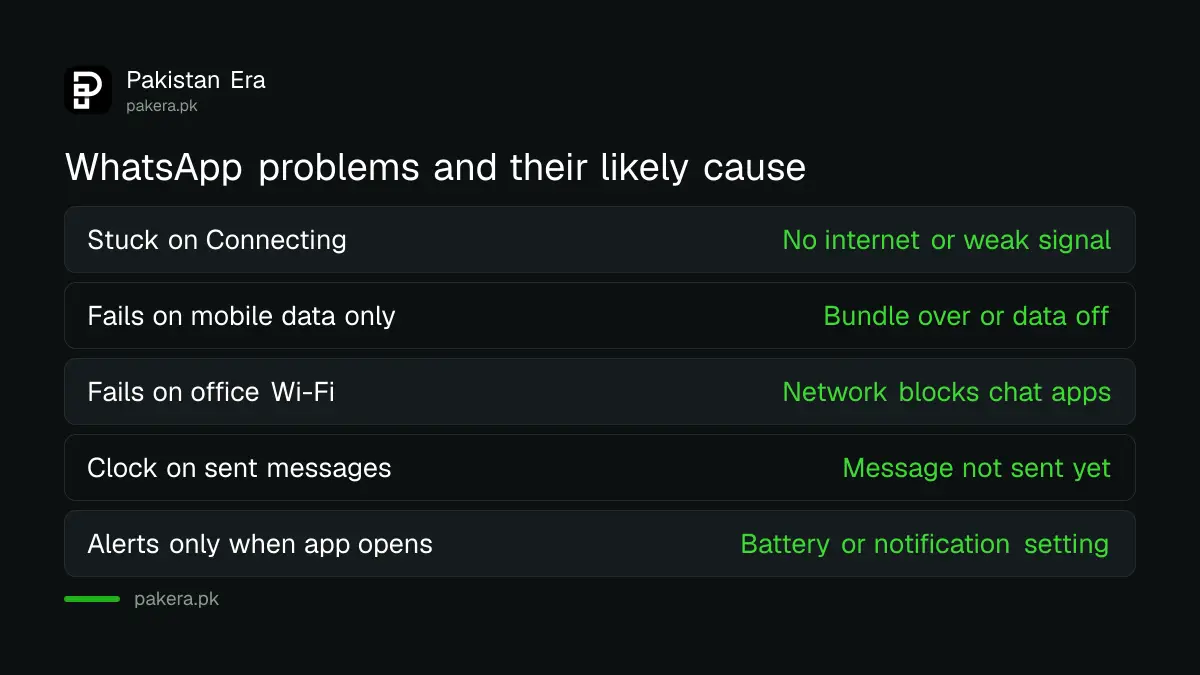
| What you see | Likely cause | First fix |
|---|---|---|
| Chats stuck on "Connecting" | No internet, or weak signal | Open a website, toggle airplane mode |
| Works on Wi-Fi, not on mobile data | Data off for WhatsApp, or bundle finished | Check balance and app data settings |
| Works on mobile data, not on office Wi-Fi | Network blocks chat apps | Use another Wi-Fi or a hotspot |
| Clock icon on sent messages | Message has not left your phone | Restart phone, check connection |
| Messages only arrive when you open the app | Notification or battery setting | Allow notifications, stop battery limits |
Twelve fixes in the order worth trying
WhatsApp's help pages list connection checks, a restart, an update, the date and time, storage and finally a reinstall. Start at the top. Most people are fixed by step four, and the last steps are only for when nothing else has worked.
- Open a website in your browser to confirm you really have internet.
- Turn airplane mode on, wait a few seconds, and turn it off.
- Move to a place with a better signal if you are on mobile data.
- Restart your phone, then open WhatsApp again.
- Update WhatsApp from the Play Store or App Store.
- Try another Wi-Fi network, or turn on a hotspot from another phone.
- Check that the date and time on your phone are set correctly. Set them to automatic.
- Make sure your phone has enough free storage. WhatsApp says new messages and media may not be saved when storage is full.
- Check that you have finished verifying your phone number in WhatsApp.
- Clear WhatsApp's cache in your phone's app settings (Android).
- Back up your chats, then uninstall and reinstall WhatsApp.
- If nothing works, report the problem from Settings, then Help and feedback.
Step 7 sounds odd, but a wrong date or time stops secure apps from connecting. It often happens after a phone battery dies fully. Step 8 is common on older phones full of forwarded videos; the steps to free up WhatsApp storage show which chats use the most space.

Office and university Wi-Fi can block WhatsApp
WhatsApp says office or university campus Wi-Fi can cause connection problems. If other apps work but WhatsApp does not, the network may be set to block chat apps. Try a different Wi-Fi or a hotspot. If it then works, the network was the cause.
WhatsApp also says a mobile provider can set its access points to block some chat apps. If WhatsApp fails only on mobile data while every other app works, contact your network's helpline and ask them to check your access point settings, called APN settings. Do not install a "WhatsApp unblocker" app or a modified WhatsApp to get around this. Those apps can get your number banned, as our guide on WhatsApp bans for unofficial apps explains.
If you use a VPN, turn it off and test again. A VPN server that is slow or blocked will stop WhatsApp even when your own internet is fine.
WhatsApp Web has its own short fix list
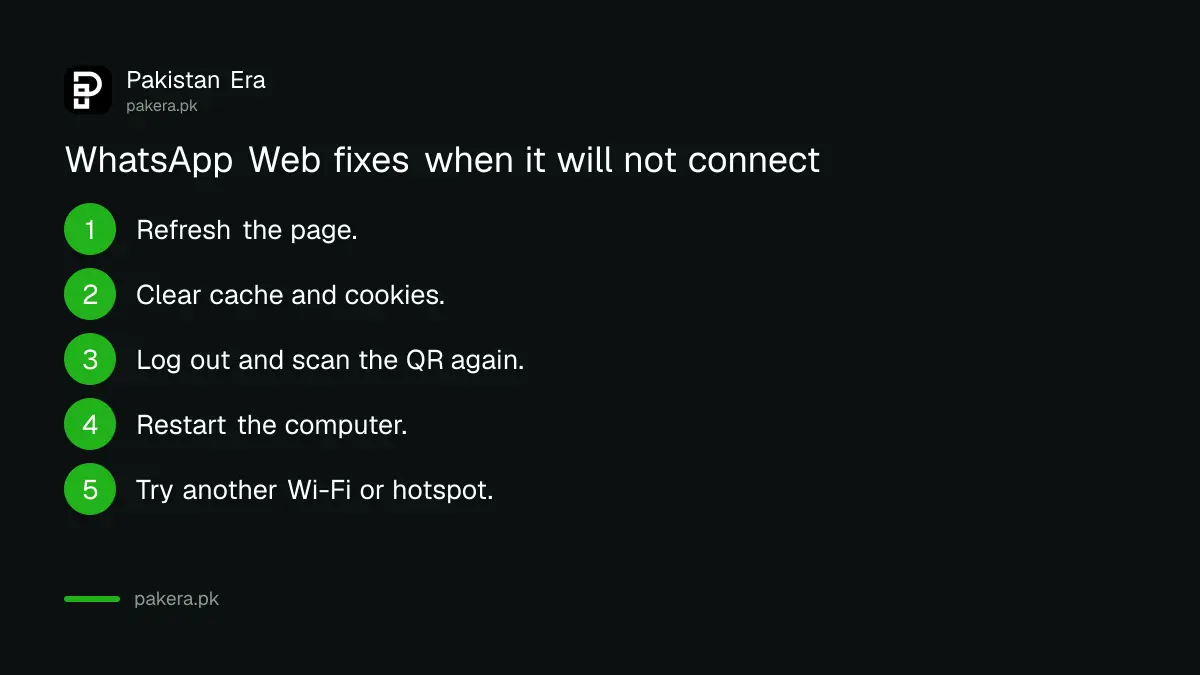
For WhatsApp Web, WhatsApp says to refresh the page, clear the browser's cache and cookies, log out and log back in, restart the computer, and try another Wi-Fi. It works on the latest Chrome, Firefox, Edge, Opera and Safari, but not on Internet Explorer.
WhatsApp also says linked devices are logged out if you do not use your phone for over 14 days. If your laptop suddenly asks for the QR code again, that is usually why. Open WhatsApp on your phone, then link the computer again from Linked devices. While you are there, remove any device you do not recognise; the steps to check linked devices on WhatsApp show how.
- Refresh the WhatsApp Web page.
- Clear your browser's cache and cookies.
- Log out of WhatsApp Web and scan the QR code again.
- Turn the computer off, wait 30 seconds, and turn it on.
- Try a different Wi-Fi network or a phone hotspot.
When WhatsApp is down for everyone, wait
If WhatsApp fails on Wi-Fi and on mobile data, and friends on other networks have the same problem, the fault is likely with WhatsApp or a wider internet disruption. Resetting your phone will not help. Wait and try again later, and do not delete the app.
Reinstalling during an outage is the worst move. If you have no recent backup, you can lose chats. Check that your backup is recent before step 11 in the list above. Also be careful of messages that say "WhatsApp will close your account unless you forward this". WhatsApp does not send chain messages like that.
Common questions
Why is WhatsApp not connecting when my internet is on?
Your network may be blocking WhatsApp, the date and time may be wrong, or the app may need an update. Try a different Wi-Fi or hotspot, set the time to automatic, and update WhatsApp.
Why are my WhatsApp messages showing a clock icon?
A clock means the message has not left your phone yet. It is almost always a connection problem. Toggle airplane mode, check a website loads, and restart the phone.
Why does WhatsApp Web keep asking me to scan the QR code?
WhatsApp logs out linked devices if you do not use WhatsApp on your phone for over 14 days. Open WhatsApp on the phone and link the computer again.
Will reinstalling WhatsApp delete my chats?
It can, if you have no backup. Back up your chats first from Settings, then Chats, then Chat backup, and only then reinstall.
How do I report a WhatsApp problem?
Open WhatsApp, go to Settings, then Help and feedback, and contact WhatsApp from there. If you cannot open the app, WhatsApp's website has a contact form.
Sources and last checked
On 4 November 2026 we read WhatsApp's help pages Can't connect to WhatsApp and Can't send or receive messages. The fixes, the office Wi-Fi and provider notes, the WhatsApp Web steps, the supported browsers and the 14 day linked device rule come from those pages. The order of fixes and the symptom table are our own judgement. We could not check for any live WhatsApp outage in Pakistan when we wrote this.
About the author

Technology Journalist & Multimedia Producer
Ahmad Ali is a technology journalist and multimedia producer at Pakistan Era, joining the team in October 2026. He covers consumer technology and digital life for Pakistani readers, combining research with hands-on product testing.