Fix a WhatsApp Ban for GB WhatsApp in Pakistan: Switch to the Official App
Logged out for using an unofficial app or temporarily banned on WhatsApp in Pakistan? What each message means and how to move from GB WhatsApp to official.
If WhatsApp shows "You need the official WhatsApp to log in", "You have been logged out for using an unofficial app" or "Temporarily banned", the cause is almost always a modded app such as GB WhatsApp, FM WhatsApp or a WhatsApp Plus APK. The fix is to uninstall it, install official WhatsApp from Google Play or whatsapp.com, and register your number again.
Modded WhatsApp apps are everywhere in Pakistan. They are shared as APK files on websites, in YouTube video descriptions and in groups, and they promise hidden ticks, extra themes and anti-delete messages. WhatsApp treats all of them as a breach of its terms.
We read WhatsApp's Help Center articles on unofficial apps, temporary bans and account bans on 9 October 2026. Below is what each message means and the exact steps to get back on the official app.
Unofficial WhatsApp apps break the rules and trigger bans
WhatsApp calls modded apps "unofficial apps" and names GB WhatsApp, FM WhatsApp, TM WhatsApp and TeleMessage as examples. Using one, or linking your account to one, breaks WhatsApp's terms. WhatsApp says the result can be a temporary ban, a permanent ban, or limits on linking devices.
WhatsApp gives three reasons it does not support these apps:
- Malware: the app may carry code that steals your data or damages your phone.
- No privacy: there is no guarantee your messages, location or files stay private.
- Account risk: your number can be banned or restricted.
That first point is the one people ignore. A modded app has full access to every chat, every OTP code and every photo on your WhatsApp. Nobody checks who built it. For a phone that also holds your bank and wallet apps, that is a real risk.
What each WhatsApp ban message means
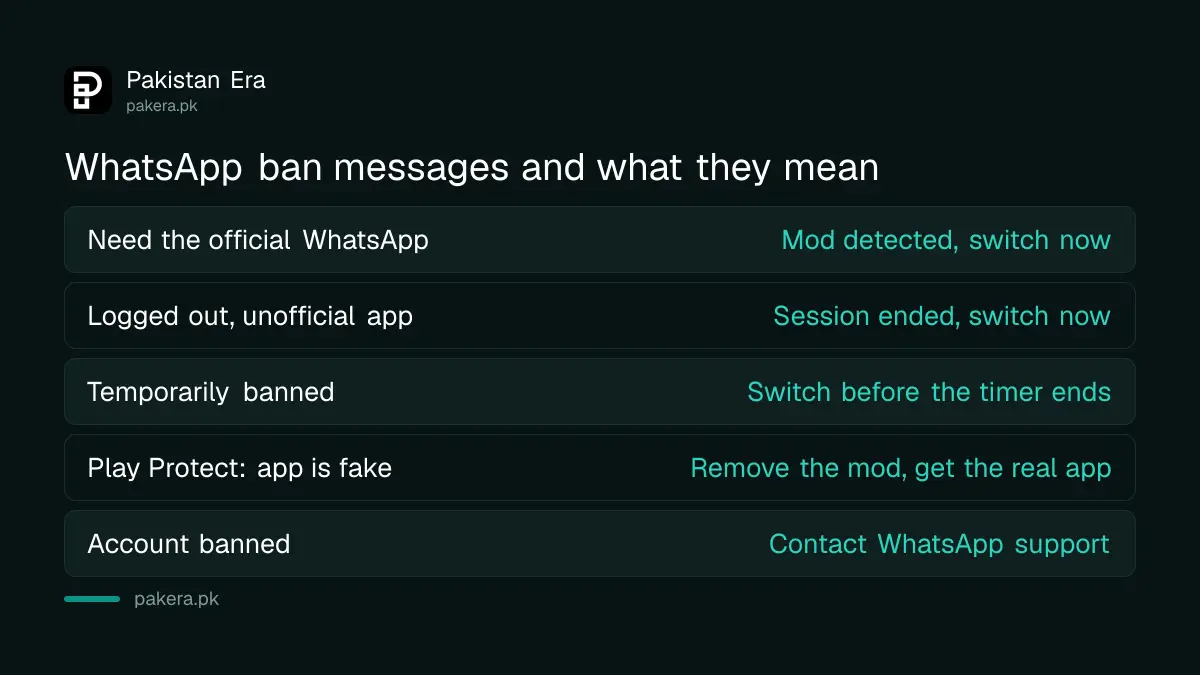
The wording tells you how serious it is. "Logged out for using an unofficial app" and "You need the official WhatsApp to log in" mean switch now. "Temporarily banned" is a warning with a timer. A permanent ban means WhatsApp has closed the number on that app.
| Message you see | What it means | What to do |
|---|---|---|
| You need the official WhatsApp to log in | WhatsApp has detected an unofficial app | Uninstall it and install official WhatsApp |
| You have been logged out for using an unofficial app | Same, and your session was ended | Uninstall it and register on official WhatsApp |
| Temporarily banned | Unofficial app use or scraping was found | Switch to official WhatsApp before the timer ends |
| Google Play Protect: this app is fake | Google flagged the modded app as harmful | Let Play Protect remove it, then install the real app |
| Account banned | A permanent ban on the number | Contact WhatsApp support from the official app |
WhatsApp says a temporary ban can become permanent if you keep using the unofficial app. So do not wait for the timer and then log back into GB WhatsApp. That is how people lose their number for good.
How to switch from GB WhatsApp to official WhatsApp
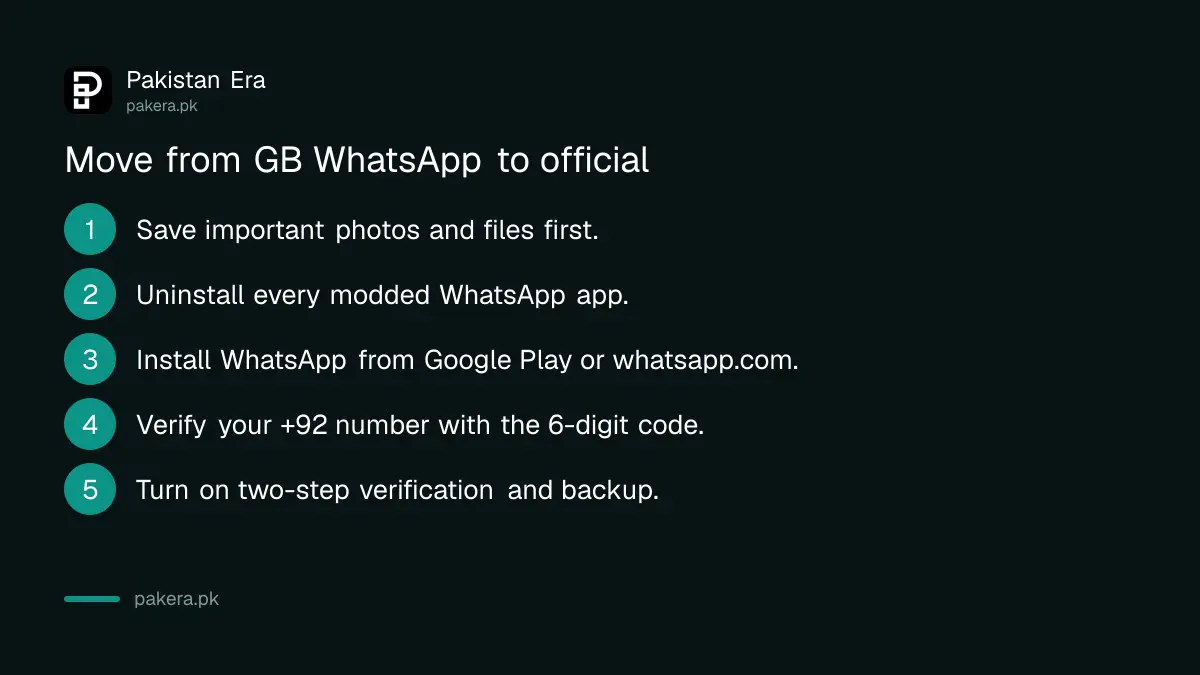
Uninstall every unofficial WhatsApp app first. Then install WhatsApp from Google Play, the App Store or whatsapp.com, open it, enter your Pakistani number with +92, and verify it with the code by SMS or call. WhatsApp tells you to remove all modded apps before you register.
- Copy anything important out of the modded app first: photos, voice notes and documents you need. Save them to your phone's gallery or files.
- Uninstall the unofficial app, and any other modded WhatsApp app on the phone.
- Install WhatsApp Messenger from Google Play, or WhatsApp Business if you use it for a shop. If Play says the app is not available in your country, WhatsApp says to download it from whatsapp.com/android.
- Open WhatsApp, enter your number starting +92, and type the 6-digit code you receive.
- Once you are in, turn on two-step verification and set up a backup in the official app.
Before you install anything, check you have the real app. The signs of a genuine listing are in checking an app is official before you install it. The real developer name on Google Play is WhatsApp LLC.
Your old chats may not move from GB WhatsApp
WhatsApp says it cannot guarantee that chat history from an unofficial app will transfer, because it does not support those apps. Only chats created in the official app can be backed up securely. Expect to lose some or all old messages, and save important files before you switch.
This is the honest cost of a modded app. Some people do get their chats back. Many do not. WhatsApp makes no promise either way, so treat your photos and documents as the priority and copy them out first.
Once you are on the official app, set up a proper backup to Google Drive or iCloud, so this never happens again. The steps are in backing up and restoring WhatsApp chats.
Want two numbers on one phone, which is a common reason people install GB WhatsApp? You do not need a mod for that. The official ways are in using two WhatsApp accounts on one phone.
What to do if your number is permanently banned
If the official app says your account is banned, contact WhatsApp support from inside the app or through whatsapp.com/contact. Explain that you have removed the unofficial app. WhatsApp decides each case and can keep the ban if the account still breaks its terms.
Be careful with anyone who offers to "unban" your number for a fee. Nobody outside WhatsApp can lift a ban. These offers are a common scam, and some ask for your 6-digit code, which hands them your account. More on that trick is in recovering a hacked WhatsApp account.
If the ban stays, your only choice is a new number. Register it on the official app from day one.
Common questions
Why does WhatsApp say I need the official WhatsApp to log in?
WhatsApp has detected an unofficial app such as GB WhatsApp or FM WhatsApp on your number. Uninstall it, install official WhatsApp and register your number again.
How long does a WhatsApp temporary ban last?
The app shows a timer. WhatsApp says switch to the official app during the ban, because going back to the unofficial app can turn it into a permanent ban.
Can I keep my chats when I move from GB WhatsApp?
Maybe not. WhatsApp says it cannot guarantee chat history from an unofficial app will transfer. Save important photos and files to your phone before you uninstall.
Is the WhatsApp Plus APK the same as GB WhatsApp?
Yes, in WhatsApp's eyes. Any WhatsApp Plus offered as an APK is an unofficial app. Official WhatsApp Plus is a paid subscription inside the real app's settings.
Can someone in Pakistan unban my WhatsApp number for a fee?
No. Only WhatsApp can review a ban. Anyone charging to unban a number is likely a scammer, and you should never share your 6-digit code.
Is WhatsApp Business also affected?
Yes. Modded versions of WhatsApp Business are unofficial apps too. Install the real WhatsApp Business app from Google Play or whatsapp.com.
How we verified this
What we checked, where we read it, and what we could not confirm.
We checked on 9 October 2026. The list of unofficial apps, the risks, the logout messages and the switching steps are from WhatsApp's About unofficial apps. The temporary ban rules are from About temporarily banned accounts, and the ban and reinstatement rules from account bans for unofficial apps. The Play Protect message is from WhatsApp's article on the Google "This app is fake" warning. WhatsApp's general account ban article would not load in text form when we tried, so we have not described an in-app review button. The official WhatsApp Plus subscription is explained in WhatsApp Plus, official or fake.
About the author

Technology Journalist & Multimedia Producer
Ahmad Ali is a technology journalist and multimedia producer at Pakistan Era, joining the team in October 2026. He covers consumer technology and digital life for Pakistani readers, combining research with hands-on product testing.