WhatsApp Plus in Pakistan: The Official Subscription vs the Fake APK
WhatsApp Plus is now an official Meta subscription with 20 pinned chats and themes. Check it on your Pakistani number, pay, cancel and avoid the fake APK.
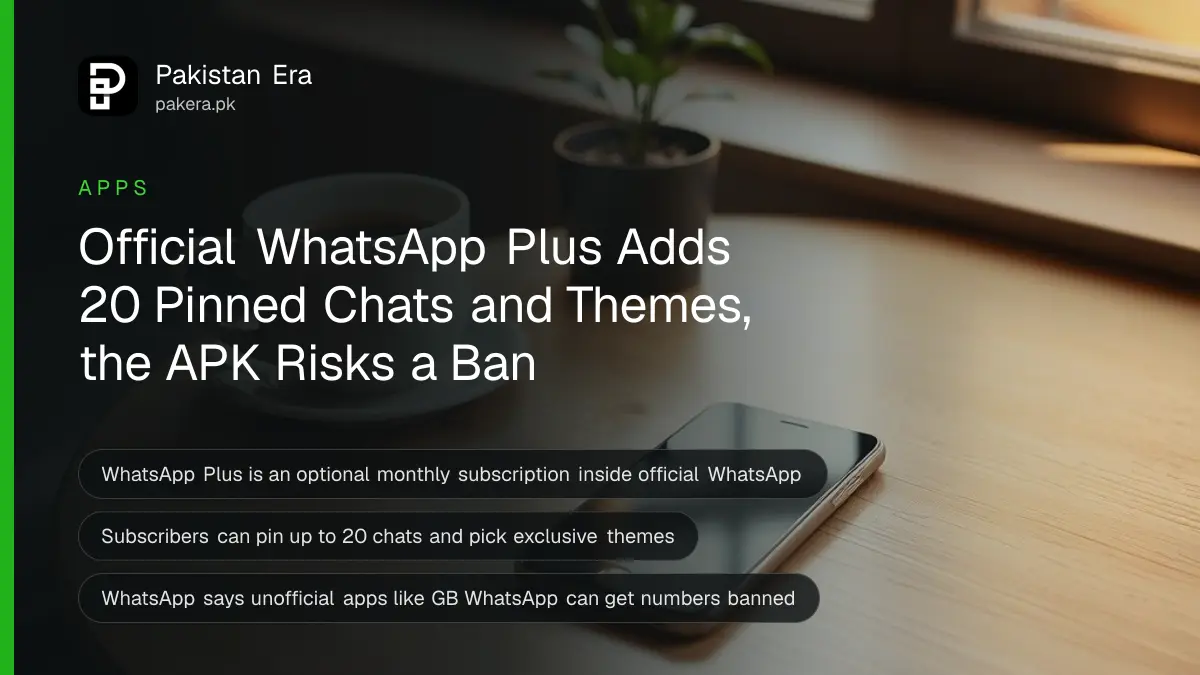
There are now two things called WhatsApp Plus. The real one is an optional monthly subscription from Meta, found inside the official app under Settings, Subscriptions, WhatsApp Plus. The other is a modded APK file shared on websites and in groups, and WhatsApp says using it can get your number banned. Here is how to tell them apart in Pakistan.
For years, "WhatsApp Plus" in Pakistan meant one thing: an unofficial app download that promised hidden blue ticks and custom themes. Meta has now used the same name for its own paid add-on. That makes the old fake much easier to fall for.
We read WhatsApp's own WhatsApp Plus page and its Help Center articles on 9 October 2026. The short version: the official version never comes as an APK link.
Official WhatsApp Plus is a paid monthly subscription inside the normal app
The official WhatsApp Plus is an optional subscription you buy inside WhatsApp Messenger, downloaded from Google Play or the App Store. It renews every month and adds stickers, themes, ringtones and more pinned chats. Basic WhatsApp stays free, and nothing is installed separately.
WhatsApp's Help Center lists five benefits:
- Exclusive stickers with full-screen special effects.
- App themes and icons that change how WhatsApp looks, on your phone only.
- Up to 20 pinned chats, so your most important chats stay on top.
- Exclusive ringtones for chosen contacts.
- Custom chat lists with their own alerts, ringtones and themes.
Your themes and icons do not change anything for the people you chat with. They only see the stickers you send.
WhatsApp Plus is part of Meta One, Meta's wider set of subscriptions. Meta also sells a bundle that adds features and more AI use across WhatsApp, Instagram, Facebook and Meta AI. WhatsApp says the core app, messages and calls stay free.
The WhatsApp Plus APK is an unofficial app that can get you banned
Any "WhatsApp Plus" offered as an APK download from a website, a YouTube description or a Telegram group is not Meta's product. WhatsApp calls these unofficial apps, names GB WhatsApp and FM WhatsApp as examples, and warns they can lead to a temporary or permanent ban.
WhatsApp's Help Center gives three risks of unofficial apps:
- They might carry malware that steals your data and damages your phone.
- Your messages, location and files may not stay private.
- Your account can be temporarily or permanently banned, or blocked from linking devices.
The official subscription page repeats it: WhatsApp Plus only works on official WhatsApp from Google Play or the App Store, and linking your account to an unofficial version may get it banned.
If you already use a modded app and have been logged out, the fix is in switching from GB WhatsApp back to the official app.
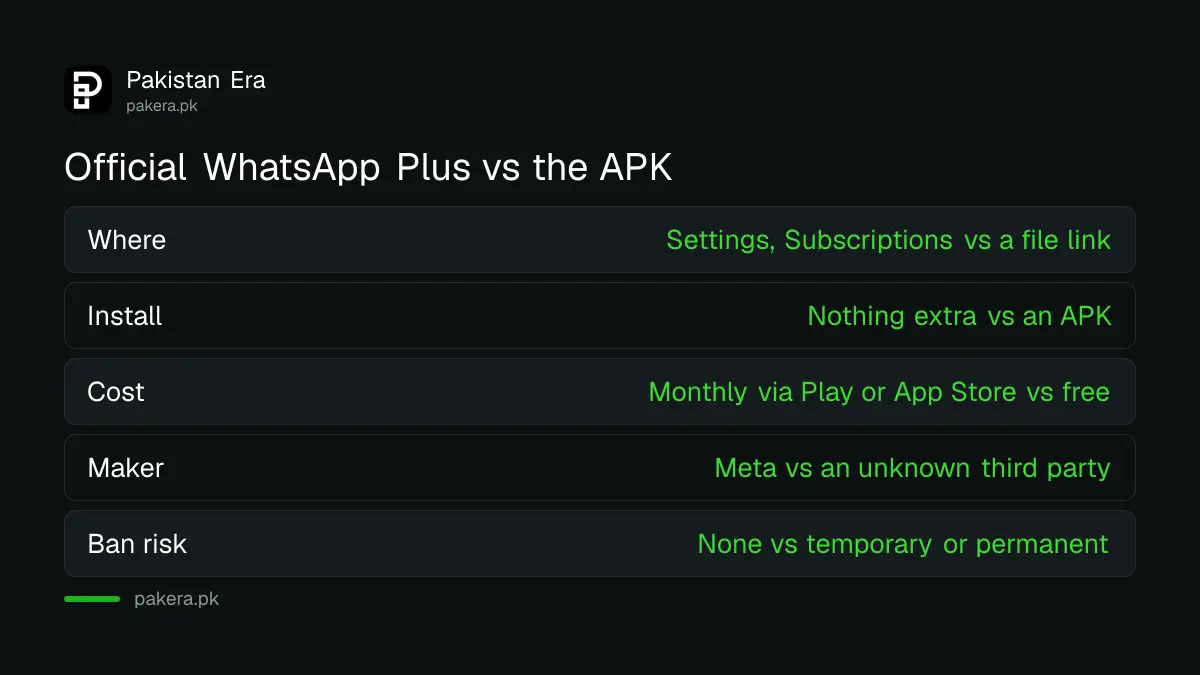
| Check | Official WhatsApp Plus | WhatsApp Plus APK |
|---|---|---|
| Where you get it | Inside WhatsApp: Settings, Subscriptions | A website, video link or group file |
| Separate app to install | No | Yes, an APK file |
| Cost | Monthly fee through Google Play or App Store | Usually "free" |
| Made by | Meta | Unknown third party |
| Risk to your number | None from WhatsApp | Temporary or permanent ban |
How to check if WhatsApp Plus is available on your Pakistani number
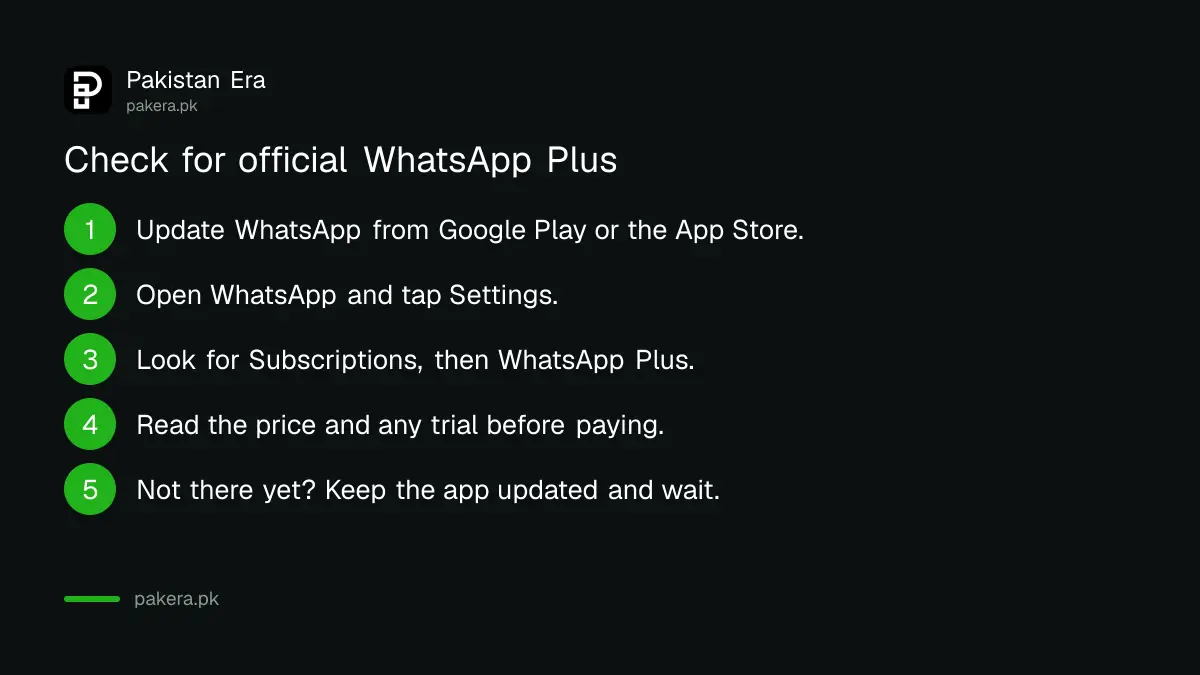
Update WhatsApp from Google Play or the App Store, then go to Settings and look for Subscriptions. If WhatsApp Plus appears there, it is offered on your number and you will see the price before paying. If it does not appear, it is not available to you yet.
WhatsApp says WhatsApp Plus is "currently available in limited locations". It has not published a country list, and it has not published a price for Pakistan. The price you see in the app is the one that counts, so do not trust a figure from a forwarded message.
- Update WhatsApp Messenger from Google Play or the App Store.
- Open WhatsApp and tap Settings.
- Look for Subscriptions, then WhatsApp Plus.
- If it is there, read the price and any free trial shown before you pay.
- If it is not there, wait. WhatsApp says to keep the app updated for new features.
Three rules from WhatsApp's eligibility list. You must be at least 13. You need a phone number from a country where it is sold. And it is only for WhatsApp Messenger: the WhatsApp Business app cannot subscribe, and you cannot buy it on a computer or in a browser.
Paying for WhatsApp Plus from Pakistan goes through Google Play or the App Store
WhatsApp Plus payments on Android are processed by the Google Play Store, and the charge repeats on the same date every month. So the payment methods that work for Play purchases in Pakistan are the ones that work here.
On Android, that usually means a debit or credit card, or a mobile wallet or carrier billing where Google Play offers it. The options are listed in paying on Google Play with JazzCash, Easypaisa or Jazz billing. On iPhone, the charge goes to your Apple ID, which in Pakistan needs a card.
WhatsApp also says to use your full legal name on your account, because it may be used to check your payment. If a payment fails and you have no backup method, Meta can cancel the subscription after a short grace period.
How to cancel WhatsApp Plus before the next charge
Cancel at least 24 hours before your renewal date, from the same phone type and account you used to subscribe. Go to Settings, Subscriptions, WhatsApp Plus, then Cancel subscription. Meta gives no refunds or partial credits for a cancelled month.
- Open WhatsApp and go to Settings, then Subscriptions, then WhatsApp Plus.
- Tap Cancel subscription.
- Pick a reason and tap Complete cancellation.
- On Android, finish the cancellation in the Google Play Store screen that opens.
Deleting the app or logging out does not cancel the subscription. Deleting your WhatsApp account does. If you cancel during a free trial, you are not charged. The Play side of this is explained in cancelling a Google Play subscription and asking for a refund.
One more trap. Moving your account to the WhatsApp Business app cancels WhatsApp Plus at once, with no time left on the month.
Common questions
Is WhatsApp Plus available in Pakistan?
WhatsApp has not said. It says WhatsApp Plus is in "limited locations" and has published no country list. If Settings, Subscriptions, WhatsApp Plus appears on your updated app, it is available on your number.
How much does WhatsApp Plus cost in Pakistan?
WhatsApp has not published a Pakistan price. The app shows the monthly price, and any free trial, before you subscribe. Ignore prices in forwarded messages.
Is the WhatsApp Plus APK safe to download?
No. An APK called WhatsApp Plus is an unofficial app. WhatsApp says such apps can carry malware and can get your account temporarily or permanently banned.
Do I have to pay to keep using WhatsApp?
No. WhatsApp says messaging and calling stay free. WhatsApp Plus is an optional extra for stickers, themes, ringtones and more pinned chats.
Can I use WhatsApp Plus on WhatsApp Business?
No. WhatsApp Plus is only for WhatsApp Messenger. Moving your account to the Business app cancels the subscription straight away.
Can I get a refund for WhatsApp Plus?
Meta says it gives no refunds or partial credits for a cancelled subscription. You keep the benefits until the end of the month you paid for.
How we verified this
What we checked, where we read it, and what we could not confirm.
We checked on 9 October 2026. The benefits, the Meta One link and the official-app rule are from WhatsApp's WhatsApp Plus page and its Help Center article About WhatsApp Plus subscriptions. Eligibility, payment, cancellation and revocation rules are from the related Help Center articles on subscribing, payments, cancelling and revoked subscriptions. The ban risk and the GB WhatsApp and FM WhatsApp examples are from WhatsApp's About unofficial apps. WhatsApp has not published whether WhatsApp Plus is sold in Pakistan or at what price, and we did not check the in-app offer on a Pakistani number for this article.
About the author

Technology Journalist & Multimedia Producer
Ahmad Ali is a technology journalist and multimedia producer at Pakistan Era, joining the team in October 2026. He covers consumer technology and digital life for Pakistani readers, combining research with hands-on product testing.