How to Delete Google Location History and Auto-Delete Your Activity in Pakistan
Delete your Google location history and set Auto-delete for activity in Pakistan. Turn Timeline off, clear Maps Timeline and check settings that still save you.
Short answer: To delete your Google location history, open Google Maps Timeline and delete all of it or only parts. To stop it, turn Timeline off in your Google Account's Activity settings. To clear searches and other activity, open myactivity.google.com, tap Delete, choose All time, and set Auto-delete under Data and privacy.
Google knows more than most families do about where you go. If you use Google Maps on a phone signed in to your account, a record of your visits and routes may sit on that phone. Search, Maps and other Google services can save your activity as well. You can see all of it, and you can delete it for free.
We read Google's Account Help pages "Manage your Timeline data" and "Delete and manage your activity" on 12 October 2026. We did not change the settings on a Pakistani account for this page. Google says its settings for Search services are rolling out in stages, so what you see may differ from the steps below.
Timeline is a record of your visits and routes
Timeline is a Google Account setting that saves your visits and routes to a map on each signed in device. Google says it is off by default. When it is on, your precise location is regularly saved to the device, with an optional encrypted backup to Google's servers.
Two points are easy to miss. First, Google says the data is saved primarily on your device, so a new phone may start with an empty Timeline unless you backed it up. Second, it is separate from other location tools. Google says your settings do not change for Location Sharing, Find Hub or Google Location Services when you change Timeline.
If you never turned it on, there may be nothing to delete. Check anyway, because many people turn it on once while setting up a new phone and forget.
Turn Timeline off and delete saved visits
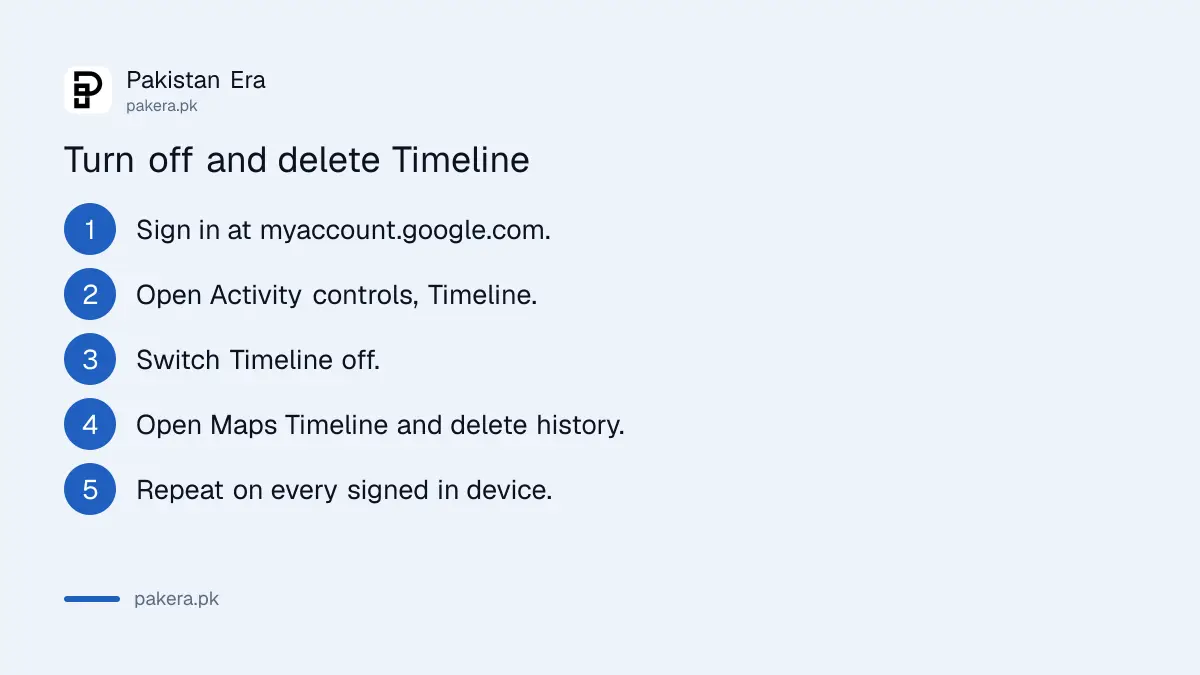
Go to the Timeline section of your Google Account at myaccount.google.com, open Activity controls, and turn Timeline off at the top. Then open Google Maps Timeline and delete all of your history, or only parts of it. Turning it off does not delete what is already saved.
- Sign in at myaccount.google.com with the account you use on your phone.
- Open the Timeline section of Activity controls and switch Timeline off.
- Open Google Maps Timeline at google.com/maps/timeline.
- Delete all your history, or pick a visit or route and delete only that.
- Repeat on every device where you are signed in.
Google adds a tip that is worth reading twice. Timeline data may still be saved on other eligible devices unless you delete all of your data. If you use an old phone and a new phone, clear both.
Other settings can still keep your location
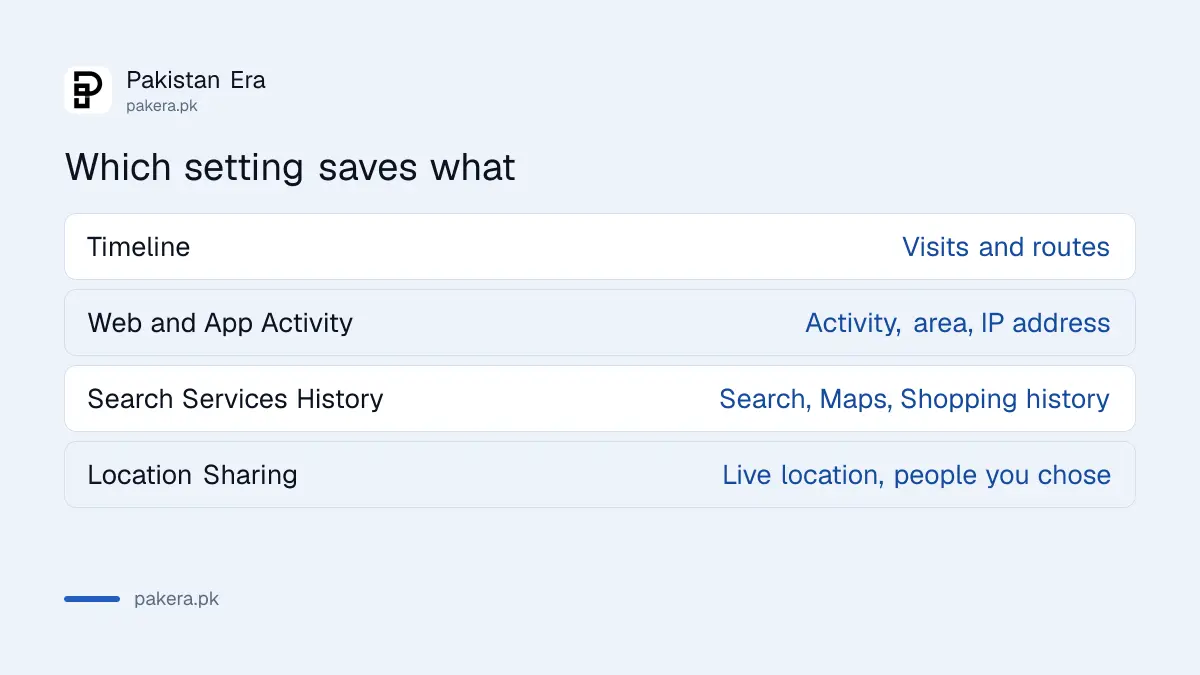
Turning Timeline off is not the whole job. Google says that if Search Services History or Web and App Activity is on, your account may still save location data from other Google sites, apps and services, such as your general area and IP address from activity on Search and Maps.
That is why a second step matters. Google says location info about where your device is, and your IP address, is deleted from Web and App Activity after 30 days. If you want it gone sooner, delete the activity yourself or turn that setting off.
| Setting | What it can save | How to control it |
|---|---|---|
| Timeline | Your visits and routes | Turn off, then delete in Maps Timeline |
| Web and App Activity | Search and app activity, with general area and IP address | Auto-delete or turn off in Data and privacy |
| Search Services History | History for Search, Maps, Shopping and other services | Manage in your account's history settings |
| Location Sharing | Your live location, shown to people you chose | Stop sharing with a person in People and sharing |
Delete your activity and set Auto-delete
Open myactivity.google.com, tap Delete, choose All time and confirm. To make it automatic, open Data and privacy in your Google Account, pick a history setting under History settings, tap Auto-delete, choose how long to keep your activity and confirm.
You can also delete one item, or filter by date or by Google product and delete only what matches. That is useful if you want to remove one week of searches and keep the rest.
- Go to myactivity.google.com and sign in.
- Tap Delete, then choose the period, or All time.
- Confirm. Items you delete are removed from your account.
- Open Data and privacy, then History settings, and choose a setting.
- Tap Auto-delete, choose how long to keep activity, then tap Next and Confirm.

Google also warns that if you delete from one device, items may still show on a device that is offline until it connects again. Turn on the internet on your other devices after you delete.
Some activity may disappear faster than the time you choose. Google gives the location example above as one such case.
What you lose, and what to keep on
Deleting activity and turning Timeline off means fewer saved places, fewer personalised results and no map of your past trips. It also leaves Find Hub alone, which is what helps you find a lost phone.
Keep Find Hub on, because it is how you locate a lost phone. Our guides on how to turn on Android theft protection and block a lost or stolen phone need it.
If you suspect somebody else is following your location, read how to check if someone is spying on your phone. A shared location is a different setting from Timeline and can be removed on its own.
Finish with your account itself. Look at who is signed in to your Google account and which linked apps have access, and turn on a passkey on your Google account.
Common questions
How do I delete my Google location history?
Open Google Maps Timeline at google.com/maps/timeline and delete all of your history or only parts of it. Do this on every device where you are signed in.
Is Google Timeline on by default?
No. Google says Timeline is off by default. Check the Timeline section of your Google Account, because you may have turned it on yourself while setting up a phone.
Does turning Timeline off delete my old data?
No. It only stops new data from being saved. You must delete the existing visits and routes in Maps Timeline.
Can Google still know my location with Timeline off?
Possibly. Google says Web and App Activity or Search Services History can still save location data, such as your general area and IP address, from your use of Google services.
How do I auto-delete my Google activity?
Go to Data and privacy in your Google Account, open a history setting under History settings, tap Auto-delete and choose how long to keep your activity.
Will deleting activity stop my phone from being found?
No. Google says your settings do not change for Find Hub or Location Sharing when you change Timeline. Find Hub works through its own setting.
How we verified this
What we checked, where we read it, and what we could not confirm.
We read Google Account Help "Manage your Timeline data" and "Delete and manage your activity", and Google Maps Help on Location Sharing, at support.google.com on 12 October 2026. Google says its Search services settings are updating in stages, so the menu names on your account may differ. We did not change the settings on a live account, and Google publishes no Pakistan specific steps.
About the author

Technology Journalist & Multimedia Producer
Ahmad Ali is a technology journalist and multimedia producer at Pakistan Era, joining the team in October 2026. He covers consumer technology and digital life for Pakistani readers, combining research with hands-on product testing.