YouTube Premium Family Plan in Pakistan: Add Up to 5 Members, Address Rules and Every Error Fix
Set up YouTube Premium Family in Pakistan and invite up to 5 members at one address. See the 30-day household check, the 12-month rule and fixes for errors.
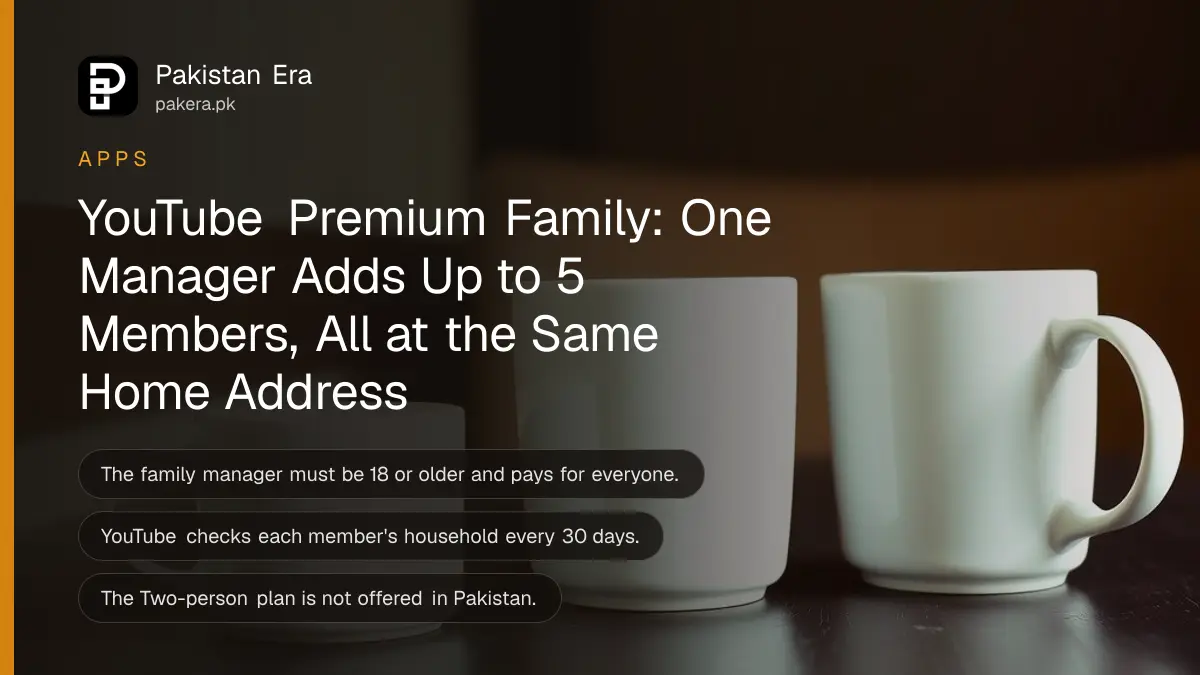
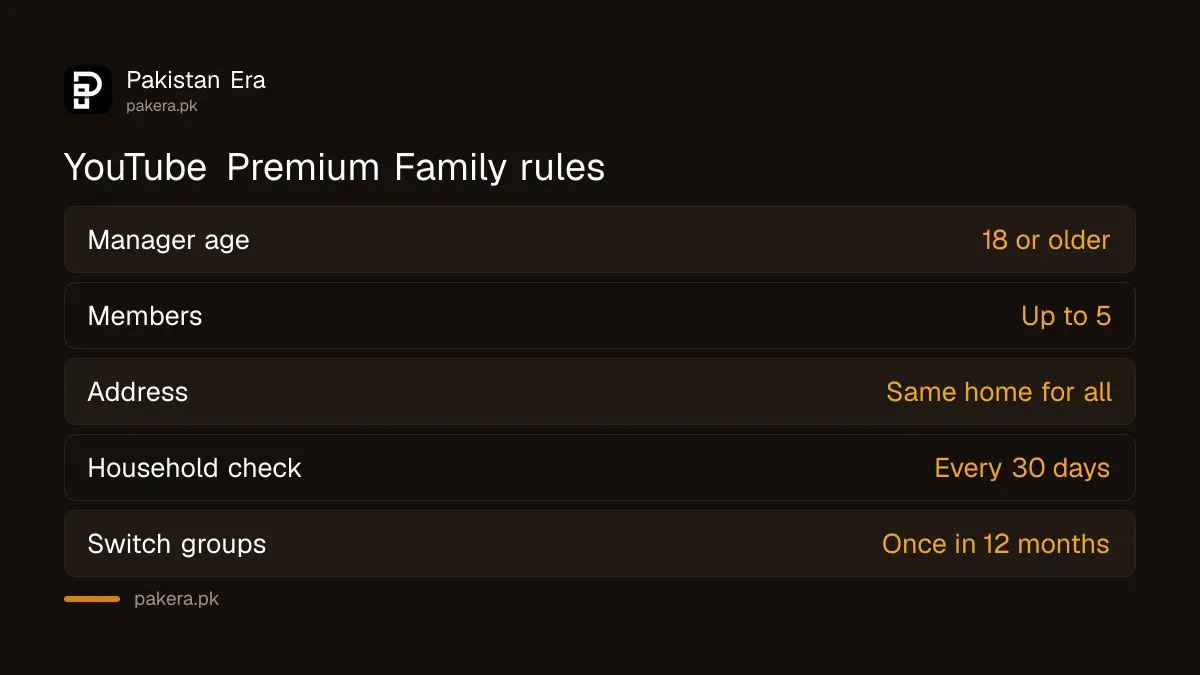
YouTube Premium Family in Pakistan lets one manager aged 18 or over share Premium with up to 5 other people at the same home address. To add someone, open Purchases and memberships in the YouTube app, tap your membership, tap Edit next to Family sharing settings, then Invite a new member. Everyone in the group can switch family groups only once every 12 months.
Family is the plan most Pakistani households end up on, because one payment covers parents, brothers and sisters, each with their own account and recommendations. It is also the plan with the most rules, and members get cut off when they miss them. We read YouTube's family plan help pages on 1 November 2026. Below are the setup, the invite and removal steps, the 30-day address check and the error messages that stop people joining.
One manager pays, and up to 5 people join from the same address
The family manager must be 18 or older, is the only person who can buy the plan, and sets the household location. The manager can invite up to 5 family members, and each must live at the same residential address and use a regular Google account.
That makes six people in total. Google Workspace accounts, the kind an office or university hands out, cannot start or join a family plan. Use a personal Gmail instead.
Each member signs in with their own account. Libraries, subscriptions and recommendations stay separate, and viewing history is not shared. So your father will not see what you watched at 2 am, and your watch history will not fill his feed with gaming videos.
YouTube's Pakistan page listed Premium Family at PKR 899 a month when we read it on 28 September 2026, against PKR 479 for one person. Our 1 November check ran from outside Pakistan and could not show rupee prices, so confirm the figure on the YouTube Premium price in Pakistan before you subscribe.
| Rule | Manager | Member |
|---|---|---|
| Minimum age | 18 | Age limits apply under 18 |
| Account type | Personal Google account | Personal Google account |
| Address | Sets the household | Same residential address |
| Other family groups | Cannot be in one | Cannot be in one |
| Switching groups | Once every 12 months | Once every 12 months |
Start the family plan from Purchases and memberships
In the YouTube app, the manager taps the profile picture, opens Purchases and memberships, taps Learn More on Premium, then Or save money with a family or student plan, and Get family plan. An existing Premium member can upgrade from the same screen.
If you already run a Google family group, for Play Store sharing or shared Google AI Pro storage, YouTube asks you to confirm it with Continue. If not, you buy the plan first and create the group when YouTube prompts you. Either way, the group behind YouTube Family is the same Google family group used by other Google services.
Invite members in 5 taps, by email or phone number
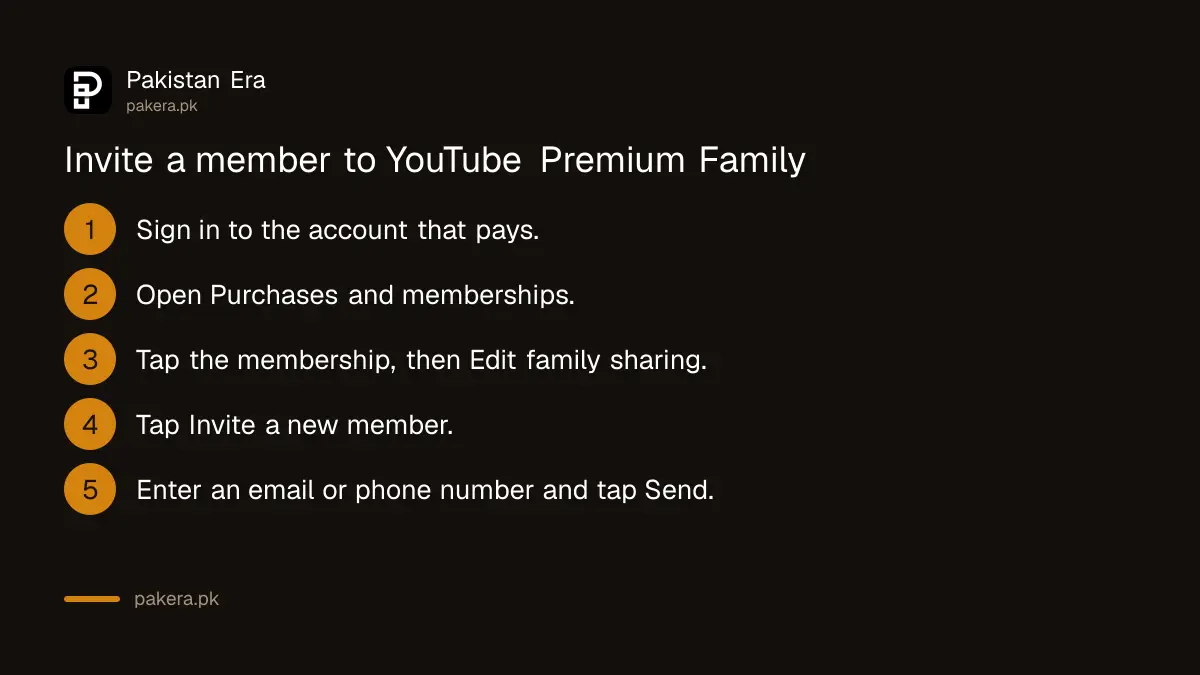
Sign in to the account that pays, open Purchases and memberships, tap the membership, tap Edit next to Family sharing settings, then Invite a new member. Type the person's email address or phone number and tap Send. You get an email when they join.
- Sign in to the Google account linked to the paid membership.
- Tap your profile picture, then Purchases and memberships.
- Tap your membership, then Edit next to Family sharing settings.
- Tap Invite a new member and enter an email address or phone number.
- Tap Send. The member accepts from the email or text and confirms their account.
Removing someone uses the same screen: tap their name, then Remove member. Think before you remove a relative to free a place, because the 12-month switching rule also binds the person you removed.
YouTube checks the household address every 30 days
YouTube runs an electronic check-in every 30 days to confirm that each member lives at the manager's address. If it cannot confirm a member's household, that member may see an alert that their Premium access will be paused.
This is where families split between cities run into trouble. A brother studying in Islamabad on a Multan family plan may get the warning, because YouTube's rule is about one residential address, not one family. YouTube also says a Premium membership should be used mainly in the country where it was bought, and trips of more than 30 days can lead YouTube to act on it.
Four messages stop people joining, and each has a fix
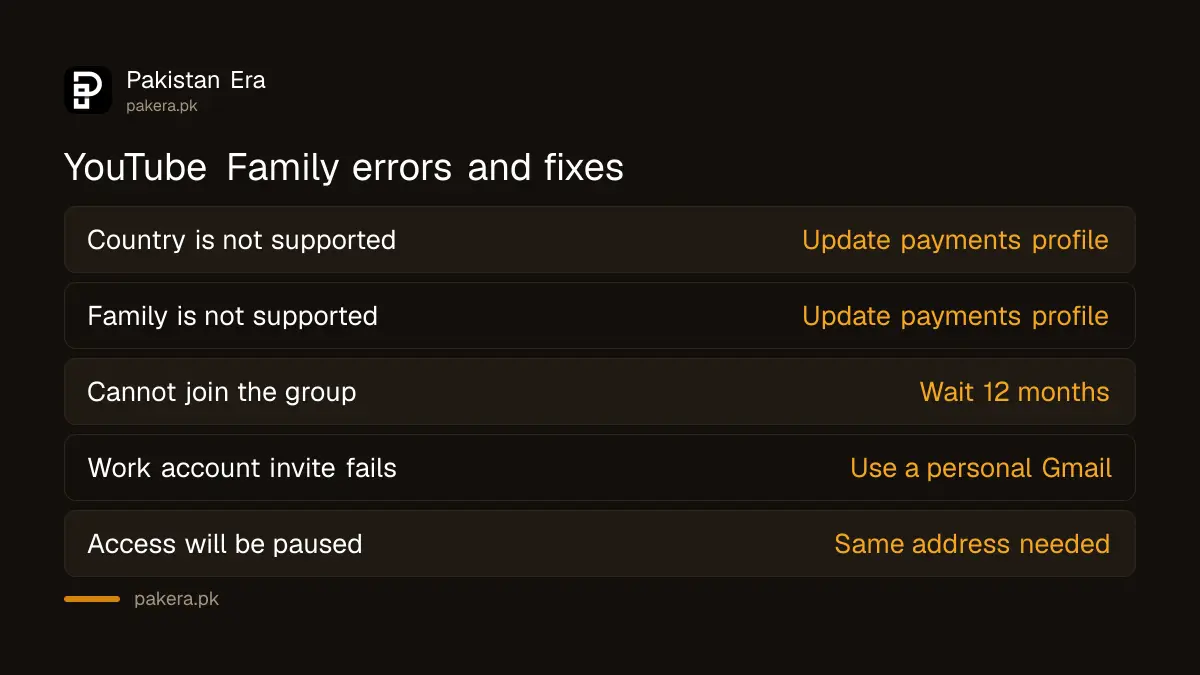
"Country is not supported" and "Family is not supported" usually mean the Google Pay profile shows another country, so update it to Pakistan. A member whose country does not match the manager's cannot join. Recent group switchers wait 12 months, and Workspace accounts never qualify.
| What you see | Likely cause | Fix |
|---|---|---|
| Country is not supported | Google Pay profile set to another country | Update the payments profile to your current country |
| Family is not supported | Same profile mismatch | Update the payments profile, then retry the invite |
| Cannot join the group | Switched family groups in the last 12 months | Wait until 12 months have passed |
| Invite fails on a work account | Google Workspace account | Use a personal Gmail |
| Premium access will be paused | Household not confirmed | Only members at the manager's address qualify |
The cheaper Two-person plan is not offered in Pakistan
YouTube's Two-person plan for two people in one household is listed in a short set of countries, including India and Bangladesh, but not Pakistan. Here the choice is Individual, Family, Student or the cheaper Premium Lite.
For two adults who share a flat, Family is still the way to share, and it leaves four places open for later. If background play and downloads matter less than ad-free viewing, YouTube Premium Lite costs less but has no family version.
Common questions
How many people can join YouTube Premium Family in Pakistan?
The manager plus up to 5 members, so six people in total, all at the same address.
Can a relative in another city join my YouTube family plan?
YouTube's rule is the same residential address. A member it cannot confirm may have Premium paused.
How often can I change family groups?
Once every 12 months, for the manager and for members.
Can family members see my YouTube history?
No. Each member keeps a separate library, recommendations and viewing history.
Is the YouTube Two-person plan available in Pakistan?
No. Pakistan is not on YouTube's list for the Two-person plan.
Why does YouTube say Family is not supported?
Your Google Pay profile likely shows a different country. Update it to Pakistan and try again.
How we verified this
What we checked, where we read it, and what we could not confirm.
Last checked 1 November 2026. We read YouTube's help pages Sign up for and manage a YouTube family plan (manager and member eligibility, 5 members, same address, 12-month switching, paused access alert), the Premium family plan setup page (Android steps, invites, removal, 30-day check-in, country errors), the Two-person plan page (country list without Pakistan) and the Premium locations page (Pakistan listed, 30-day travel rule) on 1 November 2026. The PKR 899 and PKR 479 prices come from our read of YouTube's Pakistan Premium page on 28 September 2026; we could not reload rupee prices on 1 November. YouTube does not publish the steps for changing the family manager, so we have not given them.
About the author

Technology Journalist & Multimedia Producer
Ahmad Ali is a technology journalist and multimedia producer at Pakistan Era, joining the team in October 2026. He covers consumer technology and digital life for Pakistani readers, combining research with hands-on product testing.