Check Who Is Signed In to Your Google Account and Remove Linked Apps in Pakistan
See every phone and computer signed in to your Google Account, sign out the ones you do not know, and remove old linked apps. Free, five steps, five minutes.
To see who is signed in to your Google Account, open your Google Account, tap Security and sign-in, then "Manage all devices" under Your devices. Tap any device you do not recognise and choose Sign out. Then review your linked apps and remove the ones you no longer use. Both checks are free.
Many Pakistanis sign in to Gmail on a friend's phone, an office computer or a shop's laptop, and then forget about it. That session can stay open for weeks. Your Google Account also holds your Play Store, YouTube, Photos and often your bank's alert emails.
We read Google's Account Help pages on 11 October 2026. This is how to run the check in about five minutes, and what to do if something looks wrong.
Check which devices have your Google Account
Google lists the computers, phones and other devices where you are, or recently were, signed in. The list sits under Security and sign-in. Review each entry, and sign out on any device you do not recognise, or no longer own.
- Open your Google Account, for example at myaccount.google.com.
- Tap Security and sign-in.
- Under Your devices, tap Manage all devices.
- Tap a device or session you do not recognise.
- Tap Sign out and confirm.
You can also go to google.com/devices, which Google names in its help page for this check.
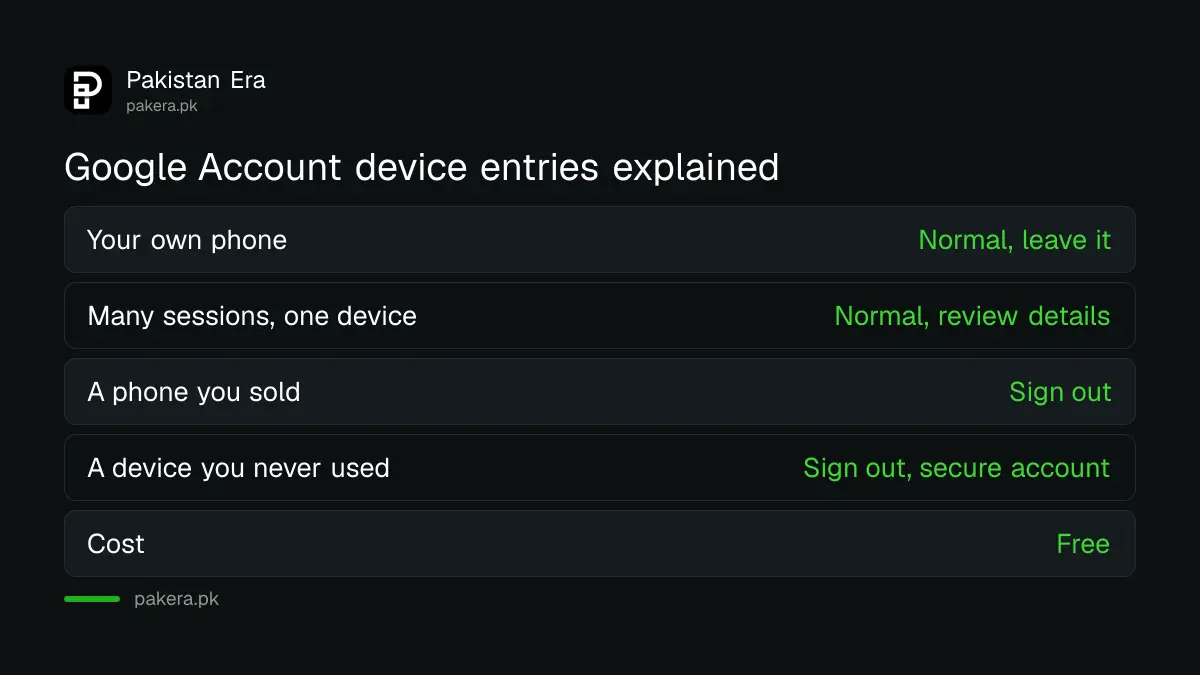
| What you see | What it usually means | What to do |
|---|---|---|
| Your own phone, signed in | Normal | Leave it |
| Several sessions on one device | Normal, one device can make many sessions | Review the details, sign out if unsure |
| A phone you sold or lost | An old session | Sign out |
| A device you never used | Possible unauthorised access | Sign out, then secure the account |
Read the session list without panic
A session is a period when you are signed in from a browser, app or service. Google says it is normal to see several sessions on one device. A new session starts when you sign in somewhere new, re-enter your password or open a private window.
The times on the list can confuse people. Google says the time shown is the last contact between that device and its systems. That includes background syncing. So a device may show a more recent time than the last time you used it.
If you are not sure that every session is yours, Google's advice is simple: sign out of them. You can sign in again on your own devices in a minute.

Remove apps that still have a link to your account
Some apps keep a link to your Google Account, either through Sign in with Google or through account linking. You can review and remove each link at any time. Removing a link does not delete your data in that app, according to Google's help page.
For Sign in with Google, open the linked apps page in your Google Account and choose Sign in with Google. Select the app, then See details, then "Stop using Sign in with Google", and confirm. Google stops automatic sign-in to that app.
- Remove old game, loan and shopping apps you no longer open.
- Remove any app you installed only for a one-time offer.
- Keep the apps you use every week. Removal can break automatic sign-in.
There is a second type, a linked account. If you delete that link, Google loses access to your account in that app, and features that need the link stop working on every device. Check what an app does before you remove it.
Loan apps deserve a hard look. If one asked for access you did not understand, remove it and read how to report loan app harassment to SECP and NCCIA.
Act at once if something looks wrong
If you see a device or activity that is not yours, sign it out first. Then follow Google's steps to secure the account: change your password, review recovery options and turn on stronger sign-in. Do not wait to see if it happens again.
These guides help with each step:
- Locked out? Recovering a Gmail or Google Account covers the recovery form.
- Add a second lock with a passkey on your Google Account.
- Turn on two-step verification so a stolen password is not enough.
- Run a leaked password check and change any password you reuse.
Our view: do this check every three months, and always after you lend your phone, sell it or use a shared computer. It is the cheapest security step there is.
Common questions
Will signing out of a device delete my data?
No. Signing out only ends that session. Your emails, photos and files stay in your account.
Why does a device show a time when I did not use it?
Google says the time is the last contact with its systems, which can be background syncing, not just your own use.
Does removing Sign in with Google delete my account in that app?
No. Google says deleting the link does not delete your data in the app. It only stops automatic sign-in.
How often should I check my devices?
Google gives no schedule. We suggest every three months and after any phone sale, loss or shared computer use.
What if I see a device I do not recognise?
Sign out of it, then follow Google's steps to secure your account. Change your password and check your recovery options.
How we verified this
What we checked, where we read it, and what we could not confirm.
We last checked these official pages on 11 October 2026:
- Google Account Help, "See devices with account access", for the steps, sessions and times.
- Google Account Help, "Manage links between your Google Account and apps from other developers", for linked apps and Sign in with Google.
- Google Account Help, "Secure a hacked or compromised Google Account", as the next step if you see unfamiliar access.
Menu names can differ between Android versions. We did not test every step on a Pakistani account.
About the author

Technology Journalist & Multimedia Producer
Ahmad Ali is a technology journalist and multimedia producer at Pakistan Era, joining the team in October 2026. He covers consumer technology and digital life for Pakistani readers, combining research with hands-on product testing.