Check If Your Passwords Leaked Online in Pakistan, Free in 2 Minutes
Find out free if your Gmail, bank or Facebook password was in a data leak, with Google Password Checkup or the iPhone Passwords app, and what to change first.
You can check free whether your saved passwords have leaked online. On Android or a computer, open passwords.google.com and select Go to Password Checkup. On an iPhone, open the Passwords app and tap Security. Any password marked "compromised" should be changed today, starting with email, bank and wallet accounts.
Most hacked accounts in Pakistan are not broken by clever code. They are opened with a password that leaked from some other site years ago. The same password that once went into a shopping app, a job portal or a game account often still guards somebody's Gmail and JazzCash login.
We read Google's and Apple's own help pages for their built-in password checkers on 10 October 2026. Both are free, both are already on your phone, and neither asks you to type your password into a strange website.
Google Password Checkup finds leaked, weak and reused passwords
Google Password Checkup scans the passwords saved in your Google account and flags three problems: exposed in a data leak, weak, or used on more than one account. It runs in Chrome or at passwords.google.com, and costs nothing.
Google calls a password "compromised" when the username and password pair has been published online. That usually means a website you used was breached and its data was dumped or sold. Your own phone may be perfectly safe. The leak happened somewhere else.
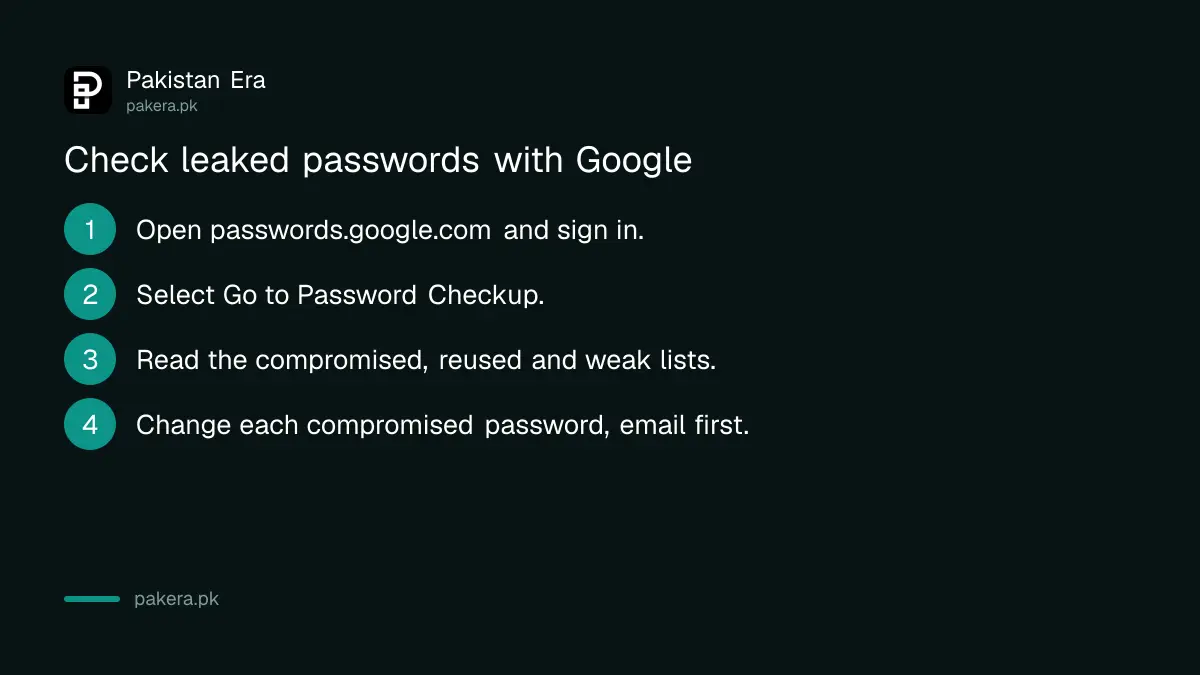
- Open passwords.google.com in any browser and sign in to your Google account.
- Select Go to Password Checkup, then Check passwords.
- In Chrome on a computer, you can also go to the three-dot More menu, then Passwords and autofill, then Google Password Manager, then Checkup.
- Read the results under compromised, reused and weak passwords.
- Open each website with a compromised password and change it there, starting with the most important accounts.
The checker only sees passwords saved in Google Password Manager. If you type your bank password from memory every time, Google cannot test it. That is not a reason to save it; it is a reason to make sure it is unique.
iPhone users can check leaks in the Passwords app
On an iPhone with iOS 18 or later, open the Passwords app and tap Security. Apple says it alerts you to passwords that are easy to guess, reused across accounts, or found in known data leaks. Tap an account to change its password.
Apple says the Passwords app alerts you on its own when a saved password appears in a known data leak. Older iPhones that cannot run iOS 18 do not have the Passwords app, so update first if your phone allows it.
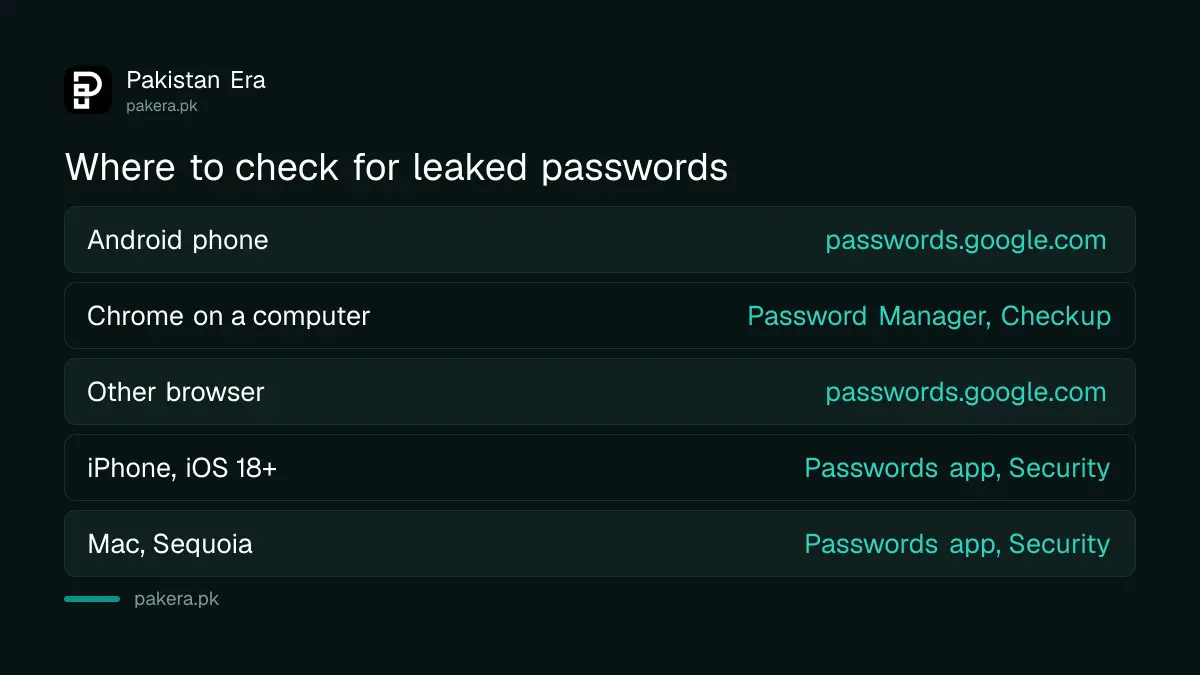
| Device | Where to check | What it flags |
|---|---|---|
| Android phone | passwords.google.com, Password Checkup | Compromised, reused, weak |
| Computer with Chrome | Google Password Manager, Checkup | Compromised, reused, weak |
| Other browser | passwords.google.com | Compromised, reused, weak |
| iPhone, iOS 18 or later | Passwords app, Security | Easy to guess, reused, in data leaks |
| Mac, macOS Sequoia | Passwords app, Security | Easy to guess, reused, in data leaks |
Change leaked passwords in the right order
Change your email password first, because email resets everything else. Then your bank app, JazzCash or Easypaisa login, Facebook, WhatsApp backup account and work accounts. Give every account its own password, and switch on two-step verification wherever it is offered.
Email comes first for a simple reason. Anyone inside your Gmail can press "forgot password" on your other accounts and read the reset link. Lock that door and most of the others stop opening.
A good password is long, not clever. Three or four unrelated words joined together beat a short word with a few symbols. Let Chrome or the iPhone Passwords app generate and save one if remembering is hard.
After that, add a second lock. Two-step verification means a leaked password alone is no longer enough to get in. A Google account passkey goes further and replaces the password with your fingerprint or screen lock.
A leaked password can come from malware on your own computer
Not every leak starts at a website. Pakistan's National CERT (PKCERT) warned in advisory NCA-16 that malware on an infected Windows computer can steal saved login data, including synced passkeys in Chrome, without knowing your password. Keep Windows and Chrome updated and scan for malware.
This kind of program is called an infostealer. It hides inside cracked software, free movie downloads and fake game cheats, which are common on shared and cyber cafe computers. If Password Checkup keeps flagging new passwords soon after you change them, the problem may be on your own machine.
In that case, change your passwords from a different, clean device such as your phone. Then run a full scan with Windows Security on the infected computer, or reinstall Windows if you can.
If someone has already got into an account, act fast. The steps differ by service, and the Google route is covered in recovering a Gmail account. If money has left your wallet or bank, call your bank's helpline at once and then file a complaint with the National Cyber Crime Investigation Agency (NCCIA).
Common questions
Is Google Password Checkup free?
Yes. Google Password Checkup is free for anyone with a Google account. Open passwords.google.com, sign in, and select Go to Password Checkup.
Does Google see my passwords when it checks them?
Google already stores them if you saved them in Google Password Manager, and the checkup compares those saved passwords against known leaks. It does not ask you to type a password into a new website.
Should I enter my password on a website that claims to check leaks?
No. Do not type your password into an unknown website or a link sent on WhatsApp. Use the checkers built into your Google account or your iPhone instead.
My password was leaked but my account still works. Do I need to change it?
Yes. Google says compromised passwords are unsafe because they have been published online, and recommends changing them as soon as you can. A working account today can be taken over tomorrow.
Can a password leak empty my JazzCash or Easypaisa wallet?
Not on its own in most cases, since wallets also need your MPIN and the SIM. But if you reuse the same PIN or password, and a scammer also tricks you into sharing an OTP, the risk rises sharply. Use a unique MPIN.
How we verified this
What we checked, where we read it, and what we could not confirm.
We last checked these sources on 10 October 2026:
- Google Account Help, "Check your passwords for security issues", on support.google.com, for Password Checkup steps and what compromised, reused and weak mean.
- Apple Support, "About the Passwords app", on support.apple.com, for weak, reused and data leak alerts and the Security section.
- PKCERT advisory NCA-16, "Malware Targeting Synchronized Passkeys on Compromised Windows Systems", on pkcert.gov.pk.
Menu labels can shift slightly between app versions. If you cannot find a menu, search "Password Checkup" or "Security" inside the settings app.
About the author

Technology Journalist & Multimedia Producer
Ahmad Ali is a technology journalist and multimedia producer at Pakistan Era, joining the team in October 2026. He covers consumer technology and digital life for Pakistani readers, combining research with hands-on product testing.