How to Check If Someone Is Spying on Your Phone in Pakistan, on Android and iPhone
Check if someone is spying on your phone in Pakistan: iPhone Safety Check, Android Play Protect and shared location checks. Steps to remove access safely.
Short answer: On an iPhone, open Settings, Privacy and Security, then Safety Check, to see everyone and every app you share with. On Android, run a Play Protect scan, review Settings, Apps and the Permission manager, and open Google's Location Sharing list. Remove what you do not know. Then change your passwords from a device only you hold.
The signs are small. A phone that gets hot while idle. A battery that drains by afternoon. A partner or relative who knows where you went without being told. None of these proves anything, and there are many innocent causes. But if you feel watched, the checks below take about ten minutes and cost nothing.
Spyware, also called stalkerware, is an app or setting that lets another person see your location, messages or calls. On many phones the spying is not an app at all. It is a shared location, a signed-in account or a linked device that someone set up when they held your phone.
We read Apple's Safety Check guide and Google's Android Help pages on 12 October 2026. We did not run the steps on a phone that was being watched, so these are the official steps and our own advice on their order.
Stop first and think about your safety
Removing a spy tool may alert the person who put it there. If you fear someone may react badly, make your checks on a trusted friend's phone or in a safe place first, and think about whom you can ask for help before you change anything on your own phone.
That caution is ours. It is not a line from Apple or Google. Apple's own Safety Check has a Quick Exit button in the top right corner that closes Settings at once and keeps the changes you made.
If the watching comes with threats or private photos, read how to report online blackmail with private photos, and save screenshots before you delete anything.
Check an iPhone with Safety Check
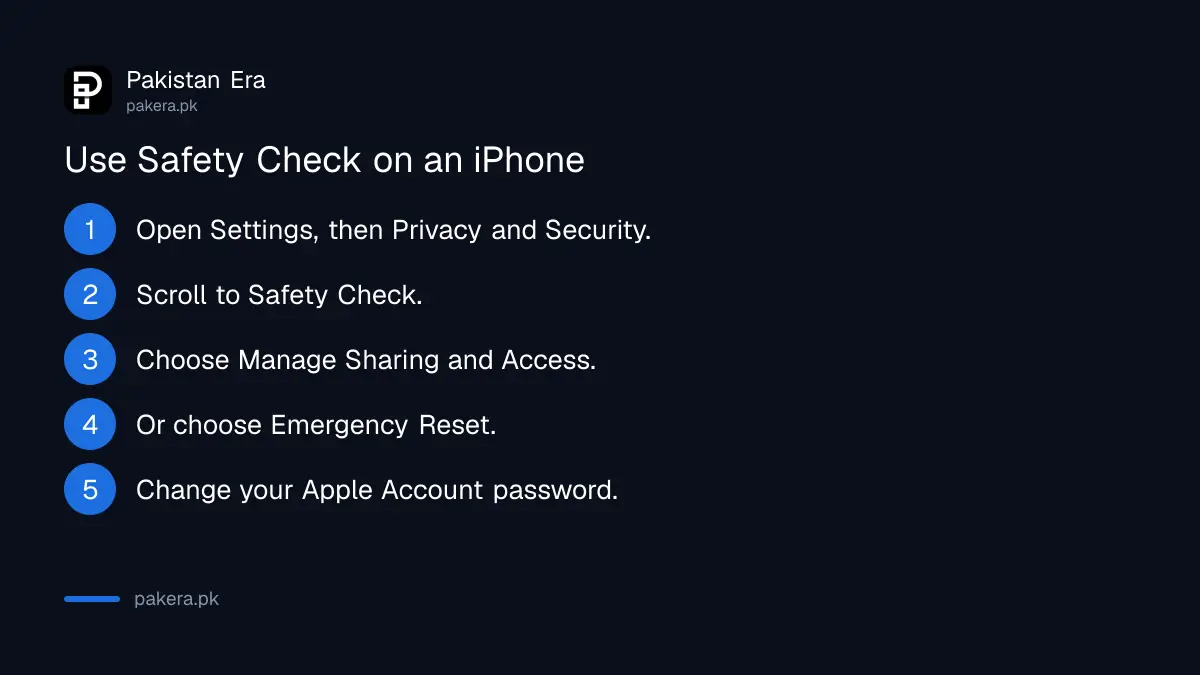
Go to Settings, Privacy and Security, then Safety Check. It needs an iPhone with iOS 16 or later and an Apple Account with two-factor authentication. Choose Emergency Reset to stop sharing with everyone at once, or Manage Sharing and Access to go person by person.
- Open Settings and tap Privacy and Security. Scroll down to Safety Check.
- Pick Manage Sharing and Access if you want to review people and apps one by one.
- Pick Emergency Reset if you want to stop sharing with all people and apps now.
- Review the devices signed in to your Apple Account and your emergency contacts.
- Change your Apple Account password when asked, and check the phone numbers on the account.
- Tap Quick Exit in the top right if someone walks in.
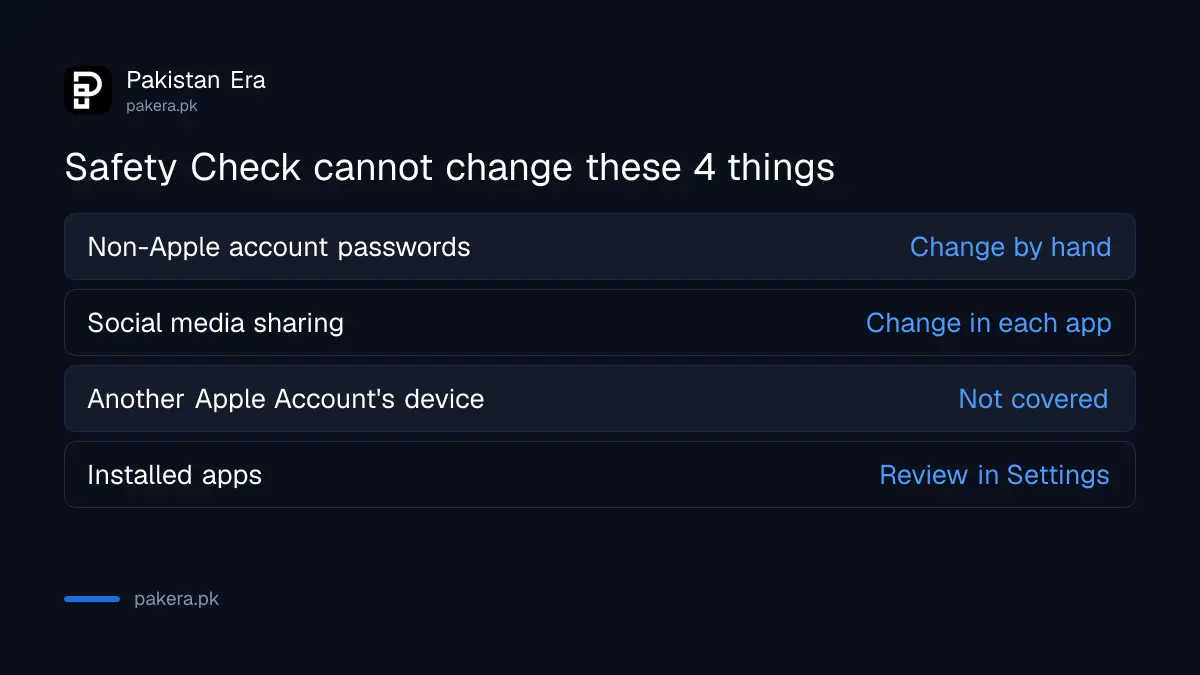
Apple lists limits. Safety Check cannot change passwords for non-Apple accounts, cannot change sharing on social media, and cannot change anything on a device that uses a different Apple Account. Do those by hand.
Check an Android phone for hidden apps and access
Open the Play Store, tap your profile icon, choose Play Protect and run a scan. Then open Settings, Apps and look through the whole list. Finally, open Settings, Security and privacy, Privacy, Permission manager and see which apps can use your location, microphone, camera and messages.
Google's Play policy defines stalkerware as code that collects personal or sensitive data from a phone and sends it to a third party for monitoring. Play Protect lists stalkerware as a harmful app category, so a scan is worth the thirty seconds it takes.
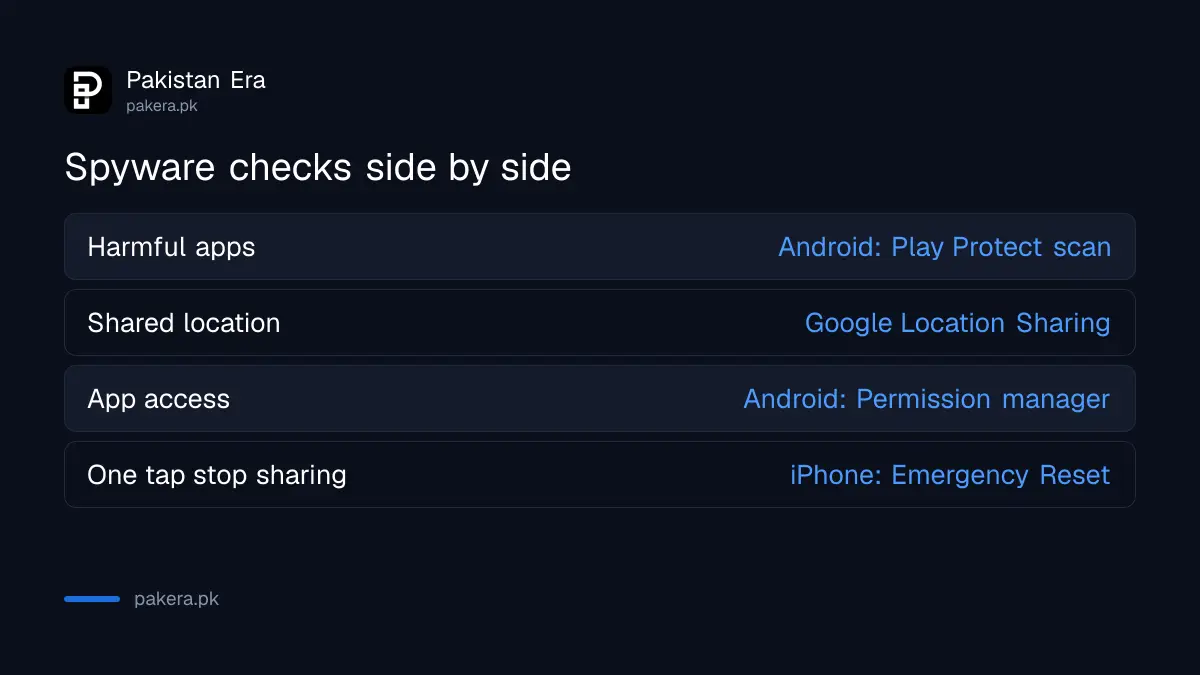
| What to check | Android | iPhone |
|---|---|---|
| Harmful apps | Play Store, Play Protect, Scan | Scroll the app list in Settings and delete unknown apps |
| Who sees your location | Google Location Sharing, in your Google Account | Safety Check, Manage Sharing and Access |
| App access | Settings, Privacy, Permission manager | Safety Check, apps with access |
| Signed in devices | Google Account, Security | Safety Check, devices |
| Quick exit | Not built in | Quick Exit button in Safety Check |
Menu names change by brand. Some apps hide their icon, so also search the app list for plain names such as Sync, System Service or Update that you do not remember installing.
See who can follow your location through Google
Google Location Sharing lets people you choose see your name, photo, real-time location and battery status through Maps, Messages, Find Hub, Family Link or Personal Safety. To check it, visit myaccount.google.com, open People and sharing, then Location Sharing, and tap Manage Location Sharing.
Google says Location Sharing is off by default and cannot be turned on until you share your location with someone in a Google app. If a name appears that you do not know, tap the person and choose Stop. If you share with many people, open the list, select the person and tap Stop beside the name.
Check also the account itself. Our guide on how to sign out unknown devices and remove linked apps from your Google account shows where a stranger's phone or computer would show up.
Close the other doors, then secure the accounts
Spying often continues through an account, not an app. Change your Google, Apple, WhatsApp, Facebook and email passwords from a device the other person has never held. Turn on two-step verification and a passkey. Then remove any device you do not recognise.
- Check linked devices on WhatsApp and remove any you do not know.
- Turn on two-step verification for WhatsApp, Facebook and Gmail.
- Set a passkey on your Google account so a guessed password is not enough.
- Test your passwords with the steps to check if your passwords leaked online.
A new, strong screen lock matters too. If somebody knew your old PIN, they could have set all of this up in a minute.
Reset the phone as a last step
If you still believe the phone is not safe, a factory reset erases apps and data and is the strongest fix. Back up photos first, set a new screen lock, and install apps from the official store only. Do not restore a full backup taken after the spying started.
Our guide on how to erase your phone before selling it lists what to back up and sign out of first. The same steps apply here. Android tells you to know your Google account and password before a reset, so confirm them on another device.
Common questions
How do I know if someone is spying on my phone?
You usually cannot tell from one sign. Check Play Protect, your app list, permissions, shared locations and signed-in devices. If someone knows things they should not, treat it as real.
Does Safety Check delete spyware from my iPhone?
No. Safety Check stops sharing with people and apps and reviews devices and accounts. It does not scan for or delete apps, and it cannot change non-Apple accounts.
Where is Safety Check on an iPhone?
Go to Settings, then Privacy and Security, then Safety Check. You may need to scroll down. It needs iOS 16 or later.
Can someone track me through Google Maps without an app?
Yes, if you shared your location with them through Google Location Sharing. Check the list under People and sharing in your Google Account and stop sharing with anyone you do not know.
Will a factory reset remove all spyware?
It removes apps and data on the phone. It does not close a shared account, so change passwords and review signed-in devices as well.
Should I tell the person that I found it?
That is your decision and your safety comes first. Save screenshots, secure your accounts, and get help from someone you trust before you confront anyone.
How we verified this
What we checked, where we read it, and what we could not confirm.
We read Apple's "Safety Check for an iPhone with iOS 16 or later" guide at support.apple.com, and Google's Android Help pages on Location Sharing, app permissions and Play Protect at support.google.com, on 12 October 2026. We could not read Android's device admin page in full, so menu names for it may differ. We did not test any step on a monitored phone.
About the author

Technology Journalist & Multimedia Producer
Ahmad Ali is a technology journalist and multimedia producer at Pakistan Era, joining the team in October 2026. He covers consumer technology and digital life for Pakistani readers, combining research with hands-on product testing.