Ufone Postpaid Bill Payment in Pakistan: UPTCL App, UPaisa *786#, ATM, Banks and Every Other Method
Pay a Ufone postpaid bill in the UPTCL app, with UPaisa on *786#, at MCB ATMs, NADRA kiosks or 21 banks online. Check your bill free with *129# before paying.
The quickest ways to pay a Ufone postpaid bill are the UPTCL app (debit card, credit card or UPaisa) and UPaisa by dialling *786#. Dial *129# first, free, to see your bill. Ufone also takes payment at its service centres and franchises, VTM machines, 1Link ATMs at MCB and NIB, NADRA kiosks, 21 banks' online banking and 9 banks' phone banking.
Ufone asks you to pay before the due date so your services are not blocked. We read Ufone's payment options page and its Postpay Prime page on 5 November 2026. Here is every method Ufone lists, with the steps for each.
Check your Ufone bill first with *129#
Dial *129# from your Ufone postpaid number to get your bill details. Ufone says this service is completely free. The same code shows your remaining free minutes, SMS and MBs, so you can see what the next bill will look like.
Postpaid bills follow your package. Free resources refresh at the start of every bill cycle, Ufone says. Calls, SMS and internet used beyond them are charged on top: Ufone's Prime page lists Rs 1.90 plus tax a minute, Rs 1.25 plus tax an SMS and Rs 3.00 plus tax per MB.

Pay in the UPTCL app or with UPaisa *786#
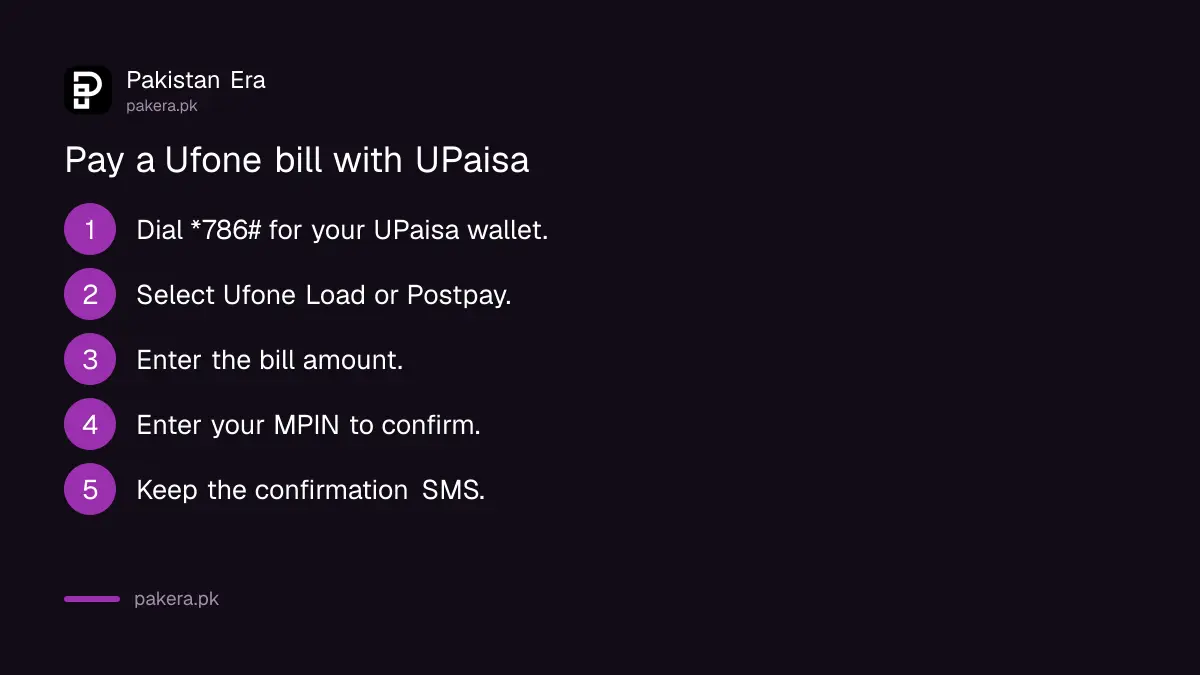
In the UPTCL app, choose Pay Bill, pick your number and pay with a debit card, credit card or UPaisa wallet. Without the app, dial *786#, select Ufone Load or Postpay, enter the amount and your MPIN. Both send a confirmation SMS.
UPTCL app
- Download the UPTCL app from Google Play or the App Store.
- Choose Pay Bill.
- Select your number, if more than one is linked to your account.
- Pay by debit card, credit card or UPaisa wallet.
- Wait for the confirmation message.
Ufone says the card must be activated by your bank for online payments. If a card payment fails, check that first in your bank app.
UPaisa on *786#
- Dial *786# to open your UPaisa wallet.
- Select Ufone Load/Postpay.
- Enter the amount and your MPIN.
- Read the confirmation SMS.
The same *786# menu also buys prepaid load. If your UPaisa wallet has not been used for a long time, see our guide to reactivating a dormant UPaisa wallet.
Every Ufone bill payment method compared
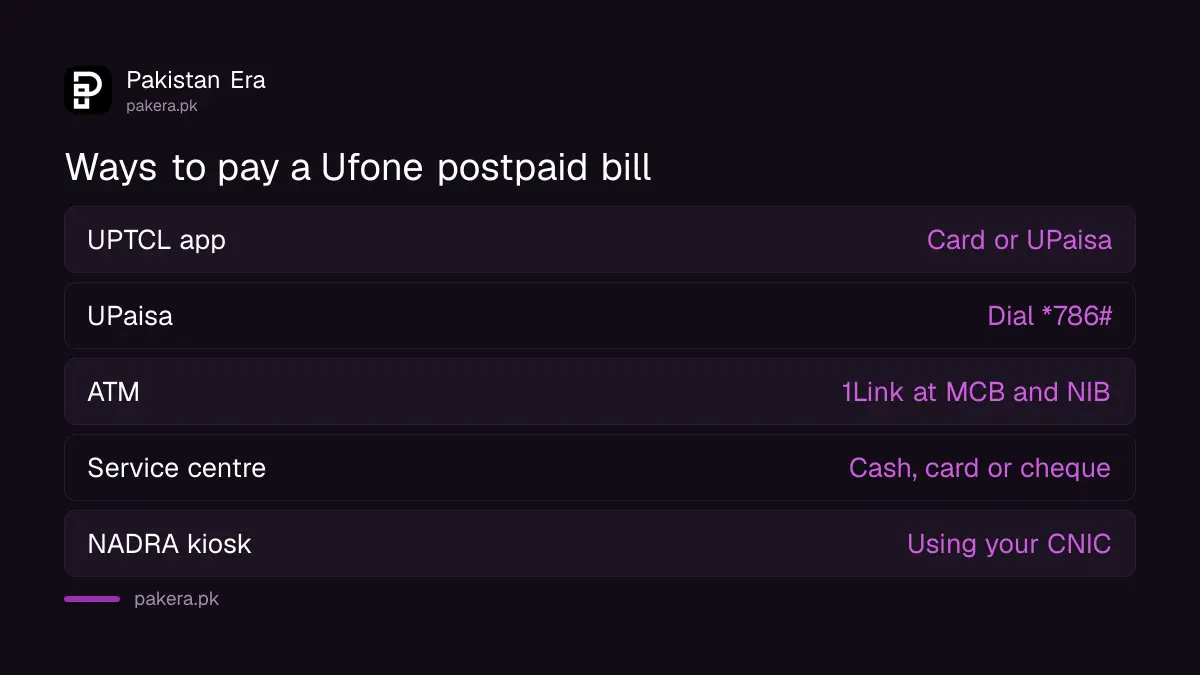
Ufone lists ten ways to pay a postpaid bill. Five work from home: the app, UPaisa, scratch cards, direct debit, and online or phone banking. Five need a visit: ULoad retailers, service centres and franchises, VTM machines, ATMs and NADRA kiosks.
| Method | How | Pay with |
|---|---|---|
| UPTCL app | Pay Bill option | Debit card, credit card, UPaisa |
| UPaisa | Dial *786# | UPaisa wallet |
| Scratch card | *126* then the 14 digit code then # | Card bought from a retailer |
| ULoad | At an authorised retailer | Cash |
| Service centre or franchise | Counter payment, also UBank branches and UPaisa shops | Cash, card, crossed cheque to PTML |
| VTM machine | Bill payment option, enter number | Cash or card, in multiples of Rs 50 or Rs 100 |
| 1Link ATM | MCB and NIB ATMs | ATM card |
| NADRA kiosk | Using your CNIC | Cash |
| Direct debit | Set up with Ufone | Credit card, any bank |
| Online or phone banking | Bank app, website or call centre | Bank account |
At a service centre, Ufone says the agent stamps your bill after payment. Keep that stamped copy. It carries the transaction ID and agent ID, which you need if the payment does not show.
Pay at an ATM in 8 steps
Ufone lists 1Link bill payment on MCB and NIB ATMs. Choose Bill Payment, then Mobile Payment Postpay, then Ufone, enter the amount and your mobile number, confirm, and keep the slip. The steps below are Ufone's own.
- Insert your card and enter your PIN.
- Select Bill Payment.
- Select Mobile Payment, Postpay.
- Select Ufone.
- Enter the bill amount.
- Enter your mobile number, for example 0334 followed by 7 digits.
- Select your account and confirm.
- Collect your confirmation slip.
Ufone names only MCB and NIB for ATM payment. NIB Bank merged into MCB years ago, so in practice look for an MCB ATM. Other banks' ATMs may also offer Ufone under bill payment, but Ufone does not list them.
Banks that take Ufone bills online or by phone
Ufone lists 21 names for online banking, including HBL, UBL, Meezan, National Bank, Faysal and Standard Chartered. Nine banks take payment by phone banking, including Bank Alfalah, Allied Bank, HBL and UBL.
- Online banking: Dubai Islamic Bank, Faysal Bank, FINCA Microfinance Bank, FMFB, HBL, Habib Metropolitan Bank, JS Bank, MCB Islamic Bank, Meezan Bank, National Bank, NRSP Microfinance Bank, SAMBA Bank, Silk Bank, Sindh Bank, Soneri Bank, Standard Chartered, Summit Bank, Telenor Microfinance Bank, UBL, Waseela Microfinance Bank and Wemsol.
- Phone banking: Faysal Bank, Bank Alfalah, Bank Al Habib, HBL, UBL, Atlas Bank, Soneri Bank, Standard Chartered and Allied Bank.
Some names on Ufone's list have since merged or been renamed, such as SAMBA, Summit and Atlas. Treat the list as a guide and check your own bank app's bill payment menu for Ufone. For tax on your bills, see the Ufone tax certificate guide.
Common questions
How can I check my Ufone postpaid bill?
Dial *129# from your Ufone postpaid number. Ufone says the service is free and also shows remaining minutes, SMS and MBs.
How do I pay my Ufone bill with UPaisa?
Dial *786#, select Ufone Load/Postpay, enter the amount and your MPIN, then wait for the confirmation SMS.
Can I pay my Ufone bill with a scratch card?
Yes. Ufone's payment page says to type *126*, the 14 digit code on the back of the card, then #. Its FAQ adds that postpaid users dial *125# once first to turn the service on, free.
Can I pay a Ufone bill with Easypaisa or JazzCash?
Ufone's payment page does not list them. It lists UPaisa, banks, the UPTCL app and counters. Check the bill payment menu of your wallet app.
What happens if I pay my Ufone bill late?
Ufone says to pay before the due date so your services are not blocked. It does not print a late fee on this page.
Where can I pay my Ufone bill in cash?
At Ufone service centres, franchises, UBank branches, UPaisa shops, ULoad retailers, VTM machines and NADRA kiosks.
How we verified this
What we checked, where we read it, and what we could not confirm.
We read Ufone's payment options page and Postpay Prime page at ufone.com on 5 November 2026, and Ufone's FAQ for the scratch card note. Every method and step above comes from those pages. The remarks about bank mergers are ours. We did not pay a bill. If a payment does not appear, call 333 with your stamped bill or confirmation SMS; our Ufone complaint guide shows how to track it.
About the author

Senior Writer, Public Services and Technology
Shahid joined us in 2024 as an author. He is a senior contributor to Pakistan's leading technology websites. He writes detailed articles, mostly covering his expertise in the latest tech, mobiles, apps, gadgets, and step-by-step guides. His ideology is to help people understand the latest trends and explain complex methods through very easy-to-understand guides.